# 彩虹聚合DNS管理系统
[](https://github.com/netcccyun/dnsmgr/stargazers)
[](https://github.com/netcccyun/dnsmgr/forks)
[](https://hub.docker.com/r/netcccyun/dnsmgr)
[](https://github.com/netcccyun/dnsmgr/releases)
[](https://github.com/netcccyun/dnsmgr/commits/main)
彩虹聚合DNS管理系统 是一款基于ThinkPHP开发的网站程序,可实现在单一网站内管理多个平台的域名解析,目前已支持的域名解析平台有:阿里云、腾讯云、华为云、百度云、西部数码、火山引擎、DNSLA、CloudFlare、Namesilo、PowerDNS
## 功能特性
- 多用户管理,可为每个用户可分配不同的域名解析权限;
- 提供API接口,可获取域名单独的登录链接,方便各种IDC系统对接;
- 容灾切换功能,支持ping、tcp、http(s)检测协议并自动暂停/修改域名解析,并支持发送通知;
- 定时切换功能,设置在指定时间/周期,自动修改/开启/暂停/删除域名解析;
- CF优选IP功能,支持获取最新的Cloudflare优选IP,并自动更新到解析记录;
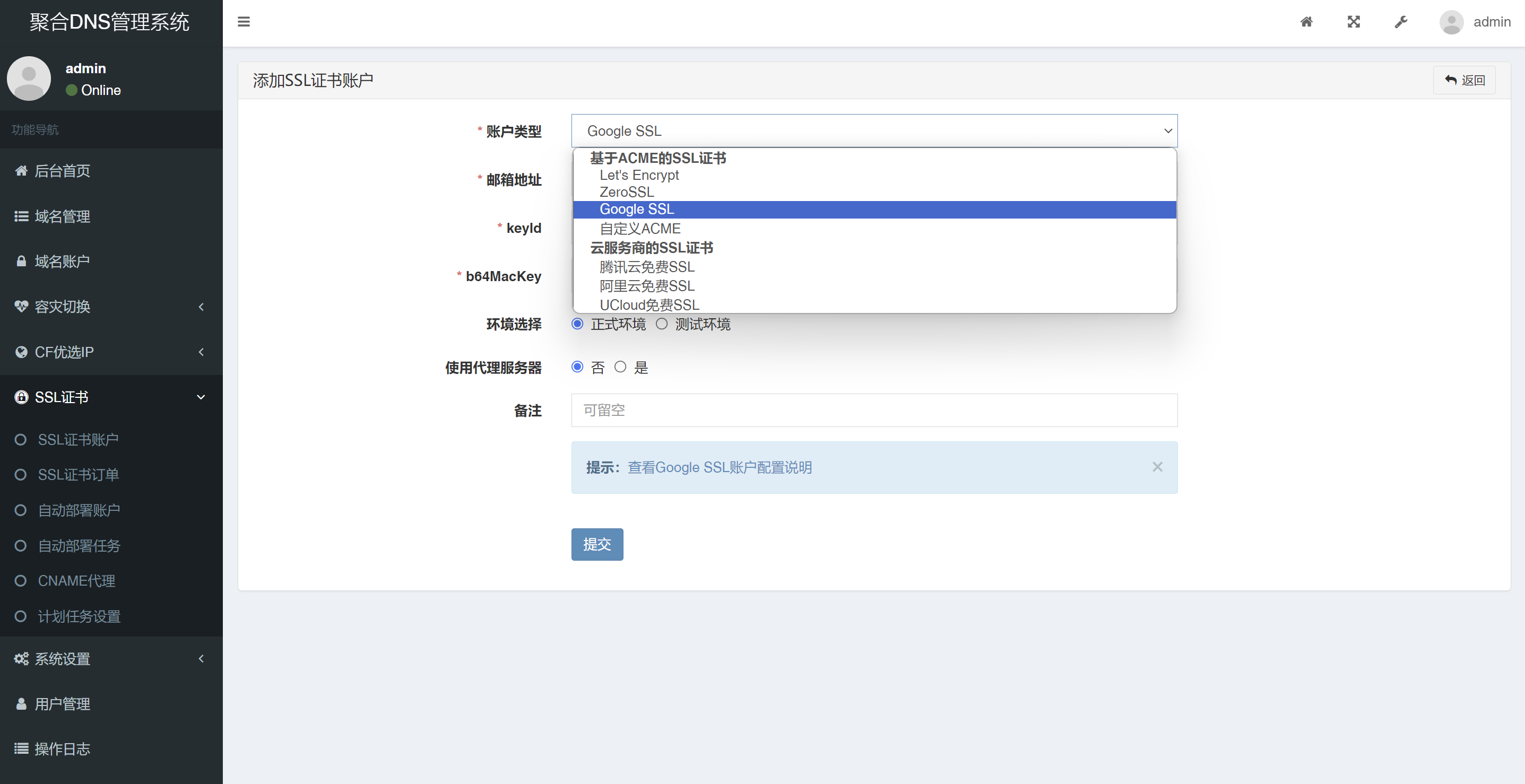
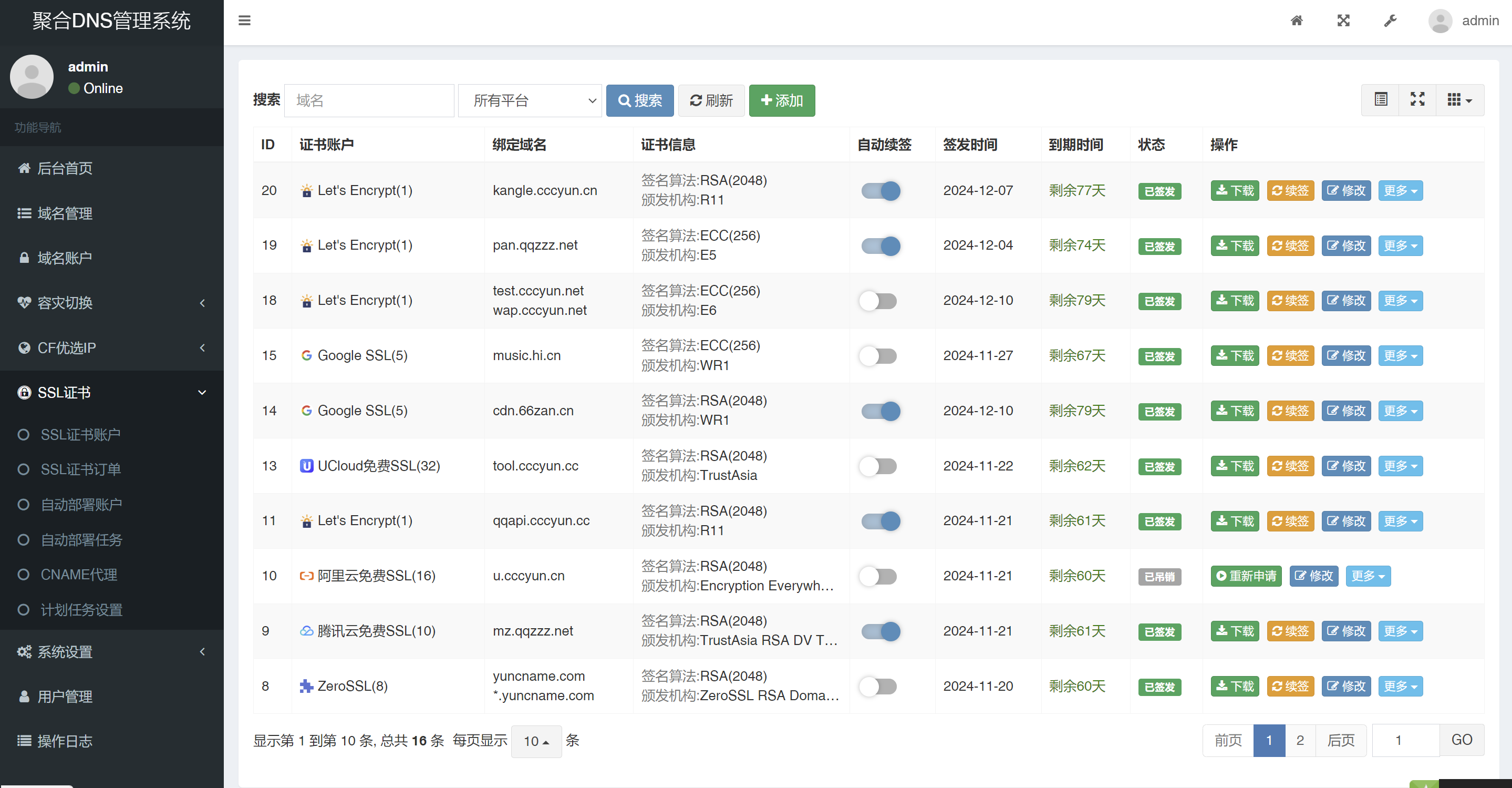
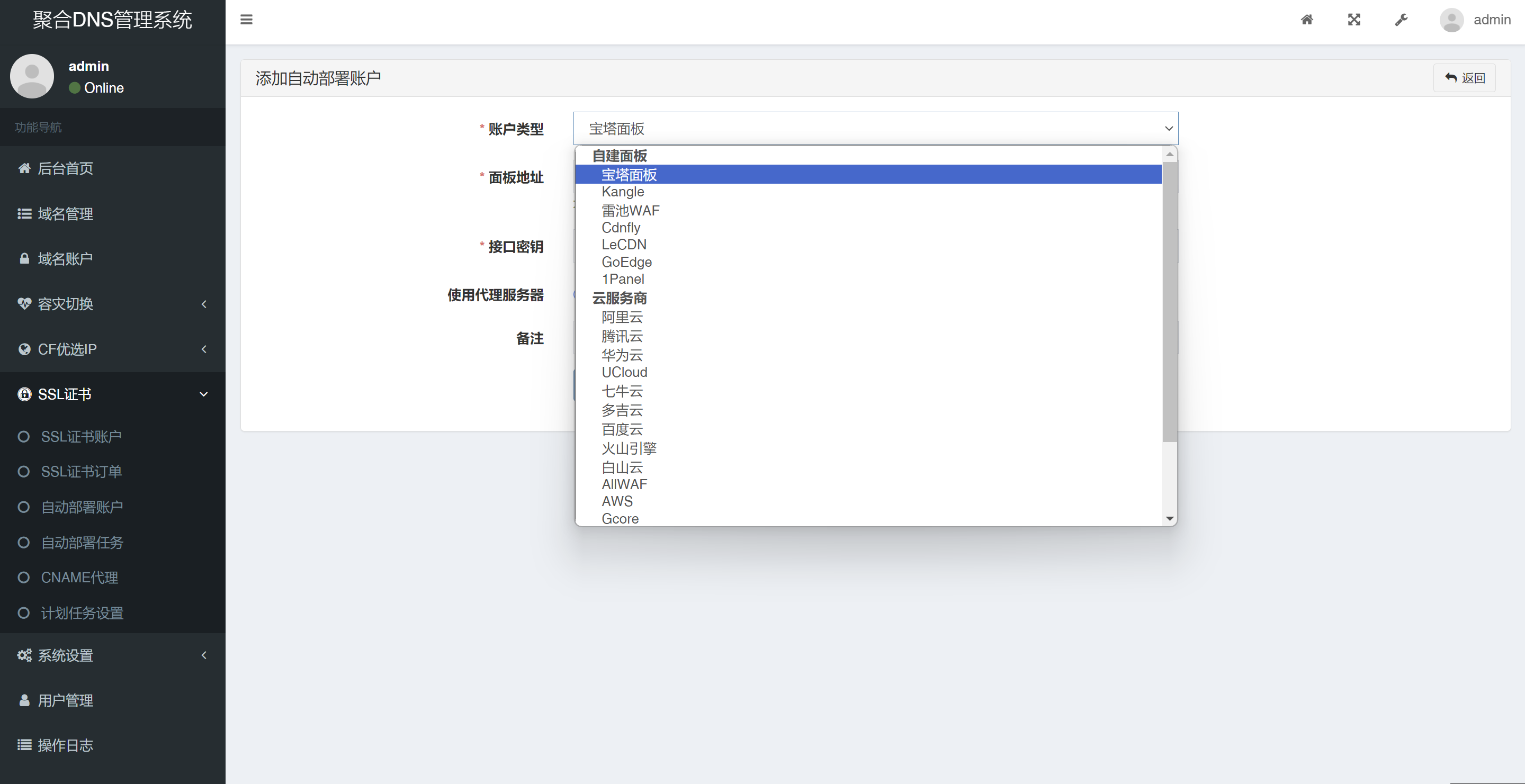
- SSL证书申请与自动部署功能,支持从Let's Encrypt等渠道申请SSL证书,并自动部署到各种面板、云服务商、服务器等;
- 支持邮件、微信公众号、Telegram、钉钉、飞书、企业微信等多种通知渠道。
## 部署方式
### 自部署
可以使用宝塔、Kangle等任意支持PHP-MySQL的环境部署
* 从[Release](https://github.com/netcccyun/dnsmgr/releases)页面下载安装包
* 运行环境要求PHP8.0+,MySQL5.6+
* 设置网站运行目录为`public`
* 设置伪静态为`ThinkPHP`
* 如果是下载的Source code包,还需Composer安装依赖(Release页面下载的安装包不需要)
```
composer install --no-dev
```
* 访问网站,会自动跳转到安装页面,根据提示安装完成
* 访问首页登录控制面板
* 后续更新方式:重新下载安装包上传覆盖即可
##### 伪静态规则
* Nginx
```
location ~* (runtime|application)/ {
return 403;
}
location / {
if (!-e $request_filename) {
rewrite ^(.*)$ /index.php?s=$1 last; break;
}
}
```
* Apache
```
Options +FollowSymlinks -Multiviews
RewriteEngine On
RewriteCond %{REQUEST_FILENAME} !-d
RewriteCond %{REQUEST_FILENAME} !-f
RewriteRule ^(.*)$ index.php/$1 [QSA,PT,L]
```
### Docker 部署
首先需要安装Docker,然后执行以下命令拉取镜像并启动(启动后监听8081端口):
```
docker run --name dnsmgr -dit -p 8081:80 -v /var/dnsmgr:/app/www netcccyun/dnsmgr
```
访问并安装好后如果容灾切换未自动启动,重启容器即可:
```
docker restart dnsmgr
```
从国内镜像地址拉取:
```
docker pull swr.cn-east-3.myhuaweicloud.com/netcccyun/dnsmgr:latest
```
### docker-compose 部署
```
services:
dnsmgr-web:
container_name: dnsmgr-web
stdin_open: true
tty: true
ports:
- 8081:80
volumes:
- ./web:/app/www
image: netcccyun/dnsmgr
depends_on:
- dnsmgr-mysql
networks:
- dnsmgr-network
dnsmgr-mysql:
container_name: dnsmgr-mysql
restart: always
ports:
- 3306:3306
volumes:
- ./mysql/conf/my.cnf:/etc/mysql/my.cnf
- ./mysql/logs:/logs
- ./mysql/data:/var/lib/mysql
environment:
- MYSQL_ROOT_PASSWORD=123456
- TZ=Asia/Shanghai
image: mysql:5.7
networks:
- dnsmgr-network
networks:
dnsmgr-network:
driver: bridge
```
在运行之前请创建好目录
```
mkdir -p ./web
mkdir -p ./mysql/conf
mkdir -p ./mysql/logs
mkdir -p ./mysql/data
vim mysql/conf/my.cnf
[mysqld]
sql_mode=STRICT_TRANS_TABLES,NO_ZERO_IN_DATE,NO_ZERO_DATE,ERROR_FOR_DIVISION_BY_ZERO,NO_AUTO_CREATE_USER,NO_ENGINE_SUBSTITUTION
```
登陆mysql容器创建数据库
```
docker exec -it dnsmgr-mysql /bin/bash
mysql -uroot -p123456
create database dnsmgr;
```
在install界面链接IP填写dnsmgr-mysql
## 演示截图
添加域名账户

域名管理列表

域名DNS解析管理,支持解析批量操作

用户管理添加用户,支持为用户开启API接口

CF优选IP功能,添加优选IP任务

SSL证书申请功能
SSL证书自动部署功能

## 支持与反馈
🌐 作者信息:消失的彩虹海(https://blog.cccyun.cn)
⭐ 如果您觉得本项目对您有帮助,欢迎给项目点个 Star
🤝 捐赠:
 ### 其他推荐
- [彩虹云主机 - 免备案CDN/虚拟主机](https://www.cccyun.net/)
- [小白云高防云服务器](https://www.xiaobaiyun.cn/aff/GMLPMFOV)
### 其他推荐
- [彩虹云主机 - 免备案CDN/虚拟主机](https://www.cccyun.net/)
- [小白云高防云服务器](https://www.xiaobaiyun.cn/aff/GMLPMFOV)