Compare commits
3 Commits
| Author | SHA1 | Date | |
|---|---|---|---|
 温州程序员劝退师 温州程序员劝退师
|
3499cd449b | ||
|
温州程序员劝退师
|
a97c3d9695 | ||
|
温州程序员劝退师
|
9145e998c4 |
@@ -1,9 +1,9 @@
|
||||
root = true
|
||||
|
||||
[*]
|
||||
charset = utf-8
|
||||
indent_style = space
|
||||
indent_size = 2
|
||||
end_of_line = lf
|
||||
insert_final_newline = true
|
||||
trim_trailing_whitespace = true
|
||||
root = true
|
||||
|
||||
[*]
|
||||
charset = utf-8
|
||||
indent_style = space
|
||||
indent_size = 2
|
||||
end_of_line = lf
|
||||
insert_final_newline = true
|
||||
trim_trailing_whitespace = true
|
||||
|
||||
@@ -1 +0,0 @@
|
||||
NODE_OPTIONS=--max-old-space-size=8000
|
||||
@@ -1,2 +0,0 @@
|
||||
# ignore #7923 eol change and code formatting
|
||||
4ac8a388347ff35f34de42c3ef4a2f81f03fb3b1
|
||||
@@ -1,3 +1,2 @@
|
||||
* text=auto eol=lf
|
||||
/.yarn/** linguist-vendored
|
||||
/.yarn/releases/* binary
|
||||
|
||||
@@ -1,7 +1,7 @@
|
||||
name: 🐛 错误报告 (中文)
|
||||
description: 创建一个报告以帮助我们改进
|
||||
title: '[错误]: '
|
||||
labels: ['BUG']
|
||||
labels: ['bug']
|
||||
body:
|
||||
- type: markdown
|
||||
attributes:
|
||||
@@ -18,14 +18,10 @@ body:
|
||||
options:
|
||||
- label: 我理解 Issue 是用于反馈和解决问题的,而非吐槽评论区,将尽可能提供更多信息帮助问题解决。
|
||||
required: true
|
||||
- label: 我的问题不是 [常见问题](https://github.com/CherryHQ/cherry-studio/issues/3881) 中的内容。
|
||||
required: true
|
||||
- label: 我已经查看了 **置顶 Issue** 并搜索了现有的 [开放Issue](https://github.com/CherryHQ/cherry-studio/issues)和[已关闭Issue](https://github.com/CherryHQ/cherry-studio/issues?q=is%3Aissue%20state%3Aclosed%20),没有找到类似的问题。
|
||||
- label: 我已经查看了置顶 Issue 并搜索了现有的 [开放Issue](https://github.com/CherryHQ/cherry-studio/issues)和[已关闭Issue](https://github.com/CherryHQ/cherry-studio/issues?q=is%3Aissue%20state%3Aclosed%20),没有找到类似的问题。
|
||||
required: true
|
||||
- label: 我填写了简短且清晰明确的标题,以便开发者在翻阅 Issue 列表时能快速确定大致问题。而不是“一个建议”、“卡住了”等。
|
||||
required: true
|
||||
- label: 我确认我正在使用最新版本的 Cherry Studio。
|
||||
required: true
|
||||
|
||||
- type: dropdown
|
||||
id: platform
|
||||
@@ -52,8 +48,8 @@ body:
|
||||
id: description
|
||||
attributes:
|
||||
label: 错误描述
|
||||
description: 描述问题时请尽可能详细。请尽可能提供截图或屏幕录制,以帮助我们更好地理解问题。
|
||||
placeholder: 告诉我们发生了什么...(记得附上截图/录屏,如果适用)
|
||||
description: 描述问题时请尽可能详细
|
||||
placeholder: 告诉我们发生了什么...
|
||||
validations:
|
||||
required: true
|
||||
|
||||
@@ -61,14 +57,12 @@ body:
|
||||
id: reproduction
|
||||
attributes:
|
||||
label: 重现步骤
|
||||
description: 提供详细的重现步骤,以便于我们的开发人员可以准确地重现问题。请尽可能为每个步骤提供截图或屏幕录制。
|
||||
description: 提供详细的重现步骤,以便于我们可以准确地重现问题
|
||||
placeholder: |
|
||||
1. 转到 '...'
|
||||
2. 点击 '....'
|
||||
3. 向下滚动到 '....'
|
||||
4. 看到错误
|
||||
|
||||
记得尽可能为每个步骤附上截图/录屏!
|
||||
validations:
|
||||
required: true
|
||||
|
||||
|
||||
@@ -1,7 +1,7 @@
|
||||
name: 💡 功能建议 (中文)
|
||||
description: 为项目提出新的想法
|
||||
title: '[功能]: '
|
||||
labels: ['feature']
|
||||
labels: ['enhancement']
|
||||
body:
|
||||
- type: markdown
|
||||
attributes:
|
||||
|
||||
@@ -1,7 +1,7 @@
|
||||
name: ❓ 提问 & 讨论 (中文)
|
||||
name: ❓ 讨论 & 提问 (中文)
|
||||
description: 寻求帮助、讨论问题、提出疑问等...
|
||||
title: '[讨论]: '
|
||||
labels: ['discussion', 'help wanted']
|
||||
labels: ['question']
|
||||
body:
|
||||
- type: markdown
|
||||
attributes:
|
||||
|
||||
@@ -1,76 +0,0 @@
|
||||
name: 🤔 其他问题 (中文)
|
||||
description: 提交不属于错误报告或功能需求的问题
|
||||
title: '[其他]: '
|
||||
body:
|
||||
- type: markdown
|
||||
attributes:
|
||||
value: |
|
||||
感谢您花时间提出问题!
|
||||
在提交此问题之前,请确保您已经了解了[常见问题](https://docs.cherry-ai.com/question-contact/questions)和[知识科普](https://docs.cherry-ai.com/question-contact/knowledge)
|
||||
|
||||
- type: checkboxes
|
||||
id: checklist
|
||||
attributes:
|
||||
label: 提交前检查
|
||||
description: |
|
||||
在提交 Issue 前请确保您已经完成了以下所有步骤
|
||||
options:
|
||||
- label: 我理解 Issue 是用于反馈和解决问题的,而非吐槽评论区,将尽可能提供更多信息帮助问题解决。
|
||||
required: true
|
||||
- label: 我已经查看了置顶 Issue 并搜索了现有的 [开放Issue](https://github.com/CherryHQ/cherry-studio/issues)和[已关闭Issue](https://github.com/CherryHQ/cherry-studio/issues?q=is%3Aissue%20state%3Aclosed%20),没有找到类似的问题。
|
||||
required: true
|
||||
- label: 我填写了简短且清晰明确的标题,以便开发者在翻阅 Issue 列表时能快速确定大致问题。而不是"一个问题"、"求助"等。
|
||||
required: true
|
||||
- label: 我的问题不属于错误报告或功能需求类别。
|
||||
required: true
|
||||
|
||||
- type: dropdown
|
||||
id: platform
|
||||
attributes:
|
||||
label: 平台
|
||||
description: 您正在使用哪个平台?
|
||||
options:
|
||||
- Windows
|
||||
- macOS
|
||||
- Linux
|
||||
validations:
|
||||
required: true
|
||||
|
||||
- type: input
|
||||
id: version
|
||||
attributes:
|
||||
label: 版本
|
||||
description: 您正在运行的 Cherry Studio 版本是什么?
|
||||
placeholder: 例如 v1.0.0
|
||||
validations:
|
||||
required: true
|
||||
|
||||
- type: textarea
|
||||
id: question
|
||||
attributes:
|
||||
label: 问题描述
|
||||
description: 请详细描述您的问题或疑问
|
||||
placeholder: 我想了解有关...的更多信息
|
||||
validations:
|
||||
required: true
|
||||
|
||||
- type: textarea
|
||||
id: context
|
||||
attributes:
|
||||
label: 相关背景
|
||||
description: 请提供与您的问题相关的任何背景信息或上下文
|
||||
placeholder: 我尝试实现...时遇到了疑问
|
||||
validations:
|
||||
required: true
|
||||
|
||||
- type: textarea
|
||||
id: attempts
|
||||
attributes:
|
||||
label: 您已尝试的方法
|
||||
description: 请描述您为解决问题已经尝试过的方法(如果有)
|
||||
|
||||
- type: textarea
|
||||
id: additional
|
||||
attributes:
|
||||
label: 附加信息
|
||||
description: 任何能让我们对您的问题有更多了解的信息,包括截图或相关链接
|
||||
@@ -1,13 +1,13 @@
|
||||
name: 🐛 Bug Report (English)
|
||||
description: Create a report to help us improve
|
||||
title: '[Bug]: '
|
||||
labels: ['BUG']
|
||||
labels: ['bug']
|
||||
body:
|
||||
- type: markdown
|
||||
attributes:
|
||||
value: |
|
||||
Thank you for taking the time to fill out this bug report!
|
||||
Before submitting this issue, please make sure that you have understood the [FAQ](https://docs.cherry-ai.com/question-contact/questions) and [Knowledge Science](https://docs.cherry-ai.com/question-contact/knowledge)
|
||||
Thank you for taking the time to fill out this bug report!
|
||||
Before submitting this issue, please make sure that you have understood the [FAQ](https://docs.cherry-ai.com/question-contact/questions) and [Knowledge Science](https://docs.cherry-ai.com/question-contact/knowledge)
|
||||
|
||||
- type: checkboxes
|
||||
id: checklist
|
||||
@@ -18,14 +18,10 @@ body:
|
||||
options:
|
||||
- label: I understand that issues are for feedback and problem solving, not for complaining in the comment section, and will provide as much information as possible to help solve the problem.
|
||||
required: true
|
||||
- label: My issue is not listed in the [FAQ](https://github.com/CherryHQ/cherry-studio/issues/3881).
|
||||
required: true
|
||||
- label: I've looked at **pinned issues** and searched for existing [Open Issues](https://github.com/CherryHQ/cherry-studio/issues), [Closed Issues](https://github.com/CherryHQ/cherry-studio/issues?q=is%3Aissue%20state%3Aclosed), and [Discussions](https://github.com/CherryHQ/cherry-studio/discussions), no similar issue or discussion was found.
|
||||
- label: I've looked at pinned issues and searched for existing [Open Issues](https://github.com/CherryHQ/cherry-studio/issues), [Closed Issues](https://github.com/CherryHQ/cherry-studio/issues?q=is%3Aissue%20state%3Aclosed), and [Discussions](https://github.com/CherryHQ/cherry-studio/discussions), no similar issue or discussion was found.
|
||||
required: true
|
||||
- label: I've filled in short, clear headings so that developers can quickly identify a rough idea of what to expect when flipping through the list of issues. And not "a suggestion", "stuck", etc.
|
||||
required: true
|
||||
- label: I've confirmed that I am using the latest version of Cherry Studio.
|
||||
required: true
|
||||
|
||||
- type: dropdown
|
||||
id: platform
|
||||
|
||||
@@ -1,7 +1,7 @@
|
||||
name: 💡 Feature Request (English)
|
||||
description: Suggest an idea for this project
|
||||
title: '[Feature]: '
|
||||
labels: ['feature']
|
||||
labels: ['enhancement']
|
||||
body:
|
||||
- type: markdown
|
||||
attributes:
|
||||
|
||||
@@ -1,7 +1,7 @@
|
||||
name: ❓ Questions & Discussion
|
||||
name: ❓ Discussion & Questions
|
||||
description: Seeking help, discussing issues, asking questions, etc...
|
||||
title: '[Discussion]: '
|
||||
labels: ['discussion', 'help wanted']
|
||||
labels: ['question']
|
||||
body:
|
||||
- type: markdown
|
||||
attributes:
|
||||
|
||||
@@ -1,76 +0,0 @@
|
||||
name: 🤔 Other Questions (English)
|
||||
description: Submit questions that don't fit into bug reports or feature requests
|
||||
title: '[Other]: '
|
||||
body:
|
||||
- type: markdown
|
||||
attributes:
|
||||
value: |
|
||||
Thank you for taking the time to ask a question!
|
||||
Before submitting this issue, please make sure you've reviewed the [FAQ](https://docs.cherry-ai.com/question-contact/questions) and [Knowledge Base](https://docs.cherry-ai.com/question-contact/knowledge)
|
||||
|
||||
- type: checkboxes
|
||||
id: checklist
|
||||
attributes:
|
||||
label: Pre-submission Checklist
|
||||
description: |
|
||||
Please ensure you've completed all the steps below before submitting your issue
|
||||
options:
|
||||
- label: I understand that Issues are for feedback and problem-solving, not for complaints, and I will provide as much information as possible to help resolve the issue.
|
||||
required: true
|
||||
- label: I have checked the pinned Issues and searched through existing [open Issues](https://github.com/CherryHQ/cherry-studio/issues) and [closed Issues](https://github.com/CherryHQ/cherry-studio/issues?q=is%3Aissue%20state%3Aclosed%20) and didn't find similar questions.
|
||||
required: true
|
||||
- label: I have written a short and clear title that helps developers quickly understand the nature of my question, rather than vague titles like "A question" or "Help needed".
|
||||
required: true
|
||||
- label: My question doesn't fall under bug reports or feature requests categories.
|
||||
required: true
|
||||
|
||||
- type: dropdown
|
||||
id: platform
|
||||
attributes:
|
||||
label: Platform
|
||||
description: Which platform are you using?
|
||||
options:
|
||||
- Windows
|
||||
- macOS
|
||||
- Linux
|
||||
validations:
|
||||
required: true
|
||||
|
||||
- type: input
|
||||
id: version
|
||||
attributes:
|
||||
label: Version
|
||||
description: What version of Cherry Studio are you running?
|
||||
placeholder: e.g., v1.0.0
|
||||
validations:
|
||||
required: true
|
||||
|
||||
- type: textarea
|
||||
id: question
|
||||
attributes:
|
||||
label: Question Description
|
||||
description: Please describe your question or inquiry in detail
|
||||
placeholder: I would like to know more about...
|
||||
validations:
|
||||
required: true
|
||||
|
||||
- type: textarea
|
||||
id: context
|
||||
attributes:
|
||||
label: Relevant Context
|
||||
description: Please provide any background information or context related to your question
|
||||
placeholder: I encountered this question while trying to implement...
|
||||
validations:
|
||||
required: true
|
||||
|
||||
- type: textarea
|
||||
id: attempts
|
||||
attributes:
|
||||
label: Attempted Solutions
|
||||
description: Please describe any methods you've already tried to resolve your question (if applicable)
|
||||
|
||||
- type: textarea
|
||||
id: additional
|
||||
attributes:
|
||||
label: Additional Information
|
||||
description: Any other information that could help us better understand your question, including screenshots or relevant links
|
||||
@@ -1,17 +0,0 @@
|
||||
version: 2
|
||||
updates:
|
||||
- package-ecosystem: 'github-actions'
|
||||
directory: '/'
|
||||
schedule:
|
||||
interval: 'monthly'
|
||||
open-pull-requests-limit: 3
|
||||
commit-message:
|
||||
prefix: 'ci'
|
||||
include: 'scope'
|
||||
groups:
|
||||
github-actions:
|
||||
patterns:
|
||||
- '*'
|
||||
update-types:
|
||||
- 'minor'
|
||||
- 'patch'
|
||||
@@ -1,252 +0,0 @@
|
||||
default-mode:
|
||||
add:
|
||||
remove: [pull_request_target, issues]
|
||||
|
||||
labels:
|
||||
# <!-- [Ss]kip `LABEL` --> 跳过一个 label
|
||||
# <!-- [Rr]emove `LABEL` --> 去掉一个 label
|
||||
|
||||
# skips and removes
|
||||
- name: skip all
|
||||
content:
|
||||
regexes: '[Ss]kip (?:[Aa]ll |)[Ll]abels?'
|
||||
- name: remove all
|
||||
content:
|
||||
regexes: '[Rr]emove (?:[Aa]ll |)[Ll]abels?'
|
||||
|
||||
- name: skip kind/bug
|
||||
content:
|
||||
regexes: '[Ss]kip (?:[Ll]abels? |)(?:`|)kind/bug(?:`|)'
|
||||
- name: remove kind/bug
|
||||
content:
|
||||
regexes: '[Rr]emove (?:[Ll]abels? |)(?:`|)kind/bug(?:`|)'
|
||||
|
||||
- name: skip kind/enhancement
|
||||
content:
|
||||
regexes: '[Ss]kip (?:[Ll]abels? |)(?:`|)kind/enhancement(?:`|)'
|
||||
- name: remove kind/enhancement
|
||||
content:
|
||||
regexes: '[Rr]emove (?:[Ll]abels? |)(?:`|)kind/enhancement(?:`|)'
|
||||
|
||||
- name: skip kind/question
|
||||
content:
|
||||
regexes: '[Ss]kip (?:[Ll]abels? |)(?:`|)kind/question(?:`|)'
|
||||
- name: remove kind/question
|
||||
content:
|
||||
regexes: '[Rr]emove (?:[Ll]abels? |)(?:`|)kind/question(?:`|)'
|
||||
|
||||
- name: skip area/Connectivity
|
||||
content:
|
||||
regexes: '[Ss]kip (?:[Ll]abels? |)(?:`|)area/Connectivity(?:`|)'
|
||||
- name: remove area/Connectivity
|
||||
content:
|
||||
regexes: '[Rr]emove (?:[Ll]abels? |)(?:`|)area/Connectivity(?:`|)'
|
||||
|
||||
- name: skip area/UI/UX
|
||||
content:
|
||||
regexes: '[Ss]kip (?:[Ll]abels? |)(?:`|)area/UI/UX(?:`|)'
|
||||
- name: remove area/UI/UX
|
||||
content:
|
||||
regexes: '[Rr]emove (?:[Ll]abels? |)(?:`|)area/UI/UX(?:`|)'
|
||||
|
||||
- name: skip kind/documentation
|
||||
content:
|
||||
regexes: '[Ss]kip (?:[Ll]abels? |)(?:`|)kind/documentation(?:`|)'
|
||||
- name: remove kind/documentation
|
||||
content:
|
||||
regexes: '[Rr]emove (?:[Ll]abels? |)(?:`|)kind/documentation(?:`|)'
|
||||
|
||||
- name: skip client:linux
|
||||
content:
|
||||
regexes: '[Ss]kip (?:[Ll]abels? |)(?:`|)client:linux(?:`|)'
|
||||
- name: remove client:linux
|
||||
content:
|
||||
regexes: '[Rr]emove (?:[Ll]abels? |)(?:`|)client:linux(?:`|)'
|
||||
|
||||
- name: skip client:mac
|
||||
content:
|
||||
regexes: '[Ss]kip (?:[Ll]abels? |)(?:`|)client:mac(?:`|)'
|
||||
- name: remove client:mac
|
||||
content:
|
||||
regexes: '[Rr]emove (?:[Ll]abels? |)(?:`|)client:mac(?:`|)'
|
||||
|
||||
- name: skip client:win
|
||||
content:
|
||||
regexes: '[Ss]kip (?:[Ll]abels? |)(?:`|)client:win(?:`|)'
|
||||
- name: remove client:win
|
||||
content:
|
||||
regexes: '[Rr]emove (?:[Ll]abels? |)(?:`|)client:win(?:`|)'
|
||||
|
||||
- name: skip sig/Assistant
|
||||
content:
|
||||
regexes: '[Ss]kip (?:[Ll]abels? |)(?:`|)sig/Assistant(?:`|)'
|
||||
- name: remove sig/Assistant
|
||||
content:
|
||||
regexes: '[Rr]emove (?:[Ll]abels? |)(?:`|)sig/Assistant(?:`|)'
|
||||
|
||||
- name: skip sig/Data
|
||||
content:
|
||||
regexes: '[Ss]kip (?:[Ll]abels? |)(?:`|)sig/Data(?:`|)'
|
||||
- name: remove sig/Data
|
||||
content:
|
||||
regexes: '[Rr]emove (?:[Ll]abels? |)(?:`|)sig/Data(?:`|)'
|
||||
|
||||
- name: skip sig/MCP
|
||||
content:
|
||||
regexes: '[Ss]kip (?:[Ll]abels? |)(?:`|)sig/MCP(?:`|)'
|
||||
- name: remove sig/MCP
|
||||
content:
|
||||
regexes: '[Rr]emove (?:[Ll]abels? |)(?:`|)sig/MCP(?:`|)'
|
||||
|
||||
- name: skip sig/RAG
|
||||
content:
|
||||
regexes: '[Ss]kip (?:[Ll]abels? |)(?:`|)sig/RAG(?:`|)'
|
||||
- name: remove sig/RAG
|
||||
content:
|
||||
regexes: '[Rr]emove (?:[Ll]abels? |)(?:`|)sig/RAG(?:`|)'
|
||||
|
||||
- name: skip lgtm
|
||||
content:
|
||||
regexes: '[Ss]kip (?:[Ll]abels? |)(?:`|)lgtm(?:`|)'
|
||||
- name: remove lgtm
|
||||
content:
|
||||
regexes: '[Rr]emove (?:[Ll]abels? |)(?:`|)lgtm(?:`|)'
|
||||
|
||||
- name: skip License
|
||||
content:
|
||||
regexes: '[Ss]kip (?:[Ll]abels? |)(?:`|)License(?:`|)'
|
||||
- name: remove License
|
||||
content:
|
||||
regexes: '[Rr]emove (?:[Ll]abels? |)(?:`|)License(?:`|)'
|
||||
|
||||
# `Dev Team`
|
||||
- name: Dev Team
|
||||
mode:
|
||||
add: [pull_request_target, issues]
|
||||
author_association:
|
||||
- COLLABORATOR
|
||||
|
||||
# Area labels
|
||||
- name: area/Connectivity
|
||||
content: area/Connectivity
|
||||
regexes: '代理|[Pp]roxy'
|
||||
skip-if:
|
||||
- skip all
|
||||
- skip area/Connectivity
|
||||
remove-if:
|
||||
- remove all
|
||||
- remove area/Connectivity
|
||||
|
||||
- name: area/UI/UX
|
||||
content: area/UI/UX
|
||||
regexes: '界面|[Uu][Ii]|重叠|按钮|图标|组件|渲染|菜单|栏目|头像|主题|样式|[Cc][Ss][Ss]'
|
||||
skip-if:
|
||||
- skip all
|
||||
- skip area/UI/UX
|
||||
remove-if:
|
||||
- remove all
|
||||
- remove area/UI/UX
|
||||
|
||||
# Kind labels
|
||||
- name: kind/documentation
|
||||
content: kind/documentation
|
||||
regexes: '文档|教程|[Dd]oc(s|umentation)|[Rr]eadme'
|
||||
skip-if:
|
||||
- skip all
|
||||
- skip kind/documentation
|
||||
remove-if:
|
||||
- remove all
|
||||
- remove kind/documentation
|
||||
|
||||
# Client labels
|
||||
- name: client:linux
|
||||
content: client:linux
|
||||
regexes: '(?:[Ll]inux|[Uu]buntu|[Dd]ebian)'
|
||||
skip-if:
|
||||
- skip all
|
||||
- skip client:linux
|
||||
remove-if:
|
||||
- remove all
|
||||
- remove client:linux
|
||||
|
||||
- name: client:mac
|
||||
content: client:mac
|
||||
regexes: '(?:[Mm]ac|[Mm]acOS|[Oo]SX)'
|
||||
skip-if:
|
||||
- skip all
|
||||
- skip client:mac
|
||||
remove-if:
|
||||
- remove all
|
||||
- remove client:mac
|
||||
|
||||
- name: client:win
|
||||
content: client:win
|
||||
regexes: '(?:[Ww]in|[Ww]indows)'
|
||||
skip-if:
|
||||
- skip all
|
||||
- skip client:win
|
||||
remove-if:
|
||||
- remove all
|
||||
- remove client:win
|
||||
|
||||
# SIG labels
|
||||
- name: sig/Assistant
|
||||
content: sig/Assistant
|
||||
regexes: '快捷助手|[Aa]ssistant'
|
||||
skip-if:
|
||||
- skip all
|
||||
- skip sig/Assistant
|
||||
remove-if:
|
||||
- remove all
|
||||
- remove sig/Assistant
|
||||
|
||||
- name: sig/Data
|
||||
content: sig/Data
|
||||
regexes: '[Ww]ebdav|坚果云|备份|同步|数据|Obsidian|Notion|Joplin|思源'
|
||||
skip-if:
|
||||
- skip all
|
||||
- skip sig/Data
|
||||
remove-if:
|
||||
- remove all
|
||||
- remove sig/Data
|
||||
|
||||
- name: sig/MCP
|
||||
content: sig/MCP
|
||||
regexes: '[Mm][Cc][Pp]'
|
||||
skip-if:
|
||||
- skip all
|
||||
- skip sig/MCP
|
||||
remove-if:
|
||||
- remove all
|
||||
- remove sig/MCP
|
||||
|
||||
- name: sig/RAG
|
||||
content: sig/RAG
|
||||
regexes: '知识库|[Rr][Aa][Gg]'
|
||||
skip-if:
|
||||
- skip all
|
||||
- skip sig/RAG
|
||||
remove-if:
|
||||
- remove all
|
||||
- remove sig/RAG
|
||||
|
||||
# Other labels
|
||||
- name: lgtm
|
||||
content: lgtm
|
||||
regexes: '(?:[Ll][Gg][Tt][Mm]|[Ll]ooks [Gg]ood [Tt]o [Mm]e)'
|
||||
skip-if:
|
||||
- skip all
|
||||
- skip lgtm
|
||||
remove-if:
|
||||
- remove all
|
||||
- remove lgtm
|
||||
|
||||
- name: License
|
||||
content: License
|
||||
regexes: '(?:[Ll]icense|[Cc]opyright|[Mm][Ii][Tt]|[Aa]pache)'
|
||||
skip-if:
|
||||
- skip all
|
||||
- skip License
|
||||
remove-if:
|
||||
- remove all
|
||||
- remove License
|
||||
@@ -1,54 +0,0 @@
|
||||
<!-- Template from https://github.com/kubevirt/kubevirt/blob/main/.github/PULL_REQUEST_TEMPLATE.md?-->
|
||||
<!-- Thanks for sending a pull request! Here are some tips for you:
|
||||
1. Consider creating this PR as draft: https://github.com/CherryHQ/cherry-studio/blob/main/CONTRIBUTING.md
|
||||
-->
|
||||
|
||||
### What this PR does
|
||||
|
||||
Before this PR:
|
||||
|
||||
After this PR:
|
||||
|
||||
<!-- (optional, in `fixes #<issue number>(, fixes #<issue_number>, ...)` format, will close the issue(s) when PR gets merged)*: -->
|
||||
|
||||
Fixes #
|
||||
|
||||
### Why we need it and why it was done in this way
|
||||
|
||||
The following tradeoffs were made:
|
||||
|
||||
The following alternatives were considered:
|
||||
|
||||
Links to places where the discussion took place: <!-- optional: slack, other GH issue, mailinglist, ... -->
|
||||
|
||||
### Breaking changes
|
||||
|
||||
<!-- optional -->
|
||||
|
||||
If this PR introduces breaking changes, please describe the changes and the impact on users.
|
||||
|
||||
### Special notes for your reviewer
|
||||
|
||||
<!-- optional -->
|
||||
|
||||
### Checklist
|
||||
|
||||
This checklist is not enforcing, but it's a reminder of items that could be relevant to every PR.
|
||||
Approvers are expected to review this list.
|
||||
|
||||
- [ ] PR: The PR description is expressive enough and will help future contributors
|
||||
- [ ] Code: [Write code that humans can understand](https://en.wikiquote.org/wiki/Martin_Fowler#code-for-humans) and [Keep it simple](https://en.wikipedia.org/wiki/KISS_principle)
|
||||
- [ ] Refactor: You have [left the code cleaner than you found it (Boy Scout Rule)](https://learning.oreilly.com/library/view/97-things-every/9780596809515/ch08.html)
|
||||
- [ ] Upgrade: Impact of this change on upgrade flows was considered and addressed if required
|
||||
- [ ] Documentation: A [user-guide update](https://docs.cherry-ai.com) was considered and is present (link) or not required. You want a user-guide update if it's a user facing feature.
|
||||
|
||||
### Release note
|
||||
|
||||
<!-- Write your release note:
|
||||
1. Enter your extended release note in the below block. If the PR requires additional action from users switching to the new release, include the string "action required".
|
||||
2. If no release note is required, just write "NONE".
|
||||
-->
|
||||
|
||||
```release-note
|
||||
|
||||
```
|
||||
@@ -1,27 +0,0 @@
|
||||
name: Dispatch Docs Update on Release
|
||||
|
||||
on:
|
||||
release:
|
||||
types: [released]
|
||||
|
||||
permissions:
|
||||
contents: write
|
||||
|
||||
jobs:
|
||||
dispatch-docs-update:
|
||||
runs-on: ubuntu-latest
|
||||
steps:
|
||||
- name: Get Release Tag from Event
|
||||
id: get-event-tag
|
||||
shell: bash
|
||||
run: |
|
||||
# 从当前 Release 事件中获取 tag_name
|
||||
echo "tag=${{ github.event.release.tag_name }}" >> $GITHUB_OUTPUT
|
||||
|
||||
- name: Dispatch update-download-version workflow to cherry-studio-docs
|
||||
uses: peter-evans/repository-dispatch@v3
|
||||
with:
|
||||
token: ${{ secrets.REPO_DISPATCH_TOKEN }}
|
||||
repository: CherryHQ/cherry-studio-docs
|
||||
event-type: update-download-version
|
||||
client-payload: '{"version": "${{ steps.get-event-tag.outputs.tag }}"}'
|
||||
@@ -1,25 +0,0 @@
|
||||
name: 'Issue Checker'
|
||||
|
||||
on:
|
||||
issues:
|
||||
types: [opened, edited]
|
||||
pull_request_target:
|
||||
types: [opened, edited]
|
||||
issue_comment:
|
||||
types: [created, edited]
|
||||
|
||||
permissions:
|
||||
contents: read
|
||||
issues: write
|
||||
pull-requests: write
|
||||
|
||||
jobs:
|
||||
triage:
|
||||
runs-on: ubuntu-latest
|
||||
steps:
|
||||
- uses: MaaAssistantArknights/issue-checker@v1.14
|
||||
with:
|
||||
repo-token: '${{ secrets.GITHUB_TOKEN }}'
|
||||
configuration-path: .github/issue-checker.yml
|
||||
not-before: 2022-08-05T00:00:00Z
|
||||
include-title: 1
|
||||
@@ -1,58 +0,0 @@
|
||||
name: 'Stale Issue Management'
|
||||
|
||||
on:
|
||||
schedule:
|
||||
- cron: '0 0 * * *'
|
||||
workflow_dispatch:
|
||||
|
||||
env:
|
||||
daysBeforeStale: 30 # Number of days of inactivity before marking as stale
|
||||
daysBeforeClose: 10 # Number of days to wait after marking as stale before closing
|
||||
|
||||
jobs:
|
||||
stale:
|
||||
if: github.repository_owner == 'CherryHQ'
|
||||
runs-on: ubuntu-latest
|
||||
permissions:
|
||||
actions: write # Workaround for https://github.com/actions/stale/issues/1090
|
||||
issues: write
|
||||
# Completely disable stalling for PRs
|
||||
pull-requests: none
|
||||
contents: none
|
||||
steps:
|
||||
- name: Close needs-more-info issues
|
||||
uses: actions/stale@v9
|
||||
with:
|
||||
repo-token: ${{ secrets.GITHUB_TOKEN }}
|
||||
only-labels: 'needs-more-info'
|
||||
days-before-stale: ${{ env.daysBeforeStale }}
|
||||
days-before-close: 0 # Close immediately after stale
|
||||
stale-issue-label: 'inactive'
|
||||
close-issue-label: 'closed:no-response'
|
||||
stale-issue-message: |
|
||||
This issue has been labeled as needing more information and has been inactive for ${{ env.daysBeforeStale }} days.
|
||||
It will be closed now due to lack of additional information.
|
||||
|
||||
该问题被标记为"需要更多信息"且已经 ${{ env.daysBeforeStale }} 天没有任何活动,将立即关闭。
|
||||
operations-per-run: 50
|
||||
exempt-issue-labels: 'pending, Dev Team'
|
||||
days-before-pr-stale: -1
|
||||
days-before-pr-close: -1
|
||||
|
||||
- name: Close inactive issues
|
||||
uses: actions/stale@v9
|
||||
with:
|
||||
repo-token: ${{ secrets.GITHUB_TOKEN }}
|
||||
days-before-stale: ${{ env.daysBeforeStale }}
|
||||
days-before-close: ${{ env.daysBeforeClose }}
|
||||
stale-issue-label: 'inactive'
|
||||
stale-issue-message: |
|
||||
This issue has been inactive for a prolonged period and will be closed automatically in ${{ env.daysBeforeClose }} days.
|
||||
该问题已长时间处于闲置状态,${{ env.daysBeforeClose }} 天后将自动关闭。
|
||||
exempt-issue-labels: 'pending, Dev Team, kind/enhancement'
|
||||
days-before-pr-stale: -1 # Completely disable stalling for PRs
|
||||
days-before-pr-close: -1 # Completely disable closing for PRs
|
||||
|
||||
# Temporary to reduce the huge issues number
|
||||
operations-per-run: 1000
|
||||
debug-only: false
|
||||
@@ -7,41 +7,9 @@ on:
|
||||
|
||||
permissions:
|
||||
contents: write
|
||||
actions: write # Required for deleting artifacts
|
||||
|
||||
jobs:
|
||||
cleanup-artifacts:
|
||||
runs-on: ubuntu-latest
|
||||
steps:
|
||||
- name: Delete old artifacts
|
||||
env:
|
||||
GH_TOKEN: ${{ github.token }}
|
||||
REPO: ${{ github.repository }}
|
||||
run: |
|
||||
# Calculate the date 14 days ago
|
||||
cutoff_date=$(date -d "14 days ago" +%Y-%m-%d)
|
||||
|
||||
# List and delete artifacts older than cutoff date
|
||||
gh api repos/$REPO/actions/artifacts --paginate | \
|
||||
jq -r '.artifacts[] | select(.name | startswith("cherry-studio-nightly-")) | select(.created_at < "'$cutoff_date'") | .id' | \
|
||||
while read artifact_id; do
|
||||
echo "Deleting artifact $artifact_id"
|
||||
gh api repos/$REPO/actions/artifacts/$artifact_id -X DELETE
|
||||
done
|
||||
|
||||
check-repository:
|
||||
runs-on: ubuntu-latest
|
||||
outputs:
|
||||
should_run: ${{ github.repository == 'CherryHQ/cherry-studio' }}
|
||||
steps:
|
||||
- name: Check if running in main repository
|
||||
run: |
|
||||
echo "Running in repository: ${{ github.repository }}"
|
||||
echo "Should run: ${{ github.repository == 'CherryHQ/cherry-studio' }}"
|
||||
|
||||
nightly-build:
|
||||
needs: check-repository
|
||||
if: needs.check-repository.outputs.should_run == 'true'
|
||||
runs-on: ${{ matrix.os }}
|
||||
|
||||
strategy:
|
||||
@@ -52,19 +20,12 @@ jobs:
|
||||
steps:
|
||||
- name: Check out Git repository
|
||||
uses: actions/checkout@v4
|
||||
with:
|
||||
ref: main
|
||||
|
||||
- name: Install Node.js
|
||||
uses: actions/setup-node@v4
|
||||
with:
|
||||
node-version: 20
|
||||
|
||||
- name: macos-latest dependencies fix
|
||||
if: matrix.os == 'macos-latest'
|
||||
run: |
|
||||
brew install python-setuptools
|
||||
|
||||
- name: Install corepack
|
||||
run: corepack enable && corepack prepare yarn@4.6.0 --activate
|
||||
|
||||
@@ -98,7 +59,6 @@ jobs:
|
||||
env:
|
||||
GH_TOKEN: ${{ secrets.GITHUB_TOKEN }}
|
||||
RENDERER_VITE_AIHUBMIX_SECRET: ${{ vars.RENDERER_VITE_AIHUBMIX_SECRET }}
|
||||
NODE_OPTIONS: --max-old-space-size=8192
|
||||
|
||||
- name: Build Mac
|
||||
if: matrix.os == 'macos-latest'
|
||||
@@ -113,17 +73,16 @@ jobs:
|
||||
APPLE_TEAM_ID: ${{ vars.APPLE_TEAM_ID }}
|
||||
RENDERER_VITE_AIHUBMIX_SECRET: ${{ vars.RENDERER_VITE_AIHUBMIX_SECRET }}
|
||||
GH_TOKEN: ${{ secrets.GITHUB_TOKEN }}
|
||||
NODE_OPTIONS: --max-old-space-size=8192
|
||||
|
||||
- name: Build Windows
|
||||
if: matrix.os == 'windows-latest'
|
||||
run: |
|
||||
yarn build:npm windows
|
||||
yarn build:win
|
||||
run: yarn build:win
|
||||
env:
|
||||
GH_TOKEN: ${{ secrets.GITHUB_TOKEN }}
|
||||
RENDERER_VITE_AIHUBMIX_SECRET: ${{ vars.RENDERER_VITE_AIHUBMIX_SECRET }}
|
||||
NODE_OPTIONS: --max-old-space-size=8192
|
||||
|
||||
- name: Replace spaces in filenames
|
||||
run: node scripts/replace-spaces.js
|
||||
|
||||
- name: Rename artifacts with nightly format
|
||||
shell: bash
|
||||
@@ -134,24 +93,39 @@ jobs:
|
||||
# Windows artifacts - based on actual file naming pattern
|
||||
if [ "${{ matrix.os }}" == "windows-latest" ]; then
|
||||
# Setup installer
|
||||
find dist -name "*-x64-setup.exe" -exec cp {} renamed-artifacts/cherry-studio-nightly-${DATE}-x64-setup.exe \;
|
||||
find dist -name "*-arm64-setup.exe" -exec cp {} renamed-artifacts/cherry-studio-nightly-${DATE}-arm64-setup.exe \;
|
||||
|
||||
find dist -name "*setup.exe" -exec cp {} renamed-artifacts/cherry-studio-nightly-${DATE}-setup.exe \;
|
||||
|
||||
# Portable exe
|
||||
find dist -name "*-x64-portable.exe" -exec cp {} renamed-artifacts/cherry-studio-nightly-${DATE}-x64-portable.exe \;
|
||||
find dist -name "*-arm64-portable.exe" -exec cp {} renamed-artifacts/cherry-studio-nightly-${DATE}-arm64-portable.exe \;
|
||||
find dist -name "*portable.exe" -exec cp {} renamed-artifacts/cherry-studio-nightly-${DATE}-portable.exe \;
|
||||
|
||||
# Rename blockmap files to match the new exe names
|
||||
if [ -f "dist/*setup.exe.blockmap" ]; then
|
||||
cp dist/*setup.exe.blockmap renamed-artifacts/cherry-studio-nightly-${DATE}-setup.exe.blockmap || true
|
||||
fi
|
||||
fi
|
||||
|
||||
# macOS artifacts
|
||||
if [ "${{ matrix.os }}" == "macos-latest" ]; then
|
||||
# 处理arm64架构文件
|
||||
find dist -name "*-arm64.dmg" -exec cp {} renamed-artifacts/cherry-studio-nightly-${DATE}-arm64.dmg \;
|
||||
find dist -name "*-arm64.dmg.blockmap" -exec cp {} renamed-artifacts/cherry-studio-nightly-${DATE}-arm64.dmg.blockmap \;
|
||||
find dist -name "*-arm64.zip" -exec cp {} renamed-artifacts/cherry-studio-nightly-${DATE}-arm64.zip \;
|
||||
find dist -name "*-arm64.zip.blockmap" -exec cp {} renamed-artifacts/cherry-studio-nightly-${DATE}-arm64.zip.blockmap \;
|
||||
|
||||
# 处理x64架构文件
|
||||
find dist -name "*-x64.dmg" -exec cp {} renamed-artifacts/cherry-studio-nightly-${DATE}-x64.dmg \;
|
||||
find dist -name "*-x64.dmg.blockmap" -exec cp {} renamed-artifacts/cherry-studio-nightly-${DATE}-x64.dmg.blockmap \;
|
||||
find dist -name "*-x64.zip" -exec cp {} renamed-artifacts/cherry-studio-nightly-${DATE}-x64.zip \;
|
||||
find dist -name "*-x64.zip.blockmap" -exec cp {} renamed-artifacts/cherry-studio-nightly-${DATE}-x64.zip.blockmap \;
|
||||
fi
|
||||
|
||||
# Linux artifacts
|
||||
if [ "${{ matrix.os }}" == "ubuntu-latest" ]; then
|
||||
find dist -name "*-x86_64.AppImage" -exec cp {} renamed-artifacts/cherry-studio-nightly-${DATE}-x86_64.AppImage \;
|
||||
find dist -name "*-arm64.AppImage" -exec cp {} renamed-artifacts/cherry-studio-nightly-${DATE}-arm64.AppImage \;
|
||||
find dist -name "*.AppImage" -exec cp {} renamed-artifacts/cherry-studio-nightly-${DATE}.AppImage \;
|
||||
find dist -name "*.snap" -exec cp {} renamed-artifacts/cherry-studio-nightly-${DATE}.snap \;
|
||||
find dist -name "*.deb" -exec cp {} renamed-artifacts/cherry-studio-nightly-${DATE}.deb \;
|
||||
find dist -name "*.rpm" -exec cp {} renamed-artifacts/cherry-studio-nightly-${DATE}.rpm \;
|
||||
find dist -name "*.tar.gz" -exec cp {} renamed-artifacts/cherry-studio-nightly-${DATE}.tar.gz \;
|
||||
fi
|
||||
|
||||
# Copy update files
|
||||
|
||||
@@ -5,13 +5,10 @@ on:
|
||||
pull_request:
|
||||
branches:
|
||||
- main
|
||||
- develop
|
||||
|
||||
jobs:
|
||||
build:
|
||||
runs-on: ubuntu-latest
|
||||
env:
|
||||
PRCI: true
|
||||
|
||||
steps:
|
||||
- name: Check out Git repository
|
||||
@@ -46,4 +43,4 @@ jobs:
|
||||
run: yarn build:check
|
||||
|
||||
- name: Lint Check
|
||||
run: yarn test:lint
|
||||
run: yarn lint
|
||||
|
||||
@@ -6,7 +6,7 @@ on:
|
||||
tag:
|
||||
description: 'Release tag (e.g. v1.0.0)'
|
||||
required: true
|
||||
default: 'v1.0.0'
|
||||
default: 'v0.9.18'
|
||||
push:
|
||||
tags:
|
||||
- v*.*.*
|
||||
@@ -26,8 +26,6 @@ jobs:
|
||||
steps:
|
||||
- name: Check out Git repository
|
||||
uses: actions/checkout@v4
|
||||
with:
|
||||
fetch-depth: 0
|
||||
|
||||
- name: Get release tag
|
||||
id: get-tag
|
||||
@@ -39,23 +37,11 @@ jobs:
|
||||
echo "tag=${GITHUB_REF#refs/tags/}" >> $GITHUB_OUTPUT
|
||||
fi
|
||||
|
||||
- name: Set package.json version
|
||||
shell: bash
|
||||
run: |
|
||||
TAG="${{ steps.get-tag.outputs.tag }}"
|
||||
VERSION="${TAG#v}"
|
||||
npm version "$VERSION" --no-git-tag-version --allow-same-version
|
||||
|
||||
- name: Install Node.js
|
||||
uses: actions/setup-node@v4
|
||||
with:
|
||||
node-version: 20
|
||||
|
||||
- name: macos-latest dependencies fix
|
||||
if: matrix.os == 'macos-latest'
|
||||
run: |
|
||||
brew install python-setuptools
|
||||
|
||||
- name: Install corepack
|
||||
run: corepack enable && corepack prepare yarn@4.6.0 --activate
|
||||
|
||||
@@ -84,15 +70,11 @@ jobs:
|
||||
|
||||
env:
|
||||
GH_TOKEN: ${{ secrets.GITHUB_TOKEN }}
|
||||
NODE_OPTIONS: --max-old-space-size=8192
|
||||
MAIN_VITE_MINERU_API_KEY: ${{ vars.MAIN_VITE_MINERU_API_KEY }}
|
||||
RENDERER_VITE_AIHUBMIX_SECRET: ${{ vars.RENDERER_VITE_AIHUBMIX_SECRET }}
|
||||
RENDERER_VITE_PPIO_APP_SECRET: ${{ vars.RENDERER_VITE_PPIO_APP_SECRET }}
|
||||
|
||||
- name: Build Mac
|
||||
if: matrix.os == 'macos-latest'
|
||||
run: |
|
||||
sudo -H pip install setuptools
|
||||
yarn build:npm mac
|
||||
yarn build:mac
|
||||
env:
|
||||
@@ -101,23 +83,18 @@ jobs:
|
||||
APPLE_ID: ${{ vars.APPLE_ID }}
|
||||
APPLE_APP_SPECIFIC_PASSWORD: ${{ vars.APPLE_APP_SPECIFIC_PASSWORD }}
|
||||
APPLE_TEAM_ID: ${{ vars.APPLE_TEAM_ID }}
|
||||
GH_TOKEN: ${{ secrets.GITHUB_TOKEN }}
|
||||
NODE_OPTIONS: --max-old-space-size=8192
|
||||
MAIN_VITE_MINERU_API_KEY: ${{ vars.MAIN_VITE_MINERU_API_KEY }}
|
||||
RENDERER_VITE_AIHUBMIX_SECRET: ${{ vars.RENDERER_VITE_AIHUBMIX_SECRET }}
|
||||
RENDERER_VITE_PPIO_APP_SECRET: ${{ vars.RENDERER_VITE_PPIO_APP_SECRET }}
|
||||
GH_TOKEN: ${{ secrets.GITHUB_TOKEN }}
|
||||
|
||||
- name: Build Windows
|
||||
if: matrix.os == 'windows-latest'
|
||||
run: |
|
||||
yarn build:npm windows
|
||||
yarn build:win
|
||||
run: yarn build:win
|
||||
env:
|
||||
GH_TOKEN: ${{ secrets.GITHUB_TOKEN }}
|
||||
NODE_OPTIONS: --max-old-space-size=8192
|
||||
MAIN_VITE_MINERU_API_KEY: ${{ vars.MAIN_VITE_MINERU_API_KEY }}
|
||||
RENDERER_VITE_AIHUBMIX_SECRET: ${{ vars.RENDERER_VITE_AIHUBMIX_SECRET }}
|
||||
RENDERER_VITE_PPIO_APP_SECRET: ${{ vars.RENDERER_VITE_PPIO_APP_SECRET }}
|
||||
|
||||
- name: Replace spaces in filenames
|
||||
run: node scripts/replace-spaces.js
|
||||
|
||||
- name: Release
|
||||
uses: ncipollo/release-action@v1
|
||||
@@ -126,5 +103,5 @@ jobs:
|
||||
allowUpdates: true
|
||||
makeLatest: false
|
||||
tag: ${{ steps.get-tag.outputs.tag }}
|
||||
artifacts: 'dist/*.exe,dist/*.zip,dist/*.dmg,dist/*.AppImage,dist/*.snap,dist/*.deb,dist/*.rpm,dist/*.tar.gz,dist/latest*.yml,dist/rc*.yml,dist/*.blockmap'
|
||||
artifacts: 'dist/*.exe,dist/*.zip,dist/*.dmg,dist/*.AppImage,dist/*.snap,dist/*.deb,dist/*.rpm,dist/*.tar.gz,dist/latest*.yml,dist/*.blockmap'
|
||||
token: ${{ secrets.GITHUB_TOKEN }}
|
||||
|
||||
@@ -35,32 +35,15 @@ Thumbs.db
|
||||
node_modules
|
||||
dist
|
||||
out
|
||||
mcp_server
|
||||
build/icons
|
||||
stats.html
|
||||
|
||||
# ENV
|
||||
.env
|
||||
.env.*
|
||||
!.env.example
|
||||
|
||||
# Local
|
||||
local
|
||||
.aider*
|
||||
.cursorrules
|
||||
.cursor/*
|
||||
.claude/*
|
||||
.gemini/*
|
||||
.qwen/*
|
||||
.trae/*
|
||||
.claude-code-router/*
|
||||
|
||||
# vitest
|
||||
coverage
|
||||
.vitest-cache
|
||||
vitest.config.*.timestamp-*
|
||||
|
||||
# playwright
|
||||
playwright-report
|
||||
test-results
|
||||
|
||||
YOUR_MEMORY_FILE_PATH
|
||||
.cursor/rules
|
||||
|
||||
@@ -6,4 +6,3 @@ tsconfig.json
|
||||
tsconfig.*.json
|
||||
CHANGELOG*.md
|
||||
agents.json
|
||||
src/renderer/src/integration/nutstore/sso/lib
|
||||
|
||||
@@ -1,11 +1,8 @@
|
||||
{
|
||||
"bracketSameLine": true,
|
||||
"endOfLine": "lf",
|
||||
"jsonRecursiveSort": true,
|
||||
"jsonSortOrder": "{\"*\": \"lexical\"}",
|
||||
"plugins": ["prettier-plugin-sort-json"],
|
||||
"printWidth": 120,
|
||||
"semi": false,
|
||||
"singleQuote": true,
|
||||
"trailingComma": "none"
|
||||
"semi": false,
|
||||
"printWidth": 120,
|
||||
"trailingComma": "none",
|
||||
"endOfLine": "lf",
|
||||
"bracketSameLine": true
|
||||
}
|
||||
|
||||
@@ -1,8 +1,3 @@
|
||||
{
|
||||
"recommendations": [
|
||||
"dbaeumer.vscode-eslint",
|
||||
"esbenp.prettier-vscode",
|
||||
"editorconfig.editorconfig",
|
||||
"lokalise.i18n-ally"
|
||||
]
|
||||
"recommendations": ["dbaeumer.vscode-eslint"]
|
||||
}
|
||||
|
||||
@@ -10,7 +10,7 @@
|
||||
"windows": {
|
||||
"runtimeExecutable": "${workspaceRoot}/node_modules/.bin/electron-vite.cmd"
|
||||
},
|
||||
"runtimeArgs": ["--inspect", "--sourcemap"],
|
||||
"runtimeArgs": ["--sourcemap"],
|
||||
"env": {
|
||||
"REMOTE_DEBUGGING_PORT": "9222"
|
||||
}
|
||||
@@ -21,7 +21,7 @@
|
||||
"request": "attach",
|
||||
"type": "chrome",
|
||||
"webRoot": "${workspaceFolder}/src/renderer",
|
||||
"timeout": 3000000,
|
||||
"timeout": 60000,
|
||||
"presentation": {
|
||||
"hidden": true
|
||||
}
|
||||
|
||||
@@ -1,46 +1,35 @@
|
||||
{
|
||||
"[css]": {
|
||||
"editor.defaultFormatter": "esbenp.prettier-vscode"
|
||||
"editor.formatOnSave": true,
|
||||
"editor.codeActionsOnSave": {
|
||||
"source.fixAll.eslint": "explicit"
|
||||
},
|
||||
"search.exclude": {
|
||||
"**/dist/**": true,
|
||||
".yarn/releases/**": true
|
||||
},
|
||||
"[javascript]": {
|
||||
"editor.defaultFormatter": "esbenp.prettier-vscode"
|
||||
},
|
||||
"[json]": {
|
||||
"editor.defaultFormatter": "esbenp.prettier-vscode"
|
||||
},
|
||||
"[jsonc]": {
|
||||
"editor.defaultFormatter": "esbenp.prettier-vscode"
|
||||
},
|
||||
"[markdown]": {
|
||||
"files.trimTrailingWhitespace": false
|
||||
},
|
||||
"[scss]": {
|
||||
"editor.defaultFormatter": "esbenp.prettier-vscode"
|
||||
},
|
||||
"[typescript]": {
|
||||
"editor.defaultFormatter": "esbenp.prettier-vscode"
|
||||
},
|
||||
"[typescriptreact]": {
|
||||
"editor.defaultFormatter": "esbenp.prettier-vscode"
|
||||
},
|
||||
"editor.codeActionsOnSave": {
|
||||
"source.fixAll.eslint": "explicit",
|
||||
"source.organizeImports": "never"
|
||||
"[json]": {
|
||||
"editor.defaultFormatter": "esbenp.prettier-vscode"
|
||||
},
|
||||
"editor.formatOnSave": true,
|
||||
"files.eol": "\n",
|
||||
"i18n-ally.displayLanguage": "zh-cn",
|
||||
"i18n-ally.enabledFrameworks": ["react-i18next", "i18next"],
|
||||
"i18n-ally.enabledParsers": ["ts", "js", "json"], // 解析语言
|
||||
"i18n-ally.fullReloadOnChanged": true, // 界面显示语言
|
||||
"i18n-ally.keystyle": "nested", // 翻译路径格式
|
||||
"i18n-ally.localesPaths": ["src/renderer/src/i18n/locales"],
|
||||
// "i18n-ally.namespace": true, // 开启命名空间
|
||||
"i18n-ally.sortKeys": true, // 排序
|
||||
"i18n-ally.sourceLanguage": "zh-cn", // 翻译源语言
|
||||
"i18n-ally.usage.derivedKeyRules": ["{key}_one", "{key}_other"], // 标记单复数形式的键为已翻译
|
||||
"search.exclude": {
|
||||
"**/dist/**": true,
|
||||
".yarn/releases/**": true
|
||||
}
|
||||
"[jsonc]": {
|
||||
"editor.defaultFormatter": "esbenp.prettier-vscode"
|
||||
},
|
||||
"[css]": {
|
||||
"editor.defaultFormatter": "esbenp.prettier-vscode"
|
||||
},
|
||||
"[scss]": {
|
||||
"editor.defaultFormatter": "esbenp.prettier-vscode"
|
||||
},
|
||||
"[markdown]": {
|
||||
"files.trimTrailingWhitespace": false
|
||||
},
|
||||
"i18n-ally.localesPaths": ["src/renderer/src/i18n"]
|
||||
}
|
||||
|
||||
@@ -1,196 +0,0 @@
|
||||
diff --git a/client.js b/client.js
|
||||
index c2b9cd6e46f9f66f901af259661bc2d2f8b38936..9b6b3af1a6573e1ccaf3a1c5f41b48df198cbbe0 100644
|
||||
--- a/client.js
|
||||
+++ b/client.js
|
||||
@@ -26,7 +26,7 @@ Object.defineProperty(exports, "__esModule", { value: true });
|
||||
exports.AnthropicVertex = exports.BaseAnthropic = void 0;
|
||||
const client_1 = require("@anthropic-ai/sdk/client");
|
||||
const Resources = __importStar(require("@anthropic-ai/sdk/resources/index"));
|
||||
-const google_auth_library_1 = require("google-auth-library");
|
||||
+// const google_auth_library_1 = require("google-auth-library");
|
||||
const env_1 = require("./internal/utils/env.js");
|
||||
const values_1 = require("./internal/utils/values.js");
|
||||
const headers_1 = require("./internal/headers.js");
|
||||
@@ -56,7 +56,7 @@ class AnthropicVertex extends client_1.BaseAnthropic {
|
||||
throw new Error('No region was given. The client should be instantiated with the `region` option or the `CLOUD_ML_REGION` environment variable should be set.');
|
||||
}
|
||||
super({
|
||||
- baseURL: baseURL || `https://${region}-aiplatform.googleapis.com/v1`,
|
||||
+ baseURL: baseURL || (region === 'global' ? 'https://aiplatform.googleapis.com/v1' : `https://${region}-aiplatform.googleapis.com/v1`),
|
||||
...opts,
|
||||
});
|
||||
this.messages = makeMessagesResource(this);
|
||||
@@ -64,22 +64,22 @@ class AnthropicVertex extends client_1.BaseAnthropic {
|
||||
this.region = region;
|
||||
this.projectId = projectId;
|
||||
this.accessToken = opts.accessToken ?? null;
|
||||
- this._auth =
|
||||
- opts.googleAuth ?? new google_auth_library_1.GoogleAuth({ scopes: 'https://www.googleapis.com/auth/cloud-platform' });
|
||||
- this._authClientPromise = this._auth.getClient();
|
||||
+ // this._auth =
|
||||
+ // opts.googleAuth ?? new google_auth_library_1.GoogleAuth({ scopes: 'https://www.googleapis.com/auth/cloud-platform' });
|
||||
+ // this._authClientPromise = this._auth.getClient();
|
||||
}
|
||||
validateHeaders() {
|
||||
// auth validation is handled in prepareOptions since it needs to be async
|
||||
}
|
||||
- async prepareOptions(options) {
|
||||
- const authClient = await this._authClientPromise;
|
||||
- const authHeaders = await authClient.getRequestHeaders();
|
||||
- const projectId = authClient.projectId ?? authHeaders['x-goog-user-project'];
|
||||
- if (!this.projectId && projectId) {
|
||||
- this.projectId = projectId;
|
||||
- }
|
||||
- options.headers = (0, headers_1.buildHeaders)([authHeaders, options.headers]);
|
||||
- }
|
||||
+ // async prepareOptions(options) {
|
||||
+ // const authClient = await this._authClientPromise;
|
||||
+ // const authHeaders = await authClient.getRequestHeaders();
|
||||
+ // const projectId = authClient.projectId ?? authHeaders['x-goog-user-project'];
|
||||
+ // if (!this.projectId && projectId) {
|
||||
+ // this.projectId = projectId;
|
||||
+ // }
|
||||
+ // options.headers = (0, headers_1.buildHeaders)([authHeaders, options.headers]);
|
||||
+ // }
|
||||
buildRequest(options) {
|
||||
if ((0, values_1.isObj)(options.body)) {
|
||||
// create a shallow copy of the request body so that code that mutates it later
|
||||
diff --git a/client.mjs b/client.mjs
|
||||
index 70274cbf38f69f87cbcca9567e77e4a7b938cf90..4dea954b6f4afad565663426b7adfad5de973a7d 100644
|
||||
--- a/client.mjs
|
||||
+++ b/client.mjs
|
||||
@@ -1,6 +1,6 @@
|
||||
import { BaseAnthropic } from '@anthropic-ai/sdk/client';
|
||||
import * as Resources from '@anthropic-ai/sdk/resources/index';
|
||||
-import { GoogleAuth } from 'google-auth-library';
|
||||
+// import { GoogleAuth } from 'google-auth-library';
|
||||
import { readEnv } from "./internal/utils/env.mjs";
|
||||
import { isObj } from "./internal/utils/values.mjs";
|
||||
import { buildHeaders } from "./internal/headers.mjs";
|
||||
@@ -29,7 +29,7 @@ export class AnthropicVertex extends BaseAnthropic {
|
||||
throw new Error('No region was given. The client should be instantiated with the `region` option or the `CLOUD_ML_REGION` environment variable should be set.');
|
||||
}
|
||||
super({
|
||||
- baseURL: baseURL || `https://${region}-aiplatform.googleapis.com/v1`,
|
||||
+ baseURL: baseURL || (region === 'global' ? 'https://aiplatform.googleapis.com/v1' : `https://${region}-aiplatform.googleapis.com/v1`),
|
||||
...opts,
|
||||
});
|
||||
this.messages = makeMessagesResource(this);
|
||||
@@ -37,22 +37,22 @@ export class AnthropicVertex extends BaseAnthropic {
|
||||
this.region = region;
|
||||
this.projectId = projectId;
|
||||
this.accessToken = opts.accessToken ?? null;
|
||||
- this._auth =
|
||||
- opts.googleAuth ?? new GoogleAuth({ scopes: 'https://www.googleapis.com/auth/cloud-platform' });
|
||||
- this._authClientPromise = this._auth.getClient();
|
||||
+ // this._auth =
|
||||
+ // opts.googleAuth ?? new GoogleAuth({ scopes: 'https://www.googleapis.com/auth/cloud-platform' });
|
||||
+ //this._authClientPromise = this._auth.getClient();
|
||||
}
|
||||
validateHeaders() {
|
||||
// auth validation is handled in prepareOptions since it needs to be async
|
||||
}
|
||||
- async prepareOptions(options) {
|
||||
- const authClient = await this._authClientPromise;
|
||||
- const authHeaders = await authClient.getRequestHeaders();
|
||||
- const projectId = authClient.projectId ?? authHeaders['x-goog-user-project'];
|
||||
- if (!this.projectId && projectId) {
|
||||
- this.projectId = projectId;
|
||||
- }
|
||||
- options.headers = buildHeaders([authHeaders, options.headers]);
|
||||
- }
|
||||
+ // async prepareOptions(options) {
|
||||
+ // const authClient = await this._authClientPromise;
|
||||
+ // const authHeaders = await authClient.getRequestHeaders();
|
||||
+ // const projectId = authClient.projectId ?? authHeaders['x-goog-user-project'];
|
||||
+ // if (!this.projectId && projectId) {
|
||||
+ // this.projectId = projectId;
|
||||
+ // }
|
||||
+ // options.headers = buildHeaders([authHeaders, options.headers]);
|
||||
+ // }
|
||||
buildRequest(options) {
|
||||
if (isObj(options.body)) {
|
||||
// create a shallow copy of the request body so that code that mutates it later
|
||||
diff --git a/src/client.ts b/src/client.ts
|
||||
index a6f9c6be65e4189f4f9601fb560df3f68e7563eb..37b1ad2802e3ca0dae4ca35f9dcb5b22dcf09796 100644
|
||||
--- a/src/client.ts
|
||||
+++ b/src/client.ts
|
||||
@@ -12,22 +12,22 @@ export { BaseAnthropic } from '@anthropic-ai/sdk/client';
|
||||
const DEFAULT_VERSION = 'vertex-2023-10-16';
|
||||
const MODEL_ENDPOINTS = new Set<string>(['/v1/messages', '/v1/messages?beta=true']);
|
||||
|
||||
-export type ClientOptions = Omit<CoreClientOptions, 'apiKey' | 'authToken'> & {
|
||||
- region?: string | null | undefined;
|
||||
- projectId?: string | null | undefined;
|
||||
- accessToken?: string | null | undefined;
|
||||
-
|
||||
- /**
|
||||
- * Override the default google auth config using the
|
||||
- * [google-auth-library](https://www.npmjs.com/package/google-auth-library) package.
|
||||
- *
|
||||
- * Note that you'll likely have to set `scopes`, e.g.
|
||||
- * ```ts
|
||||
- * new GoogleAuth({ scopes: 'https://www.googleapis.com/auth/cloud-platform' })
|
||||
- * ```
|
||||
- */
|
||||
- googleAuth?: GoogleAuth | null | undefined;
|
||||
-};
|
||||
+// export type ClientOptions = Omit<CoreClientOptions, 'apiKey' | 'authToken'> & {
|
||||
+// region?: string | null | undefined;
|
||||
+// projectId?: string | null | undefined;
|
||||
+// accessToken?: string | null | undefined;
|
||||
+
|
||||
+// /**
|
||||
+// * Override the default google auth config using the
|
||||
+// * [google-auth-library](https://www.npmjs.com/package/google-auth-library) package.
|
||||
+// *
|
||||
+// * Note that you'll likely have to set `scopes`, e.g.
|
||||
+// * ```ts
|
||||
+// * new GoogleAuth({ scopes: 'https://www.googleapis.com/auth/cloud-platform' })
|
||||
+// * ```
|
||||
+// */
|
||||
+// googleAuth?: GoogleAuth | null | undefined;
|
||||
+// };
|
||||
|
||||
export class AnthropicVertex extends BaseAnthropic {
|
||||
region: string;
|
||||
@@ -74,9 +74,9 @@ export class AnthropicVertex extends BaseAnthropic {
|
||||
this.projectId = projectId;
|
||||
this.accessToken = opts.accessToken ?? null;
|
||||
|
||||
- this._auth =
|
||||
- opts.googleAuth ?? new GoogleAuth({ scopes: 'https://www.googleapis.com/auth/cloud-platform' });
|
||||
- this._authClientPromise = this._auth.getClient();
|
||||
+ // this._auth =
|
||||
+ // opts.googleAuth ?? new GoogleAuth({ scopes: 'https://www.googleapis.com/auth/cloud-platform' });
|
||||
+ // this._authClientPromise = this._auth.getClient();
|
||||
}
|
||||
|
||||
messages: MessagesResource = makeMessagesResource(this);
|
||||
@@ -86,17 +86,17 @@ export class AnthropicVertex extends BaseAnthropic {
|
||||
// auth validation is handled in prepareOptions since it needs to be async
|
||||
}
|
||||
|
||||
- protected override async prepareOptions(options: FinalRequestOptions): Promise<void> {
|
||||
- const authClient = await this._authClientPromise;
|
||||
+ // protected override async prepareOptions(options: FinalRequestOptions): Promise<void> {
|
||||
+ // const authClient = await this._authClientPromise;
|
||||
|
||||
- const authHeaders = await authClient.getRequestHeaders();
|
||||
- const projectId = authClient.projectId ?? authHeaders['x-goog-user-project'];
|
||||
- if (!this.projectId && projectId) {
|
||||
- this.projectId = projectId;
|
||||
- }
|
||||
+ // const authHeaders = await authClient.getRequestHeaders();
|
||||
+ // const projectId = authClient.projectId ?? authHeaders['x-goog-user-project'];
|
||||
+ // if (!this.projectId && projectId) {
|
||||
+ // this.projectId = projectId;
|
||||
+ // }
|
||||
|
||||
- options.headers = buildHeaders([authHeaders, options.headers]);
|
||||
- }
|
||||
+ // options.headers = buildHeaders([authHeaders, options.headers]);
|
||||
+ // }
|
||||
|
||||
override buildRequest(options: FinalRequestOptions): {
|
||||
req: FinalizedRequestInit;
|
||||
@@ -1,71 +0,0 @@
|
||||
diff --git a/dist/utils/tiktoken.cjs b/dist/utils/tiktoken.cjs
|
||||
index 973b0d0e75aeaf8de579419af31b879b32975413..f23c7caa8b9dc8bd404132725346a4786f6b278b 100644
|
||||
--- a/dist/utils/tiktoken.cjs
|
||||
+++ b/dist/utils/tiktoken.cjs
|
||||
@@ -1,25 +1,14 @@
|
||||
"use strict";
|
||||
Object.defineProperty(exports, "__esModule", { value: true });
|
||||
exports.encodingForModel = exports.getEncoding = void 0;
|
||||
-const lite_1 = require("js-tiktoken/lite");
|
||||
const async_caller_js_1 = require("./async_caller.cjs");
|
||||
const cache = {};
|
||||
const caller = /* #__PURE__ */ new async_caller_js_1.AsyncCaller({});
|
||||
async function getEncoding(encoding) {
|
||||
- if (!(encoding in cache)) {
|
||||
- cache[encoding] = caller
|
||||
- .fetch(`https://tiktoken.pages.dev/js/${encoding}.json`)
|
||||
- .then((res) => res.json())
|
||||
- .then((data) => new lite_1.Tiktoken(data))
|
||||
- .catch((e) => {
|
||||
- delete cache[encoding];
|
||||
- throw e;
|
||||
- });
|
||||
- }
|
||||
- return await cache[encoding];
|
||||
+ throw new Error("TikToken Not implemented");
|
||||
}
|
||||
exports.getEncoding = getEncoding;
|
||||
async function encodingForModel(model) {
|
||||
- return getEncoding((0, lite_1.getEncodingNameForModel)(model));
|
||||
+ throw new Error("TikToken Not implemented");
|
||||
}
|
||||
exports.encodingForModel = encodingForModel;
|
||||
diff --git a/dist/utils/tiktoken.js b/dist/utils/tiktoken.js
|
||||
index 8e41ee6f00f2f9c7fa2c59fa2b2f4297634b97aa..aa5f314a6349ad0d1c5aea8631a56aad099176e0 100644
|
||||
--- a/dist/utils/tiktoken.js
|
||||
+++ b/dist/utils/tiktoken.js
|
||||
@@ -1,20 +1,9 @@
|
||||
-import { Tiktoken, getEncodingNameForModel, } from "js-tiktoken/lite";
|
||||
import { AsyncCaller } from "./async_caller.js";
|
||||
const cache = {};
|
||||
const caller = /* #__PURE__ */ new AsyncCaller({});
|
||||
export async function getEncoding(encoding) {
|
||||
- if (!(encoding in cache)) {
|
||||
- cache[encoding] = caller
|
||||
- .fetch(`https://tiktoken.pages.dev/js/${encoding}.json`)
|
||||
- .then((res) => res.json())
|
||||
- .then((data) => new Tiktoken(data))
|
||||
- .catch((e) => {
|
||||
- delete cache[encoding];
|
||||
- throw e;
|
||||
- });
|
||||
- }
|
||||
- return await cache[encoding];
|
||||
+ throw new Error("TikToken Not implemented");
|
||||
}
|
||||
export async function encodingForModel(model) {
|
||||
- return getEncoding(getEncodingNameForModel(model));
|
||||
+ throw new Error("TikToken Not implemented");
|
||||
}
|
||||
diff --git a/package.json b/package.json
|
||||
index 36072aecf700fca1bc49832a19be832eca726103..90b8922fba1c3d1b26f78477c891b07816d6238a 100644
|
||||
--- a/package.json
|
||||
+++ b/package.json
|
||||
@@ -37,7 +37,6 @@
|
||||
"ansi-styles": "^5.0.0",
|
||||
"camelcase": "6",
|
||||
"decamelize": "1.2.0",
|
||||
- "js-tiktoken": "^1.0.12",
|
||||
"langsmith": ">=0.2.8 <0.4.0",
|
||||
"mustache": "^4.2.0",
|
||||
"p-queue": "^6.6.2",
|
||||
@@ -0,0 +1,13 @@
|
||||
diff --git a/src/markdown-loader.js b/src/markdown-loader.js
|
||||
index eaf30b114a273e68abbb92c8b07018495e63f4cb..4b06519bdb51845e4693fe877da9de01c7a81039 100644
|
||||
--- a/src/markdown-loader.js
|
||||
+++ b/src/markdown-loader.js
|
||||
@@ -21,7 +21,7 @@ export class MarkdownLoader extends BaseLoader {
|
||||
? (await getSafe(this.filePathOrUrl, { format: 'buffer' })).body
|
||||
: await streamToBuffer(fs.createReadStream(this.filePathOrUrl));
|
||||
this.debug('MarkdownLoader stream created');
|
||||
- const result = micromark(buffer, { extensions: [gfm(), mdxJsx()], htmlExtensions: [gfmHtml()] });
|
||||
+ const result = micromark(buffer, { extensions: [gfm()], htmlExtensions: [gfmHtml()] });
|
||||
this.debug('Markdown parsed...');
|
||||
const webLoader = new WebLoader({
|
||||
urlOrContent: result,
|
||||
@@ -0,0 +1,158 @@
|
||||
diff --git a/src/loaders/local-path-loader.d.ts b/src/loaders/local-path-loader.d.ts
|
||||
index 48c20e68c469cd309be2dc8f28e44c1bd04a26e9..1c16d83bcbf9b7140292793d6cbb8c04281949d9 100644
|
||||
--- a/src/loaders/local-path-loader.d.ts
|
||||
+++ b/src/loaders/local-path-loader.d.ts
|
||||
@@ -4,8 +4,10 @@ export declare class LocalPathLoader extends BaseLoader<{
|
||||
}> {
|
||||
private readonly debug;
|
||||
private readonly path;
|
||||
- constructor({ path }: {
|
||||
+ constructor({ path, chunkSize, chunkOverlap }: {
|
||||
path: string;
|
||||
+ chunkSize?: number;
|
||||
+ chunkOverlap?: number;
|
||||
});
|
||||
getUnfilteredChunks(): AsyncGenerator<{
|
||||
metadata: {
|
||||
diff --git a/src/loaders/local-path-loader.js b/src/loaders/local-path-loader.js
|
||||
index 4cf8a6bd1d890244c8ec49d4a05ee3bd58861c79..ec8215b01195a21ef20f3c5d56ecc99f186bb596 100644
|
||||
--- a/src/loaders/local-path-loader.js
|
||||
+++ b/src/loaders/local-path-loader.js
|
||||
@@ -8,8 +8,8 @@ import { BaseLoader } from '@llm-tools/embedjs-interfaces';
|
||||
export class LocalPathLoader extends BaseLoader {
|
||||
debug = createDebugMessages('embedjs:loader:LocalPathLoader');
|
||||
path;
|
||||
- constructor({ path }) {
|
||||
- super(`LocalPathLoader_${md5(path)}`, { path });
|
||||
+ constructor({ path, chunkSize, chunkOverlap }) {
|
||||
+ super(`LocalPathLoader_${md5(path)}`, { path }, chunkSize ?? 1000, chunkOverlap ?? 0);
|
||||
this.path = path;
|
||||
}
|
||||
async *getUnfilteredChunks() {
|
||||
@@ -36,10 +36,12 @@ export class LocalPathLoader extends BaseLoader {
|
||||
const extension = currentPath.split('.').pop().toLowerCase();
|
||||
if (extension === 'md' || extension === 'mdx')
|
||||
mime = 'text/markdown';
|
||||
+ if (extension === 'txt')
|
||||
+ mime = 'text/plain';
|
||||
this.debug(`File '${this.path}' mime type updated to 'text/markdown'`);
|
||||
}
|
||||
try {
|
||||
- const loader = await createLoaderFromMimeType(currentPath, mime);
|
||||
+ const loader = await createLoaderFromMimeType(currentPath, mime, this.chunkSize, this.chunkOverlap);
|
||||
for await (const result of await loader.getUnfilteredChunks()) {
|
||||
yield {
|
||||
pageContent: result.pageContent,
|
||||
diff --git a/src/util/mime.d.ts b/src/util/mime.d.ts
|
||||
index 57f56a1b8edc98366af9f84d671676c41c2f01ca..14be3b5727cff6eb1978838045e9a788f8f53bfb 100644
|
||||
--- a/src/util/mime.d.ts
|
||||
+++ b/src/util/mime.d.ts
|
||||
@@ -1,2 +1,2 @@
|
||||
import { BaseLoader } from '@llm-tools/embedjs-interfaces';
|
||||
-export declare function createLoaderFromMimeType(loaderData: string, mimeType: string): Promise<BaseLoader>;
|
||||
+export declare function createLoaderFromMimeType(loaderData: string, mimeType: string, chunkSize?: number, chunkOverlap?: number): Promise<BaseLoader>;
|
||||
diff --git a/src/util/mime.js b/src/util/mime.js
|
||||
index b6426a859968e2bf6206795f70333e90ae27aeb7..16ae2adb863f8d7abfa757f1c5cc39f6bb1c44fa 100644
|
||||
--- a/src/util/mime.js
|
||||
+++ b/src/util/mime.js
|
||||
@@ -1,7 +1,9 @@
|
||||
import mime from 'mime';
|
||||
import createDebugMessages from 'debug';
|
||||
import { TextLoader } from '../loaders/text-loader.js';
|
||||
-export async function createLoaderFromMimeType(loaderData, mimeType) {
|
||||
+import fs from 'node:fs'
|
||||
+
|
||||
+export async function createLoaderFromMimeType(loaderData, mimeType, chunkSize, chunkOverlap) {
|
||||
createDebugMessages('embedjs:util:createLoaderFromMimeType')(`Incoming mime type '${mimeType}'`);
|
||||
switch (mimeType) {
|
||||
case 'application/msword':
|
||||
@@ -10,7 +12,7 @@ export async function createLoaderFromMimeType(loaderData, mimeType) {
|
||||
throw new Error('Package `@llm-tools/embedjs-loader-msoffice` needs to be installed to load docx files');
|
||||
});
|
||||
createDebugMessages('embedjs:util:createLoaderFromMimeType')('Dynamically imported DocxLoader');
|
||||
- return new DocxLoader({ filePathOrUrl: loaderData });
|
||||
+ return new DocxLoader({ filePathOrUrl: loaderData, chunkSize, chunkOverlap });
|
||||
}
|
||||
case 'application/vnd.ms-excel':
|
||||
case 'application/vnd.openxmlformats-officedocument.spreadsheetml.sheet': {
|
||||
@@ -18,21 +20,21 @@ export async function createLoaderFromMimeType(loaderData, mimeType) {
|
||||
throw new Error('Package `@llm-tools/embedjs-loader-msoffice` needs to be installed to load excel files');
|
||||
});
|
||||
createDebugMessages('embedjs:util:createLoaderFromMimeType')('Dynamically imported ExcelLoader');
|
||||
- return new ExcelLoader({ filePathOrUrl: loaderData });
|
||||
+ return new ExcelLoader({ filePathOrUrl: loaderData, chunkSize, chunkOverlap });
|
||||
}
|
||||
case 'application/pdf': {
|
||||
const { PdfLoader } = await import('@llm-tools/embedjs-loader-pdf').catch(() => {
|
||||
throw new Error('Package `@llm-tools/embedjs-loader-pdf` needs to be installed to load PDF files');
|
||||
});
|
||||
createDebugMessages('embedjs:util:createLoaderFromMimeType')('Dynamically imported PdfLoader');
|
||||
- return new PdfLoader({ filePathOrUrl: loaderData });
|
||||
+ return new PdfLoader({ filePathOrUrl: loaderData, chunkSize, chunkOverlap });
|
||||
}
|
||||
case 'application/vnd.openxmlformats-officedocument.presentationml.presentation': {
|
||||
const { PptLoader } = await import('@llm-tools/embedjs-loader-msoffice').catch(() => {
|
||||
throw new Error('Package `@llm-tools/embedjs-loader-msoffice` needs to be installed to load pptx files');
|
||||
});
|
||||
createDebugMessages('embedjs:util:createLoaderFromMimeType')('Dynamically imported PptLoader');
|
||||
- return new PptLoader({ filePathOrUrl: loaderData });
|
||||
+ return new PptLoader({ filePathOrUrl: loaderData, chunkSize, chunkOverlap });
|
||||
}
|
||||
case 'text/plain': {
|
||||
const fineType = mime.getType(loaderData);
|
||||
@@ -42,24 +44,24 @@ export async function createLoaderFromMimeType(loaderData, mimeType) {
|
||||
throw new Error('Package `@llm-tools/embedjs-loader-csv` needs to be installed to load CSV files');
|
||||
});
|
||||
createDebugMessages('embedjs:util:createLoaderFromMimeType')('Dynamically imported CsvLoader');
|
||||
- return new CsvLoader({ filePathOrUrl: loaderData });
|
||||
+ return new CsvLoader({ filePathOrUrl: loaderData, chunkSize, chunkOverlap });
|
||||
}
|
||||
- else
|
||||
- return new TextLoader({ text: loaderData });
|
||||
+ const content = fs.readFileSync(loaderData, 'utf-8');
|
||||
+ return new TextLoader({ text: content, chunkSize, chunkOverlap });
|
||||
}
|
||||
case 'application/csv': {
|
||||
const { CsvLoader } = await import('@llm-tools/embedjs-loader-csv').catch(() => {
|
||||
throw new Error('Package `@llm-tools/embedjs-loader-csv` needs to be installed to load CSV files');
|
||||
});
|
||||
createDebugMessages('embedjs:util:createLoaderFromMimeType')('Dynamically imported CsvLoader');
|
||||
- return new CsvLoader({ filePathOrUrl: loaderData });
|
||||
+ return new CsvLoader({ filePathOrUrl: loaderData, chunkSize, chunkOverlap });
|
||||
}
|
||||
case 'text/html': {
|
||||
const { WebLoader } = await import('@llm-tools/embedjs-loader-web').catch(() => {
|
||||
throw new Error('Package `@llm-tools/embedjs-loader-web` needs to be installed to load web documents');
|
||||
});
|
||||
createDebugMessages('embedjs:util:createLoaderFromMimeType')('Dynamically imported WebLoader');
|
||||
- return new WebLoader({ urlOrContent: loaderData });
|
||||
+ return new WebLoader({ urlOrContent: loaderData, chunkSize, chunkOverlap });
|
||||
}
|
||||
case 'text/xml': {
|
||||
const { SitemapLoader } = await import('@llm-tools/embedjs-loader-sitemap').catch(() => {
|
||||
@@ -67,14 +69,14 @@ export async function createLoaderFromMimeType(loaderData, mimeType) {
|
||||
});
|
||||
createDebugMessages('embedjs:util:createLoaderFromMimeType')('Dynamically imported SitemapLoader');
|
||||
if (await SitemapLoader.test(loaderData)) {
|
||||
- return new SitemapLoader({ url: loaderData });
|
||||
+ return new SitemapLoader({ url: loaderData, chunkSize, chunkOverlap });
|
||||
}
|
||||
//This is not a Sitemap but is still XML
|
||||
const { XmlLoader } = await import('@llm-tools/embedjs-loader-xml').catch(() => {
|
||||
throw new Error('Package `@llm-tools/embedjs-loader-xml` needs to be installed to load XML documents');
|
||||
});
|
||||
createDebugMessages('embedjs:util:createLoaderFromMimeType')('Dynamically imported XmlLoader');
|
||||
- return new XmlLoader({ filePathOrUrl: loaderData });
|
||||
+ return new XmlLoader({ filePathOrUrl: loaderData, chunkSize, chunkOverlap });
|
||||
}
|
||||
case 'text/x-markdown':
|
||||
case 'text/markdown': {
|
||||
@@ -82,7 +84,7 @@ export async function createLoaderFromMimeType(loaderData, mimeType) {
|
||||
throw new Error('Package `@llm-tools/embedjs-loader-markdown` needs to be installed to load markdown files');
|
||||
});
|
||||
createDebugMessages('embedjs:util:createLoaderFromMimeType')('Dynamically imported MarkdownLoader');
|
||||
- return new MarkdownLoader({ filePathOrUrl: loaderData });
|
||||
+ return new MarkdownLoader({ filePathOrUrl: loaderData, chunkSize, chunkOverlap });
|
||||
}
|
||||
case 'image/png':
|
||||
case 'image/jpeg': {
|
||||
@@ -0,0 +1,26 @@
|
||||
diff --git a/dist/cjs/client/stdio.js b/dist/cjs/client/stdio.js
|
||||
index 2ada8771c5f76673b5021d6453c6bdd7e0b88013..89f6ea9ca7de86294d3d966f3454b98e19bfe534 100644
|
||||
--- a/dist/cjs/client/stdio.js
|
||||
+++ b/dist/cjs/client/stdio.js
|
||||
@@ -68,7 +68,7 @@ class StdioClientTransport {
|
||||
this._process = (0, node_child_process_1.spawn)(this._serverParams.command, (_a = this._serverParams.args) !== null && _a !== void 0 ? _a : [], {
|
||||
env: (_b = this._serverParams.env) !== null && _b !== void 0 ? _b : getDefaultEnvironment(),
|
||||
stdio: ["pipe", "pipe", (_c = this._serverParams.stderr) !== null && _c !== void 0 ? _c : "inherit"],
|
||||
- shell: false,
|
||||
+ shell: process.platform === 'win32' ? true : false,
|
||||
signal: this._abortController.signal,
|
||||
windowsHide: node_process_1.default.platform === "win32" && isElectron(),
|
||||
cwd: this._serverParams.cwd,
|
||||
diff --git a/dist/esm/client/stdio.js b/dist/esm/client/stdio.js
|
||||
index 387c982fd40fd8db9790a78e1a05c9ecb81501c0..7b7e60a306bca73149609015a27e904a0a68ca02 100644
|
||||
--- a/dist/esm/client/stdio.js
|
||||
+++ b/dist/esm/client/stdio.js
|
||||
@@ -61,7 +61,7 @@ export class StdioClientTransport {
|
||||
this._process = spawn(this._serverParams.command, (_a = this._serverParams.args) !== null && _a !== void 0 ? _a : [], {
|
||||
env: (_b = this._serverParams.env) !== null && _b !== void 0 ? _b : getDefaultEnvironment(),
|
||||
stdio: ["pipe", "pipe", (_c = this._serverParams.stderr) !== null && _c !== void 0 ? _c : "inherit"],
|
||||
- shell: false,
|
||||
+ shell: process.platform === 'win32' ? true : false,
|
||||
signal: this._abortController.signal,
|
||||
windowsHide: process.platform === "win32" && isElectron(),
|
||||
cwd: this._serverParams.cwd,
|
||||
@@ -1,55 +0,0 @@
|
||||
diff --git a/es/dropdown/dropdown.js b/es/dropdown/dropdown.js
|
||||
index 2e45574398ff68450022a0078e213cc81fe7454e..58ba7789939b7805a89f92b93d222f8fb1168bdf 100644
|
||||
--- a/es/dropdown/dropdown.js
|
||||
+++ b/es/dropdown/dropdown.js
|
||||
@@ -2,7 +2,7 @@
|
||||
|
||||
import * as React from 'react';
|
||||
import LeftOutlined from "@ant-design/icons/es/icons/LeftOutlined";
|
||||
-import RightOutlined from "@ant-design/icons/es/icons/RightOutlined";
|
||||
+import { ChevronRight } from 'lucide-react';
|
||||
import classNames from 'classnames';
|
||||
import RcDropdown from 'rc-dropdown';
|
||||
import useEvent from "rc-util/es/hooks/useEvent";
|
||||
@@ -160,8 +160,10 @@ const Dropdown = props => {
|
||||
className: `${prefixCls}-menu-submenu-arrow`
|
||||
}, direction === 'rtl' ? (/*#__PURE__*/React.createElement(LeftOutlined, {
|
||||
className: `${prefixCls}-menu-submenu-arrow-icon`
|
||||
- })) : (/*#__PURE__*/React.createElement(RightOutlined, {
|
||||
- className: `${prefixCls}-menu-submenu-arrow-icon`
|
||||
+ })) : (/*#__PURE__*/React.createElement(ChevronRight, {
|
||||
+ size: 16,
|
||||
+ strokeWidth: 1.8,
|
||||
+ className: `${prefixCls}-menu-submenu-arrow-icon lucide-custom`
|
||||
}))),
|
||||
mode: "vertical",
|
||||
selectable: false,
|
||||
diff --git a/es/select/useIcons.js b/es/select/useIcons.js
|
||||
index 572aaaa0899f429cbf8a7181f2eeada545f76dcb..4e175c8d7713dd6422f8bcdc74ee671a835de6ce 100644
|
||||
--- a/es/select/useIcons.js
|
||||
+++ b/es/select/useIcons.js
|
||||
@@ -4,10 +4,10 @@ import * as React from 'react';
|
||||
import CheckOutlined from "@ant-design/icons/es/icons/CheckOutlined";
|
||||
import CloseCircleFilled from "@ant-design/icons/es/icons/CloseCircleFilled";
|
||||
import CloseOutlined from "@ant-design/icons/es/icons/CloseOutlined";
|
||||
-import DownOutlined from "@ant-design/icons/es/icons/DownOutlined";
|
||||
import LoadingOutlined from "@ant-design/icons/es/icons/LoadingOutlined";
|
||||
import SearchOutlined from "@ant-design/icons/es/icons/SearchOutlined";
|
||||
import { devUseWarning } from '../_util/warning';
|
||||
+import { ChevronDown } from 'lucide-react';
|
||||
export default function useIcons({
|
||||
suffixIcon,
|
||||
clearIcon,
|
||||
@@ -54,8 +54,10 @@ export default function useIcons({
|
||||
className: iconCls
|
||||
}));
|
||||
}
|
||||
- return getSuffixIconNode(/*#__PURE__*/React.createElement(DownOutlined, {
|
||||
- className: iconCls
|
||||
+ return getSuffixIconNode(/*#__PURE__*/React.createElement(ChevronDown, {
|
||||
+ size: 16,
|
||||
+ strokeWidth: 1.8,
|
||||
+ className: `${iconCls} lucide-custom`
|
||||
}));
|
||||
};
|
||||
}
|
||||
@@ -1,276 +0,0 @@
|
||||
diff --git a/out/macPackager.js b/out/macPackager.js
|
||||
index 852f6c4d16f86a7bb8a78bf1ed5a14647a279aa1..60e7f5f16a844541eb1909b215fcda1811e924b8 100644
|
||||
--- a/out/macPackager.js
|
||||
+++ b/out/macPackager.js
|
||||
@@ -423,7 +423,7 @@ class MacPackager extends platformPackager_1.PlatformPackager {
|
||||
}
|
||||
appPlist.CFBundleName = appInfo.productName;
|
||||
appPlist.CFBundleDisplayName = appInfo.productName;
|
||||
- const minimumSystemVersion = this.platformSpecificBuildOptions.minimumSystemVersion;
|
||||
+ const minimumSystemVersion = this.platformSpecificBuildOptions.LSMinimumSystemVersion;
|
||||
if (minimumSystemVersion != null) {
|
||||
appPlist.LSMinimumSystemVersion = minimumSystemVersion;
|
||||
}
|
||||
diff --git a/out/publish/updateInfoBuilder.js b/out/publish/updateInfoBuilder.js
|
||||
index 7924c5b47d01f8dfccccb8f46658015fa66da1f7..1a1588923c3939ae1297b87931ba83f0ebc052d8 100644
|
||||
--- a/out/publish/updateInfoBuilder.js
|
||||
+++ b/out/publish/updateInfoBuilder.js
|
||||
@@ -133,6 +133,7 @@ async function createUpdateInfo(version, event, releaseInfo) {
|
||||
const customUpdateInfo = event.updateInfo;
|
||||
const url = path.basename(event.file);
|
||||
const sha512 = (customUpdateInfo == null ? null : customUpdateInfo.sha512) || (await (0, hash_1.hashFile)(event.file));
|
||||
+ const minimumSystemVersion = customUpdateInfo == null ? null : customUpdateInfo.minimumSystemVersion;
|
||||
const files = [{ url, sha512 }];
|
||||
const result = {
|
||||
// @ts-ignore
|
||||
@@ -143,9 +144,13 @@ async function createUpdateInfo(version, event, releaseInfo) {
|
||||
path: url /* backward compatibility, electron-updater 1.x - electron-updater 2.15.0 */,
|
||||
// @ts-ignore
|
||||
sha512 /* backward compatibility, electron-updater 1.x - electron-updater 2.15.0 */,
|
||||
+ minimumSystemVersion,
|
||||
...releaseInfo,
|
||||
};
|
||||
if (customUpdateInfo != null) {
|
||||
+ if (customUpdateInfo.minimumSystemVersion) {
|
||||
+ delete customUpdateInfo.minimumSystemVersion;
|
||||
+ }
|
||||
// file info or nsis web installer packages info
|
||||
Object.assign("sha512" in customUpdateInfo ? files[0] : result, customUpdateInfo);
|
||||
}
|
||||
diff --git a/out/targets/ArchiveTarget.js b/out/targets/ArchiveTarget.js
|
||||
index e1f52a5fa86fff6643b2e57eaf2af318d541f865..47cc347f154a24b365e70ae5e1f6d309f3582ed0 100644
|
||||
--- a/out/targets/ArchiveTarget.js
|
||||
+++ b/out/targets/ArchiveTarget.js
|
||||
@@ -69,6 +69,9 @@ class ArchiveTarget extends core_1.Target {
|
||||
}
|
||||
}
|
||||
}
|
||||
+ if (updateInfo != null && this.packager.platformSpecificBuildOptions.minimumSystemVersion) {
|
||||
+ updateInfo.minimumSystemVersion = this.packager.platformSpecificBuildOptions.minimumSystemVersion;
|
||||
+ }
|
||||
await packager.info.emitArtifactBuildCompleted({
|
||||
updateInfo,
|
||||
file: artifactPath,
|
||||
diff --git a/out/targets/nsis/NsisTarget.js b/out/targets/nsis/NsisTarget.js
|
||||
index e8bd7bb46c8a54b3f55cf3a853ef924195271e01..f956e9f3fe9eb903c78aef3502553b01de4b89b1 100644
|
||||
--- a/out/targets/nsis/NsisTarget.js
|
||||
+++ b/out/targets/nsis/NsisTarget.js
|
||||
@@ -305,6 +305,9 @@ class NsisTarget extends core_1.Target {
|
||||
if (updateInfo != null && isPerMachine && (oneClick || options.packElevateHelper)) {
|
||||
updateInfo.isAdminRightsRequired = true;
|
||||
}
|
||||
+ if (updateInfo != null && this.packager.platformSpecificBuildOptions.minimumSystemVersion) {
|
||||
+ updateInfo.minimumSystemVersion = this.packager.platformSpecificBuildOptions.minimumSystemVersion;
|
||||
+ }
|
||||
await packager.info.emitArtifactBuildCompleted({
|
||||
file: installerPath,
|
||||
updateInfo,
|
||||
diff --git a/out/util/yarn.js b/out/util/yarn.js
|
||||
index 1ee20f8b252a8f28d0c7b103789cf0a9a427aec1..c2878ec54d57da50bf14225e0c70c9c88664eb8a 100644
|
||||
--- a/out/util/yarn.js
|
||||
+++ b/out/util/yarn.js
|
||||
@@ -140,6 +140,7 @@ async function rebuild(config, { appDir, projectDir }, options) {
|
||||
arch,
|
||||
platform,
|
||||
buildFromSource,
|
||||
+ ignoreModules: config.excludeReBuildModules || undefined,
|
||||
projectRootPath: projectDir,
|
||||
mode: config.nativeRebuilder || "sequential",
|
||||
disablePreGypCopy: true,
|
||||
diff --git a/scheme.json b/scheme.json
|
||||
index 433e2efc9cef156ff5444f0c4520362ed2ef9ea7..0167441bf928a92f59b5dbe70b2317a74dda74c9 100644
|
||||
--- a/scheme.json
|
||||
+++ b/scheme.json
|
||||
@@ -1825,6 +1825,20 @@
|
||||
"string"
|
||||
]
|
||||
},
|
||||
+ "excludeReBuildModules": {
|
||||
+ "anyOf": [
|
||||
+ {
|
||||
+ "items": {
|
||||
+ "type": "string"
|
||||
+ },
|
||||
+ "type": "array"
|
||||
+ },
|
||||
+ {
|
||||
+ "type": "null"
|
||||
+ }
|
||||
+ ],
|
||||
+ "description": "The modules to exclude from the rebuild."
|
||||
+ },
|
||||
"executableArgs": {
|
||||
"anyOf": [
|
||||
{
|
||||
@@ -1975,6 +1989,13 @@
|
||||
],
|
||||
"description": "The mime types in addition to specified in the file associations. Use it if you don't want to register a new mime type, but reuse existing."
|
||||
},
|
||||
+ "minimumSystemVersion": {
|
||||
+ "description": "The minimum os kernel version required to install the application.",
|
||||
+ "type": [
|
||||
+ "null",
|
||||
+ "string"
|
||||
+ ]
|
||||
+ },
|
||||
"packageCategory": {
|
||||
"description": "backward compatibility + to allow specify fpm-only category for all possible fpm targets in one place",
|
||||
"type": [
|
||||
@@ -2327,6 +2348,13 @@
|
||||
"MacConfiguration": {
|
||||
"additionalProperties": false,
|
||||
"properties": {
|
||||
+ "LSMinimumSystemVersion": {
|
||||
+ "description": "The minimum version of macOS required for the app to run. Corresponds to `LSMinimumSystemVersion`.",
|
||||
+ "type": [
|
||||
+ "null",
|
||||
+ "string"
|
||||
+ ]
|
||||
+ },
|
||||
"additionalArguments": {
|
||||
"anyOf": [
|
||||
{
|
||||
@@ -2527,6 +2555,20 @@
|
||||
"string"
|
||||
]
|
||||
},
|
||||
+ "excludeReBuildModules": {
|
||||
+ "anyOf": [
|
||||
+ {
|
||||
+ "items": {
|
||||
+ "type": "string"
|
||||
+ },
|
||||
+ "type": "array"
|
||||
+ },
|
||||
+ {
|
||||
+ "type": "null"
|
||||
+ }
|
||||
+ ],
|
||||
+ "description": "The modules to exclude from the rebuild."
|
||||
+ },
|
||||
"executableName": {
|
||||
"description": "The executable name. Defaults to `productName`.",
|
||||
"type": [
|
||||
@@ -2737,7 +2779,7 @@
|
||||
"type": "boolean"
|
||||
},
|
||||
"minimumSystemVersion": {
|
||||
- "description": "The minimum version of macOS required for the app to run. Corresponds to `LSMinimumSystemVersion`.",
|
||||
+ "description": "The minimum os kernel version required to install the application.",
|
||||
"type": [
|
||||
"null",
|
||||
"string"
|
||||
@@ -2959,6 +3001,13 @@
|
||||
"MasConfiguration": {
|
||||
"additionalProperties": false,
|
||||
"properties": {
|
||||
+ "LSMinimumSystemVersion": {
|
||||
+ "description": "The minimum version of macOS required for the app to run. Corresponds to `LSMinimumSystemVersion`.",
|
||||
+ "type": [
|
||||
+ "null",
|
||||
+ "string"
|
||||
+ ]
|
||||
+ },
|
||||
"additionalArguments": {
|
||||
"anyOf": [
|
||||
{
|
||||
@@ -3159,6 +3208,20 @@
|
||||
"string"
|
||||
]
|
||||
},
|
||||
+ "excludeReBuildModules": {
|
||||
+ "anyOf": [
|
||||
+ {
|
||||
+ "items": {
|
||||
+ "type": "string"
|
||||
+ },
|
||||
+ "type": "array"
|
||||
+ },
|
||||
+ {
|
||||
+ "type": "null"
|
||||
+ }
|
||||
+ ],
|
||||
+ "description": "The modules to exclude from the rebuild."
|
||||
+ },
|
||||
"executableName": {
|
||||
"description": "The executable name. Defaults to `productName`.",
|
||||
"type": [
|
||||
@@ -3369,7 +3432,7 @@
|
||||
"type": "boolean"
|
||||
},
|
||||
"minimumSystemVersion": {
|
||||
- "description": "The minimum version of macOS required for the app to run. Corresponds to `LSMinimumSystemVersion`.",
|
||||
+ "description": "The minimum os kernel version required to install the application.",
|
||||
"type": [
|
||||
"null",
|
||||
"string"
|
||||
@@ -6381,6 +6444,20 @@
|
||||
"string"
|
||||
]
|
||||
},
|
||||
+ "excludeReBuildModules": {
|
||||
+ "anyOf": [
|
||||
+ {
|
||||
+ "items": {
|
||||
+ "type": "string"
|
||||
+ },
|
||||
+ "type": "array"
|
||||
+ },
|
||||
+ {
|
||||
+ "type": "null"
|
||||
+ }
|
||||
+ ],
|
||||
+ "description": "The modules to exclude from the rebuild."
|
||||
+ },
|
||||
"executableName": {
|
||||
"description": "The executable name. Defaults to `productName`.",
|
||||
"type": [
|
||||
@@ -6507,6 +6584,13 @@
|
||||
"string"
|
||||
]
|
||||
},
|
||||
+ "minimumSystemVersion": {
|
||||
+ "description": "The minimum os kernel version required to install the application.",
|
||||
+ "type": [
|
||||
+ "null",
|
||||
+ "string"
|
||||
+ ]
|
||||
+ },
|
||||
"protocols": {
|
||||
"anyOf": [
|
||||
{
|
||||
@@ -7153,6 +7237,20 @@
|
||||
"string"
|
||||
]
|
||||
},
|
||||
+ "excludeReBuildModules": {
|
||||
+ "anyOf": [
|
||||
+ {
|
||||
+ "items": {
|
||||
+ "type": "string"
|
||||
+ },
|
||||
+ "type": "array"
|
||||
+ },
|
||||
+ {
|
||||
+ "type": "null"
|
||||
+ }
|
||||
+ ],
|
||||
+ "description": "The modules to exclude from the rebuild."
|
||||
+ },
|
||||
"executableName": {
|
||||
"description": "The executable name. Defaults to `productName`.",
|
||||
"type": [
|
||||
@@ -7376,6 +7474,13 @@
|
||||
],
|
||||
"description": "MAS (Mac Application Store) development options (`mas-dev` target)."
|
||||
},
|
||||
+ "minimumSystemVersion": {
|
||||
+ "description": "The minimum os kernel version required to install the application.",
|
||||
+ "type": [
|
||||
+ "null",
|
||||
+ "string"
|
||||
+ ]
|
||||
+ },
|
||||
"msi": {
|
||||
"anyOf": [
|
||||
{
|
||||
@@ -1,12 +0,0 @@
|
||||
diff --git a/dist/utils/temp.js b/dist/utils/temp.js
|
||||
index c0844f640f7927ff87edda13f7c853d10ebb8dd0..3ca3d29e0f4ee700c43ebde47002883955b664b3 100644
|
||||
--- a/dist/utils/temp.js
|
||||
+++ b/dist/utils/temp.js
|
||||
@@ -2,6 +2,7 @@
|
||||
/* IMPORT */
|
||||
Object.defineProperty(exports, "__esModule", { value: true });
|
||||
const path = require("path");
|
||||
+const process = require("process");
|
||||
const consts_1 = require("../consts");
|
||||
const fs_1 = require("./fs");
|
||||
/* TEMP */
|
||||
@@ -1,13 +0,0 @@
|
||||
diff --git a/FileStreamRotator.js b/FileStreamRotator.js
|
||||
index 639bb9c8f972ba672bd27d9f8b1739d1030cb44b..a12a6d93b61fe782e981027248fa10876151f65f 100644
|
||||
--- a/FileStreamRotator.js
|
||||
+++ b/FileStreamRotator.js
|
||||
@@ -12,7 +12,7 @@
|
||||
*/
|
||||
var fs = require('fs');
|
||||
var path = require('path');
|
||||
-var moment = require('moment');
|
||||
+var moment = require('moment').default || require('moment');
|
||||
var crypto = require('crypto');
|
||||
|
||||
var EventEmitter = require('events');
|
||||
@@ -1,17 +0,0 @@
|
||||
diff --git a/index.js b/index.js
|
||||
index 4e8423491ab51a9eb9fee22182e4ea0fcc3d3d3b..2846c5d4354c130d478dc99565b3ecd6d85b7d2e 100644
|
||||
--- a/index.js
|
||||
+++ b/index.js
|
||||
@@ -19,7 +19,11 @@ function requireNative() {
|
||||
break;
|
||||
}
|
||||
}
|
||||
- return require(`@libsql/${target}`);
|
||||
+ if (target === "win32-arm64-msvc") {
|
||||
+ return require(`@strongtz/win32-arm64-msvc`);
|
||||
+ } else {
|
||||
+ return require(`@libsql/${target}`);
|
||||
+ }
|
||||
}
|
||||
|
||||
const {
|
||||
@@ -0,0 +1,39 @@
|
||||
diff --git a/core.js b/core.js
|
||||
index e75a18281ce8f051990c5a50bc1076afdddf91a3..e62f796791a155f23d054e74a429516c14d6e11b 100644
|
||||
--- a/core.js
|
||||
+++ b/core.js
|
||||
@@ -156,7 +156,7 @@ class APIClient {
|
||||
Accept: 'application/json',
|
||||
'Content-Type': 'application/json',
|
||||
'User-Agent': this.getUserAgent(),
|
||||
- ...getPlatformHeaders(),
|
||||
+ // ...getPlatformHeaders(),
|
||||
...this.authHeaders(opts),
|
||||
};
|
||||
}
|
||||
diff --git a/core.mjs b/core.mjs
|
||||
index fcef58eb502664c41a77483a00db8adaf29b2817..18c5d6ed4be86b3640931277bdc27700006764d7 100644
|
||||
--- a/core.mjs
|
||||
+++ b/core.mjs
|
||||
@@ -149,7 +149,7 @@ export class APIClient {
|
||||
Accept: 'application/json',
|
||||
'Content-Type': 'application/json',
|
||||
'User-Agent': this.getUserAgent(),
|
||||
- ...getPlatformHeaders(),
|
||||
+ // ...getPlatformHeaders(),
|
||||
...this.authHeaders(opts),
|
||||
};
|
||||
}
|
||||
diff --git a/error.mjs b/error.mjs
|
||||
index 7d19f5578040afa004bc887aab1725e8703d2bac..59ec725b6142299a62798ac4bdedb63ba7d9932c 100644
|
||||
--- a/error.mjs
|
||||
+++ b/error.mjs
|
||||
@@ -36,7 +36,7 @@ export class APIError extends OpenAIError {
|
||||
if (!status || !headers) {
|
||||
return new APIConnectionError({ message, cause: castToError(errorResponse) });
|
||||
}
|
||||
- const error = errorResponse?.['error'];
|
||||
+ const error = errorResponse?.['error'] || errorResponse;
|
||||
if (status === 400) {
|
||||
return new BadRequestError(status, error, message, headers);
|
||||
}
|
||||
@@ -1,279 +0,0 @@
|
||||
diff --git a/client.js b/client.js
|
||||
index 33b4ff6309d5f29187dab4e285d07dac20340bab..8f568637ee9e4677585931fb0284c8165a933f69 100644
|
||||
--- a/client.js
|
||||
+++ b/client.js
|
||||
@@ -433,7 +433,7 @@ class OpenAI {
|
||||
'User-Agent': this.getUserAgent(),
|
||||
'X-Stainless-Retry-Count': String(retryCount),
|
||||
...(options.timeout ? { 'X-Stainless-Timeout': String(Math.trunc(options.timeout / 1000)) } : {}),
|
||||
- ...(0, detect_platform_1.getPlatformHeaders)(),
|
||||
+ // ...(0, detect_platform_1.getPlatformHeaders)(),
|
||||
'OpenAI-Organization': this.organization,
|
||||
'OpenAI-Project': this.project,
|
||||
},
|
||||
diff --git a/client.mjs b/client.mjs
|
||||
index c34c18213073540ebb296ea540b1d1ad39527906..1ce1a98256d7e90e26ca963582f235b23e996e73 100644
|
||||
--- a/client.mjs
|
||||
+++ b/client.mjs
|
||||
@@ -430,7 +430,7 @@ export class OpenAI {
|
||||
'User-Agent': this.getUserAgent(),
|
||||
'X-Stainless-Retry-Count': String(retryCount),
|
||||
...(options.timeout ? { 'X-Stainless-Timeout': String(Math.trunc(options.timeout / 1000)) } : {}),
|
||||
- ...getPlatformHeaders(),
|
||||
+ // ...getPlatformHeaders(),
|
||||
'OpenAI-Organization': this.organization,
|
||||
'OpenAI-Project': this.project,
|
||||
},
|
||||
diff --git a/core/error.js b/core/error.js
|
||||
index a12d9d9ccd242050161adeb0f82e1b98d9e78e20..fe3a5462480558bc426deea147f864f12b36f9bd 100644
|
||||
--- a/core/error.js
|
||||
+++ b/core/error.js
|
||||
@@ -40,7 +40,7 @@ class APIError extends OpenAIError {
|
||||
if (!status || !headers) {
|
||||
return new APIConnectionError({ message, cause: (0, errors_1.castToError)(errorResponse) });
|
||||
}
|
||||
- const error = errorResponse?.['error'];
|
||||
+ const error = errorResponse?.['error'] || errorResponse;
|
||||
if (status === 400) {
|
||||
return new BadRequestError(status, error, message, headers);
|
||||
}
|
||||
diff --git a/core/error.mjs b/core/error.mjs
|
||||
index 83cefbaffeb8c657536347322d8de9516af479a2..63334b7972ec04882aa4a0800c1ead5982345045 100644
|
||||
--- a/core/error.mjs
|
||||
+++ b/core/error.mjs
|
||||
@@ -36,7 +36,7 @@ export class APIError extends OpenAIError {
|
||||
if (!status || !headers) {
|
||||
return new APIConnectionError({ message, cause: castToError(errorResponse) });
|
||||
}
|
||||
- const error = errorResponse?.['error'];
|
||||
+ const error = errorResponse?.['error'] || errorResponse;
|
||||
if (status === 400) {
|
||||
return new BadRequestError(status, error, message, headers);
|
||||
}
|
||||
diff --git a/resources/embeddings.js b/resources/embeddings.js
|
||||
index 2404264d4ba0204322548945ebb7eab3bea82173..8f1bc45cc45e0797d50989d96b51147b90ae6790 100644
|
||||
--- a/resources/embeddings.js
|
||||
+++ b/resources/embeddings.js
|
||||
@@ -5,52 +5,64 @@ exports.Embeddings = void 0;
|
||||
const resource_1 = require("../core/resource.js");
|
||||
const utils_1 = require("../internal/utils.js");
|
||||
class Embeddings extends resource_1.APIResource {
|
||||
- /**
|
||||
- * Creates an embedding vector representing the input text.
|
||||
- *
|
||||
- * @example
|
||||
- * ```ts
|
||||
- * const createEmbeddingResponse =
|
||||
- * await client.embeddings.create({
|
||||
- * input: 'The quick brown fox jumped over the lazy dog',
|
||||
- * model: 'text-embedding-3-small',
|
||||
- * });
|
||||
- * ```
|
||||
- */
|
||||
- create(body, options) {
|
||||
- const hasUserProvidedEncodingFormat = !!body.encoding_format;
|
||||
- // No encoding_format specified, defaulting to base64 for performance reasons
|
||||
- // See https://github.com/openai/openai-node/pull/1312
|
||||
- let encoding_format = hasUserProvidedEncodingFormat ? body.encoding_format : 'base64';
|
||||
- if (hasUserProvidedEncodingFormat) {
|
||||
- (0, utils_1.loggerFor)(this._client).debug('embeddings/user defined encoding_format:', body.encoding_format);
|
||||
- }
|
||||
- const response = this._client.post('/embeddings', {
|
||||
- body: {
|
||||
- ...body,
|
||||
- encoding_format: encoding_format,
|
||||
- },
|
||||
- ...options,
|
||||
- });
|
||||
- // if the user specified an encoding_format, return the response as-is
|
||||
- if (hasUserProvidedEncodingFormat) {
|
||||
- return response;
|
||||
- }
|
||||
- // in this stage, we are sure the user did not specify an encoding_format
|
||||
- // and we defaulted to base64 for performance reasons
|
||||
- // we are sure then that the response is base64 encoded, let's decode it
|
||||
- // the returned result will be a float32 array since this is OpenAI API's default encoding
|
||||
- (0, utils_1.loggerFor)(this._client).debug('embeddings/decoding base64 embeddings from base64');
|
||||
- return response._thenUnwrap((response) => {
|
||||
- if (response && response.data) {
|
||||
- response.data.forEach((embeddingBase64Obj) => {
|
||||
- const embeddingBase64Str = embeddingBase64Obj.embedding;
|
||||
- embeddingBase64Obj.embedding = (0, utils_1.toFloat32Array)(embeddingBase64Str);
|
||||
- });
|
||||
- }
|
||||
- return response;
|
||||
- });
|
||||
- }
|
||||
+ /**
|
||||
+ * Creates an embedding vector representing the input text.
|
||||
+ *
|
||||
+ * @example
|
||||
+ * ```ts
|
||||
+ * const createEmbeddingResponse =
|
||||
+ * await client.embeddings.create({
|
||||
+ * input: 'The quick brown fox jumped over the lazy dog',
|
||||
+ * model: 'text-embedding-3-small',
|
||||
+ * });
|
||||
+ * ```
|
||||
+ */
|
||||
+ create(body, options) {
|
||||
+ const hasUserProvidedEncodingFormat = !!body.encoding_format;
|
||||
+ // No encoding_format specified, defaulting to base64 for performance reasons
|
||||
+ // See https://github.com/openai/openai-node/pull/1312
|
||||
+ let encoding_format = hasUserProvidedEncodingFormat
|
||||
+ ? body.encoding_format
|
||||
+ : "base64";
|
||||
+ if (body.model.includes("jina")) {
|
||||
+ encoding_format = undefined;
|
||||
+ }
|
||||
+ if (hasUserProvidedEncodingFormat) {
|
||||
+ (0, utils_1.loggerFor)(this._client).debug(
|
||||
+ "embeddings/user defined encoding_format:",
|
||||
+ body.encoding_format
|
||||
+ );
|
||||
+ }
|
||||
+ const response = this._client.post("/embeddings", {
|
||||
+ body: {
|
||||
+ ...body,
|
||||
+ encoding_format: encoding_format,
|
||||
+ },
|
||||
+ ...options,
|
||||
+ });
|
||||
+ // if the user specified an encoding_format, return the response as-is
|
||||
+ if (hasUserProvidedEncodingFormat || body.model.includes("jina")) {
|
||||
+ return response;
|
||||
+ }
|
||||
+ // in this stage, we are sure the user did not specify an encoding_format
|
||||
+ // and we defaulted to base64 for performance reasons
|
||||
+ // we are sure then that the response is base64 encoded, let's decode it
|
||||
+ // the returned result will be a float32 array since this is OpenAI API's default encoding
|
||||
+ (0, utils_1.loggerFor)(this._client).debug(
|
||||
+ "embeddings/decoding base64 embeddings from base64"
|
||||
+ );
|
||||
+ return response._thenUnwrap((response) => {
|
||||
+ if (response && response.data && typeof response.data[0]?.embedding === 'string') {
|
||||
+ response.data.forEach((embeddingBase64Obj) => {
|
||||
+ const embeddingBase64Str = embeddingBase64Obj.embedding;
|
||||
+ embeddingBase64Obj.embedding = (0, utils_1.toFloat32Array)(
|
||||
+ embeddingBase64Str
|
||||
+ );
|
||||
+ });
|
||||
+ }
|
||||
+ return response;
|
||||
+ });
|
||||
+ }
|
||||
}
|
||||
exports.Embeddings = Embeddings;
|
||||
//# sourceMappingURL=embeddings.js.map
|
||||
diff --git a/resources/embeddings.mjs b/resources/embeddings.mjs
|
||||
index 19dcaef578c194a89759c4360073cfd4f7dd2cbf..0284e9cc615c900eff508eb595f7360a74bd9200 100644
|
||||
--- a/resources/embeddings.mjs
|
||||
+++ b/resources/embeddings.mjs
|
||||
@@ -2,51 +2,61 @@
|
||||
import { APIResource } from "../core/resource.mjs";
|
||||
import { loggerFor, toFloat32Array } from "../internal/utils.mjs";
|
||||
export class Embeddings extends APIResource {
|
||||
- /**
|
||||
- * Creates an embedding vector representing the input text.
|
||||
- *
|
||||
- * @example
|
||||
- * ```ts
|
||||
- * const createEmbeddingResponse =
|
||||
- * await client.embeddings.create({
|
||||
- * input: 'The quick brown fox jumped over the lazy dog',
|
||||
- * model: 'text-embedding-3-small',
|
||||
- * });
|
||||
- * ```
|
||||
- */
|
||||
- create(body, options) {
|
||||
- const hasUserProvidedEncodingFormat = !!body.encoding_format;
|
||||
- // No encoding_format specified, defaulting to base64 for performance reasons
|
||||
- // See https://github.com/openai/openai-node/pull/1312
|
||||
- let encoding_format = hasUserProvidedEncodingFormat ? body.encoding_format : 'base64';
|
||||
- if (hasUserProvidedEncodingFormat) {
|
||||
- loggerFor(this._client).debug('embeddings/user defined encoding_format:', body.encoding_format);
|
||||
- }
|
||||
- const response = this._client.post('/embeddings', {
|
||||
- body: {
|
||||
- ...body,
|
||||
- encoding_format: encoding_format,
|
||||
- },
|
||||
- ...options,
|
||||
- });
|
||||
- // if the user specified an encoding_format, return the response as-is
|
||||
- if (hasUserProvidedEncodingFormat) {
|
||||
- return response;
|
||||
- }
|
||||
- // in this stage, we are sure the user did not specify an encoding_format
|
||||
- // and we defaulted to base64 for performance reasons
|
||||
- // we are sure then that the response is base64 encoded, let's decode it
|
||||
- // the returned result will be a float32 array since this is OpenAI API's default encoding
|
||||
- loggerFor(this._client).debug('embeddings/decoding base64 embeddings from base64');
|
||||
- return response._thenUnwrap((response) => {
|
||||
- if (response && response.data) {
|
||||
- response.data.forEach((embeddingBase64Obj) => {
|
||||
- const embeddingBase64Str = embeddingBase64Obj.embedding;
|
||||
- embeddingBase64Obj.embedding = toFloat32Array(embeddingBase64Str);
|
||||
- });
|
||||
- }
|
||||
- return response;
|
||||
- });
|
||||
- }
|
||||
+ /**
|
||||
+ * Creates an embedding vector representing the input text.
|
||||
+ *
|
||||
+ * @example
|
||||
+ * ```ts
|
||||
+ * const createEmbeddingResponse =
|
||||
+ * await client.embeddings.create({
|
||||
+ * input: 'The quick brown fox jumped over the lazy dog',
|
||||
+ * model: 'text-embedding-3-small',
|
||||
+ * });
|
||||
+ * ```
|
||||
+ */
|
||||
+ create(body, options) {
|
||||
+ const hasUserProvidedEncodingFormat = !!body.encoding_format;
|
||||
+ // No encoding_format specified, defaulting to base64 for performance reasons
|
||||
+ // See https://github.com/openai/openai-node/pull/1312
|
||||
+ let encoding_format = hasUserProvidedEncodingFormat
|
||||
+ ? body.encoding_format
|
||||
+ : "base64";
|
||||
+ if (body.model.includes("jina")) {
|
||||
+ encoding_format = undefined;
|
||||
+ }
|
||||
+ if (hasUserProvidedEncodingFormat) {
|
||||
+ loggerFor(this._client).debug(
|
||||
+ "embeddings/user defined encoding_format:",
|
||||
+ body.encoding_format
|
||||
+ );
|
||||
+ }
|
||||
+ const response = this._client.post("/embeddings", {
|
||||
+ body: {
|
||||
+ ...body,
|
||||
+ encoding_format: encoding_format,
|
||||
+ },
|
||||
+ ...options,
|
||||
+ });
|
||||
+ // if the user specified an encoding_format, return the response as-is
|
||||
+ if (hasUserProvidedEncodingFormat || body.model.includes("jina")) {
|
||||
+ return response;
|
||||
+ }
|
||||
+ // in this stage, we are sure the user did not specify an encoding_format
|
||||
+ // and we defaulted to base64 for performance reasons
|
||||
+ // we are sure then that the response is base64 encoded, let's decode it
|
||||
+ // the returned result will be a float32 array since this is OpenAI API's default encoding
|
||||
+ loggerFor(this._client).debug(
|
||||
+ "embeddings/decoding base64 embeddings from base64"
|
||||
+ );
|
||||
+ return response._thenUnwrap((response) => {
|
||||
+ if (response && response.data && typeof response.data[0]?.embedding === 'string') {
|
||||
+ response.data.forEach((embeddingBase64Obj) => {
|
||||
+ const embeddingBase64Str = embeddingBase64Obj.embedding;
|
||||
+ embeddingBase64Obj.embedding = toFloat32Array(embeddingBase64Str);
|
||||
+ });
|
||||
+ }
|
||||
+ return response;
|
||||
+ });
|
||||
+ }
|
||||
}
|
||||
//# sourceMappingURL=embeddings.mjs.map
|
||||
@@ -1,18 +0,0 @@
|
||||
diff --git a/dist/index.node.js b/dist/index.node.js
|
||||
index bb108cbc210af5b99e864fd1dd8c555e948ecf7a..8ef8c1aab59215c21d161c0e52125724528ecab8 100644
|
||||
--- a/dist/index.node.js
|
||||
+++ b/dist/index.node.js
|
||||
@@ -1,8 +1,11 @@
|
||||
let crypto;
|
||||
crypto =
|
||||
globalThis.crypto?.webcrypto ?? // Node.js 16 REPL has globalThis.crypto as node:crypto
|
||||
- globalThis.crypto ?? // Node.js 18+
|
||||
- (await import("node:crypto")).webcrypto; // Node.js 16 non-REPL
|
||||
+ globalThis.crypto ?? // Node.js 18+
|
||||
+ (async() => {
|
||||
+ const crypto = await import("node:crypto");
|
||||
+ return crypto.webcrypto;
|
||||
+ })();
|
||||
/**
|
||||
* Creates an array of length `size` of random bytes
|
||||
* @param size
|
||||
@@ -4,4 +4,4 @@ httpTimeout: 300000
|
||||
|
||||
nodeLinker: node-modules
|
||||
|
||||
yarnPath: .yarn/releases/yarn-4.9.1.cjs
|
||||
yarnPath: .yarn/releases/yarn-4.6.0.cjs
|
||||
|
||||
@@ -1,120 +0,0 @@
|
||||
# CLAUDE.md
|
||||
|
||||
This file provides guidance to Claude Code (claude.ai/code) when working with code in this repository.
|
||||
|
||||
## Development Commands
|
||||
|
||||
### Environment Setup
|
||||
|
||||
- **Prerequisites**: Node.js v22.x.x or higher, Yarn 4.9.1
|
||||
- **Setup Yarn**: `corepack enable && corepack prepare yarn@4.9.1 --activate`
|
||||
- **Install Dependencies**: `yarn install`
|
||||
|
||||
### Development
|
||||
|
||||
- **Start Development**: `yarn dev` - Runs Electron app in development mode
|
||||
- **Debug Mode**: `yarn debug` - Starts with debugging enabled, use chrome://inspect
|
||||
|
||||
### Testing & Quality
|
||||
|
||||
- **Run Tests**: `yarn test` - Runs all tests (Vitest)
|
||||
- **Run E2E Tests**: `yarn test:e2e` - Playwright end-to-end tests
|
||||
- **Type Check**: `yarn typecheck` - Checks TypeScript for both node and web
|
||||
- **Lint**: `yarn lint` - ESLint with auto-fix
|
||||
- **Format**: `yarn format` - Prettier formatting
|
||||
|
||||
### Build & Release
|
||||
|
||||
- **Build**: `yarn build` - Builds for production (includes typecheck)
|
||||
- **Platform-specific builds**:
|
||||
- Windows: `yarn build:win`
|
||||
- macOS: `yarn build:mac`
|
||||
- Linux: `yarn build:linux`
|
||||
|
||||
## Architecture Overview
|
||||
|
||||
### Electron Multi-Process Architecture
|
||||
|
||||
- **Main Process** (`src/main/`): Node.js backend handling system integration, file operations, and services
|
||||
- **Renderer Process** (`src/renderer/`): React-based UI running in Chromium
|
||||
- **Preload Scripts** (`src/preload/`): Secure bridge between main and renderer processes
|
||||
|
||||
### Key Architectural Components
|
||||
|
||||
#### Main Process Services (`src/main/services/`)
|
||||
|
||||
- **MCPService**: Model Context Protocol server management
|
||||
- **KnowledgeService**: Document processing and knowledge base management
|
||||
- **FileStorage/S3Storage/WebDav**: Multiple storage backends
|
||||
- **WindowService**: Multi-window management (main, mini, selection windows)
|
||||
- **ProxyManager**: Network proxy handling
|
||||
- **SearchService**: Full-text search capabilities
|
||||
|
||||
#### AI Core (`src/renderer/src/aiCore/`)
|
||||
|
||||
- **Middleware System**: Composable pipeline for AI request processing
|
||||
- **Client Factory**: Supports multiple AI providers (OpenAI, Anthropic, Gemini, etc.)
|
||||
- **Stream Processing**: Real-time response handling
|
||||
|
||||
#### State Management (`src/renderer/src/store/`)
|
||||
|
||||
- **Redux Toolkit**: Centralized state management
|
||||
- **Persistent Storage**: Redux-persist for data persistence
|
||||
- **Thunks**: Async actions for complex operations
|
||||
|
||||
#### Knowledge Management
|
||||
|
||||
- **Embeddings**: Vector search with multiple providers (OpenAI, Voyage, etc.)
|
||||
- **OCR**: Document text extraction (system OCR, Doc2x, Mineru)
|
||||
- **Preprocessing**: Document preparation pipeline
|
||||
- **Loaders**: Support for various file formats (PDF, DOCX, EPUB, etc.)
|
||||
|
||||
### Build System
|
||||
|
||||
- **Electron-Vite**: Development and build tooling (v4.0.0)
|
||||
- **Rolldown-Vite**: Using experimental rolldown-vite instead of standard vite
|
||||
- **Workspaces**: Monorepo structure with `packages/` directory
|
||||
- **Multiple Entry Points**: Main app, mini window, selection toolbar
|
||||
- **Styled Components**: CSS-in-JS styling with SWC optimization
|
||||
|
||||
### Testing Strategy
|
||||
|
||||
- **Vitest**: Unit and integration testing
|
||||
- **Playwright**: End-to-end testing
|
||||
- **Component Testing**: React Testing Library
|
||||
- **Coverage**: Available via `yarn test:coverage`
|
||||
|
||||
### Key Patterns
|
||||
|
||||
- **IPC Communication**: Secure main-renderer communication via preload scripts
|
||||
- **Service Layer**: Clear separation between UI and business logic
|
||||
- **Plugin Architecture**: Extensible via MCP servers and middleware
|
||||
- **Multi-language Support**: i18n with dynamic loading
|
||||
- **Theme System**: Light/dark themes with custom CSS variables
|
||||
|
||||
## Logging Standards
|
||||
|
||||
### Usage
|
||||
|
||||
```typescript
|
||||
// Main process
|
||||
import { loggerService } from '@logger'
|
||||
const logger = loggerService.withContext('moduleName')
|
||||
|
||||
// Renderer process (set window source first)
|
||||
loggerService.initWindowSource('windowName')
|
||||
const logger = loggerService.withContext('moduleName')
|
||||
|
||||
// Logging
|
||||
logger.info('message', CONTEXT)
|
||||
logger.error('message', new Error('error'), CONTEXT)
|
||||
```
|
||||
|
||||
### Log Levels (highest to lowest)
|
||||
|
||||
- `error` - Critical errors causing crash/unusable functionality
|
||||
- `warn` - Potential issues that don't affect core functionality
|
||||
- `info` - Application lifecycle and key user actions
|
||||
- `verbose` - Detailed flow information for feature tracing
|
||||
- `debug` - Development diagnostic info (not for production)
|
||||
- `silly` - Extreme debugging, low-level information
|
||||
@@ -1,77 +1,45 @@
|
||||
[中文](docs/CONTRIBUTING.zh.md) | [English](CONTRIBUTING.md)
|
||||
# Cherry Studio 贡献者指南
|
||||
|
||||
# Cherry Studio Contributor Guide
|
||||
欢迎来到 Cherry Studio 的贡献者社区!我们致力于将 Cherry Studio 打造成一个长期提供价值的项目,并希望邀请更多的开发者加入我们的行列。无论您是经验丰富的开发者还是刚刚起步的初学者,您的贡献都将帮助我们更好地服务用户,提升软件质量。
|
||||
|
||||
Welcome to the Cherry Studio contributor community! We are committed to making Cherry Studio a project that provides long-term value and hope to invite more developers to join us. Whether you are an experienced developer or a beginner just starting out, your contributions will help us better serve users and improve software quality.
|
||||
## 如何贡献
|
||||
|
||||
## How to Contribute
|
||||
以下是您可以参与的几种方式:
|
||||
|
||||
Here are several ways you can participate:
|
||||
1. **贡献代码**:帮助我们开发新功能或优化现有代码。请确保您的代码符合我们的编码标准,并通过所有测试。
|
||||
|
||||
1. **Contribute Code**: Help us develop new features or optimize existing code. Please ensure your code adheres to our coding standards and passes all tests.
|
||||
2. **修复 BUG**:如果您发现了 BUG,欢迎提交修复方案。请在提交前确认问题已被解决,并附上相关测试。
|
||||
|
||||
2. **Fix Bugs**: If you find a bug, you are welcome to submit a fix. Please confirm the issue is resolved before submitting and include relevant tests.
|
||||
3. **维护 Issue**:协助我们管理 GitHub 上的 issue,帮助标记、分类和解决问题。
|
||||
|
||||
3. **Maintain Issues**: Help us manage issues on GitHub by assisting with tagging, classifying, and resolving problems.
|
||||
4. **产品设计**:参与产品设计讨论,帮助我们改进用户体验和界面设计。
|
||||
|
||||
4. **Product Design**: Participate in product design discussions to help us improve user experience and interface design.
|
||||
5. **编写文档**:帮助我们完善用户手册、API 文档和开发者指南。
|
||||
|
||||
5. **Write Documentation**: Help us improve the user manual, API documentation, and developer guides.
|
||||
6. **社区维护**:参与社区讨论,帮助解答用户问题,促进社区活跃。
|
||||
|
||||
6. **Community Maintenance**: Participate in community discussions, help answer user questions, and promote community activity.
|
||||
7. **推广使用**:通过博客、社交媒体等渠道推广 Cherry Studio,吸引更多用户和开发者。
|
||||
|
||||
7. **Promote Usage**: Promote Cherry Studio through blogs, social media, and other channels to attract more users and developers.
|
||||
## 开始贡献
|
||||
|
||||
## Before You Start
|
||||
1. **Fork 仓库**:在 GitHub 上 fork 我们的仓库,并将其克隆到本地。
|
||||
|
||||
Please make sure you have read the [Code of Conduct](CODE_OF_CONDUCT.md) and the [LICENSE](LICENSE).
|
||||
2. **创建分支**:为您要进行的更改创建一个新的分支。
|
||||
|
||||
## Getting Started
|
||||
3. **提交更改**:在本地进行更改并提交。请确保您的提交信息清晰明了。
|
||||
|
||||
To help you get familiar with the codebase, we recommend tackling issues tagged with one or more of the following labels: [good-first-issue](https://github.com/CherryHQ/cherry-studio/labels/good%20first%20issue), [help-wanted](https://github.com/CherryHQ/cherry-studio/labels/help%20wanted), or [kind/bug](https://github.com/CherryHQ/cherry-studio/labels/kind%2Fbug). Any help is welcome.
|
||||
4. **发起 Pull Request**:将您的更改推送到 GitHub,并发起 Pull Request。请描述您的更改内容和原因。
|
||||
|
||||
### Testing
|
||||
### 其他建议
|
||||
|
||||
Features without tests are considered non-existent. To ensure code is truly effective, relevant processes should be covered by unit tests and functional tests. Therefore, when considering contributions, please also consider testability. All tests can be run locally without dependency on CI. Please refer to the "Testing" section in the [Developer Guide](docs/dev.md).
|
||||
- **联系开发者**:在提交 PR 之前,您可以先和开发者进行联系,共同探讨或者获取帮助。
|
||||
- **成为核心开发者**:如果您能够稳定为项目贡献,恭喜您可以成为项目核心开发者,获取到项目成员身份。
|
||||
|
||||
### Automated Testing for Pull Requests
|
||||
## 联系我们
|
||||
|
||||
Automated tests are triggered on pull requests (PRs) opened by members of the Cherry Studio organization, except for draft PRs. PRs opened by new contributors will initially be marked with the `needs-ok-to-test` label and will not be automatically tested. Once a Cherry Studio organization member adds `/ok-to-test` to the PR, the test pipeline will be created.
|
||||
如果您有任何问题或建议,欢迎通过以下方式联系我们:
|
||||
|
||||
### Consider Opening Your Pull Request as a Draft
|
||||
|
||||
Not all pull requests are ready for review when created. This might be because the author wants to start a discussion, they are not entirely sure if the changes are heading in the right direction, or the changes are not yet complete. Please consider creating these PRs as [draft pull requests](https://github.blog/2019-02-14-introducing-draft-pull-requests/). Draft PRs are skipped by CI, thus saving CI resources. This also means reviewers will not be automatically assigned, and the community will understand that this PR is not yet ready for review.
|
||||
Reviewers will be assigned after you mark the draft pull request as ready for review.
|
||||
|
||||
### Contributor Compliance with Project Terms
|
||||
|
||||
We require every contributor to certify that they have the right to legally contribute to our project. Contributors express this by consciously signing their commits, thereby indicating their compliance with the [LICENSE](LICENSE).
|
||||
A signed commit is one where the commit message includes the following:
|
||||
|
||||
You can generate a signed commit using the following command [git commit --signoff](https://git-scm.com/docs/git-commit#Documentation/git-commit.txt---signoff):
|
||||
|
||||
```
|
||||
git commit --signoff -m "Your commit message"
|
||||
```
|
||||
|
||||
### Getting Code Reviewed/Merged
|
||||
|
||||
Maintainers are here to help you implement your use case within a reasonable timeframe. They will do their best to review your code and provide constructive feedback promptly. However, if you get stuck during the review process or feel your Pull Request is not receiving the attention it deserves, please contact us via comments in the Issue or through the [Community](README.md#-community).
|
||||
|
||||
### Participating in the Test Plan
|
||||
|
||||
The Test Plan aims to provide users with a more stable application experience and faster iteration speed. For details, please refer to the [Test Plan](docs/testplan-en.md).
|
||||
|
||||
### Other Suggestions
|
||||
|
||||
- **Contact Developers**: Before submitting a PR, you can contact the developers first to discuss or get help.
|
||||
- **Become a Core Developer**: If you contribute to the project consistently, congratulations, you can become a core developer and gain project membership status. Please check our [Membership Guide](https://github.com/CherryHQ/community/blob/main/docs/membership.en.md).
|
||||
|
||||
## Contact Us
|
||||
|
||||
If you have any questions or suggestions, feel free to contact us through the following ways:
|
||||
|
||||
- WeChat: kangfenmao
|
||||
- 微信:kangfenmao
|
||||
- [GitHub Issues](https://github.com/CherryHQ/cherry-studio/issues)
|
||||
|
||||
Thank you for your support and contributions! We look forward to working with you to make Cherry Studio a better product.
|
||||
感谢您的支持和贡献!我们期待与您一起将 Cherry Studio 打造成更好的产品。
|
||||
|
||||
@@ -1,87 +1,62 @@
|
||||
**许可协议 (Licensing)**
|
||||
**许可协议**
|
||||
|
||||
本项目采用**区分用户的双重许可 (User-Segmented Dual Licensing)** 模式。
|
||||
本软件采用 Apache License 2.0 许可。除 Apache License 2.0 规定的条款外,您在使用 Cherry Studio 时还应遵守以下附加条款:
|
||||
|
||||
**核心原则:**
|
||||
**一. 商用许可**
|
||||
|
||||
* **个人用户 和 10人及以下企业/组织:** 默认适用 **GNU Affero 通用公共许可证 v3.0 (AGPLv3)**。
|
||||
* **超过10人的企业/组织:** **必须** 获取 **商业许可证 (Commercial License)**。
|
||||
在以下任何一种情况下,您需要联系我们并获得明确的书面商业授权后,方可继续使用 Cherry Studio 材料:
|
||||
|
||||
定义:“10人及以下”
|
||||
指在您的组织(包括公司、非营利组织、政府机构、教育机构等任何实体)中,能够访问、使用或以任何方式直接或间接受益于本软件(Cherry Studio)功能的个人总数不超过10人。这包括但不限于开发者、测试人员、运营人员、最终用户、通过集成系统间接使用者等。
|
||||
1. **修改与衍生**: 您对 Cherry Studio 材料进行修改或基于其进行衍生开发(包括但不限于修改应用名称、Logo、代码、功能、界面,数据等)。
|
||||
2. **企业服务**: 在您的企业内部,或为企业客户提供基于 CherryStudio 的服务,且该服务支持 10 人及以上累计用户使用。
|
||||
3. **硬件捆绑销售**: 您将 Cherry Studio 预装或集成到硬件设备或产品中进行捆绑销售。
|
||||
4. **政府或教育机构大规模采购**: 您的使用场景属于政府或教育机构的大规模采购项目,特别是涉及安全、数据隐私等敏感需求时。
|
||||
5. **面向公众的公有云服务**:基于 Cherry Studio,提供面向公众的公有云服务。
|
||||
|
||||
**二. 贡献者协议**
|
||||
|
||||
作为 Cherry Studio 的贡献者,您应当同意以下条款:
|
||||
|
||||
1. **许可调整**:生产者有权根据需要对开源协议进行调整,使其更加严格或宽松。
|
||||
2. **商业用途**:您贡献的代码可能会被用于商业用途,包括但不限于云业务运营。
|
||||
|
||||
**三. 其他条款**
|
||||
|
||||
1. 本协议条款的解释权归 Cherry Studio 开发者所有。
|
||||
2. 本协议可能根据实际情况进行更新,更新时将通过本软件通知用户。
|
||||
|
||||
如有任何问题或需申请商业授权,请联系 Cherry Studio 开发团队。
|
||||
|
||||
除上述特定条件外,其他所有权利和限制均遵循 Apache License 2.0。有关 Apache License 2.0 的详细信息,请访问 http://www.apache.org/licenses/LICENSE-2.0。
|
||||
|
||||
---
|
||||
|
||||
**1. 开源许可证 (Open Source License): AGPLv3 - 适用于个人及10人及以下组织**
|
||||
|
||||
* 如果您是个人用户,或者您的组织满足上述“10人及以下”的定义,您可以在 **AGPLv3** 的条款下自由使用、修改和分发 Cherry Studio。AGPLv3 的完整文本可以访问 [https://www.gnu.org/licenses/agpl-3.0.html](https://www.gnu.org/licenses/agpl-3.0.html) 获取。
|
||||
* **核心义务:** AGPLv3 的一个关键要求是,如果您修改了 Cherry Studio 并通过网络提供服务,或者分发了修改后的版本,您必须以 AGPLv3 许可证向接收者提供相应的**完整源代码**。即使您符合“10人及以下”的标准,如果您希望避免此源代码公开义务,您也需要考虑获取商业许可证(见下文)。
|
||||
* 使用前请务必仔细阅读并理解 AGPLv3 的所有条款。
|
||||
**License Agreement**
|
||||
|
||||
**2. 商业许可证 (Commercial License) - 适用于超过10人的组织,或希望规避 AGPLv3 义务的用户**
|
||||
This software is licensed under the Apache License 2.0. In addition to the terms stipulated by the Apache License 2.0, you must comply with the following supplementary terms when using Cherry Studio:
|
||||
|
||||
* **强制要求:** 如果您的组织**不**满足上述“10人及以下”的定义(即有11人或更多人可以访问、使用或受益于本软件),您**必须**联系我们获取并签署一份商业许可证才能使用 Cherry Studio。
|
||||
* **自愿选择:** 即使您的组织满足“10人及以下”的条件,但如果您的使用场景**无法满足 AGPLv3 的条款要求**(特别是关于**源代码公开**的义务),或者您需要 AGPLv3 **未提供**的特定商业条款(如保证、赔偿、无 Copyleft 限制等),您也**必须**联系我们获取并签署一份商业许可证。
|
||||
* **需要商业许可证的常见情况包括(但不限于):**
|
||||
* 您的组织规模超过10人。
|
||||
* (无论组织规模)您希望分发修改过的 Cherry Studio 版本,但**不希望**根据 AGPLv3 公开您修改部分的源代码。
|
||||
* (无论组织规模)您希望基于修改过的 Cherry Studio 提供网络服务(SaaS),但**不希望**根据 AGPLv3 向服务使用者提供修改后的源代码。
|
||||
* (无论组织规模)您的公司政策、客户合同或项目要求不允许使用 AGPLv3 许可的软件,或要求闭源分发及保密。
|
||||
* 商业许可证将为您提供豁免 AGPLv3 义务(如源代码公开)的权利,并可能包含额外的商业保障条款。
|
||||
* **获取商业许可:** 请通过邮箱 **bd@cherry-ai.com** 联系 Cherry Studio 开发团队洽谈商业授权事宜。
|
||||
**I. Commercial Licensing**
|
||||
|
||||
**3. 贡献 (Contributions)**
|
||||
You must contact us and obtain explicit written commercial authorization to continue using Cherry Studio materials under any of the following circumstances:
|
||||
|
||||
* 我们欢迎社区对 Cherry Studio 的贡献。所有向本项目提交的贡献都将被视为在 **AGPLv3** 许可证下提供。
|
||||
* 通过向本项目提交贡献(例如通过 Pull Request),即表示您同意您的代码以 AGPLv3 许可证授权给本项目及所有后续使用者(无论这些使用者最终遵循 AGPLv3 还是商业许可)。
|
||||
* 您也理解并同意,您的贡献可能会被包含在根据商业许可证分发的 Cherry Studio 版本中。
|
||||
1. **Modifications and Derivatives:** You modify Cherry Studio materials or perform derivative development based on them (including but not limited to changing the application’s name, logo, code, functionality, user interface, data, etc.).
|
||||
2. **Enterprise Services:** You use Cherry Studio internally within your enterprise, or you provide Cherry Studio-based services for enterprise customers, and such services support cumulative usage by 10 or more users.
|
||||
3. **Hardware Bundling and Sales:** You pre-install or integrate Cherry Studio into hardware devices or products for bundled sale.
|
||||
4. **Large-scale Procurement by Government or Educational Institutions:** Your usage scenario involves large-scale procurement projects by government or educational institutions, especially in cases involving sensitive requirements such as security and data privacy.
|
||||
5. **Public Cloud Services:** You provide public cloud-based product services utilizing Cherry Studio.
|
||||
|
||||
**4. 其他条款 (Other Terms)**
|
||||
**II. Contributor Agreement**
|
||||
|
||||
* 关于商业许可证的具体条款和条件,以双方签署的正式商业许可协议为准。
|
||||
* 项目维护者保留根据需要更新本许可政策(包括用户规模定义和阈值)的权利。相关更新将通过项目官方渠道(如代码仓库、官方网站)进行通知。
|
||||
As a contributor to Cherry Studio, you must agree to the following terms:
|
||||
|
||||
---
|
||||
1. **License Adjustments:** The producer reserves the right to adjust the open-source license as necessary, making it more strict or permissive.
|
||||
2. **Commercial Usage:** Your contributed code may be used commercially, including but not limited to cloud business operations.
|
||||
|
||||
**Licensing**
|
||||
**III. Other Terms**
|
||||
|
||||
This project employs a **User-Segmented Dual Licensing** model.
|
||||
1. Cherry Studio developers reserve the right of final interpretation of these agreement terms.
|
||||
2. This agreement may be updated according to practical circumstances, and users will be notified of updates through this software.
|
||||
|
||||
**Core Principle:**
|
||||
If you have any questions or need to apply for commercial authorization, please contact the Cherry Studio development team.
|
||||
|
||||
* **Individual Users and Organizations with 10 or Fewer Individuals:** Governed by default under the **GNU Affero General Public License v3.0 (AGPLv3)**.
|
||||
* **Organizations with More Than 10 Individuals:** **Must** obtain a **Commercial License**.
|
||||
|
||||
Definition: "10 or Fewer Individuals"
|
||||
Refers to any organization (including companies, non-profits, government agencies, educational institutions, etc.) where the total number of individuals who can access, use, or in any way directly or indirectly benefit from the functionality of this software (Cherry Studio) does not exceed 10. This includes, but is not limited to, developers, testers, operations staff, end-users, and indirect users via integrated systems.
|
||||
|
||||
---
|
||||
|
||||
**1. Open Source License: AGPLv3 - For Individuals and Organizations of 10 or Fewer**
|
||||
|
||||
* If you are an individual user, or if your organization meets the "10 or Fewer Individuals" definition above, you are free to use, modify, and distribute Cherry Studio under the terms of the **AGPLv3**. The full text of the AGPLv3 can be found in the LICENSE file at [https://www.gnu.org/licenses/agpl-3.0.html](https://www.gnu.org/licenses/agpl-3.0.html).
|
||||
* **Core Obligation:** A key requirement of the AGPLv3 is that if you modify Cherry Studio and make it available over a network, or distribute the modified version, you must provide the **complete corresponding source code** under the AGPLv3 license to the recipients. Even if you qualify under the "10 or Fewer Individuals" rule, if you wish to avoid this source code disclosure obligation, you will need to obtain a Commercial License (see below).
|
||||
* Please read and understand the full terms of the AGPLv3 carefully before use.
|
||||
|
||||
**2. Commercial License - For Organizations with More Than 10 Individuals, or Users Needing to Avoid AGPLv3 Obligations**
|
||||
|
||||
* **Mandatory Requirement:** If your organization does **not** meet the "10 or Fewer Individuals" definition above (i.e., 11 or more individuals can access, use, or benefit from the software), you **must** contact us to obtain and execute a Commercial License to use Cherry Studio.
|
||||
* **Voluntary Option:** Even if your organization meets the "10 or Fewer Individuals" condition, if your intended use case **cannot comply with the terms of the AGPLv3** (particularly the obligations regarding **source code disclosure**), or if you require specific commercial terms **not offered** by the AGPLv3 (such as warranties, indemnities, or freedom from copyleft restrictions), you also **must** contact us to obtain and execute a Commercial License.
|
||||
* **Common scenarios requiring a Commercial License include (but are not limited to):**
|
||||
* Your organization has more than 10 individuals who can access, use, or benefit from the software.
|
||||
* (Regardless of organization size) You wish to distribute a modified version of Cherry Studio but **do not want** to disclose the source code of your modifications under AGPLv3.
|
||||
* (Regardless of organization size) You wish to provide a network service (SaaS) based on a modified version of Cherry Studio but **do not want** to provide the modified source code to users of the service under AGPLv3.
|
||||
* (Regardless of organization size) Your corporate policies, client contracts, or project requirements prohibit the use of AGPLv3-licensed software or mandate closed-source distribution and confidentiality.
|
||||
* The Commercial License grants you rights exempting you from AGPLv3 obligations (like source code disclosure) and may include additional commercial assurances.
|
||||
* **Obtaining a Commercial License:** Please contact the Cherry Studio development team via email at **bd@cherry-ai.com** to discuss commercial licensing options.
|
||||
|
||||
**3. Contributions**
|
||||
|
||||
* We welcome community contributions to Cherry Studio. All contributions submitted to this project are considered to be offered under the **AGPLv3** license.
|
||||
* By submitting a contribution to this project (e.g., via a Pull Request), you agree to license your code under the AGPLv3 to the project and all its downstream users (regardless of whether those users ultimately operate under AGPLv3 or a Commercial License).
|
||||
* You also understand and agree that your contribution may be included in distributions of Cherry Studio offered under our commercial license.
|
||||
|
||||
**4. Other Terms**
|
||||
|
||||
* The specific terms and conditions of the Commercial License are governed by the formal commercial license agreement signed by both parties.
|
||||
* The project maintainers reserve the right to update this licensing policy (including the definition and threshold for user count) as needed. Updates will be communicated through official project channels (e.g., code repository, official website).
|
||||
Other than these specific conditions, all remaining rights and restrictions follow the Apache License 2.0. For more detailed information regarding Apache License 2.0, please visit http://www.apache.org/licenses/LICENSE-2.0.
|
||||
@@ -1,84 +1,31 @@
|
||||
<div align="right" >
|
||||
<details>
|
||||
<summary >🌐 Language</summary>
|
||||
<div>
|
||||
<div align="right">
|
||||
<p><a href="https://openaitx.github.io/view.html?user=CherryHQ&project=cherry-studio&lang=en">English</a></p>
|
||||
<p><a href="https://openaitx.github.io/view.html?user=CherryHQ&project=cherry-studio&lang=zh-CN">简体中文</a></p>
|
||||
<p><a href="https://openaitx.github.io/view.html?user=CherryHQ&project=cherry-studio&lang=zh-TW">繁體中文</a></p>
|
||||
<p><a href="https://openaitx.github.io/view.html?user=CherryHQ&project=cherry-studio&lang=ja">日本語</a></p>
|
||||
<p><a href="https://openaitx.github.io/view.html?user=CherryHQ&project=cherry-studio&lang=ko">한국어</a></p>
|
||||
<p><a href="https://openaitx.github.io/view.html?user=CherryHQ&project=cherry-studio&lang=hi">हिन्दी</a></p>
|
||||
<p><a href="https://openaitx.github.io/view.html?user=CherryHQ&project=cherry-studio&lang=th">ไทย</a></p>
|
||||
<p><a href="https://openaitx.github.io/view.html?user=CherryHQ&project=cherry-studio&lang=fr">Français</a></p>
|
||||
<p><a href="https://openaitx.github.io/view.html?user=CherryHQ&project=cherry-studio&lang=de">Deutsch</a></p>
|
||||
<p><a href="https://openaitx.github.io/view.html?user=CherryHQ&project=cherry-studio&lang=es">Español</a></p>
|
||||
<p><a href="https://openaitx.github.io/view.html?user=CherryHQ&project=cherry-studio&lang=it">Italiano</a></p>
|
||||
<p><a href="https://openaitx.github.io/view.html?user=CherryHQ&project=cherry-studio&lang=ru">Русский</a></p>
|
||||
<p><a href="https://openaitx.github.io/view.html?user=CherryHQ&project=cherry-studio&lang=pt">Português</a></p>
|
||||
<p><a href="https://openaitx.github.io/view.html?user=CherryHQ&project=cherry-studio&lang=nl">Nederlands</a></p>
|
||||
<p><a href="https://openaitx.github.io/view.html?user=CherryHQ&project=cherry-studio&lang=pl">Polski</a></p>
|
||||
<p><a href="https://openaitx.github.io/view.html?user=CherryHQ&project=cherry-studio&lang=ar">العربية</a></p>
|
||||
<p><a href="https://openaitx.github.io/view.html?user=CherryHQ&project=cherry-studio&lang=fa">فارسی</a></p>
|
||||
<p><a href="https://openaitx.github.io/view.html?user=CherryHQ&project=cherry-studio&lang=tr">Türkçe</a></p>
|
||||
<p><a href="https://openaitx.github.io/view.html?user=CherryHQ&project=cherry-studio&lang=vi">Tiếng Việt</a></p>
|
||||
<p><a href="https://openaitx.github.io/view.html?user=CherryHQ&project=cherry-studio&lang=id">Bahasa Indonesia</a></p>
|
||||
</div>
|
||||
</div>
|
||||
</details>
|
||||
</div>
|
||||
|
||||
<h1 align="center">
|
||||
<a href="https://github.com/CherryHQ/cherry-studio/releases">
|
||||
<img src="https://github.com/CherryHQ/cherry-studio/blob/main/build/icon.png?raw=true" width="150" height="150" alt="banner" /><br>
|
||||
</a>
|
||||
</h1>
|
||||
|
||||
<p align="center">English | <a href="./docs/README.zh.md">中文</a> | <a href="https://cherry-ai.com">Official Site</a> | <a href="https://docs.cherry-ai.com/cherry-studio-wen-dang/en-us">Documents</a> | <a href="./docs/dev.md">Development</a> | <a href="https://github.com/CherryHQ/cherry-studio/issues">Feedback</a><br></p>
|
||||
|
||||
<p align="center">English | <a href="./docs/README.zh.md">中文</a> | <a href="./docs/README.ja.md">日本語</a><br></p>
|
||||
<div align="center">
|
||||
|
||||
[![][deepwiki-shield]][deepwiki-link]
|
||||
[![][twitter-shield]][twitter-link]
|
||||
[![][discord-shield]][discord-link]
|
||||
[![][telegram-shield]][telegram-link]
|
||||
|
||||
</div>
|
||||
<div align="center">
|
||||
|
||||
[![][github-release-shield]][github-release-link]
|
||||
[![][github-nightly-shield]][github-nightly-link]
|
||||
[![][github-contributors-shield]][github-contributors-link]
|
||||
[![][license-shield]][license-link]
|
||||
[![][commercial-shield]][commercial-link]
|
||||
[![][sponsor-shield]][sponsor-link]
|
||||
|
||||
</div>
|
||||
|
||||
<div align="center">
|
||||
<a href="https://hellogithub.com/repository/1605492e1e2a4df3be07abfa4578dd37" target="_blank" style="text-decoration: none"><img src="https://api.hellogithub.com/v1/widgets/recommend.svg?rid=1605492e1e2a4df3be07abfa4578dd37" alt="Featured|HelloGitHub" width="220" height="55" /></a>
|
||||
<a href="https://trendshift.io/repositories/11772" target="_blank" style="text-decoration: none"><img src="https://trendshift.io/api/badge/repositories/11772" alt="kangfenmao%2Fcherry-studio | Trendshift" width="220" height="55" /></a>
|
||||
<a href="https://www.producthunt.com/posts/cherry-studio?embed=true&utm_source=badge-featured&utm_medium=badge&utm_souce=badge-cherry-studio" target="_blank"><img src="https://api.producthunt.com/widgets/embed-image/v1/featured.svg?post_id=496640&theme=light" alt="Cherry Studio - AI Chatbots, AI Desktop Client | Product Hunt" width="220" height="55" /></a>
|
||||
<a href="https://trendshift.io/repositories/11772" target="_blank"><img src="https://trendshift.io/api/badge/repositories/11772" alt="kangfenmao%2Fcherry-studio | Trendshift" style="width: 250px; height: 55px;" width="250" height="55"/></a>
|
||||
</div>
|
||||
|
||||
# 🍒 Cherry Studio
|
||||
|
||||
Cherry Studio is a desktop client that supports multiple LLM providers, available on Windows, Mac and Linux.
|
||||
Cherry Studio is a desktop client that supports for multiple LLM providers, available on Windows, Mac and Linux.
|
||||
|
||||
👏 Join [Telegram Group](https://t.me/CherryStudioAI)|[Discord](https://discord.gg/wez8HtpxqQ) | [QQ Group(575014769)](https://qm.qq.com/q/lo0D4qVZKi)
|
||||
👏 Join [Telegram Group](https://t.me/CherryStudioAI)|[Discord](https://discord.gg/wez8HtpxqQ) | [QQ Group(472019156)](https://qm.qq.com/q/CbZiBWwCXu)
|
||||
|
||||
❤️ Like Cherry Studio? Give it a star 🌟 or [Sponsor](docs/sponsor.md) to support the development!
|
||||
|
||||
# 🌠 Screenshot
|
||||
|
||||

|
||||
|
||||

|
||||
|
||||

|
||||

|
||||

|
||||

|
||||
|
||||
# 🌟 Key Features
|
||||
|
||||

|
||||
|
||||
1. **Diverse LLM Provider Support**:
|
||||
|
||||
- ☁️ Major LLM Cloud Services: OpenAI, Gemini, Anthropic, and more
|
||||
@@ -93,7 +40,7 @@ Cherry Studio is a desktop client that supports multiple LLM providers, availabl
|
||||
|
||||
3. **Document & Data Processing**:
|
||||
|
||||
- 📄 Supports Text, Images, Office, PDF, and more
|
||||
- 📄 Support for Text, Images, Office, PDF, and more
|
||||
- ☁️ WebDAV File Management and Backup
|
||||
- 📊 Mermaid Chart Visualization
|
||||
- 💻 Code Syntax Highlighting
|
||||
@@ -110,57 +57,29 @@ Cherry Studio is a desktop client that supports multiple LLM providers, availabl
|
||||
5. **Enhanced User Experience**:
|
||||
|
||||
- 🖥️ Cross-platform Support for Windows, Mac, and Linux
|
||||
- 📦 Ready to Use - No Environment Setup Required
|
||||
- 📦 Ready to Use, No Environment Setup Required
|
||||
- 🎨 Light/Dark Themes and Transparent Window
|
||||
- 📝 Complete Markdown Rendering
|
||||
- 🤲 Easy Content Sharing
|
||||
|
||||
# 📝 Roadmap
|
||||
# 📝 TODO
|
||||
|
||||
We're actively working on the following features and improvements:
|
||||
- [x] Quick popup (read clipboard, quick question, explain, translate, summarize)
|
||||
- [x] Comparison of multi-model answers
|
||||
- [x] Support login using SSO provided by service providers
|
||||
- [x] All models support networking
|
||||
- [x] Launch of the first official version
|
||||
- [x] Bug fixes and improvements (In progress...)
|
||||
- [ ] Plugin functionality (JavaScript)
|
||||
- [ ] Browser extension (highlight text to translate, summarize, add to knowledge base)
|
||||
- [ ] iOS & Android client
|
||||
- [ ] AI notes
|
||||
- [ ] Voice input and output (AI call)
|
||||
- [ ] Data backup supports custom backup content
|
||||
|
||||
1. 🎯 **Core Features**
|
||||
# 🖥️ Develop
|
||||
|
||||
- Selection Assistant with smart content selection enhancement
|
||||
- Deep Research with advanced research capabilities
|
||||
- Memory System with global context awareness
|
||||
- Document Preprocessing with improved document handling
|
||||
- MCP Marketplace for Model Context Protocol ecosystem
|
||||
|
||||
2. 🗂 **Knowledge Management**
|
||||
|
||||
- Notes and Collections
|
||||
- Dynamic Canvas visualization
|
||||
- OCR capabilities
|
||||
- TTS (Text-to-Speech) support
|
||||
|
||||
3. 📱 **Platform Support**
|
||||
|
||||
- HarmonyOS Edition (PC)
|
||||
- Android App (Phase 1)
|
||||
- iOS App (Phase 1)
|
||||
- Multi-Window support
|
||||
- Window Pinning functionality
|
||||
|
||||
4. 🔌 **Advanced Features**
|
||||
|
||||
- Plugin System
|
||||
- ASR (Automatic Speech Recognition)
|
||||
- Assistant and Topic Interaction Refactoring
|
||||
|
||||
Track our progress and contribute on our [project board](https://github.com/orgs/CherryHQ/projects/7).
|
||||
|
||||
Want to influence our roadmap? Join our [GitHub Discussions](https://github.com/CherryHQ/cherry-studio/discussions) to share your ideas and feedback!
|
||||
|
||||
# 🌈 Theme
|
||||
|
||||
- Theme Gallery: <https://cherrycss.com>
|
||||
- Aero Theme: <https://github.com/hakadao/CherryStudio-Aero>
|
||||
- PaperMaterial Theme: <https://github.com/rainoffallingstar/CherryStudio-PaperMaterial>
|
||||
- Claude dynamic-style: <https://github.com/bjl101501/CherryStudio-Claudestyle-dynamic>
|
||||
- Maple Neon Theme: <https://github.com/BoningtonChen/CherryStudio_themes>
|
||||
|
||||
Welcome PR for more themes
|
||||
Refer to the [development documentation](docs/dev.md)
|
||||
|
||||
# 🤝 Contributing
|
||||
|
||||
@@ -174,8 +93,6 @@ We welcome contributions to Cherry Studio! Here are some ways you can contribute
|
||||
6. **Community Engagement**: Join discussions and help users.
|
||||
7. **Promote Usage**: Spread the word about Cherry Studio.
|
||||
|
||||
Refer to the [Branching Strategy](docs/branching-strategy-en.md) for contribution guidelines
|
||||
|
||||
## Getting Started
|
||||
|
||||
1. **Fork the Repository**: Fork and clone it to your local machine.
|
||||
@@ -183,134 +100,39 @@ Refer to the [Branching Strategy](docs/branching-strategy-en.md) for contributio
|
||||
3. **Submit Changes**: Commit and push your changes.
|
||||
4. **Open a Pull Request**: Describe your changes and reasons.
|
||||
|
||||
For more detailed guidelines, please refer to our [Contributing Guide](CONTRIBUTING.md).
|
||||
For more detailed guidelines, please refer to our [Contributing Guide](./CONTRIBUTING.md).
|
||||
|
||||
Thank you for your support and contributions!
|
||||
|
||||
# 🔧 Developer Co-creation Program
|
||||
## Related Projects
|
||||
|
||||
We are launching the Cherry Studio Developer Co-creation Program to foster a healthy and positive-feedback loop within the open-source ecosystem. We believe that great software is built collaboratively, and every merged pull request breathes new life into the project.
|
||||
- [one-api](https://github.com/songquanpeng/one-api):LLM API management and distribution system, supporting mainstream models like OpenAI, Azure, and Anthropic. Features unified API interface, suitable for key management and secondary distribution.
|
||||
|
||||
We sincerely invite you to join our ranks of contributors and shape the future of Cherry Studio with us.
|
||||
|
||||
## Contributor Rewards Program
|
||||
|
||||
To give back to our core contributors and create a virtuous cycle, we have established the following long-term incentive plan.
|
||||
|
||||
**The inaugural tracking period for this program will be Q3 2025 (July, August, September). Rewards for this cycle will be distributed on October 1st.**
|
||||
|
||||
Within any tracking period (e.g., July 1st to September 30th for the first cycle), any developer who contributes more than **30 meaningful commits** to any of Cherry Studio's open-source projects on GitHub will be eligible for the following benefits:
|
||||
|
||||
- **Cursor Subscription Sponsorship**: Receive a **$70 USD** credit or reimbursement for your [Cursor](https://cursor.sh/) subscription, making AI your most efficient coding partner.
|
||||
- **Unlimited Model Access**: Get **unlimited** API calls for the **DeepSeek** and **Qwen** models.
|
||||
- **Cutting-Edge Tech Access**: Enjoy occasional perks, including API access to models like **Claude**, **Gemini**, and **OpenAI**, keeping you at the forefront of technology.
|
||||
|
||||
## Growing Together & Future Plans
|
||||
|
||||
A vibrant community is the driving force behind any sustainable open-source project. As Cherry Studio grows, so will our rewards program. We are committed to continuously aligning our benefits with the best-in-class tools and resources in the industry. This ensures our core contributors receive meaningful support, creating a positive cycle where developers, the community, and the project grow together.
|
||||
|
||||
**Moving forward, the project will also embrace an increasingly open stance to give back to the entire open-source community.**
|
||||
|
||||
## How to Get Started?
|
||||
|
||||
We look forward to your first Pull Request!
|
||||
|
||||
You can start by exploring our repositories, picking up a `good first issue`, or proposing your own enhancements. Every commit is a testament to the spirit of open source.
|
||||
|
||||
Thank you for your interest and contributions.
|
||||
|
||||
Let's build together.
|
||||
|
||||
# 🏢 Enterprise Edition
|
||||
|
||||
Building on the Community Edition, we are proud to introduce **Cherry Studio Enterprise Edition**—a privately-deployable AI productivity and management platform designed for modern teams and enterprises.
|
||||
|
||||
The Enterprise Edition addresses core challenges in team collaboration by centralizing the management of AI resources, knowledge, and data. It empowers organizations to enhance efficiency, foster innovation, and ensure compliance, all while maintaining 100% control over their data in a secure environment.
|
||||
|
||||
## Core Advantages
|
||||
|
||||
- **Unified Model Management**: Centrally integrate and manage various cloud-based LLMs (e.g., OpenAI, Anthropic, Google Gemini) and locally deployed private models. Employees can use them out-of-the-box without individual configuration.
|
||||
- **Enterprise-Grade Knowledge Base**: Build, manage, and share team-wide knowledge bases. Ensures knowledge retention and consistency, enabling team members to interact with AI based on unified and accurate information.
|
||||
- **Fine-Grained Access Control**: Easily manage employee accounts and assign role-based permissions for different models, knowledge bases, and features through a unified admin backend.
|
||||
- **Fully Private Deployment**: Deploy the entire backend service on your on-premises servers or private cloud, ensuring your data remains 100% private and under your control to meet the strictest security and compliance standards.
|
||||
- **Reliable Backend Services**: Provides stable API services and enterprise-grade data backup and recovery mechanisms to ensure business continuity.
|
||||
|
||||
## ✨ Online Demo
|
||||
|
||||
> 🚧 **Public Beta Notice**
|
||||
>
|
||||
> The Enterprise Edition is currently in its early public beta stage, and we are actively iterating and optimizing its features. We are aware that it may not be perfectly stable yet. If you encounter any issues or have valuable suggestions during your trial, we would be very grateful if you could contact us via email to provide feedback.
|
||||
|
||||
**🔗 [Cherry Studio Enterprise](https://www.cherry-ai.com/enterprise)**
|
||||
|
||||
## Version Comparison
|
||||
|
||||
| Feature | Community Edition | Enterprise Edition |
|
||||
| :---------------- | :----------------------------------------- | :-------------------------------------------------------------------------------------------------------------------------------------- |
|
||||
| **Open Source** | ✅ Yes | ⭕️ Partially released to customers |
|
||||
| **Cost** | Free for Personal Use / Commercial License | Buyout / Subscription Fee |
|
||||
| **Admin Backend** | — | ● Centralized **Model** Access<br>● **Employee** Management<br>● Shared **Knowledge Base**<br>● **Access** Control<br>● **Data** Backup |
|
||||
| **Server** | — | ✅ Dedicated Private Deployment |
|
||||
|
||||
## Get the Enterprise Edition
|
||||
|
||||
We believe the Enterprise Edition will become your team's AI productivity engine. If you are interested in Cherry Studio Enterprise Edition and would like to learn more, request a quote, or schedule a demo, please feel free to contact us.
|
||||
|
||||
- **For Business Inquiries & Purchasing**:
|
||||
**📧 [bd@cherry-ai.com](mailto:bd@cherry-ai.com)**
|
||||
|
||||
# 🔗 Related Projects
|
||||
|
||||
- [one-api](https://github.com/songquanpeng/one-api): LLM API management and distribution system supporting mainstream models like OpenAI, Azure, and Anthropic. Features a unified API interface, suitable for key management and secondary distribution.
|
||||
|
||||
- [ublacklist](https://github.com/iorate/ublacklist): Blocks specific sites from appearing in Google search results
|
||||
- [ublacklist](https://github.com/iorate/ublacklist):Blocks specific sites from appearing in Google search results
|
||||
|
||||
# 🚀 Contributors
|
||||
|
||||
<a href="https://github.com/CherryHQ/cherry-studio/graphs/contributors">
|
||||
<img src="https://contrib.rocks/image?repo=CherryHQ/cherry-studio" />
|
||||
<img src="https://contrib.rocks/image?repo=kangfenmao/cherry-studio" />
|
||||
</a>
|
||||
<br /><br />
|
||||
|
||||
# 📊 GitHub Stats
|
||||
# 🌐 Community
|
||||
|
||||

|
||||
[Telegram](https://t.me/CherryStudioAI) | [Email](mailto:kangfenmao@gmail.com) | [Twitter](https://x.com/kangfenmao)
|
||||
|
||||
# 📣 Product Hunt
|
||||
|
||||
<a href="https://www.producthunt.com/posts/cherry-studio?embed=true&utm_source=badge-featured&utm_medium=badge&utm_souce=badge-cherry-studio" target="_blank"><img src="https://api.producthunt.com/widgets/embed-image/v1/featured.svg?post_id=496640&theme=light" alt="Cherry Studio - AI Chatbots, AI Desktop Client | Product Hunt" style="width: 250px; height: 54px;" width="250" height="54" /></a>
|
||||
|
||||
# ☕ Sponsor
|
||||
|
||||
[Buy Me a Coffee](docs/sponsor.md)
|
||||
|
||||
# 📃 License
|
||||
|
||||
[LICENSE](./LICENSE)
|
||||
|
||||
# ⭐️ Star History
|
||||
|
||||
<a href="https://www.star-history.com/#CherryHQ/cherry-studio&Date">
|
||||
<picture>
|
||||
<source media="(prefers-color-scheme: dark)" srcset="https://api.star-history.com/svg?repos=CherryHQ/cherry-studio&type=Date&theme=dark" />
|
||||
<source media="(prefers-color-scheme: light)" srcset="https://api.star-history.com/svg?repos=CherryHQ/cherry-studio&type=Date" />
|
||||
<img alt="Star History Chart" src="https://api.star-history.com/svg?repos=CherryHQ/cherry-studio&type=Date" />
|
||||
</picture>
|
||||
</a>
|
||||
|
||||
<!-- Links & Images -->
|
||||
|
||||
[deepwiki-shield]: https://img.shields.io/badge/Deepwiki-CherryHQ-0088CC?logo=data:image/svg+xml;base64,PHN2ZyB4bWxucz0iaHR0cDovL3d3dy53My5vcmcvMjAwMC9zdmciIHZpZXdCb3g9IjAgMCAyNy45MyAzMiI+PHBhdGggZD0iTTE5LjMzIDE0LjEyYy42Ny0uMzkgMS41LS4zOSAyLjE4IDBsMS43NCAxYy4wNi4wMy4xMS4wNi4xOC4wN2guMDRjLjA2LjAzLjEyLjAzLjE4LjAzaC4wMmMuMDYgMCAuMTEgMCAuMTctLjAyaC4wM2MuMDYtLjAyLjEyLS4wNS4xNy0uMDhoLjAybDMuNDgtMi4wMWMuMjUtLjE0LjQtLjQxLjQtLjdWOC40YS44MS44MSAwIDAgMC0uNC0uN2wtMy40OC0yLjAxYS44My44MyAwIDAgMC0uODEgMEwxOS43NyA3LjdoLS4wMWwtLjE1LjEyLS4wMi4wMnMtLjA3LjA5LS4xLjE0VjhhLjQuNCAwIDAgMC0uMDguMTd2LjA0Yy0uMDMuMDYtLjAzLjEyLS4wMy4xOXYyLjAxYzAgLjc4LS40MSAxLjQ5LTEuMDkgMS44OC0uNjcuMzktMS41LjM5LTIuMTggMGwtMS43NC0xYS42LjYgMCAwIDAtLjIxLS4wOGMtLjA2LS4wMS0uMTItLjAyLS4xOC0uMDJoLS4wM2MtLjA2IDAtLjExLjAxLS4xNy4wMmgtLjAzYy0uMDYuMDItLjEyLjA0LS4xNy4wN2gtLjAybC0zLjQ3IDIuMDFjLS4yNS4xNC0uNC40MS0uNC43VjE4YzAgLjI5LjE1LjU1LjQuN2wzLjQ4IDIuMDFoLjAyYy4wNi4wNC4xMS4wNi4xNy4wOGguMDNjLjA1LjAyLjExLjAzLjE3LjAzaC4wMmMuMDYgMCAuMTIgMCAuMTgtLjAyaC4wNGMuMDYtLjAzLjEyLS4wNS4xOC0uMDhsMS43NC0xYy42Ny0uMzkgMS41LS4zOSAyLjE3IDBzMS4wOSAxLjExIDEuMDkgMS44OHYyLjAxYzAgLjA3IDAgLjEzLjAyLjE5di4wNGMuMDMuMDYuMDUuMTIuMDguMTd2LjAycy4wOC4wOS4xMi4xM2wuMDIuMDJzLjA5LjA4LjE1LjExYzAgMCAuMDEgMCAuMDEuMDFsMy40OCAyLjAxYy4yNS4xNC41Ni4xNC44MSAwbDMuNDgtMi4wMWMuMjUtLjE0LjQtLjQxLjQtLjd2LTQuMDFhLjgxLjgxIDAgMCAwLS40LS43bC0zLjQ4LTIuMDFoLS4wMmMtLjA1LS4wNC0uMTEtLjA2LS4xNy0uMDhoLS4wM2EuNS41IDAgMCAwLS4xNy0uMDNoLS4wM2MtLjA2IDAtLjEyIDAtLjE4LjAyLS4wNy4wMi0uMTUuMDUtLjIxLjA4bC0xLjc0IDFjLS42Ny4zOS0xLjUuMzktMi4xNyAwYTIuMTkgMi4xOSAwIDAgMS0xLjA5LTEuODhjMC0uNzguNDItMS40OSAxLjA5LTEuODhaIiBzdHlsZT0iZmlsbDojNWRiZjlkIi8+PHBhdGggZD0ibS40IDEzLjExIDMuNDcgMi4wMWMuMjUuMTQuNTYuMTQuOCAwbDMuNDctMi4wMWguMDFsLjE1LS4xMi4wMi0uMDJzLjA3LS4wOS4xLS4xNGwuMDItLjAyYy4wMy0uMDUuMDUtLjExLjA3LS4xN3YtLjA0Yy4wMy0uMDYuMDMtLjEyLjAzLS4xOVYxMC40YzAtLjc4LjQyLTEuNDkgMS4wOS0xLjg4czEuNS0uMzkgMi4xOCAwbDEuNzQgMWMuMDcuMDQuMTQuMDcuMjEuMDguMDYuMDEuMTIuMDIuMTguMDJoLjAzYy4wNiAwIC4xMS0uMDEuMTctLjAyaC4wM2MuMDYtLjAyLjEyLS4wNC4xNy0uMDdoLjAybDMuNDctMi4wMmMuMjUtLjE0LjQtLjQxLjQtLjd2LTRhLjgxLjgxIDAgMCAwLS40LS43bC0zLjQ2LTJhLjgzLjgzIDAgMCAwLS44MSAwbC0zLjQ4IDIuMDFoLS4wMWwtLjE1LjEyLS4wMi4wMi0uMS4xMy0uMDIuMDJjLS4wMy4wNS0uMDUuMTEtLjA3LjE3di4wNGMtLjAzLjA2LS4wMy4xMi0uMDMuMTl2Mi4wMWMwIC43OC0uNDIgMS40OS0xLjA5IDEuODhzLTEuNS4zOS0yLjE4IDBsLTEuNzQtMWEuNi42IDAgMCAwLS4yMS0uMDhjLS4wNi0uMDEtLjEyLS4wMi0uMTgtLjAyaC0uMDNjLS4wNiAwLS4xMS4wMS0uMTcuMDJoLS4wM2MtLjA2LjAyLS4xMi4wNS0uMTcuMDhoLS4wMkwuNCA3LjcxYy0uMjUuMTQtLjQuNDEtLjQuNjl2NC4wMWMwIC4yOS4xNS41Ni40LjciIHN0eWxlPSJmaWxsOiM0NDY4YzQiLz48cGF0aCBkPSJtMTcuODQgMjQuNDgtMy40OC0yLjAxaC0uMDJjLS4wNS0uMDQtLjExLS4wNi0uMTctLjA4aC0uMDNhLjUuNSAwIDAgMC0uMTctLjAzaC0uMDNjLS4wNiAwLS4xMiAwLS4xOC4wMmgtLjA0Yy0uMDYuMDMtLjEyLjA1LS4xOC4wOGwtMS43NCAxYy0uNjcuMzktMS41LjM5LTIuMTggMGEyLjE5IDIuMTkgMCAwIDEtMS4wOS0xLjg4di0yLjAxYzAtLjA2IDAtLjEzLS4wMi0uMTl2LS4wNGMtLjAzLS4wNi0uMDUtLjExLS4wOC0uMTdsLS4wMi0uMDJzLS4wNi0uMDktLjEtLjEzTDguMjkgMTlzLS4wOS0uMDgtLjE1LS4xMWgtLjAxbC0zLjQ3LTIuMDJhLjgzLjgzIDAgMCAwLS44MSAwTC4zNyAxOC44OGEuODcuODcgMCAwIDAtLjM3LjcxdjQuMDFjMCAuMjkuMTUuNTUuNC43bDMuNDcgMi4wMWguMDJjLjA1LjA0LjExLjA2LjE3LjA4aC4wM2MuMDUuMDIuMTEuMDMuMTYuMDNoLjAzYy4wNiAwIC4xMiAwIC4xOC0uMDJoLjA0Yy4wNi0uMDMuMTItLjA1LjE4LS4wOGwxLjc0LTFjLjY3LS4zOSAxLjUtLjM5IDIuMTcgMHMxLjA5IDEuMTEgMS4wOSAxLjg4djIuMDFjMCAuMDcgMCAuMTMuMDIuMTl2LjA0Yy4wMy4wNi4wNS4xMS4wOC4xN2wuMDIuMDJzLjA2LjA5LjEuMTRsLjAyLjAycy4wOS4wOC4xNS4xMWguMDFsMy40OCAyLjAyYy4yNS4xNC41Ni4xNC44MSAwbDMuNDgtMi4wMWMuMjUtLjE0LjQtLjQxLjQtLjdWMjUuMmEuODEuODEgMCAwIDAtLjQtLjdaIiBzdHlsZT0iZmlsbDojNDI5M2Q5Ii8+PC9zdmc+
|
||||
[deepwiki-link]: https://deepwiki.com/CherryHQ/cherry-studio
|
||||
[twitter-shield]: https://img.shields.io/badge/Twitter-CherryStudioApp-0088CC?logo=x
|
||||
[twitter-link]: https://twitter.com/CherryStudioHQ
|
||||
[discord-shield]: https://img.shields.io/badge/Discord-@CherryStudio-0088CC?logo=discord
|
||||
[discord-link]: https://discord.gg/wez8HtpxqQ
|
||||
[telegram-shield]: https://img.shields.io/badge/Telegram-@CherryStudioAI-0088CC?logo=telegram
|
||||
[telegram-link]: https://t.me/CherryStudioAI
|
||||
|
||||
<!-- Links & Images -->
|
||||
|
||||
[github-release-shield]: https://img.shields.io/github/v/release/CherryHQ/cherry-studio?logo=github
|
||||
[github-release-link]: https://github.com/CherryHQ/cherry-studio/releases
|
||||
[github-nightly-shield]: https://img.shields.io/github/actions/workflow/status/CherryHQ/cherry-studio/nightly-build.yml?label=nightly%20build&logo=github
|
||||
[github-nightly-link]: https://github.com/CherryHQ/cherry-studio/actions/workflows/nightly-build.yml
|
||||
[github-contributors-shield]: https://img.shields.io/github/contributors/CherryHQ/cherry-studio?logo=github
|
||||
[github-contributors-link]: https://github.com/CherryHQ/cherry-studio/graphs/contributors
|
||||
|
||||
<!-- Links & Images -->
|
||||
|
||||
[license-shield]: https://img.shields.io/badge/License-AGPLv3-important.svg?logo=gnu
|
||||
[license-link]: https://www.gnu.org/licenses/agpl-3.0
|
||||
[commercial-shield]: https://img.shields.io/badge/License-Contact-white.svg?logoColor=white&logo=telegram&color=blue
|
||||
[commercial-link]: mailto:license@cherry-ai.com?subject=Commercial%20License%20Inquiry
|
||||
[sponsor-shield]: https://img.shields.io/badge/Sponsor-FF6699.svg?logo=githubsponsors&logoColor=white
|
||||
[sponsor-link]: https://github.com/CherryHQ/cherry-studio/blob/main/docs/sponsor.md
|
||||
[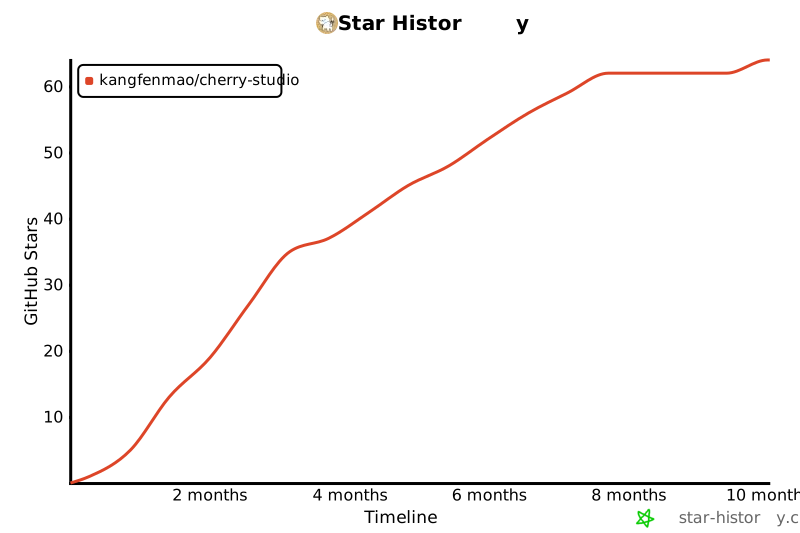](https://star-history.com/#kangfenmao/cherry-studio&Timeline)
|
||||
|
||||
@@ -1,64 +0,0 @@
|
||||
# Security Policy
|
||||
|
||||
## 📢 Reporting a Vulnerability
|
||||
|
||||
At Cherry Studio, we take security seriously and appreciate your efforts to responsibly disclose vulnerabilities. If you discover a security issue, please report it as soon as possible.
|
||||
|
||||
**Please do not create public issues for security-related reports.**
|
||||
|
||||
- To report a security issue, please use the GitHub Security Advisories tab to "[Open a draft security advisory](https://github.com/CherryHQ/cherry-studio/security/advisories/new)".
|
||||
- Include a detailed description of the issue, steps to reproduce, potential impact, and any possible mitigations.
|
||||
- If applicable, please also attach proof-of-concept code or screenshots.
|
||||
|
||||
We will acknowledge your report within **72 hours** and provide a status update as we investigate.
|
||||
|
||||
---
|
||||
|
||||
## 🔒 Supported Versions
|
||||
|
||||
We aim to support the latest released version and one previous minor release.
|
||||
|
||||
| Version | Supported |
|
||||
| --------------- | ---------------- |
|
||||
| Latest (`main`) | ✅ Supported |
|
||||
| Previous minor | ✅ Supported |
|
||||
| Older versions | ❌ Not supported |
|
||||
|
||||
If you are using an unsupported version, we strongly recommend updating to the latest release to receive security fixes.
|
||||
|
||||
---
|
||||
|
||||
## 💡 Security Measures
|
||||
|
||||
Cherry Studio integrates several security best practices, including:
|
||||
|
||||
- Strict dependency updates and regular vulnerability scanning.
|
||||
- TypeScript strict mode and linting to reduce potential injection or runtime issues.
|
||||
- Enforced code formatting and pre-commit hooks.
|
||||
- Internal security reviews before releases.
|
||||
- Dedicated MCP (Model Context Protocol) safeguards for model interactions and data privacy.
|
||||
|
||||
---
|
||||
|
||||
## 🛡️ Disclosure Policy
|
||||
|
||||
- We follow a **coordinated disclosure** approach.
|
||||
- We will not publicly disclose vulnerabilities until a fix has been developed and released.
|
||||
- Credit will be given to researchers who responsibly disclose vulnerabilities, if requested.
|
||||
|
||||
---
|
||||
|
||||
## 🤝 Acknowledgements
|
||||
|
||||
We greatly appreciate contributions from the security community and strive to recognize all researchers who help keep Cherry Studio safe.
|
||||
|
||||
---
|
||||
|
||||
## 🌟 Questions?
|
||||
|
||||
For any security-related questions not involving vulnerabilities, please reach out to:
|
||||
**security@cherry-ai.com**
|
||||
|
||||
---
|
||||
|
||||
Thank you for helping keep Cherry Studio and its users secure!
|
||||

|
Before Width: | Height: | Size: 105 KiB |

|
Before Width: | Height: | Size: 9.3 KiB |

|
Before Width: | Height: | Size: 621 B |

|
Before Width: | Height: | Size: 1.0 KiB |

|
Before Width: | Height: | Size: 23 KiB |

|
Before Width: | Height: | Size: 1.5 KiB |

|
Before Width: | Height: | Size: 2.6 KiB |

|
Before Width: | Height: | Size: 50 KiB |

|
Before Width: | Height: | Size: 3.7 KiB |
@@ -8,93 +8,16 @@
|
||||
; https://learn.microsoft.com/en-us/cpp/windows/latest-supported-vc-redist
|
||||
|
||||
!include LogicLib.nsh
|
||||
!include x64.nsh
|
||||
|
||||
; https://github.com/electron-userland/electron-builder/issues/1122
|
||||
!ifndef BUILD_UNINSTALLER
|
||||
Function checkVCRedist
|
||||
ReadRegDWORD $0 HKLM "SOFTWARE\Microsoft\VisualStudio\14.0\VC\Runtimes\x64" "Installed"
|
||||
FunctionEnd
|
||||
|
||||
Function checkArchitectureCompatibility
|
||||
; Initialize variables
|
||||
StrCpy $0 "0" ; Default to incompatible
|
||||
StrCpy $1 "" ; System architecture
|
||||
StrCpy $3 "" ; App architecture
|
||||
|
||||
; Check system architecture using built-in NSIS functions
|
||||
${If} ${RunningX64}
|
||||
; Check if it's ARM64 by looking at processor architecture
|
||||
ReadEnvStr $2 "PROCESSOR_ARCHITECTURE"
|
||||
ReadEnvStr $4 "PROCESSOR_ARCHITEW6432"
|
||||
|
||||
${If} $2 == "ARM64"
|
||||
${OrIf} $4 == "ARM64"
|
||||
StrCpy $1 "arm64"
|
||||
${Else}
|
||||
StrCpy $1 "x64"
|
||||
${EndIf}
|
||||
${Else}
|
||||
StrCpy $1 "x86"
|
||||
${EndIf}
|
||||
|
||||
; Determine app architecture based on build variables
|
||||
!ifdef APP_ARM64_NAME
|
||||
!ifndef APP_64_NAME
|
||||
StrCpy $3 "arm64" ; App is ARM64 only
|
||||
!endif
|
||||
!endif
|
||||
!ifdef APP_64_NAME
|
||||
!ifndef APP_ARM64_NAME
|
||||
StrCpy $3 "x64" ; App is x64 only
|
||||
!endif
|
||||
!endif
|
||||
!ifdef APP_64_NAME
|
||||
!ifdef APP_ARM64_NAME
|
||||
StrCpy $3 "universal" ; Both architectures available
|
||||
!endif
|
||||
!endif
|
||||
|
||||
; If no architecture variables are defined, assume x64
|
||||
${If} $3 == ""
|
||||
StrCpy $3 "x64"
|
||||
${EndIf}
|
||||
|
||||
; Compare system and app architectures
|
||||
${If} $3 == "universal"
|
||||
; Universal build, compatible with all architectures
|
||||
StrCpy $0 "1"
|
||||
${ElseIf} $1 == $3
|
||||
; Architectures match
|
||||
StrCpy $0 "1"
|
||||
${Else}
|
||||
; Architectures don't match
|
||||
StrCpy $0 "0"
|
||||
${EndIf}
|
||||
FunctionEnd
|
||||
!endif
|
||||
|
||||
!macro customInit
|
||||
Push $0
|
||||
Push $1
|
||||
Push $2
|
||||
Push $3
|
||||
Push $4
|
||||
|
||||
; Check architecture compatibility first
|
||||
Call checkArchitectureCompatibility
|
||||
${If} $0 != "1"
|
||||
MessageBox MB_ICONEXCLAMATION "\
|
||||
Architecture Mismatch$\r$\n$\r$\n\
|
||||
This installer is not compatible with your system architecture.$\r$\n\
|
||||
Your system: $1$\r$\n\
|
||||
App architecture: $3$\r$\n$\r$\n\
|
||||
Please download the correct version from:$\r$\n\
|
||||
https://www.cherry-ai.com/"
|
||||
ExecShell "open" "https://www.cherry-ai.com/"
|
||||
Abort
|
||||
${EndIf}
|
||||
|
||||
Call checkVCRedist
|
||||
${If} $0 != "1"
|
||||
MessageBox MB_YESNO "\
|
||||
@@ -120,9 +43,5 @@
|
||||
Abort
|
||||
${EndIf}
|
||||
ContinueInstall:
|
||||
Pop $4
|
||||
Pop $3
|
||||
Pop $2
|
||||
Pop $1
|
||||
Pop $0
|
||||
!macroend
|
||||
!macroend
|
||||
@@ -5,4 +5,4 @@
|
||||
# repo: cherry-studio
|
||||
# owner: kangfenmao
|
||||
provider: generic
|
||||
url: https://releases.cherry-ai.com
|
||||
url: https://cherrystudio.ocool.online
|
||||
|
||||
@@ -1,81 +0,0 @@
|
||||
# Cherry Studio 贡献者指南
|
||||
|
||||
[**English**](../CONTRIBUTING.md) | [**中文**](CONTRIBUTING.zh.md)
|
||||
|
||||
欢迎来到 Cherry Studio 的贡献者社区!我们致力于将 Cherry Studio 打造成一个长期提供价值的项目,并希望邀请更多的开发者加入我们的行列。无论您是经验丰富的开发者还是刚刚起步的初学者,您的贡献都将帮助我们更好地服务用户,提升软件质量。
|
||||
|
||||
## 如何贡献
|
||||
|
||||
以下是您可以参与的几种方式:
|
||||
|
||||
1. **贡献代码**:帮助我们开发新功能或优化现有代码。请确保您的代码符合我们的编码标准,并通过所有测试。
|
||||
|
||||
2. **修复 BUG**:如果您发现了 BUG,欢迎提交修复方案。请在提交前确认问题已被解决,并附上相关测试。
|
||||
|
||||
3. **维护 Issue**:协助我们管理 GitHub 上的 issue,帮助标记、分类和解决问题。
|
||||
|
||||
4. **产品设计**:参与产品设计讨论,帮助我们改进用户体验和界面设计。
|
||||
|
||||
5. **编写文档**:帮助我们完善用户手册、API 文档和开发者指南。
|
||||
|
||||
6. **社区维护**:参与社区讨论,帮助解答用户问题,促进社区活跃。
|
||||
|
||||
7. **推广使用**:通过博客、社交媒体等渠道推广 Cherry Studio,吸引更多用户和开发者。
|
||||
|
||||
## 开始之前
|
||||
|
||||
请确保阅读了[行为准则](../CODE_OF_CONDUCT.md)和[LICENSE](../LICENSE)。
|
||||
|
||||
## 开始贡献
|
||||
|
||||
为了让您更熟悉代码,建议您处理一些标记有以下标签之一或多个的问题:[good-first-issue](https://github.com/CherryHQ/cherry-studio/labels/good%20first%20issue)、[help-wanted](https://github.com/CherryHQ/cherry-studio/labels/help%20wanted) 或 [kind/bug](https://github.com/CherryHQ/cherry-studio/labels/kind%2Fbug)。任何帮助都会收到欢迎。
|
||||
|
||||
### 测试
|
||||
|
||||
未经测试的功能等同于不存在。为确保代码真正有效,应通过单元测试和功能测试覆盖相关流程。因此,在考虑贡献时,也请考虑可测试性。所有测试均可本地运行,无需依赖 CI。请参阅[开发者指南](dev.md#test)中的“Test”部分。
|
||||
|
||||
### 拉取请求的自动化测试
|
||||
|
||||
自动化测试会在 Cherry Studio 组织成员开启的拉取请求(PR)上触发,草稿 PR 除外。新贡献者开启的 PR 最初会标记为 needs-ok-to-test 标签且不自动测试。待 Cherry Studio 组织成员在 PR 上添加 /ok-to-test 后,测试通道将被创建。
|
||||
|
||||
### 考虑将您的拉取请求作为草稿打开
|
||||
|
||||
并非所有拉取请求在创建时就准备好接受审查。这可能是因为作者想发起讨论,或者他们不完全确定更改是否朝着正确的方向发展,甚至可能是因为更改尚未完成。请考虑将这些 PR 创建为[草稿拉取请求](https://github.blog/2019-02-14-introducing-draft-pull-requests/)。草稿 PR 会被CI跳过,从而节省CI资源。这也意味着审阅者不会被自动分配,社区会理解此 PR 尚未准备好接受审阅。
|
||||
在您将草稿拉取请求标记为准备审核后,审核人员将被分配
|
||||
|
||||
### 贡献者遵守项目条款
|
||||
|
||||
我们要求每位贡献者证明他们有权合法地为我们的项目做出贡献。贡献者通过有意识地签署他们的提交来表达这一点,并通过这一行为表明他们遵守许可证[LICENSE](LICENSE)。
|
||||
签名提交是指提交信息中包含以下内容的提交:
|
||||
|
||||
```
|
||||
Signed-off-by: Your Name <your.email@example.com>
|
||||
```
|
||||
|
||||
您可以通过以下命令[git commit --signoff](https://git-scm.com/docs/git-commit#Documentation/git-commit.txt---signoff)生成签名提交:
|
||||
|
||||
```
|
||||
git commit --signoff -m "Your commit message"
|
||||
```
|
||||
|
||||
### 获取代码审查/合并
|
||||
|
||||
维护者在此帮助您在合理时间内实现您的用例。他们会尽力在合理时间内审查您的代码并提供建设性反馈。但如果您在审查过程中受阻,或认为您的 Pull Request 未得到应有的关注,请通过 Issue 中的评论或者[社群](README.zh.md#-community)联系我们
|
||||
|
||||
### 参与测试计划
|
||||
|
||||
测试计划旨在为用户提供更稳定的应用体验和更快的迭代速度,详细情况请参阅[测试计划](testplan-zh.md)。
|
||||
|
||||
### 其他建议
|
||||
|
||||
- **联系开发者**:在提交 PR 之前,您可以先和开发者进行联系,共同探讨或者获取帮助。
|
||||
- **成为核心开发者**:如果您能够稳定为项目贡献,恭喜您可以成为项目核心开发者,获取到项目成员身份。请查看我们的[成员指南](https://github.com/CherryHQ/community/blob/main/membership.md)
|
||||
|
||||
## 联系我们
|
||||
|
||||
如果您有任何问题或建议,欢迎通过以下方式联系我们:
|
||||
|
||||
- 微信:kangfenmao
|
||||
- [GitHub Issues](https://github.com/CherryHQ/cherry-studio/issues)
|
||||
|
||||
感谢您的支持和贡献!我们期待与您一起将 Cherry Studio 打造成更好的产品。
|
||||
@@ -0,0 +1,136 @@
|
||||
<h1 align="center">
|
||||
<a href="https://github.com/CherryHQ/cherry-studio/releases">
|
||||
<img src="https://github.com/CherryHQ/cherry-studio/blob/main/build/icon.png?raw=true" width="150" height="150" alt="banner" />
|
||||
</a>
|
||||
</h1>
|
||||
<p align="center">
|
||||
<a href="https://github.com/CherryHQ/cherry-studio">English</a> | <a href="./README.zh.md">中文</a> | 日本語 <br>
|
||||
</p>
|
||||
<div align="center">
|
||||
<a href="https://trendshift.io/repositories/11772" target="_blank"><img src="https://trendshift.io/api/badge/repositories/11772" alt="kangfenmao%2Fcherry-studio | Trendshift" style="width: 250px; height: 55px;" width="250" height="55"/></a>
|
||||
</div>
|
||||
# 🍒 Cherry Studio
|
||||
|
||||
Cherry Studio は、複数の LLM プロバイダーをサポートするデスクトップクライアントで、Windows、Mac、Linux で利用可能です。
|
||||
|
||||
👏 [Telegram](https://t.me/CherryStudioAI)|[Discord](https://discord.gg/wez8HtpxqQ) | [QQグループ(472019156)](https://qm.qq.com/q/CbZiBWwCXu)
|
||||
|
||||
❤️ Cherry Studio をお気に入りにしましたか?小さな星をつけてください 🌟 または [スポンサー](sponsor.md) をして開発をサポートしてください!❤️
|
||||
|
||||
# 🌠 スクリーンショット
|
||||
|
||||

|
||||

|
||||

|
||||
|
||||
# 🌟 主な機能
|
||||
|
||||

|
||||
|
||||
1. **多様な LLM サービス対応**:
|
||||
|
||||
- ☁️ 主要な LLM クラウドサービス対応:OpenAI、Gemini、Anthropic など
|
||||
- 🔗 AI Web サービス統合:Claude、Peplexity、Poe など
|
||||
- 💻 Ollama、LM Studio によるローカルモデル実行対応
|
||||
|
||||
2. **AI アシスタントと対話**:
|
||||
|
||||
- 📚 300+ の事前設定済み AI アシスタント
|
||||
- 🤖 カスタム AI アシスタントの作成
|
||||
- 💬 複数モデルでの同時対話機能
|
||||
|
||||
3. **文書とデータ処理**:
|
||||
|
||||
- 📄 テキスト、画像、Office、PDF など多様な形式対応
|
||||
- ☁️ WebDAV によるファイル管理とバックアップ
|
||||
- 📊 Mermaid による図表作成
|
||||
- 💻 コードハイライト機能
|
||||
|
||||
4. **実用的なツール統合**:
|
||||
|
||||
- 🔍 グローバル検索機能
|
||||
- 📝 トピック管理システム
|
||||
- 🔤 AI による翻訳機能
|
||||
- 🎯 ドラッグ&ドロップによる整理
|
||||
- 🔌 ミニプログラム対応
|
||||
- ⚙️ MCP(モデルコンテキストプロトコル) サービス
|
||||
|
||||
5. **優れたユーザー体験**:
|
||||
|
||||
- 🖥️ Windows、Mac、Linux のクロスプラットフォーム対応
|
||||
- 📦 環境構築不要ですぐに使用可能
|
||||
- 🎨 ライト/ダークテーマと透明ウィンドウ対応
|
||||
- 📝 完全な Markdown レンダリング
|
||||
- 🤲 簡単な共有機能
|
||||
|
||||
# 📝 TODO
|
||||
|
||||
- [x] クイックポップアップ(クリップボードの読み取り、簡単な質問、説明、翻訳、要約)
|
||||
- [x] 複数モデルの回答の比較
|
||||
- [x] サービスプロバイダーが提供する SSO を使用したログインをサポート
|
||||
- [x] すべてのモデルがネットワークをサポート
|
||||
- [x] 最初の公式バージョンのリリース
|
||||
- [ ] 錯誤修復と改善 (開発中...)
|
||||
- [ ] プラグイン機能(JavaScript)
|
||||
- [ ] ブラウザ拡張機能(テキストをハイライトして翻訳、要約、ナレッジベースに追加)
|
||||
- [ ] iOS & Android クライアント
|
||||
- [ ] AIノート
|
||||
- [ ] 音声入出力(AI コール)
|
||||
- [ ] データバックアップはカスタムバックアップコンテンツをサポート
|
||||
|
||||
# 🖥️ 開発
|
||||
|
||||
参考[開発ドキュメント](dev.md)
|
||||
|
||||
# 🤝 貢献
|
||||
|
||||
Cherry Studio への貢献を歓迎します!以下の方法で貢献できます:
|
||||
|
||||
1. **コードの貢献**:新機能を開発するか、既存のコードを最適化します。
|
||||
2. **バグの修正**:見つけたバグを修正します。
|
||||
3. **問題の管理**:GitHub の問題を管理するのを手伝います。
|
||||
4. **製品デザイン**:デザインの議論に参加します。
|
||||
5. **ドキュメントの作成**:ユーザーマニュアルやガイドを改善します。
|
||||
6. **コミュニティの参加**:ディスカッションに参加し、ユーザーを支援します。
|
||||
7. **使用の促進**:Cherry Studio を広めます。
|
||||
|
||||
## 始め方
|
||||
|
||||
1. **リポジトリをフォーク**:フォークしてローカルマシンにクローンします。
|
||||
2. **ブランチを作成**:変更のためのブランチを作成します。
|
||||
3. **変更を提出**:変更をコミットしてプッシュします。
|
||||
4. **プルリクエストを開く**:変更内容と理由を説明します。
|
||||
|
||||
詳細なガイドラインについては、[貢献ガイド](../CONTRIBUTING.md)をご覧ください。
|
||||
|
||||
ご支援と貢献に感謝します!
|
||||
|
||||
## 関連頁版
|
||||
|
||||
- [one-api](https://github.com/songquanpeng/one-api):LLM API の管理・配信システム。OpenAI、Azure、Anthropic などの主要モデルに対応し、統一 API インターフェースを提供。API キー管理と再配布に利用可能。
|
||||
|
||||
# 🚀 コントリビューター
|
||||
|
||||
<a href="https://github.com/CherryHQ/cherry-studio/graphs/contributors">
|
||||
<img src="https://contrib.rocks/image?repo=kangfenmao/cherry-studio" />
|
||||
</a>
|
||||
|
||||
# コミュニティ
|
||||
|
||||
[Telegram](https://t.me/CherryStudioAI) | [Email](mailto:kangfenmao@gmail.com) | [Twitter](https://x.com/kangfenmao)
|
||||
|
||||
# 📣 プロダクトハント
|
||||
|
||||
<a href="https://www.producthunt.com/posts/cherry-studio?embed=true&utm_source=badge-featured&utm_medium=badge&utm_souce=badge-cherry-studio" target="_blank"><img src="https://api.producthunt.com/widgets/embed-image/v1/featured.svg?post_id=496640&theme=light" alt="Cherry Studio - AI Chatbots, AI Desktop Client | Product Hunt" style="width: 250px; height: 54px;" width="250" height="54" /></a>
|
||||
|
||||
# スポンサー
|
||||
|
||||
[Buy Me a Coffee](sponsor.md)
|
||||
|
||||
# 📃 ライセンス
|
||||
|
||||
[LICENSE](../LICENSE)
|
||||
|
||||
# ⭐️ スター履歴
|
||||
|
||||
[](https://star-history.com/#kangfenmao/cherry-studio&Timeline)
|
||||
@@ -1,91 +1,31 @@
|
||||
<div align="right" >
|
||||
<details>
|
||||
<summary >🌐 Language</summary>
|
||||
<div>
|
||||
<div align="right">
|
||||
<p><a href="https://openaitx.github.io/view.html?user=CherryHQ&project=cherry-studio&lang=en">English</a></p>
|
||||
<p><a href="https://openaitx.github.io/view.html?user=CherryHQ&project=cherry-studio&lang=zh-CN">简体中文</a></p>
|
||||
<p><a href="https://openaitx.github.io/view.html?user=CherryHQ&project=cherry-studio&lang=zh-TW">繁體中文</a></p>
|
||||
<p><a href="https://openaitx.github.io/view.html?user=CherryHQ&project=cherry-studio&lang=ja">日本語</a></p>
|
||||
<p><a href="https://openaitx.github.io/view.html?user=CherryHQ&project=cherry-studio&lang=ko">한국어</a></p>
|
||||
<p><a href="https://openaitx.github.io/view.html?user=CherryHQ&project=cherry-studio&lang=hi">हिन्दी</a></p>
|
||||
<p><a href="https://openaitx.github.io/view.html?user=CherryHQ&project=cherry-studio&lang=th">ไทย</a></p>
|
||||
<p><a href="https://openaitx.github.io/view.html?user=CherryHQ&project=cherry-studio&lang=fr">Français</a></p>
|
||||
<p><a href="https://openaitx.github.io/view.html?user=CherryHQ&project=cherry-studio&lang=de">Deutsch</a></p>
|
||||
<p><a href="https://openaitx.github.io/view.html?user=CherryHQ&project=cherry-studio&lang=es">Español</a></p>
|
||||
<p><a href="https://openaitx.github.io/view.html?user=CherryHQ&project=cherry-studio&lang=it">Itapano</a></p>
|
||||
<p><a href="https://openaitx.github.io/view.html?user=CherryHQ&project=cherry-studio&lang=ru">Русский</a></p>
|
||||
<p><a href="https://openaitx.github.io/view.html?user=CherryHQ&project=cherry-studio&lang=pt">Português</a></p>
|
||||
<p><a href="https://openaitx.github.io/view.html?user=CherryHQ&project=cherry-studio&lang=nl">Nederlands</a></p>
|
||||
<p><a href="https://openaitx.github.io/view.html?user=CherryHQ&project=cherry-studio&lang=pl">Polski</a></p>
|
||||
<p><a href="https://openaitx.github.io/view.html?user=CherryHQ&project=cherry-studio&lang=ar">العربية</a></p>
|
||||
<p><a href="https://openaitx.github.io/view.html?user=CherryHQ&project=cherry-studio&lang=fa">فارسی</a></p>
|
||||
<p><a href="https://openaitx.github.io/view.html?user=CherryHQ&project=cherry-studio&lang=tr">Türkçe</a></p>
|
||||
<p><a href="https://openaitx.github.io/view.html?user=CherryHQ&project=cherry-studio&lang=vi">Tiếng Việt</a></p>
|
||||
<p><a href="https://openaitx.github.io/view.html?user=CherryHQ&project=cherry-studio&lang=id">Bahasa Indonesia</a></p>
|
||||
</div>
|
||||
</div>
|
||||
</details>
|
||||
</div>
|
||||
|
||||
<h1 align="center">
|
||||
<a href="https://github.com/CherryHQ/cherry-studio/releases">
|
||||
<img src="https://github.com/CherryHQ/cherry-studio/blob/main/build/icon.png?raw=true" width="150" height="150" alt="banner" /><br>
|
||||
<img src="https://github.com/CherryHQ/cherry-studio/blob/main/build/icon.png?raw=true" width="150" height="150" alt="banner" />
|
||||
</a>
|
||||
</h1>
|
||||
<p align="center">
|
||||
<a href="https://github.com/CherryHQ/cherry-studio">English</a> | 中文 | <a href="https://cherry-ai.com">官方网站</a> | <a href="https://docs.cherry-ai.com/cherry-studio-wen-dang/zh-cn">文档</a> | <a href="./dev.md">开发</a> | <a href="https://github.com/CherryHQ/cherry-studio/issues">反馈</a><br>
|
||||
</p>
|
||||
|
||||
<!-- 题头徽章组合 -->
|
||||
|
||||
<a href="https://github.com/CherryHQ/cherry-studio">English</a> | 中文 | <a href="./README.ja.md">日本語</a><br></p>
|
||||
<div align="center">
|
||||
|
||||
[![][deepwiki-shield]][deepwiki-link]
|
||||
[![][twitter-shield]][twitter-link]
|
||||
[![][discord-shield]][discord-link]
|
||||
[![][telegram-shield]][telegram-link]
|
||||
|
||||
<a href="https://trendshift.io/repositories/11772" target="_blank"><img src="https://trendshift.io/api/badge/repositories/11772" alt="kangfenmao%2Fcherry-studio | Trendshift" style="width: 250px; height: 55px;" width="250" height="55"/></a>
|
||||
</div>
|
||||
|
||||
<div align="center">
|
||||
|
||||
[![][github-release-shield]][github-release-link]
|
||||
[![][github-contributors-shield]][github-contributors-link]
|
||||
[![][license-shield]][license-link]
|
||||
[![][commercial-shield]][commercial-link]
|
||||
[![][sponsor-shield]][sponsor-link]
|
||||
|
||||
</div>
|
||||
|
||||
<div align="center">
|
||||
<a href="https://hellogithub.com/repository/1605492e1e2a4df3be07abfa4578dd37" target="_blank" style="text-decoration: none"><img src="https://api.hellogithub.com/v1/widgets/recommend.svg?rid=1605492e1e2a4df3be07abfa4578dd37" alt="Featured|HelloGitHub" width="220" height="55" /></a>
|
||||
<a href="https://trendshift.io/repositories/11772" target="_blank" style="text-decoration: none"><img src="https://trendshift.io/api/badge/repositories/11772" alt="kangfenmao%2Fcherry-studio | Trendshift" width="220" height="55" /></a>
|
||||
<a href="https://www.producthunt.com/posts/cherry-studio?embed=true&utm_source=badge-featured&utm_medium=badge&utm_souce=badge-cherry-studio" target="_blank"><img src="https://api.producthunt.com/widgets/embed-image/v1/featured.svg?post_id=496640&theme=light" alt="Cherry Studio - AI Chatbots, AI Desktop Client | Product Hunt" width="220" height="55" /></a>
|
||||
</div>
|
||||
|
||||
# 🍒 Cherry Studio
|
||||
|
||||
Cherry Studio 是一款支持多个大语言模型(LLM)服务商的桌面客户端,兼容 Windows、Mac 和 Linux 系统。
|
||||
|
||||
👏 欢迎加入 [Telegram 群组](https://t.me/CherryStudioAI)|[Discord](https://discord.gg/wez8HtpxqQ) | [QQ群(575014769)](https://qm.qq.com/q/lo0D4qVZKi)
|
||||
👏 欢迎加入 [Telegram 群组](https://t.me/CherryStudioAI)|[Discord](https://discord.gg/wez8HtpxqQ) | [QQ群(472019156)](https://qm.qq.com/q/CbZiBWwCXu)
|
||||
|
||||
❤️ 喜欢 Cherry Studio? 点亮小星星 🌟 或 [赞助开发者](sponsor.md)! ❤️
|
||||
|
||||
# 📖 使用教程
|
||||
|
||||
https://docs.cherry-ai.com
|
||||
|
||||
# 🌠 界面
|
||||
|
||||

|
||||
|
||||

|
||||
|
||||

|
||||

|
||||

|
||||

|
||||
|
||||
# 🌟 主要特性
|
||||
|
||||

|
||||
|
||||
1. **多样化 LLM 服务支持**:
|
||||
|
||||
- ☁️ 支持主流 LLM 云服务:OpenAI、Gemini、Anthropic、硅基流动等
|
||||
@@ -122,200 +62,75 @@ https://docs.cherry-ai.com
|
||||
- 📝 完整的 Markdown 渲染
|
||||
- 🤲 便捷的内容分享功能
|
||||
|
||||
# 📝 开发计划
|
||||
# 📝 待辦事項
|
||||
|
||||
我们正在积极开发以下功能和改进:
|
||||
- [x] 快捷弹窗(读取剪贴板、快速提问、解释、翻译、总结)
|
||||
- [x] 多模型回答对比
|
||||
- [x] 支持使用服务供应商提供的 SSO 进行登入
|
||||
- [x] 全部模型支持连网(开发中...)
|
||||
- [x] 推出第一个正式版
|
||||
- [x] 错误修复和改进(开发中...)
|
||||
- [ ] 插件功能(JavaScript)
|
||||
- [ ] 浏览器插件(划词翻译、总结、新增至知识库)
|
||||
- [ ] iOS & Android 客户端
|
||||
- [ ] AI 笔记
|
||||
- [ ] 语音输入输出(AI 通话)
|
||||
- [ ] 数据备份支持自定义备份内容
|
||||
|
||||
1. 🎯 **核心功能**
|
||||
# 🖥️ 开发
|
||||
|
||||
- 选择助手 - 智能内容选择增强
|
||||
- 深度研究 - 高级研究能力
|
||||
- 全局记忆 - 全局上下文感知
|
||||
- 文档预处理 - 改进文档处理能力
|
||||
- MCP 市场 - 模型上下文协议生态系统
|
||||
|
||||
2. 🗂 **知识管理**
|
||||
|
||||
- 笔记与收藏功能
|
||||
- 动态画布可视化
|
||||
- OCR 光学字符识别
|
||||
- TTS 文本转语音支持
|
||||
|
||||
3. 📱 **平台支持**
|
||||
|
||||
- 鸿蒙版本 (PC)
|
||||
- Android 应用(第一期)
|
||||
- iOS 应用(第一期)
|
||||
- 多窗口支持
|
||||
- 窗口置顶功能
|
||||
|
||||
4. 🔌 **高级特性**
|
||||
|
||||
- 插件系统
|
||||
- ASR 语音识别
|
||||
- 助手与话题交互重构
|
||||
|
||||
在我们的[项目面板](https://github.com/orgs/CherryHQ/projects/7)上跟踪进展并参与贡献。
|
||||
|
||||
想要影响开发计划?欢迎加入我们的 [GitHub 讨论区](https://github.com/CherryHQ/cherry-studio/discussions) 分享您的想法和反馈!
|
||||
|
||||
# 🌈 主题
|
||||
|
||||
- 主题库:https://cherrycss.com
|
||||
- Aero 主题:https://github.com/hakadao/CherryStudio-Aero
|
||||
- PaperMaterial 主题:https://github.com/rainoffallingstar/CherryStudio-PaperMaterial
|
||||
- 仿 Claude 主题:https://github.com/bjl101501/CherryStudio-Claudestyle-dynamic
|
||||
- 霓虹枫叶主题:https://github.com/BoningtonChen/CherryStudio_themes
|
||||
|
||||
欢迎 PR 更多主题
|
||||
参考[开发文档](dev.md)
|
||||
|
||||
# 🤝 贡献
|
||||
|
||||
我们欢迎对 Cherry Studio 的贡献!您可以通过以下方式贡献:
|
||||
|
||||
1. **贡献代码**:开发新功能或优化现有代码
|
||||
2. **修复错误**:提交您发现的错误修复
|
||||
3. **维护问题**:帮助管理 GitHub 问题
|
||||
4. **产品设计**:参与设计讨论
|
||||
5. **撰写文档**:改进用户手册和指南
|
||||
6. **社区参与**:加入讨论并帮助用户
|
||||
7. **推广使用**:宣传 Cherry Studio
|
||||
|
||||
参考[分支策略](branching-strategy-zh.md)了解贡献指南
|
||||
1. **贡献代码**:开发新功能或优化现有代码。
|
||||
2. **修复错误**:提交您发现的错误修复。
|
||||
3. **维护问题**:帮助管理 GitHub 问题。
|
||||
4. **产品设计**:参与设计讨论。
|
||||
5. **撰写文档**:改进用户手册和指南。
|
||||
6. **社区参与**:加入讨论并帮助用户。
|
||||
7. **推广使用**:宣传 Cherry Studio。
|
||||
|
||||
## 入门
|
||||
|
||||
1. **Fork 仓库**:Fork 并克隆到您的本地机器
|
||||
2. **创建分支**:为您的更改创建分支
|
||||
3. **提交更改**:提交并推送您的更改
|
||||
4. **打开 Pull Request**:描述您的更改和原因
|
||||
1. **Fork 仓库**:Fork 并克隆到您的本地机器。
|
||||
2. **创建分支**:为您的更改创建分支。
|
||||
3. **提交更改**:提交并推送您的更改。
|
||||
4. **打开 Pull Request**:描述您的更改和原因。
|
||||
|
||||
有关更详细的指南,请参阅我们的 [贡献指南](CONTRIBUTING.zh.md)
|
||||
有关更详细的指南,请参阅我们的 [贡献指南](../CONTRIBUTING.md)。
|
||||
|
||||
感谢您的支持和贡献!
|
||||
|
||||
# 🔧 开发者共创计划
|
||||
|
||||
我们正在启动 Cherry Studio 开发者共创计划,旨在为开源生态系统构建一个健康、正向反馈的循环。我们相信,优秀的软件是通过协作构建的,每一个合并的拉取请求都为项目注入新的生命力。
|
||||
|
||||
我们诚挚地邀请您加入我们的贡献者队伍,与我们一起塑造 Cherry Studio 的未来。
|
||||
|
||||
## 贡献者奖励计划
|
||||
|
||||
为了回馈我们的核心贡献者并创造良性循环,我们建立了以下长期激励计划。
|
||||
|
||||
**该计划的首个跟踪周期将是 2025 年第三季度(7月、8月、9月)。此周期的奖励将在 10月1日 发放。**
|
||||
|
||||
在任何跟踪周期内(例如,首个周期的 7月1日 至 9月30日),任何为 Cherry Studio 在 GitHub 上的开源项目贡献超过 **30 个有意义提交** 的开发者都有资格获得以下福利:
|
||||
|
||||
- **Cursor 订阅赞助**:获得 **70 美元** 的 [Cursor](https://cursor.sh/) 订阅积分或报销,让 AI 成为您最高效的编码伙伴。
|
||||
- **无限模型访问**:获得 **DeepSeek** 和 **Qwen** 模型的 **无限次** API 调用。
|
||||
- **前沿技术访问**:享受偶尔的特殊福利,包括 **Claude**、**Gemini** 和 **OpenAI** 等模型的 API 访问权限,让您始终站在技术前沿。
|
||||
|
||||
## 共同成长与未来规划
|
||||
|
||||
活跃的社区是任何可持续开源项目背后的推动力。随着 Cherry Studio 的发展,我们的奖励计划也将随之发展。我们致力于持续将我们的福利与行业内最优秀的工具和资源保持一致。这确保我们的核心贡献者获得有意义的支持,创造一个开发者、社区和项目共同成长的正向循环。
|
||||
|
||||
**展望未来,该项目还将采取越来越开放的态度来回馈整个开源社区。**
|
||||
|
||||
## 如何开始?
|
||||
|
||||
我们期待您的第一个拉取请求!
|
||||
|
||||
您可以从探索我们的仓库开始,选择一个 `good first issue`,或者提出您自己的改进建议。每一个提交都是开源精神的体现。
|
||||
|
||||
感谢您的关注和贡献。
|
||||
|
||||
让我们一起建设。
|
||||
|
||||
# 🏢 企业版
|
||||
|
||||
在社区版的基础上,我们自豪地推出 **Cherry Studio 企业版**——一个为现代团队和企业设计的私有部署 AI 生产力与管理平台。
|
||||
|
||||
企业版通过集中管理 AI 资源、知识和数据,解决了团队协作中的核心挑战。它赋能组织提升效率、促进创新并确保合规,同时在安全环境中保持对数据的 100% 控制。
|
||||
|
||||
## 核心优势
|
||||
|
||||
- **统一模型管理**:集中整合和管理各种基于云的大语言模型(如 OpenAI、Anthropic、Google Gemini)和本地部署的私有模型。员工可以开箱即用,无需单独配置。
|
||||
- **企业级知识库**:构建、管理和分享全团队的知识库。确保知识得到保留且一致,使团队成员能够基于统一准确的信息与 AI 交互。
|
||||
- **细粒度访问控制**:通过统一的管理后台轻松管理员工账户,并为不同模型、知识库和功能分配基于角色的权限。
|
||||
- **完全私有部署**:在您的本地服务器或私有云上部署整个后端服务,确保您的数据 100% 私有且在您的控制之下,满足最严格的安全和合规标准。
|
||||
- **可靠的后端服务**:提供稳定的 API 服务、企业级数据备份和恢复机制,确保业务连续性。
|
||||
|
||||
## ✨ 在线演示
|
||||
|
||||
> 🚧 **公开测试版通知**
|
||||
>
|
||||
> 企业版目前处于早期公开测试阶段,我们正在积极迭代和优化其功能。我们知道它可能还不够完全稳定。如果您在试用过程中遇到任何问题或有宝贵建议,我们非常感谢您能通过邮件联系我们提供反馈。
|
||||
|
||||
**🔗 [Cherry Studio 企业版](https://www.cherry-ai.com/enterprise)**
|
||||
|
||||
## 版本对比
|
||||
|
||||
| 功能 | 社区版 | 企业版 |
|
||||
| :----------- | :---------------------- | :--------------------------------------------------------------------------------------------- |
|
||||
| **开源** | ✅ 是 | ⭕️ 部分开源,对客户开放 |
|
||||
| **成本** | 个人使用免费 / 商业授权 | 买断 / 订阅费用 |
|
||||
| **管理后台** | — | ● 集中化**模型**访问<br>● **员工**管理<br>● 共享**知识库**<br>● **访问**控制<br>● **数据**备份 |
|
||||
| **服务器** | — | ✅ 专用私有部署 |
|
||||
|
||||
## 获取企业版
|
||||
|
||||
我们相信企业版将成为您团队的 AI 生产力引擎。如果您对 Cherry Studio 企业版感兴趣,希望了解更多信息、请求报价或安排演示,请联系我们。
|
||||
|
||||
- **商业咨询与购买**:
|
||||
**📧 [bd@cherry-ai.com](mailto:bd@cherry-ai.com)**
|
||||
|
||||
# 🔗 相关项目
|
||||
## 相关项目
|
||||
|
||||
- [one-api](https://github.com/songquanpeng/one-api):LLM API 管理及分发系统,支持 OpenAI、Azure、Anthropic 等主流模型,统一 API 接口,可用于密钥管理与二次分发。
|
||||
|
||||
- [ublacklist](https://github.com/iorate/ublacklist):屏蔽特定网站在 Google 搜索结果中显示
|
||||
|
||||
# 🚀 贡献者
|
||||
|
||||
<a href="https://github.com/CherryHQ/cherry-studio/graphs/contributors">
|
||||
<img src="https://contrib.rocks/image?repo=CherryHQ/cherry-studio" />
|
||||
<img src="https://contrib.rocks/image?repo=kangfenmao/cherry-studio" />
|
||||
</a>
|
||||
<br /><br />
|
||||
|
||||
# 📊 GitHub 统计
|
||||
# 🌐 社区
|
||||
|
||||

|
||||
[Telegram](https://t.me/CherryStudioAI) | [Email](mailto:kangfenmao@gmail.com) | [Twitter](https://x.com/kangfenmao)
|
||||
|
||||
# 📣 产品猎人
|
||||
|
||||
<a href="https://www.producthunt.com/posts/cherry-studio?embed=true&utm_source=badge-featured&utm_medium=badge&utm_souce=badge-cherry-studio" target="_blank"><img src="https://api.producthunt.com/widgets/embed-image/v1/featured.svg?post_id=496640&theme=light" alt="Cherry Studio - AI Chatbots, AI Desktop Client | Product Hunt" style="width: 250px; height: 54px;" width="250" height="54" /></a>
|
||||
|
||||
# ☕ 赞助
|
||||
|
||||
[微信赞赏码](sponsor.md)
|
||||
|
||||
# 📃 许可证
|
||||
|
||||
[LICENSE](../LICENSE)
|
||||
|
||||
# ⭐️ Star 记录
|
||||
|
||||
<a href="https://www.star-history.com/#CherryHQ/cherry-studio&Date">
|
||||
<picture>
|
||||
<source media="(prefers-color-scheme: dark)" srcset="https://api.star-history.com/svg?repos=CherryHQ/cherry-studio&type=Date&theme=dark" />
|
||||
<source media="(prefers-color-scheme: light)" srcset="https://api.star-history.com/svg?repos=CherryHQ/cherry-studio&type=Date" />
|
||||
<img alt="Star History Chart" src="https://api.star-history.com/svg?repos=CherryHQ/cherry-studio&type=Date" />
|
||||
</picture>
|
||||
</a>
|
||||
|
||||
<!-- Links & Images -->
|
||||
|
||||
[deepwiki-shield]: https://img.shields.io/badge/Deepwiki-CherryHQ-0088CC
|
||||
[deepwiki-link]: https://deepwiki.com/CherryHQ/cherry-studio
|
||||
[twitter-shield]: https://img.shields.io/badge/Twitter-CherryStudioApp-0088CC?logo=x
|
||||
[twitter-link]: https://twitter.com/CherryStudioHQ
|
||||
[discord-shield]: https://img.shields.io/badge/Discord-@CherryStudio-0088CC?logo=discord
|
||||
[discord-link]: https://discord.gg/wez8HtpxqQ
|
||||
[telegram-shield]: https://img.shields.io/badge/Telegram-@CherryStudioAI-0088CC?logo=telegram
|
||||
[telegram-link]: https://t.me/CherryStudioAI
|
||||
|
||||
<!-- 项目统计徽章 -->
|
||||
|
||||
[github-release-shield]: https://img.shields.io/github/v/release/CherryHQ/cherry-studio
|
||||
[github-release-link]: https://github.com/CherryHQ/cherry-studio/releases
|
||||
[github-contributors-shield]: https://img.shields.io/github/contributors/CherryHQ/cherry-studio
|
||||
[github-contributors-link]: https://github.com/CherryHQ/cherry-studio/graphs/contributors
|
||||
|
||||
<!-- 许可和赞助徽章 -->
|
||||
|
||||
[license-shield]: https://img.shields.io/badge/License-AGPLv3-important.svg?logo=gnu
|
||||
[license-link]: https://www.gnu.org/licenses/agpl-3.0
|
||||
[commercial-shield]: https://img.shields.io/badge/商用授权-联系-white.svg?logoColor=white&logo=telegram&color=blue
|
||||
[commercial-link]: mailto:license@cherry-ai.com?subject=商业授权咨询
|
||||
[sponsor-shield]: https://img.shields.io/badge/赞助支持-FF6699.svg?logo=githubsponsors&logoColor=white
|
||||
[sponsor-link]: https://github.com/CherryHQ/cherry-studio/blob/main/docs/sponsor.md
|
||||
[](https://star-history.com/#kangfenmao/cherry-studio&Timeline)
|
||||
|
||||
@@ -1,73 +0,0 @@
|
||||
# 🌿 Branching Strategy
|
||||
|
||||
Cherry Studio implements a structured branching strategy to maintain code quality and streamline the development process.
|
||||
|
||||
## Main Branches
|
||||
|
||||
- `main`: Main development branch
|
||||
|
||||
- Contains the latest development code
|
||||
- Direct commits are not allowed - changes must come through pull requests
|
||||
- Code may contain features in development and might not be fully stable
|
||||
|
||||
- `release/*`: Release branches
|
||||
- Created from `main` branch
|
||||
- Contains stable code ready for release
|
||||
- Only accepts documentation updates and bug fixes
|
||||
- Thoroughly tested before production deployment
|
||||
|
||||
For details about the `testplan` branch used in the Test Plan, please refer to the [Test Plan](testplan-en.md).
|
||||
|
||||
## Contributing Branches
|
||||
|
||||
When contributing to Cherry Studio, please follow these guidelines:
|
||||
|
||||
1. **Feature Branches:**
|
||||
|
||||
- Create from `main` branch
|
||||
- Naming format: `feature/issue-number-brief-description`
|
||||
- Submit PR back to `main`
|
||||
|
||||
2. **Bug Fix Branches:**
|
||||
|
||||
- Create from `main` branch
|
||||
- Naming format: `fix/issue-number-brief-description`
|
||||
- Submit PR back to `main`
|
||||
|
||||
3. **Documentation Branches:**
|
||||
|
||||
- Create from `main` branch
|
||||
- Naming format: `docs/brief-description`
|
||||
- Submit PR back to `main`
|
||||
|
||||
4. **Hotfix Branches:**
|
||||
|
||||
- Create from `main` branch
|
||||
- Naming format: `hotfix/issue-number-brief-description`
|
||||
- Submit PR to both `main` and relevant `release` branches
|
||||
|
||||
5. **Release Branches:**
|
||||
- Create from `main` branch
|
||||
- Naming format: `release/version-number`
|
||||
- Used for final preparation work before version release
|
||||
- Only accepts bug fixes and documentation updates
|
||||
- After testing and preparation, merge back to `main` and tag with version
|
||||
|
||||
## Workflow Diagram
|
||||
|
||||

|
||||
|
||||
## Pull Request Guidelines
|
||||
|
||||
- All PRs should be submitted to the `main` branch unless fixing a critical production issue
|
||||
- Ensure your branch is up to date with the latest `main` changes before submitting
|
||||
- Include relevant issue numbers in your PR description
|
||||
- Make sure all tests pass and code meets our quality standards
|
||||
- Add before/after screenshots if you add a new feature or modify a UI component
|
||||
|
||||
## Version Tag Management
|
||||
|
||||
- Major releases: v1.0.0, v2.0.0, etc.
|
||||
- Feature releases: v1.1.0, v1.2.0, etc.
|
||||
- Patch releases: v1.0.1, v1.0.2, etc.
|
||||
- Hotfix releases: v1.0.1-hotfix, etc.
|
||||
@@ -1,73 +0,0 @@
|
||||
# 🌿 分支策略
|
||||
|
||||
Cherry Studio 采用结构化的分支策略来维护代码质量并简化开发流程。
|
||||
|
||||
## 主要分支
|
||||
|
||||
- `main`:主开发分支
|
||||
|
||||
- 包含最新的开发代码
|
||||
- 禁止直接提交 - 所有更改必须通过拉取请求(Pull Request)
|
||||
- 此分支上的代码可能包含正在开发的功能,不一定完全稳定
|
||||
|
||||
- `release/*`:发布分支
|
||||
- 从 `main` 分支创建
|
||||
- 包含准备发布的稳定代码
|
||||
- 只接受文档更新和 bug 修复
|
||||
- 经过完整测试后可以发布到生产环境
|
||||
|
||||
关于测试计划所使用的`testplan`分支,请查阅[测试计划](testplan-zh.md)。
|
||||
|
||||
## 贡献分支
|
||||
|
||||
在为 Cherry Studio 贡献代码时,请遵循以下准则:
|
||||
|
||||
1. **功能开发分支:**
|
||||
|
||||
- 从 `main` 分支创建
|
||||
- 命名格式:`feature/issue-number-brief-description`
|
||||
- 完成后提交 PR 到 `main` 分支
|
||||
|
||||
2. **Bug 修复分支:**
|
||||
|
||||
- 从 `main` 分支创建
|
||||
- 命名格式:`fix/issue-number-brief-description`
|
||||
- 完成后提交 PR 到 `main` 分支
|
||||
|
||||
3. **文档更新分支:**
|
||||
|
||||
- 从 `main` 分支创建
|
||||
- 命名格式:`docs/brief-description`
|
||||
- 完成后提交 PR 到 `main` 分支
|
||||
|
||||
4. **紧急修复分支:**
|
||||
|
||||
- 从 `main` 分支创建
|
||||
- 命名格式:`hotfix/issue-number-brief-description`
|
||||
- 完成后需要同时合并到 `main` 和相关的 `release` 分支
|
||||
|
||||
5. **发布分支:**
|
||||
- 从 `main` 分支创建
|
||||
- 命名格式:`release/version-number`
|
||||
- 用于版本发布前的最终准备工作
|
||||
- 只允许合并 bug 修复和文档更新
|
||||
- 完成测试和准备工作后,将代码合并回 `main` 分支并打上版本标签
|
||||
|
||||
## 工作流程
|
||||
|
||||

|
||||
|
||||
## 拉取请求(PR)指南
|
||||
|
||||
- 除非是修复生产环境的关键问题,否则所有 PR 都应该提交到 `main` 分支
|
||||
- 提交 PR 前确保你的分支已经同步了最新的 `main` 分支内容
|
||||
- 在 PR 描述中包含相关的 issue 编号
|
||||
- 确保所有测试通过,且代码符合我们的质量标准
|
||||
- 如果你添加了新功能或修改了 UI 组件,请附上更改前后的截图
|
||||
|
||||
## 版本标签管理
|
||||
|
||||
- 主要版本发布:v1.0.0、v2.0.0 等
|
||||
- 功能更新发布:v1.1.0、v1.2.0 等
|
||||
- 补丁修复发布:v1.0.1、v1.0.2 等
|
||||
- 紧急修复发布:v1.0.1-hotfix 等
|
||||
@@ -31,32 +31,12 @@ corepack prepare yarn@4.6.0 --activate
|
||||
yarn install
|
||||
```
|
||||
|
||||
### ENV
|
||||
|
||||
```bash
|
||||
copy .env.example .env
|
||||
```
|
||||
|
||||
### Start
|
||||
|
||||
```bash
|
||||
yarn dev
|
||||
```
|
||||
|
||||
### Debug
|
||||
|
||||
```bash
|
||||
yarn debug
|
||||
```
|
||||
|
||||
Then input chrome://inspect in browser
|
||||
|
||||
### Test
|
||||
|
||||
```bash
|
||||
yarn test
|
||||
```
|
||||
|
||||
### Build
|
||||
|
||||
```bash
|
||||
|
||||
@@ -1,222 +0,0 @@
|
||||
# Cherry Studio 记忆功能指南
|
||||
|
||||
## 功能介绍
|
||||
|
||||
Cherry Studio 的记忆功能是一个强大的工具,能够帮助 AI 助手记住对话中的重要信息、用户偏好和上下文。通过记忆功能,您的 AI 助手可以:
|
||||
|
||||
- 📝 **记住重要信息**:自动从对话中提取并存储关键事实和信息
|
||||
- 🧠 **个性化响应**:基于存储的记忆提供更加个性化和相关的回答
|
||||
- 🔍 **智能检索**:在需要时自动搜索相关记忆,增强对话的连贯性
|
||||
- 👥 **多用户支持**:为不同用户维护独立的记忆上下文
|
||||
|
||||
记忆功能特别适用于需要长期保持上下文的场景,例如个人助手、客户服务、教育辅导等。
|
||||
|
||||
## 如何启用记忆功能
|
||||
|
||||
### 1. 全局配置(首次设置)
|
||||
|
||||
在使用记忆功能之前,您需要先进行全局配置:
|
||||
|
||||
1. 点击侧边栏的 **记忆** 图标(记忆棒图标)进入记忆管理页面
|
||||
2. 点击右上角的 **更多** 按钮(三个点),选择 **设置**
|
||||
3. 在设置弹窗中配置以下必要项:
|
||||
- **LLM 模型**:选择用于处理记忆的语言模型(推荐使用 GPT-4 或 Claude 等高级模型)
|
||||
- **嵌入模型**:选择用于生成向量嵌入的模型(如 text-embedding-3-small)
|
||||
- **嵌入维度**:输入嵌入模型的维度(通常为 1536)
|
||||
4. 点击 **确定** 保存配置
|
||||
|
||||
> ⚠️ **注意**:嵌入模型和维度一旦设置后无法更改,请谨慎选择。
|
||||
|
||||
### 2. 为助手启用记忆
|
||||
|
||||
完成全局配置后,您可以为特定助手启用记忆功能:
|
||||
|
||||
1. 进入 **助手** 页面
|
||||
2. 选择要启用记忆的助手,点击 **编辑**
|
||||
3. 在助手设置中找到 **记忆** 部分
|
||||
4. 打开记忆功能开关
|
||||
5. 保存助手设置
|
||||
|
||||
启用后,该助手将在对话过程中自动提取和使用记忆。
|
||||
|
||||
## 使用方法
|
||||
|
||||
### 查看记忆
|
||||
|
||||
1. 点击侧边栏的 **记忆** 图标进入记忆管理页面
|
||||
2. 您可以看到所有存储的记忆卡片,包括:
|
||||
- 记忆内容
|
||||
- 创建时间
|
||||
- 所属用户
|
||||
|
||||
### 添加记忆
|
||||
|
||||
手动添加记忆有两种方式:
|
||||
|
||||
**方式一:在记忆管理页面添加**
|
||||
|
||||
1. 点击右上角的 **添加记忆** 按钮
|
||||
2. 在弹窗中输入记忆内容
|
||||
3. 点击 **添加** 保存
|
||||
|
||||
**方式二:在对话中自动提取**
|
||||
|
||||
- 当助手启用记忆功能后,系统会自动从对话中提取重要信息并存储为记忆
|
||||
|
||||
### 编辑记忆
|
||||
|
||||
1. 在记忆卡片上点击 **更多** 按钮(三个点)
|
||||
2. 选择 **编辑**
|
||||
3. 修改记忆内容
|
||||
4. 点击 **保存**
|
||||
|
||||
### 删除记忆
|
||||
|
||||
1. 在记忆卡片上点击 **更多** 按钮
|
||||
2. 选择 **删除**
|
||||
3. 确认删除操作
|
||||
|
||||
## 记忆搜索
|
||||
|
||||
记忆管理页面提供了强大的搜索功能:
|
||||
|
||||
1. 在页面顶部的搜索框中输入关键词
|
||||
2. 系统会实时过滤显示匹配的记忆
|
||||
3. 搜索支持模糊匹配,可以搜索记忆内容的任何部分
|
||||
|
||||
## 用户管理
|
||||
|
||||
记忆功能支持多用户,您可以为不同的用户维护独立的记忆库:
|
||||
|
||||
### 切换用户
|
||||
|
||||
1. 在记忆管理页面,点击右上角的用户选择器
|
||||
2. 选择要切换到的用户
|
||||
3. 页面会自动加载该用户的记忆
|
||||
|
||||
### 添加新用户
|
||||
|
||||
1. 点击用户选择器
|
||||
2. 选择 **添加新用户**
|
||||
3. 输入用户 ID(支持字母、数字、下划线和连字符)
|
||||
4. 点击 **添加**
|
||||
|
||||
### 删除用户
|
||||
|
||||
1. 切换到要删除的用户
|
||||
2. 点击右上角的 **更多** 按钮
|
||||
3. 选择 **删除用户**
|
||||
4. 确认删除(注意:这将删除该用户的所有记忆)
|
||||
|
||||
> 💡 **提示**:默认用户(default-user)无法删除。
|
||||
|
||||
## 设置说明
|
||||
|
||||
### LLM 模型
|
||||
|
||||
- 用于处理记忆提取和更新的语言模型
|
||||
- 建议选择能力较强的模型以获得更好的记忆提取效果
|
||||
- 可随时更改
|
||||
|
||||
### 嵌入模型
|
||||
|
||||
- 用于将文本转换为向量,支持语义搜索
|
||||
- 一旦设置后无法更改(为了保证现有记忆的兼容性)
|
||||
- 推荐使用 OpenAI 的 text-embedding 系列模型
|
||||
|
||||
### 嵌入维度
|
||||
|
||||
- 嵌入向量的维度,需要与选择的嵌入模型匹配
|
||||
- 常见维度:
|
||||
- text-embedding-3-small: 1536
|
||||
- text-embedding-3-large: 3072
|
||||
- text-embedding-ada-002: 1536
|
||||
|
||||
### 自定义提示词(可选)
|
||||
|
||||
- **事实提取提示词**:自定义如何从对话中提取信息
|
||||
- **记忆更新提示词**:自定义如何更新现有记忆
|
||||
|
||||
## 最佳实践
|
||||
|
||||
### 1. 合理组织记忆
|
||||
|
||||
- 保持记忆简洁明了,每条记忆专注于一个具体信息
|
||||
- 使用清晰的语言描述事实,避免模糊表达
|
||||
- 定期审查和清理过时或不准确的记忆
|
||||
|
||||
### 2. 多用户场景
|
||||
|
||||
- 为不同的使用场景创建独立用户(如工作、个人、学习等)
|
||||
- 使用有意义的用户 ID,便于识别和管理
|
||||
- 定期备份重要用户的记忆数据
|
||||
|
||||
### 3. 模型选择建议
|
||||
|
||||
- **LLM 模型**:GPT-4、Claude 3 等高级模型能更准确地提取和理解信息
|
||||
- **嵌入模型**:选择与您的主要使用语言匹配的模型
|
||||
|
||||
### 4. 性能优化
|
||||
|
||||
- 避免存储过多冗余记忆,这可能影响搜索性能
|
||||
- 定期整理和合并相似的记忆
|
||||
- 对于大量记忆的场景,考虑按主题或时间进行分类管理
|
||||
|
||||
## 常见问题
|
||||
|
||||
### Q: 为什么我无法启用记忆功能?
|
||||
|
||||
A: 请确保您已经完成全局配置,包括选择 LLM 模型和嵌入模型。
|
||||
|
||||
### Q: 记忆会自动同步到所有助手吗?
|
||||
|
||||
A: 不会。每个助手的记忆功能需要单独启用,且记忆是按用户隔离的。
|
||||
|
||||
### Q: 如何导出我的记忆数据?
|
||||
|
||||
A: 目前系统暂不支持直接导出功能,但所有记忆都存储在本地数据库中。
|
||||
|
||||
### Q: 删除的记忆可以恢复吗?
|
||||
|
||||
A: 删除操作是永久的,无法恢复。建议在删除前仔细确认。
|
||||
|
||||
### Q: 记忆功能会影响对话速度吗?
|
||||
|
||||
A: 记忆功能在后台异步处理,不会明显影响对话响应速度。但过多的记忆可能会略微增加搜索时间。
|
||||
|
||||
### Q: 如何清空所有记忆?
|
||||
|
||||
A: 您可以删除当前用户并重新创建,或者手动删除所有记忆条目。
|
||||
|
||||
## 注意事项
|
||||
|
||||
### 隐私保护
|
||||
|
||||
- 所有记忆数据都存储在您的本地设备上,不会上传到云端
|
||||
- 请勿在记忆中存储敏感信息(如密码、私钥等)
|
||||
- 定期审查记忆内容,确保没有意外存储的隐私信息
|
||||
|
||||
### 数据安全
|
||||
|
||||
- 记忆数据存储在本地数据库中
|
||||
- 建议定期备份重要数据
|
||||
- 更换设备时请注意迁移记忆数据
|
||||
|
||||
### 使用限制
|
||||
|
||||
- 单条记忆的长度建议不超过 500 字
|
||||
- 每个用户的记忆数量建议控制在 1000 条以内
|
||||
- 过多的记忆可能影响系统性能
|
||||
|
||||
## 技术细节
|
||||
|
||||
记忆功能使用了先进的 RAG(检索增强生成)技术:
|
||||
|
||||
1. **信息提取**:使用 LLM 从对话中智能提取关键信息
|
||||
2. **向量化存储**:通过嵌入模型将文本转换为向量,支持语义搜索
|
||||
3. **智能检索**:在对话时自动搜索相关记忆,提供给 AI 作为上下文
|
||||
4. **持续学习**:随着对话进行,不断更新和完善记忆库
|
||||
|
||||
---
|
||||
|
||||
💡 **提示**:记忆功能是 Cherry Studio 的高级特性,合理使用可以大大提升 AI 助手的智能程度和用户体验。如有更多问题,欢迎查阅文档或联系支持团队。
|
||||

|
Before Width: | Height: | Size: 150 KiB |

|
Before Width: | Height: | Size: 40 KiB |

|
Before Width: | Height: | Size: 35 KiB |
@@ -1,3 +0,0 @@
|
||||
# 消息的生命周期
|
||||
|
||||

|
||||
@@ -1,127 +0,0 @@
|
||||
# 代码执行功能
|
||||
|
||||
本文档说明了代码块的 Python 代码执行功能。该实现利用 [Pyodide][pyodide-link] 在浏览器环境中直接运行 Python 代码,并将其置于 Web Worker 中,以避免阻塞主 UI 线程。
|
||||
|
||||
整个实现分为三个主要部分:UI 层、服务层和 Worker 层。
|
||||
|
||||
## 执行流程图
|
||||
|
||||
```mermaid
|
||||
sequenceDiagram
|
||||
participant 用户
|
||||
participant CodeBlockView (UI)
|
||||
participant PyodideService (服务)
|
||||
participant PyodideWorker (Worker)
|
||||
|
||||
用户->>CodeBlockView (UI): 点击“运行”按钮
|
||||
CodeBlockView (UI)->>PyodideService (服务): 调用 runScript(code)
|
||||
PyodideService (服务)->>PyodideWorker (Worker): 发送 postMessage({ id, python: code })
|
||||
PyodideWorker (Worker)->>PyodideWorker (Worker): 加载 Pyodide 和相关包
|
||||
PyodideWorker (Worker)->>PyodideWorker (Worker): (按需)注入垫片并合并代码
|
||||
PyodideWorker (Worker)->>PyodideWorker (Worker): 执行合并后的 Python 代码
|
||||
PyodideWorker (Worker)-->>PyodideService (服务): 返回 postMessage({ id, output })
|
||||
PyodideService (服务)-->>CodeBlockView (UI): 返回 { text, image } 对象
|
||||
CodeBlockView (UI)->>用户: 在状态栏中显示文本和/或图像输出
|
||||
```
|
||||
|
||||
## 1. UI 层
|
||||
|
||||
面向用户的代码执行组件是 [CodeBlockView][codeblock-view-link]。
|
||||
|
||||
### 关键机制:
|
||||
|
||||
- **运行按钮**:当代码块语言为 `python` 且 `codeExecution.enabled` 设置为 true 时,`CodeToolbar` 中会条件性地渲染一个“运行”按钮。
|
||||
- **事件处理**:运行按钮的 `onClick` 事件会触发 `handleRunScript` 函数。
|
||||
- **服务调用**:`handleRunScript` 调用 `pyodideService.runScript(code)`,将代码块中的 Python 代码传递给服务。
|
||||
- **状态管理与输出显示**:使用 `executionResult` 来管理所有执行输出,只要有任何结果(文本或图像),[StatusBar][statusbar-link] 组件就会被渲染以统一显示。
|
||||
|
||||
```typescript
|
||||
// src/renderer/src/components/CodeBlockView/view.tsx
|
||||
const [executionResult, setExecutionResult] = useState<{ text: string; image?: string } | null>(null)
|
||||
|
||||
const handleRunScript = useCallback(() => {
|
||||
setIsRunning(true)
|
||||
setExecutionResult(null)
|
||||
|
||||
pyodideService
|
||||
.runScript(children, {}, codeExecution.timeoutMinutes * 60000)
|
||||
.then((result) => {
|
||||
setExecutionResult(result)
|
||||
})
|
||||
.catch((error) => {
|
||||
console.error('Unexpected error:', error)
|
||||
setExecutionResult({
|
||||
text: `Unexpected error: ${error.message || 'Unknown error'}`
|
||||
})
|
||||
})
|
||||
.finally(() => {
|
||||
setIsRunning(false)
|
||||
})
|
||||
}, [children, codeExecution.timeoutMinutes]);
|
||||
|
||||
// ... 在 JSX 中
|
||||
{isExecutable && executionResult && (
|
||||
<StatusBar>
|
||||
{executionResult.text}
|
||||
{executionResult.image && (
|
||||
<ImageOutput>
|
||||
<img src={executionResult.image} alt="Matplotlib plot" />
|
||||
</ImageOutput>
|
||||
)}
|
||||
</StatusBar>
|
||||
)}
|
||||
```
|
||||
|
||||
## 2. 服务层
|
||||
|
||||
服务层充当 UI 组件和运行 Pyodide 的 Web Worker 之间的桥梁。其逻辑封装在位于单例类 [PyodideService][pyodide-service-link]。
|
||||
|
||||
### 主要职责:
|
||||
|
||||
- **Worker 管理**:初始化、管理并与 Pyodide Web Worker 通信。
|
||||
- **请求处理**:使用 `resolvers` Map 管理并发请求,通过唯一 ID 匹配请求和响应。
|
||||
- **为 UI 提供 API**:向 UI 提供 `runScript(script, context, timeout)` 方法。此方法的返回值已修改为 `Promise<{ text: string; image?: string }>`,以支持包括图像在内的多种输出类型。
|
||||
- **输出处理**:从 Worker 接收包含文本、错误和可选图像数据的 `output` 对象。它将文本和错误格式化为对用户友好的单个字符串,然后连同图像数据一起包装成对象返回给 UI 层。
|
||||
- **IPC 端点**:该服务还提供了一个 `python-execution-request` IPC 端点,允许主进程请求执行 Python 代码,展示了其灵活的架构。
|
||||
|
||||
## 3. Worker 层
|
||||
|
||||
核心的 Python 执行发生在 [pyodide.worker.ts][pyodide-worker-link] 中定义的 Web Worker 内部。这确保了计算密集的 Python 代码不会冻结用户界面。
|
||||
|
||||
### Worker 逻辑:
|
||||
|
||||
- **Pyodide 加载**:Worker 从 CDN 加载 Pyodide 引擎,并设置处理器以捕获 Python 的 `stdout` 和 `stderr`。
|
||||
- **动态包安装**:使用 `pyodide.loadPackagesFromImports()` 自动分析并安装代码中导入的依赖包。
|
||||
- **按需执行垫片代码**:Worker 会检查传入的代码中是否包含 "matplotlib" 字符串。如果是,它会先执行一段 Python“垫片”代码确保图像输出到全局命名空间。
|
||||
- **结果序列化**:执行结果通过 `.toJs()` 等方法被递归转换为可序列化的标准 JavaScript 对象。
|
||||
- **返回结构化输出**:执行后,Worker 将一个包含 `id` 和 `output` 对象的-消息发回服务层。`output` 对象是一个结构化对象,包含 `result`、`text`、`error` 以及一个可选的 `image` 字段(用于 Base64 图像数据)。
|
||||
|
||||
### 数据流
|
||||
|
||||
最终的数据流如下:
|
||||
|
||||
1. **UI 层 ([CodeBlockView][codeblock-view-link])**: 用户点击“运行”按钮。
|
||||
2. **服务层 ([PyodideService][pyodide-service-link])**:
|
||||
- 接收到代码执行请求。
|
||||
- 调用 Web Worker ([pyodide.worker.ts][pyodide-worker-link]),传递用户代码。
|
||||
3. **Worker 层 ([pyodide.worker.ts][pyodide-worker-link])**:
|
||||
- 加载 Pyodide 运行时。
|
||||
- 动态安装代码中 `import` 语句声明的依赖包。
|
||||
- **注入 Matplotlib 垫片**: 如果代码中包含 `matplotlib`,则在用户代码前拼接垫片代码,强制使用 `AGG` 后端。
|
||||
- **执行代码并捕获输出**: 在代码执行后,检查 `matplotlib.pyplot` 的所有 figure,如果存在图像,则将其保存到内存中的 `BytesIO` 对象,并编码为 Base64 字符串。
|
||||
- **结构化返回**: 将捕获的文本输出和 Base64 图像数据封装在一个 JSON 对象中 (`{ "text": "...", "image": "data:image/png;base64,..." }`) 返回给主线程。
|
||||
4. **服务层 ([PyodideService][pyodide-service-link])**:
|
||||
- 接收来自 Worker 的结构化数据。
|
||||
- 将数据原样传递给 UI 层。
|
||||
5. **UI 层 ([CodeBlockView][codeblock-view-link])**:
|
||||
- 接收包含文本和图像数据的对象。
|
||||
- 使用一个 `useState` 来管理执行结果 (`executionResult`)。
|
||||
- 在界面上分别渲染文本输出和图像(如果存在)。
|
||||
|
||||
<!-- Link Definitions -->
|
||||
|
||||
[pyodide-link]: https://pyodide.org/
|
||||
[codeblock-view-link]: /src/renderer/src/components/CodeBlockView/view.tsx
|
||||
[pyodide-service-link]: /src/renderer/src/services/PyodideService.ts
|
||||
[pyodide-worker-link]: /src/renderer/src/workers/pyodide.worker.ts
|
||||
[statusbar-link]: /src/renderer/src/components/CodeBlockView/StatusBar.tsx
|
||||
@@ -1,11 +0,0 @@
|
||||
# 数据库设置字段
|
||||
|
||||
此文档包含部分字段的数据类型说明。
|
||||
|
||||
## 字段
|
||||
|
||||
| 字段名 | 类型 | 说明 |
|
||||
| ------------------------------ | ------------------------------ | ------------ |
|
||||
| `translate:target:language` | `LanguageCode` | 翻译目标语言 |
|
||||
| `translate:source:language` | `LanguageCode` | 翻译源语言 |
|
||||
| `translate:bidirectional:pair` | `[LanguageCode, LanguageCode]` | 双向翻译对 |
|
||||
@@ -1,177 +0,0 @@
|
||||
# How to Do i18n Gracefully
|
||||
|
||||
> [!WARNING]
|
||||
> This document is machine translated from Chinese. While we strive for accuracy, there may be some imperfections in the translation.
|
||||
|
||||
## Enhance Development Experience with the i18n Ally Plugin
|
||||
|
||||
i18n Ally is a powerful VSCode extension that provides real-time feedback during development, helping developers detect missing or incorrect translations earlier.
|
||||
|
||||
The plugin has already been configured in the project — simply install it to get started.
|
||||
|
||||
### Advantages During Development
|
||||
|
||||
- **Real-time Preview**: Translated texts are displayed directly in the editor.
|
||||
- **Error Detection**: Automatically tracks and highlights missing translations or unused keys.
|
||||
- **Quick Navigation**: Jump to key definitions with Ctrl/Cmd + click.
|
||||
- **Auto-completion**: Provides suggestions when typing i18n keys.
|
||||
|
||||
### Demo
|
||||
|
||||

|
||||
|
||||

|
||||
|
||||

|
||||
|
||||
## i18n Conventions
|
||||
|
||||
### **Avoid Flat Structure at All Costs**
|
||||
|
||||
Never use flat structures like `"add.button.tip": "Add"`. Instead, adopt a clear nested structure:
|
||||
|
||||
```json
|
||||
// Wrong - Flat structure
|
||||
{
|
||||
"add.button.tip": "Add",
|
||||
"delete.button.tip": "Delete"
|
||||
}
|
||||
|
||||
// Correct - Nested structure
|
||||
{
|
||||
"add": {
|
||||
"button": {
|
||||
"tip": "Add"
|
||||
}
|
||||
},
|
||||
"delete": {
|
||||
"button": {
|
||||
"tip": "Delete"
|
||||
}
|
||||
}
|
||||
}
|
||||
```
|
||||
|
||||
#### Why Use Nested Structure?
|
||||
|
||||
1. **Natural Grouping**: Related texts are logically grouped by their context through object nesting.
|
||||
2. **Plugin Requirement**: Tools like i18n Ally require either flat or nested format to properly analyze translation files.
|
||||
|
||||
### **Avoid Template Strings in `t()`**
|
||||
|
||||
**We strongly advise against using template strings for dynamic interpolation.** While convenient in general JavaScript development, they cause several issues in i18n scenarios.
|
||||
|
||||
#### 1. **Plugin Cannot Track Dynamic Keys**
|
||||
|
||||
Tools like i18n Ally cannot parse dynamic content within template strings, resulting in:
|
||||
|
||||
- No real-time preview
|
||||
- No detection of missing translations
|
||||
- No navigation to key definitions
|
||||
|
||||
```javascript
|
||||
// Not recommended - Plugin cannot resolve
|
||||
const message = t(`fruits.${fruit}`)
|
||||
```
|
||||
|
||||
#### 2. **No Real-time Rendering in Editor**
|
||||
|
||||
Template strings appear as raw code instead of the final translated text in IDEs, degrading the development experience.
|
||||
|
||||
#### 3. **Harder to Maintain**
|
||||
|
||||
Since the plugin cannot track such usages, developers must manually verify the existence of corresponding keys in language files.
|
||||
|
||||
### Recommended Approach
|
||||
|
||||
To avoid missing keys, all dynamically translated texts should first maintain a `FooKeyMap`, then retrieve the translation text through a function.
|
||||
|
||||
For example:
|
||||
|
||||
```ts
|
||||
// src/renderer/src/i18n/label.ts
|
||||
const themeModeKeyMap = {
|
||||
dark: 'settings.theme.dark',
|
||||
light: 'settings.theme.light',
|
||||
system: 'settings.theme.system'
|
||||
} as const
|
||||
|
||||
export const getThemeModeLabel = (key: string): string => {
|
||||
return themeModeKeyMap[key] ? t(themeModeKeyMap[key]) : key
|
||||
}
|
||||
```
|
||||
|
||||
By avoiding template strings, you gain better developer experience, more reliable translation checks, and a more maintainable codebase.
|
||||
|
||||
## Automation Scripts
|
||||
|
||||
The project includes several scripts to automate i18n-related tasks:
|
||||
|
||||
### `check:i18n` - Validate i18n Structure
|
||||
|
||||
This script checks:
|
||||
|
||||
- Whether all language files use nested structure
|
||||
- For missing or unused keys
|
||||
- Whether keys are properly sorted
|
||||
|
||||
```bash
|
||||
yarn check:i18n
|
||||
```
|
||||
|
||||
### `sync:i18n` - Synchronize JSON Structure and Sort Order
|
||||
|
||||
This script uses `zh-cn.json` as the source of truth to sync structure across all language files, including:
|
||||
|
||||
1. Adding missing keys, with placeholder `[to be translated]`
|
||||
2. Removing obsolete keys
|
||||
3. Sorting keys automatically
|
||||
|
||||
```bash
|
||||
yarn sync:i18n
|
||||
```
|
||||
|
||||
### `auto:i18n` - Automatically Translate Pending Texts
|
||||
|
||||
This script fills in texts marked as `[to be translated]` using machine translation.
|
||||
|
||||
Typically, after adding new texts in `zh-cn.json`, run `sync:i18n`, then `auto:i18n` to complete translations.
|
||||
|
||||
Before using this script, set the required environment variables:
|
||||
|
||||
```bash
|
||||
API_KEY="sk-xxx"
|
||||
BASE_URL="https://dashscope.aliyuncs.com/compatible-mode/v1/"
|
||||
MODEL="qwen-plus-latest"
|
||||
```
|
||||
|
||||
Alternatively, add these variables directly to your `.env` file.
|
||||
|
||||
```bash
|
||||
yarn auto:i18n
|
||||
```
|
||||
|
||||
### `update:i18n` - Object-level Translation Update
|
||||
|
||||
Updates translations in language files under `src/renderer/src/i18n/translate` at the object level, preserving existing translations and only updating new content.
|
||||
|
||||
**Not recommended** — prefer `auto:i18n` for translation tasks.
|
||||
|
||||
```bash
|
||||
yarn update:i18n
|
||||
```
|
||||
|
||||
### Workflow
|
||||
|
||||
1. During development, first add the required text in `zh-cn.json`
|
||||
2. Confirm it displays correctly in the Chinese environment
|
||||
3. Run `yarn sync:i18n` to propagate the keys to other language files
|
||||
4. Run `yarn auto:i18n` to perform machine translation
|
||||
5. Grab a coffee and let the magic happen!
|
||||
|
||||
## Best Practices
|
||||
|
||||
1. **Use Chinese as Source Language**: All development starts in Chinese, then translates to other languages.
|
||||
2. **Run Check Script Before Commit**: Use `yarn check:i18n` to catch i18n issues early.
|
||||
3. **Translate in Small Increments**: Avoid accumulating a large backlog of untranslated content.
|
||||
4. **Keep Keys Semantically Clear**: Keys should clearly express their purpose, e.g., `user.profile.avatar.upload.error`
|
||||
@@ -1,171 +0,0 @@
|
||||
# 如何优雅地做好 i18n
|
||||
|
||||
## 使用i18n ally插件提升开发体验
|
||||
|
||||
i18n ally是一个强大的VSCode插件,它能在开发阶段提供实时反馈,帮助开发者更早发现文案缺失和错译问题。
|
||||
|
||||
项目中已经配置好了插件设置,直接安装即可。
|
||||
|
||||
### 开发时优势
|
||||
|
||||
- **实时预览**:翻译文案会直接显示在编辑器中
|
||||
- **错误检测**:自动追踪标记出缺失的翻译或未使用的key
|
||||
- **快速跳转**:可通过key直接跳转到定义处(Ctrl/Cmd + click)
|
||||
- **自动补全**:输入i18n key时提供自动补全建议
|
||||
|
||||
### 效果展示
|
||||
|
||||

|
||||
|
||||

|
||||
|
||||

|
||||
|
||||
## i18n 约定
|
||||
|
||||
### **绝对避免使用flat格式**
|
||||
|
||||
绝对避免使用flat格式,如`"add.button.tip": "添加"`。应采用清晰的嵌套结构:
|
||||
|
||||
```json
|
||||
// 错误示例 - flat结构
|
||||
{
|
||||
"add.button.tip": "添加",
|
||||
"delete.button.tip": "删除"
|
||||
}
|
||||
|
||||
// 正确示例 - 嵌套结构
|
||||
{
|
||||
"add": {
|
||||
"button": {
|
||||
"tip": "添加"
|
||||
}
|
||||
},
|
||||
"delete": {
|
||||
"button": {
|
||||
"tip": "删除"
|
||||
}
|
||||
}
|
||||
}
|
||||
```
|
||||
|
||||
#### 为什么要使用嵌套结构
|
||||
|
||||
1. **自然分组**:通过对象结构天然能将相关上下文的文案分到一个组别中
|
||||
2. **插件要求**:i18n ally 插件需要嵌套或flat格式其一的文件才能正常分析
|
||||
|
||||
### **避免在`t()`中使用模板字符串**
|
||||
|
||||
**强烈建议避免使用模板字符串**进行动态插值。虽然模板字符串在JavaScript开发中非常方便,但在国际化场景下会带来一系列问题。
|
||||
|
||||
1. **插件无法跟踪**
|
||||
i18n ally等工具无法解析模板字符串中的动态内容,导致:
|
||||
|
||||
- 无法正确显示实时预览
|
||||
- 无法检测翻译缺失
|
||||
- 无法提供跳转到定义的功能
|
||||
|
||||
```javascript
|
||||
// 不推荐 - 插件无法解析
|
||||
const message = t(`fruits.${fruit}`)
|
||||
```
|
||||
|
||||
2. **编辑器无法实时渲染**
|
||||
在IDE中,模板字符串会显示为原始代码而非最终翻译结果,降低了开发体验。
|
||||
|
||||
3. **更难以维护**
|
||||
由于插件无法跟踪这样的文案,编辑器中也无法渲染,开发者必须人工确认语言文件中是否存在相应的文案。
|
||||
|
||||
### 推荐做法
|
||||
|
||||
为了避免键的缺失,所有需要动态翻译的文本都应当先维护一个`FooKeyMap`,再通过函数获取翻译文本。
|
||||
|
||||
例如:
|
||||
|
||||
```ts
|
||||
// src/renderer/src/i18n/label.ts
|
||||
const themeModeKeyMap = {
|
||||
dark: 'settings.theme.dark',
|
||||
light: 'settings.theme.light',
|
||||
system: 'settings.theme.system'
|
||||
} as const
|
||||
|
||||
export const getThemeModeLabel = (key: string): string => {
|
||||
return themeModeKeyMap[key] ? t(themeModeKeyMap[key]) : key
|
||||
}
|
||||
```
|
||||
|
||||
通过避免模板字符串,可以获得更好的开发体验、更可靠的翻译检查以及更易维护的代码库。
|
||||
|
||||
## 自动化脚本
|
||||
|
||||
项目中有一系列脚本来自动化i18n相关任务:
|
||||
|
||||
### `check:i18n` - 检查i18n结构
|
||||
|
||||
此脚本会检查:
|
||||
|
||||
- 所有语言文件是否为嵌套结构
|
||||
- 是否存在缺失的key
|
||||
- 是否存在多余的key
|
||||
- 是否已经有序
|
||||
|
||||
```bash
|
||||
yarn check:i18n
|
||||
```
|
||||
|
||||
### `sync:i18n` - 同步json结构与排序
|
||||
|
||||
此脚本以`zh-cn.json`文件为基准,将结构同步到其他语言文件,包括:
|
||||
|
||||
1. 添加缺失的键。缺少的翻译内容会以`[to be translated]`标记
|
||||
2. 删除多余的键
|
||||
3. 自动排序
|
||||
|
||||
```bash
|
||||
yarn sync:i18n
|
||||
```
|
||||
|
||||
### `auto:i18n` - 自动翻译待翻译文本
|
||||
|
||||
次脚本自动将标记为待翻译的文本通过机器翻译填充。
|
||||
|
||||
通常,在`zh-cn.json`中添加所需文案后,执行`sync:i18n`即可自动完成翻译。
|
||||
|
||||
使用该脚本前,需要配置环境变量,例如:
|
||||
|
||||
```bash
|
||||
API_KEY="sk-xxx"
|
||||
BASE_URL="https://dashscope.aliyuncs.com/compatible-mode/v1/"
|
||||
MODEL="qwen-plus-latest"
|
||||
```
|
||||
|
||||
你也可以通过直接编辑`.env`文件来添加环境变量。
|
||||
|
||||
```bash
|
||||
yarn auto:i18n
|
||||
```
|
||||
|
||||
### `update:i18n` - 对象级别翻译更新
|
||||
|
||||
对`src/renderer/src/i18n/translate`中的语言文件进行对象级别的翻译更新,保留已有翻译,只更新新增内容。
|
||||
|
||||
**不建议**使用该脚本,更推荐使用`auto:i18n`进行翻译。
|
||||
|
||||
```bash
|
||||
yarn update:i18n
|
||||
```
|
||||
|
||||
### 工作流
|
||||
|
||||
1. 开发阶段,先在`zh-cn.json`中添加所需文案
|
||||
2. 确认在中文环境下显示无误后,使用`yarn sync:i18n`将文案同步到其他语言文件
|
||||
3. 使用`yarn auto:i18n`进行自动翻译
|
||||
4. 喝杯咖啡,等翻译完成吧!
|
||||
|
||||
## 最佳实践
|
||||
|
||||
1. **以中文为源语言**:所有开发首先使用中文,再翻译为其他语言
|
||||
2. **提交前运行检查脚本**:使用`yarn check:i18n`检查i18n是否有问题
|
||||
3. **小步提交翻译**:避免积累大量未翻译文本
|
||||
4. **保持key语义明确**:key应能清晰表达其用途,如`user.profile.avatar.upload.error`
|
||||
@@ -1,191 +0,0 @@
|
||||
# How to use the LoggerService
|
||||
|
||||
This is a developer document on how to use the logger.
|
||||
|
||||
CherryStudio uses a unified logging service to print and record logs. **Unless there is a special reason, do not use `console.xxx` to print logs**.
|
||||
|
||||
The following are detailed instructions.
|
||||
|
||||
## Usage in the `main` process
|
||||
|
||||
### Importing
|
||||
|
||||
```typescript
|
||||
import { loggerService } from '@logger'
|
||||
```
|
||||
|
||||
### Setting module information (Required by convention)
|
||||
|
||||
After the import statements, set it up as follows:
|
||||
|
||||
```typescript
|
||||
const logger = loggerService.withContext('moduleName')
|
||||
```
|
||||
|
||||
- `moduleName` is the name of the current file's module. It can be named after the filename, main class name, main function name, etc. The principle is to be clear and understandable.
|
||||
- `moduleName` will be printed in the terminal and will also be present in the file log, making it easier to filter.
|
||||
|
||||
### Setting `CONTEXT` information (Optional)
|
||||
|
||||
In `withContext`, you can also set other `CONTEXT` information:
|
||||
|
||||
```typescript
|
||||
const logger = loggerService.withContext('moduleName', CONTEXT)
|
||||
```
|
||||
|
||||
- `CONTEXT` is an object of the form `{ key: value, ... }`.
|
||||
- `CONTEXT` information will not be printed in the terminal, but it will be recorded in the file log, making it easier to filter.
|
||||
|
||||
### Logging
|
||||
|
||||
In your code, you can call `logger` at any time to record logs. The supported levels are: `error`, `warn`, `info`, `verbose`, `debug`, and `silly`.
|
||||
For the meaning of each level, please refer to the subsequent sections.
|
||||
|
||||
The following are the supported parameters for logging (using `logger.LEVEL` as an example, where `LEVEL` represents one of the levels mentioned above):
|
||||
|
||||
```typescript
|
||||
logger.LEVEL(message)
|
||||
logger.LEVEL(message, CONTEXT)
|
||||
logger.LEVEL(message, error)
|
||||
logger.LEVEL(message, error, CONTEXT)
|
||||
```
|
||||
|
||||
**Only the four calling methods above are supported**.
|
||||
|
||||
| Parameter | Type | Description |
|
||||
| --------- | -------- | ----------------------------------------------------------------------------------------------------------------------------------------------------------------------------------------------------------------------------------------------------------------------------------------------------------------------------- |
|
||||
| `message` | `string` | Required. This is the core field of the log, containing the main content to be recorded. |
|
||||
| `CONTEXT` | `object` | Optional. Additional information to be recorded in the log file. It is recommended to use the `{ key: value, ...}` format. |
|
||||
| `error` | `Error` | Optional. The error stack trace will also be printed.<br />Note that the `error` caught by `catch(error)` is of the `unknown` type. According to TypeScript best practices, you should first use `instanceof` for type checking. If you are certain it is an `Error` type, you can also use a type assertion like `as Error`. |
|
||||
|
||||
#### Recording non-`object` type context information
|
||||
|
||||
```typescript
|
||||
const foo = getFoo()
|
||||
logger.debug(`foo ${foo}`)
|
||||
```
|
||||
|
||||
### Log Levels
|
||||
|
||||
- In the development environment, all log levels are printed to the terminal and recorded in the file log.
|
||||
- In the production environment, the default log level is `info`. Logs are only recorded to the file and are not printed to the terminal.
|
||||
|
||||
Changing the log level:
|
||||
|
||||
- You can change the log level with `logger.setLevel('newLevel')`.
|
||||
- `logger.resetLevel()` resets it to the default level.
|
||||
- `logger.getLevel()` gets the current log level.
|
||||
|
||||
**Note:** Changing the log level has a global effect. Please do not change it arbitrarily in your code unless you are very clear about what you are doing.
|
||||
|
||||
## Usage in the `renderer` process
|
||||
|
||||
Usage in the `renderer` process for _importing_, _setting module information_, and _setting context information_ is **exactly the same** as in the `main` process.
|
||||
The following section focuses on the differences.
|
||||
|
||||
### `initWindowSource`
|
||||
|
||||
In the `renderer` process, there are different `window`s. Before starting to use the `logger`, we must set the `window` information:
|
||||
|
||||
```typescript
|
||||
loggerService.initWindowSource('windowName')
|
||||
```
|
||||
|
||||
As a rule, we will set this in the `window`'s `entryPoint.tsx`. This ensures that `windowName` is set before it's used.
|
||||
|
||||
- An error will be thrown if `windowName` is not set, and the `logger` will not work.
|
||||
- `windowName` can only be set once; subsequent attempts to set it will have no effect.
|
||||
- `windowName` will not be printed in the `devTool`'s `console`, but it will be recorded in the `main` process terminal and the file log.
|
||||
- `initWindowSource` returns the LoggerService instance, allowing for method chaining.
|
||||
|
||||
### Log Levels
|
||||
|
||||
- In the development environment, all log levels are printed to the `devTool`'s `console` by default.
|
||||
- In the production environment, the default log level is `info`, and logs are printed to the `devTool`'s `console`.
|
||||
- In both development and production environments, `warn` and `error` level logs are, by default, transmitted to the `main` process and recorded in the file log.
|
||||
- In the development environment, the `main` process terminal will also print the logs transmitted from the renderer.
|
||||
|
||||
#### Changing the Log Level
|
||||
|
||||
Same as in the `main` process, you can manage the log level using `setLevel('level')`, `resetLevel()`, and `getLevel()`.
|
||||
Similarly, changing the log level is a global adjustment.
|
||||
|
||||
#### Changing the Level Transmitted to `main`
|
||||
|
||||
Logs from the `renderer` are sent to `main` to be managed and recorded to a file centrally (according to `main`'s file logging level). By default, only `warn` and `error` level logs are transmitted to `main`.
|
||||
|
||||
There are two ways to change the log level for transmission to `main`:
|
||||
|
||||
##### Global Change
|
||||
|
||||
The following methods can be used to set, reset, and get the log level for transmission to `main`, respectively.
|
||||
|
||||
```typescript
|
||||
logger.setLogToMainLevel('newLevel')
|
||||
logger.resetLogToMainLevel()
|
||||
logger.getLogToMainLevel()
|
||||
```
|
||||
|
||||
**Note:** This method has a global effect. Please do not change it arbitrarily in your code unless you are very clear about what you are doing.
|
||||
|
||||
##### Per-log Change
|
||||
|
||||
By adding `{ logToMain: true }` at the end of the log call, you can force a single log entry to be transmitted to `main` (bypassing the global log level restriction), for example:
|
||||
|
||||
```typescript
|
||||
logger.info('message', { logToMain: true })
|
||||
```
|
||||
|
||||
## About `worker` Threads
|
||||
|
||||
- Currently, logging is not supported for workers in the `main` process.
|
||||
- Logging is supported for workers started in the `renderer` process, but currently these logs are not sent to `main` for recording.
|
||||
|
||||
### How to Use Logging in `renderer` Workers
|
||||
|
||||
Since worker threads are independent, using LoggerService in them is equivalent to using it in a new `renderer` window. Therefore, you must first call `initWindowSource`.
|
||||
|
||||
If the worker is relatively simple (just one file), you can also use method chaining directly:
|
||||
|
||||
```typescript
|
||||
const logger = loggerService.initWindowSource('Worker').withContext('LetsWork')
|
||||
```
|
||||
|
||||
## Filtering Logs with Environment Variables
|
||||
|
||||
In a development environment, you can define environment variables to filter displayed logs by level and module. This helps developers focus on their specific logs and improves development efficiency.
|
||||
|
||||
Environment variables can be set in the terminal or defined in the `.env` file in the project's root directory. The available variables are as follows:
|
||||
|
||||
| Variable Name | Description |
|
||||
| -------------------------------- | --------------------------------------------------------------------------------------------------------------------------------------------------------------------------- |
|
||||
| `CSLOGGER_MAIN_LEVEL` | Log level for the `main` process. Logs below this level will not be displayed. |
|
||||
| `CSLOGGER_MAIN_SHOW_MODULES` | Filters log modules for the `main` process. Use a comma (`,`) to separate modules. The filter is case-sensitive. Only logs from modules in this list will be displayed. |
|
||||
| `CSLOGGER_RENDERER_LEVEL` | Log level for the `renderer` process. Logs below this level will not be displayed. |
|
||||
| `CSLOGGER_RENDERER_SHOW_MODULES` | Filters log modules for the `renderer` process. Use a comma (`,`) to separate modules. The filter is case-sensitive. Only logs from modules in this list will be displayed. |
|
||||
|
||||
Example:
|
||||
|
||||
```bash
|
||||
CSLOGGER_MAIN_LEVEL=verbose
|
||||
CSLOGGER_MAIN_SHOW_MODULES=MCPService,SelectionService
|
||||
```
|
||||
|
||||
Note:
|
||||
|
||||
- Environment variables are only effective in the development environment.
|
||||
- These variables only affect the logs displayed in the terminal or DevTools. They do not affect file logging or the `logToMain` recording logic.
|
||||
|
||||
## Log Level Usage Guidelines
|
||||
|
||||
There are many log levels. The following are the guidelines that should be followed in CherryStudio for when to use each level:
|
||||
(Arranged from highest to lowest log level)
|
||||
|
||||
| Log Level | Core Definition & Use case | Example |
|
||||
| :------------ | :-------------------------------------------------------------------------------------------------------------------------------------------------------------------------------------------------- | :----------------------------------------------------------------------------------------------------------------------------------------------------------------------------------------------------------------- |
|
||||
| **`error`** | **Critical error causing the program to crash or core functionality to become unusable.** <br> This is the highest-priority log, usually requiring immediate reporting or user notification. | - Main or renderer process crash. <br> - Failure to read/write critical user data files (e.g., database, configuration files), preventing the application from running. <br> - All unhandled exceptions. |
|
||||
| **`warn`** | **Potential issue or unexpected situation that does not affect the program's core functionality.** <br> The program can recover or use a fallback. | - Configuration file `settings.json` is missing; started with default settings. <br> - Auto-update check failed, but does not affect the use of the current version. <br> - A non-essential plugin failed to load. |
|
||||
| **`info`** | **Records application lifecycle events and key user actions.** <br> This is the default level that should be recorded in a production release to trace the user's main operational path. | - Application start, exit. <br> - User successfully opens/saves a file. <br> - Main window created/closed. <br> - Starting an important task (e.g., "Start video export"). |
|
||||
| **`verbose`** | **More detailed flow information than `info`, used for tracing specific features.** <br> Enabled when diagnosing issues with a specific feature to help understand the internal execution flow. | - Loading `Toolbar` module. <br> - IPC message `open-file-dialog` sent from the renderer process. <br> - Applying filter 'Sepia' to the image. |
|
||||
| **`debug`** | **Detailed diagnostic information used during development and debugging.** <br> **Must not be enabled by default in production releases**, as it may contain sensitive data and impact performance. | - Parameters for function `renderImage`: `{ width: 800, ... }`. <br> - Specific data content received by IPC message `save-file`. <br> - Details of Redux/Vuex state changes in the renderer process. |
|
||||
| **`silly`** | **The most detailed, low-level information, used only for extreme debugging.** <br> Rarely used in regular development; only for solving very difficult problems. | - Real-time mouse coordinates `(x: 150, y: 320)`. <br> - Size of each data chunk when reading a file. <br> - Time taken for each rendered frame. |
|
||||
@@ -1,194 +0,0 @@
|
||||
# 如何使用日志 LoggerService
|
||||
|
||||
这是关于如何使用日志的开发者文档。
|
||||
|
||||
CherryStudio使用统一的日志服务来打印和记录日志,**若无特殊原因,请勿使用`console.xxx`来打印日志**。
|
||||
|
||||
以下是详细说明。
|
||||
|
||||
## 在`main`进程中使用
|
||||
|
||||
### 引入
|
||||
|
||||
```typescript
|
||||
import { loggerService } from '@logger'
|
||||
```
|
||||
|
||||
### 设置module信息(规范要求)
|
||||
|
||||
在import头之后,设置:
|
||||
|
||||
```typescript
|
||||
const logger = loggerService.withContext('moduleName')
|
||||
```
|
||||
|
||||
- `moduleName`是当前文件模块的名称,命名可以以文件名、主类名、主函数名等,原则是清晰明了
|
||||
- `moduleName`会在终端中打印出来,也会在文件日志中体现,方便筛选
|
||||
|
||||
### 设置`CONTEXT`信息(可选)
|
||||
|
||||
在`withContext`中,也可以设置其他`CONTEXT`信息:
|
||||
|
||||
```typescript
|
||||
const logger = loggerService.withContext('moduleName', CONTEXT)
|
||||
```
|
||||
|
||||
- `CONTEXT`为`{ key: value, ... }`
|
||||
- `CONTEXT`信息不会在终端中打印出来,但是会在文件日志中记录,方便筛选
|
||||
|
||||
### 记录日志
|
||||
|
||||
在代码中,可以随时调用 `logger` 来记录日志,支持的级别有:`error`, `warn`, `info`, `verbose`, `debug`, `silly`。
|
||||
|
||||
各级别的含义,请参考后面的章节。
|
||||
|
||||
以下支持的记录日志的参数(以 `logger.LEVEL` 举例如何使用,`LEVEL`指代为上述级别):
|
||||
|
||||
```typescript
|
||||
logger.LEVEL(message)
|
||||
logger.LEVEL(message, CONTEXT)
|
||||
logger.LEVEL(message, error)
|
||||
logger.LEVEL(message, error, CONTEXT)
|
||||
```
|
||||
|
||||
**只支持上述四种调用方式**。
|
||||
|
||||
| 参数 | 类型 | 说明 |
|
||||
| --------- | -------- | ------------------------------------------------------------------------------------------------------------------------------------------------------------------------------------------------- |
|
||||
| `message` | `string` | 必填项。这是日志的核心字段,记录的重点内容 |
|
||||
| `CONTEXT` | `object` | 可选。其他需要再日志文件中记录的信息,建议为`{ key: value, ...}`格式 |
|
||||
| `error` | `Error` | 可选。同时会打印错误堆栈信息。<br />注意`catch(error)`所捕获的`error`是`unknown`类型,按照`Typescript`最佳实践,请先用`instanceof`进行类型判断,如果确信一定是`Error`类型,也可用断言`as Error`。 |
|
||||
|
||||
#### 记录非`object`类型的上下文信息
|
||||
|
||||
```typescript
|
||||
const foo = getFoo()
|
||||
logger.debug(`foo ${foo}`)
|
||||
```
|
||||
|
||||
### 记录级别
|
||||
|
||||
- 开发环境下,所有级别的日志都会打印到终端,并且记录到文件日志中
|
||||
- 生产环境下,默认记录级别为`info`,日志只会记录到文件,不会打印到终端
|
||||
|
||||
更改日志记录级别:
|
||||
|
||||
- 可以通过 `logger.setLevel('newLevel')` 来更改日志记录级别
|
||||
- `logger.resetLevel()` 可以重置为默认级别
|
||||
- `logger.getLevel()` 可以获取当前记录记录级别
|
||||
|
||||
**注意** 更改日志记录级别是全局生效的,请不要在代码中随意更改,除非你非常清楚自己在做什么
|
||||
|
||||
## 在`renderer`进程中使用
|
||||
|
||||
在`renderer`进程中使用,_引入方法_、_设置`module`信息_、*设置`context`信息的方法*和`main`进程中是**完全一样**的。
|
||||
|
||||
下面着重讲一下不同之处。
|
||||
|
||||
### `initWindowSource`
|
||||
|
||||
`renderer`进程中,有不同的`window`,在开始使用`logger`之前,我们必须设置`window`信息:
|
||||
|
||||
```typescript
|
||||
loggerService.initWindowSource('windowName')
|
||||
```
|
||||
|
||||
原则上,我们将在`window`的`entryPoint.tsx`中进行设置,这可以保证`windowName`在开始使用前已经设置好了。
|
||||
|
||||
- 未设置`windowName`会报错,`logger`将不起作用
|
||||
- `windowName`只能设置一次,重复设置将不生效
|
||||
- `windowName`不会在`devTool`的`console`中打印出来,但是会在`main`进程的终端和文件日志中记录
|
||||
- `initWindowSource`返回的是LoggerService的实例,因此可以做链式调用
|
||||
|
||||
### 记录级别
|
||||
|
||||
- 开发环境下,默认所有级别的日志都会打印到`devTool`的`console`
|
||||
- 生产环境下,默认记录级别为`info`,日志会打印到`devTool`的`console`
|
||||
- 在开发和生产环境下,默认`warn`和`error`级别的日志,会传输给`main`进程,并记录到文件日志
|
||||
- 开发环境下,`main`进程终端中也会打印传输过来的日志
|
||||
|
||||
#### 更改日志记录级别
|
||||
|
||||
和`main`进程中一样,你可以通过`setLevel('level')`、`resetLevel()`和`getLevel()`来管理日志记录级别。
|
||||
|
||||
同样,该日志记录级别也是全局调整的。
|
||||
|
||||
#### 更改传输到`main`的级别
|
||||
|
||||
将`renderer`的日志发送到`main`,并由`main`统一管理和记录到文件(根据`main`的记录到文件的级别),默认只有`warn`和`error`级别的日志会传输到`main`
|
||||
|
||||
有以下两种方式,可以更改传输到`main`的日志级别:
|
||||
|
||||
##### 全局更改
|
||||
|
||||
以下方法可以分别设置、重置和获取传输到`main`的日志级别
|
||||
|
||||
```typescript
|
||||
logger.setLogToMainLevel('newLevel')
|
||||
logger.resetLogToMainLevel()
|
||||
logger.getLogToMainLevel()
|
||||
```
|
||||
|
||||
**注意** 该方法是全局生效的,请不要在代码中随意更改,除非你非常清楚自己在做什么
|
||||
|
||||
##### 单条更改
|
||||
|
||||
在日志记录的最末尾,加上`{ logToMain: true }`,即可将本条日志传输到`main`(不受全局日志级别限制),例如:
|
||||
|
||||
```typescript
|
||||
logger.info('message', { logToMain: true })
|
||||
```
|
||||
|
||||
## 关于`worker`线程
|
||||
|
||||
- 现在不支持`main`进程中的`worker`的日志。
|
||||
- 支持`renderer`中起的`worker`的日志,但是现在该日志不会发送给`main`进行记录。
|
||||
|
||||
### 如何在`renderer`的`worker`中使用日志
|
||||
|
||||
由于`worker`线程是独立的,在其中使用LoggerService,等同于在一个新`renderer`窗口中使用。因此也必须先`initWindowSource`。
|
||||
|
||||
如果`worker`比较简单,只有一个文件,也可以使用链式语法直接使用:
|
||||
|
||||
```typescript
|
||||
const logger = loggerService.initWindowSource('Worker').withContext('LetsWork')
|
||||
```
|
||||
|
||||
## 使用环境变量来筛选要显示的日志
|
||||
|
||||
在开发环境中,可以通过环境变量的定义,来筛选要显示的日志的级别和module。开发者可以专注于自己的日志,提高开发效率。
|
||||
|
||||
环境变量可以在终端中自行设置,或者在开发根目录的`.env`文件中进行定义,可以定义的变量如下:
|
||||
|
||||
| 变量名 | 含义 |
|
||||
| -------------------------------- | ----------------------------------------------------------------------------------------------- |
|
||||
| `CSLOGGER_MAIN_LEVEL` | 用于`main`进程的日志级别,低于该级别的日志将不显示 |
|
||||
| `CSLOGGER_MAIN_SHOW_MODULES` | 用于`main`进程的日志module筛选,用`,`分隔,区分大小写。只有在该列表中的module的日志才会显示 |
|
||||
| `CSLOGGER_RENDERER_LEVEL` | 用于`renderer`进程的日志级别,低于该级别的日志将不显示 |
|
||||
| `CSLOGGER_RENDERER_SHOW_MODULES` | 用于`renderer`进程的日志module筛选,用`,`分隔,区分大小写。只有在该列表中的module的日志才会显示 |
|
||||
|
||||
示例:
|
||||
|
||||
```bash
|
||||
CSLOGGER_MAIN_LEVEL=verbose
|
||||
CSLOGGER_MAIN_SHOW_MODULES=MCPService,SelectionService
|
||||
```
|
||||
|
||||
注意:
|
||||
|
||||
- 环境变量仅在开发环境中生效
|
||||
- 该变量仅会改变在终端或在devTools中显示的日志,不会影响文件日志和`logToMain`的记录逻辑
|
||||
|
||||
## 日志级别的使用规范
|
||||
|
||||
日志有很多级别,什么时候应该用哪个级别,下面是在CherryStudio中应该遵循的规范:
|
||||
(按日志级别从高到低排列)
|
||||
|
||||
| 日志级别 | 核心定义与使用场景 | 示例 |
|
||||
| :------------ | :------------------------------------------------------------------------------------------------------- | :--------------------------------------------------------------------------------------------------------------------------------------------------- |
|
||||
| **`error`** | **严重错误,导致程序崩溃或核心功能无法使用。** <br> 这是最高优的日志,通常需要立即上报或提示用户。 | - 主进程或渲染进程崩溃。 <br> - 无法读写用户关键数据文件(如数据库、配置文件),导致应用无法运行。<br> - 所有未捕获的异常。 |
|
||||
| **`warn`** | **潜在问题或非预期情况,但不影响程序核心功能。** <br> 程序可以从中恢复或使用备用方案。 | - 配置文件 `settings.json` 缺失,已使用默认配置启动。 <br> - 自动更新检查失败,但不影响当前版本使用。<br> - 某个非核心插件加载失败。 |
|
||||
| **`info`** | **记录应用生命周期和关键用户行为。** <br> 这是发布版中默认应记录的级别,用于追踪用户的主要操作路径。 | - 应用启动、退出。<br> - 用户成功打开/保存文件。 <br> - 主窗口创建/关闭。<br> - 开始执行一项重要任务(如“开始导出视频”)。 |
|
||||
| **`verbose`** | **比 `info` 更详细的流程信息,用于追踪特定功能。** <br> 在诊断特定功能问题时开启,帮助理解内部执行流程。 | - 正在加载 `Toolbar` 模块。 <br> - IPC 消息 `open-file-dialog` 已从渲染进程发送。<br> - 正在应用滤镜 'Sepia' 到图像。 |
|
||||
| **`debug`** | **开发和调试时使用的详细诊断信息。** <br> **严禁在发布版中默认开启**,因为它可能包含敏感数据并影响性能。 | - 函数 `renderImage` 的入参: `{ width: 800, ... }`。<br> - IPC 消息 `save-file` 收到的具体数据内容。<br> - 渲染进程中 Redux/Vuex 的 state 变更详情。 |
|
||||
| **`silly`** | **最详尽的底层信息,仅用于极限调试。** <br> 几乎不在常规开发中使用,仅为解决棘手问题。 | - 鼠标移动的实时坐标 `(x: 150, y: 320)`。<br> - 读取文件时每个数据块(chunk)的大小。<br> - 每一次渲染帧的耗时。 |
|
||||
@@ -1,127 +0,0 @@
|
||||
# messageBlock.ts 使用指南
|
||||
|
||||
该文件定义了用于管理应用程序中所有 `MessageBlock` 实体的 Redux Slice。它使用 Redux Toolkit 的 `createSlice` 和 `createEntityAdapter` 来高效地处理规范化的状态,并提供了一系列 actions 和 selectors 用于与消息块数据交互。
|
||||
|
||||
## 核心目标
|
||||
|
||||
- **状态管理**: 集中管理所有 `MessageBlock` 的状态。`MessageBlock` 代表消息中的不同内容单元(如文本、代码、图片、引用等)。
|
||||
- **规范化**: 使用 `createEntityAdapter` 将 `MessageBlock` 数据存储在规范化的结构中(`{ ids: [], entities: {} }`),这有助于提高性能和简化更新逻辑。
|
||||
- **可预测性**: 提供明确的 actions 来修改状态,并通过 selectors 安全地访问状态。
|
||||
|
||||
## 关键概念
|
||||
|
||||
- **Slice (`createSlice`)**: Redux Toolkit 的核心 API,用于创建包含 reducer 逻辑、action creators 和初始状态的 Redux 模块。
|
||||
- **Entity Adapter (`createEntityAdapter`)**: Redux Toolkit 提供的工具,用于简化对规范化数据的 CRUD(创建、读取、更新、删除)操作。它会自动生成 reducer 函数和 selectors。
|
||||
- **Selectors**: 用于从 Redux store 中派生和计算数据的函数。Selectors 可以被记忆化(memoized),以提高性能。
|
||||
|
||||
## State 结构
|
||||
|
||||
`messageBlocks` slice 的状态结构由 `createEntityAdapter` 定义,大致如下:
|
||||
|
||||
```typescript
|
||||
{
|
||||
ids: string[]; // 存储所有 MessageBlock ID 的有序列表
|
||||
entities: { [id: string]: MessageBlock }; // 按 ID 存储 MessageBlock 对象的字典
|
||||
loadingState: 'idle' | 'loading' | 'succeeded' | 'failed'; // (可选) 其他状态,如加载状态
|
||||
error: string | null; // (可选) 错误信息
|
||||
}
|
||||
```
|
||||
|
||||
## Actions
|
||||
|
||||
该 slice 导出以下 actions (由 `createSlice` 和 `createEntityAdapter` 自动生成或自定义):
|
||||
|
||||
- **`upsertOneBlock(payload: MessageBlock)`**:
|
||||
|
||||
- 添加一个新的 `MessageBlock` 或更新一个已存在的 `MessageBlock`。如果 payload 中的 `id` 已存在,则执行更新;否则执行插入。
|
||||
|
||||
- **`upsertManyBlocks(payload: MessageBlock[])`**:
|
||||
|
||||
- 添加或更新多个 `MessageBlock`。常用于批量加载数据(例如,加载一个 Topic 的所有消息块)。
|
||||
|
||||
- **`removeOneBlock(payload: string)`**:
|
||||
|
||||
- 根据提供的 `id` (payload) 移除单个 `MessageBlock`。
|
||||
|
||||
- **`removeManyBlocks(payload: string[])`**:
|
||||
|
||||
- 根据提供的 `id` 数组 (payload) 移除多个 `MessageBlock`。常用于删除消息或清空 Topic 时清理相关的块。
|
||||
|
||||
- **`removeAllBlocks()`**:
|
||||
|
||||
- 移除 state 中的所有 `MessageBlock` 实体。
|
||||
|
||||
- **`updateOneBlock(payload: { id: string; changes: Partial<MessageBlock> })`**:
|
||||
|
||||
- 更新一个已存在的 `MessageBlock`。`payload` 需要包含块的 `id` 和一个包含要更改的字段的 `changes` 对象。
|
||||
|
||||
- **`setMessageBlocksLoading(payload: 'idle' | 'loading')`**:
|
||||
|
||||
- (自定义) 设置 `loadingState` 属性。
|
||||
|
||||
- **`setMessageBlocksError(payload: string)`**:
|
||||
- (自定义) 设置 `loadingState` 为 `'failed'` 并记录错误信息。
|
||||
|
||||
**使用示例 (在 Thunk 或其他 Dispatch 的地方):**
|
||||
|
||||
```typescript
|
||||
import { upsertOneBlock, removeManyBlocks, updateOneBlock } from './messageBlock'
|
||||
import store from './store' // 假设这是你的 Redux store 实例
|
||||
|
||||
// 添加或更新一个块
|
||||
const newBlock: MessageBlock = {
|
||||
/* ... block data ... */
|
||||
}
|
||||
store.dispatch(upsertOneBlock(newBlock))
|
||||
|
||||
// 更新一个块的内容
|
||||
store.dispatch(updateOneBlock({ id: blockId, changes: { content: 'New content' } }))
|
||||
|
||||
// 删除多个块
|
||||
const blockIdsToRemove = ['id1', 'id2']
|
||||
store.dispatch(removeManyBlocks(blockIdsToRemove))
|
||||
```
|
||||
|
||||
## Selectors
|
||||
|
||||
该 slice 导出由 `createEntityAdapter` 生成的基础 selectors,并通过 `messageBlocksSelectors` 对象访问:
|
||||
|
||||
- **`messageBlocksSelectors.selectIds(state: RootState): string[]`**: 返回包含所有块 ID 的数组。
|
||||
- **`messageBlocksSelectors.selectEntities(state: RootState): { [id: string]: MessageBlock }`**: 返回块 ID 到块对象的映射字典。
|
||||
- **`messageBlocksSelectors.selectAll(state: RootState): MessageBlock[]`**: 返回包含所有块对象的数组。
|
||||
- **`messageBlocksSelectors.selectTotal(state: RootState): number`**: 返回块的总数。
|
||||
- **`messageBlocksSelectors.selectById(state: RootState, id: string): MessageBlock | undefined`**: 根据 ID 返回单个块对象,如果找不到则返回 `undefined`。
|
||||
|
||||
**此外,还提供了一个自定义的、记忆化的 selector:**
|
||||
|
||||
- **`selectFormattedCitationsByBlockId(state: RootState, blockId: string | undefined): Citation[]`**:
|
||||
- 接收一个 `blockId`。
|
||||
- 如果该 ID 对应的块是 `CITATION` 类型,则提取并格式化其包含的引用信息(来自网页搜索、知识库等),进行去重和重新编号,最后返回一个 `Citation[]` 数组,用于在 UI 中显示。
|
||||
- 如果块不存在或类型不匹配,返回空数组 `[]`。
|
||||
- 这个 selector 封装了处理不同引用来源(Gemini, OpenAI, OpenRouter, Zhipu 等)的复杂逻辑。
|
||||
|
||||
**使用示例 (在 React 组件或 `useSelector` 中):**
|
||||
|
||||
```typescript
|
||||
import { useSelector } from 'react-redux'
|
||||
import { messageBlocksSelectors, selectFormattedCitationsByBlockId } from './messageBlock'
|
||||
import type { RootState } from './store'
|
||||
|
||||
// 获取所有块
|
||||
const allBlocks = useSelector(messageBlocksSelectors.selectAll)
|
||||
|
||||
// 获取特定 ID 的块
|
||||
const specificBlock = useSelector((state: RootState) => messageBlocksSelectors.selectById(state, someBlockId))
|
||||
|
||||
// 获取特定引用块格式化后的引用列表
|
||||
const formattedCitations = useSelector((state: RootState) => selectFormattedCitationsByBlockId(state, citationBlockId))
|
||||
|
||||
// 在组件中使用引用数据
|
||||
// {formattedCitations.map(citation => ...)}
|
||||
```
|
||||
|
||||
## 集成
|
||||
|
||||
`messageBlock.ts` slice 通常与 `messageThunk.ts` 中的 Thunks 紧密协作。Thunks 负责处理异步逻辑(如 API 调用、数据库操作),并在需要时 dispatch `messageBlock` slice 的 actions 来更新状态。例如,当 `messageThunk` 接收到流式响应时,它会 dispatch `upsertOneBlock` 或 `updateOneBlock` 来实时更新对应的 `MessageBlock`。同样,删除消息的 Thunk 会 dispatch `removeManyBlocks`。
|
||||
|
||||
理解 `messageBlock.ts` 的职责是管理**状态本身**,而 `messageThunk.ts` 负责**触发状态变更**的异步流程,这对于维护清晰的应用架构至关重要。
|
||||
@@ -1,105 +0,0 @@
|
||||
# messageThunk.ts 使用指南
|
||||
|
||||
该文件包含用于管理应用程序中消息流、处理助手交互以及同步 Redux 状态与 IndexedDB 数据库的核心 Thunk Action Creators。主要围绕 `Message` 和 `MessageBlock` 对象进行操作。
|
||||
|
||||
## 核心功能
|
||||
|
||||
1. **发送/接收消息**: 处理用户消息的发送,触发助手响应,并流式处理返回的数据,将其解析为不同的 `MessageBlock`。
|
||||
2. **状态管理**: 确保 Redux store 中的消息和消息块状态与 IndexedDB 中的持久化数据保持一致。
|
||||
3. **消息操作**: 提供删除、重发、重新生成、编辑后重发、追加响应、克隆等消息生命周期管理功能。
|
||||
4. **Block 处理**: 动态创建、更新和保存各种类型的 `MessageBlock`(文本、思考过程、工具调用、引用、图片、错误、翻译等)。
|
||||
|
||||
## 主要 Thunks
|
||||
|
||||
以下是一些关键的 Thunk 函数及其用途:
|
||||
|
||||
1. **`sendMessage(userMessage, userMessageBlocks, assistant, topicId)`**
|
||||
|
||||
- **用途**: 发送一条新的用户消息。
|
||||
- **流程**:
|
||||
- 保存用户消息 (`userMessage`) 及其块 (`userMessageBlocks`) 到 Redux 和 DB。
|
||||
- 检查 `@mentions` 以确定是单模型响应还是多模型响应。
|
||||
- 创建助手消息(们)的存根 (Stub)。
|
||||
- 将存根添加到 Redux 和 DB。
|
||||
- 将核心处理逻辑 `fetchAndProcessAssistantResponseImpl` 添加到该 `topicId` 的队列中以获取实际响应。
|
||||
- **Block 相关**: 主要处理用户消息的初始 `MessageBlock` 保存。
|
||||
|
||||
2. **`fetchAndProcessAssistantResponseImpl(dispatch, getState, topicId, assistant, assistantMessage)`**
|
||||
|
||||
- **用途**: (内部函数) 获取并处理单个助手响应的核心逻辑,被 `sendMessage`, `resend...`, `regenerate...`, `append...` 等调用。
|
||||
- **流程**:
|
||||
- 设置 Topic 加载状态。
|
||||
- 准备上下文消息。
|
||||
- 调用 `fetchChatCompletion` API 服务。
|
||||
- 使用 `createStreamProcessor` 处理流式响应。
|
||||
- 通过各种回调 (`onTextChunk`, `onThinkingChunk`, `onToolCallComplete`, `onImageGenerated`, `onError`, `onComplete` 等) 处理不同类型的事件。
|
||||
- **Block 相关**:
|
||||
- 根据流事件创建初始 `UNKNOWN` 块。
|
||||
- 实时创建和更新 `MAIN_TEXT` 和 `THINKING` 块,使用 `throttledBlockUpdate` 和 `throttledBlockDbUpdate` 进行节流更新。
|
||||
- 创建 `TOOL`, `CITATION`, `IMAGE`, `ERROR` 等类型的块。
|
||||
- 在事件完成时(如 `onTextComplete`, `onToolCallComplete`)将块状态标记为 `SUCCESS` 或 `ERROR`,并使用 `saveUpdatedBlockToDB` 保存最终状态。
|
||||
- 使用 `handleBlockTransition` 管理非流式块(如 `TOOL`, `CITATION`)的添加和状态更新。
|
||||
|
||||
3. **`loadTopicMessagesThunk(topicId, forceReload)`**
|
||||
|
||||
- **用途**: 从数据库加载指定主题的所有消息及其关联的 `MessageBlock`。
|
||||
- **流程**:
|
||||
- 从 DB 获取 `Topic` 及其 `messages` 列表。
|
||||
- 根据消息 ID 列表从 DB 获取所有相关的 `MessageBlock`。
|
||||
- 使用 `upsertManyBlocks` 将块更新到 Redux。
|
||||
- 将消息更新到 Redux。
|
||||
- **Block 相关**: 负责将持久化的 `MessageBlock` 加载到 Redux 状态。
|
||||
|
||||
4. **删除 Thunks**
|
||||
|
||||
- `deleteSingleMessageThunk(topicId, messageId)`: 删除单个消息及其所有 `MessageBlock`。
|
||||
- `deleteMessageGroupThunk(topicId, askId)`: 删除一个用户消息及其所有相关的助手响应消息和它们的所有 `MessageBlock`。
|
||||
- `clearTopicMessagesThunk(topicId)`: 清空主题下的所有消息及其所有 `MessageBlock`。
|
||||
- **Block 相关**: 从 Redux 和 DB 中移除指定的 `MessageBlock`。
|
||||
|
||||
5. **重发/重新生成 Thunks**
|
||||
|
||||
- `resendMessageThunk(topicId, userMessageToResend, assistant)`: 重发用户消息。会重置(清空 Block 并标记为 PENDING)所有与该用户消息关联的助手响应,然后重新请求生成。
|
||||
- `resendUserMessageWithEditThunk(topicId, originalMessage, mainTextBlockId, editedContent, assistant)`: 用户编辑消息内容后重发。先更新用户消息的 `MAIN_TEXT` 块内容,然后调用 `resendMessageThunk`。
|
||||
- `regenerateAssistantResponseThunk(topicId, assistantMessageToRegenerate, assistant)`: 重新生成单个助手响应。重置该助手消息(清空 Block 并标记为 PENDING),然后重新请求生成。
|
||||
- **Block 相关**: 删除旧的 `MessageBlock`,并在重新生成过程中创建新的 `MessageBlock`。
|
||||
|
||||
6. **`appendAssistantResponseThunk(topicId, existingAssistantMessageId, newModel, assistant)`**
|
||||
|
||||
- **用途**: 在已有的对话上下文中,针对同一个用户问题,使用新选择的模型追加一个新的助手响应。
|
||||
- **流程**:
|
||||
- 找到现有助手消息以获取原始 `askId`。
|
||||
- 创建使用 `newModel` 的新助手消息存根(使用相同的 `askId`)。
|
||||
- 添加新存根到 Redux 和 DB。
|
||||
- 将 `fetchAndProcessAssistantResponseImpl` 添加到队列以生成新响应。
|
||||
- **Block 相关**: 为新的助手响应创建全新的 `MessageBlock`。
|
||||
|
||||
7. **`cloneMessagesToNewTopicThunk(sourceTopicId, branchPointIndex, newTopic)`**
|
||||
|
||||
- **用途**: 将源主题的部分消息(及其 Block)克隆到一个**已存在**的新主题中。
|
||||
- **流程**:
|
||||
- 复制指定索引前的消息。
|
||||
- 为所有克隆的消息和 Block 生成新的 UUID。
|
||||
- 正确映射克隆消息之间的 `askId` 关系。
|
||||
- 复制 `MessageBlock` 内容,更新其 `messageId` 指向新的消息 ID。
|
||||
- 更新文件引用计数(如果 Block 是文件或图片)。
|
||||
- 将克隆的消息和 Block 保存到新主题的 Redux 状态和 DB 中。
|
||||
- **Block 相关**: 创建 `MessageBlock` 的副本,并更新其 ID 和 `messageId`。
|
||||
|
||||
8. **`initiateTranslationThunk(messageId, topicId, targetLanguage, sourceBlockId?, sourceLanguage?)`**
|
||||
- **用途**: 为指定消息启动翻译流程,创建一个初始的 `TRANSLATION` 类型的 `MessageBlock`。
|
||||
- **流程**:
|
||||
- 创建一个状态为 `STREAMING` 的 `TranslationMessageBlock`。
|
||||
- 将其添加到 Redux 和 DB。
|
||||
- 更新原消息的 `blocks` 列表以包含新的翻译块 ID。
|
||||
- **Block 相关**: 创建并保存一个占位的 `TranslationMessageBlock`。实际翻译内容的获取和填充需要后续步骤。
|
||||
|
||||
## 内部机制和注意事项
|
||||
|
||||
- **数据库交互**: 通过 `saveMessageAndBlocksToDB`, `updateExistingMessageAndBlocksInDB`, `saveUpdatesToDB`, `saveUpdatedBlockToDB`, `throttledBlockDbUpdate` 等辅助函数与 IndexedDB (`db`) 交互,确保数据持久化。
|
||||
- **状态同步**: Thunks 负责协调 Redux Store 和 IndexedDB 之间的数据一致性。
|
||||
- **队列 (`getTopicQueue`)**: 使用 `AsyncQueue` 确保对同一主题的操作(尤其是 API 请求)按顺序执行,避免竞态条件。
|
||||
- **节流 (`throttle`)**: 对流式响应中频繁的 Block 更新(文本、思考)使用 `lodash.throttle` 优化性能,减少 Redux dispatch 和 DB 写入次数。
|
||||
- **错误处理**: `fetchAndProcessAssistantResponseImpl` 内的回调函数(特别是 `onError`)处理流处理和 API 调用中可能出现的错误,并创建 `ERROR` 类型的 `MessageBlock`。
|
||||
|
||||
开发者在使用这些 Thunks 时,通常需要提供 `dispatch`, `getState` (由 Redux Thunk 中间件注入),以及如 `topicId`, `assistant` 配置对象, 相关的 `Message` 或 `MessageBlock` 对象/ID 等参数。理解每个 Thunk 的职责和它如何影响消息及块的状态至关重要。
|
||||
@@ -1,156 +0,0 @@
|
||||
# useMessageOperations.ts 使用指南
|
||||
|
||||
该文件定义了一个名为 `useMessageOperations` 的自定义 React Hook。这个 Hook 的主要目的是为 React 组件提供一个便捷的接口,用于执行与特定主题(Topic)相关的各种消息操作。它封装了调用 Redux Thunks (`messageThunk.ts`) 和 Actions (`newMessage.ts`, `messageBlock.ts`) 的逻辑,简化了组件与消息数据交互的代码。
|
||||
|
||||
## 核心目标
|
||||
|
||||
- **封装**: 将复杂的消息操作逻辑(如删除、重发、重新生成、编辑、翻译等)封装在易于使用的函数中。
|
||||
- **简化**: 让组件可以直接调用这些操作函数,而无需直接与 Redux `dispatch` 或 Thunks 交互。
|
||||
- **上下文关联**: 所有操作都与传入的 `topic` 对象相关联,确保操作作用于正确的主题。
|
||||
|
||||
## 如何使用
|
||||
|
||||
在你的 React 函数组件中,导入并调用 `useMessageOperations` Hook,并传入当前活动的 `Topic` 对象。
|
||||
|
||||
```typescript
|
||||
import React from 'react';
|
||||
import { useMessageOperations } from '@renderer/hooks/useMessageOperations';
|
||||
import type { Topic, Message, Assistant, Model } from '@renderer/types';
|
||||
|
||||
interface MyComponentProps {
|
||||
currentTopic: Topic;
|
||||
currentAssistant: Assistant;
|
||||
}
|
||||
|
||||
function MyComponent({ currentTopic, currentAssistant }: MyComponentProps) {
|
||||
const {
|
||||
deleteMessage,
|
||||
resendMessage,
|
||||
regenerateAssistantMessage,
|
||||
appendAssistantResponse,
|
||||
getTranslationUpdater,
|
||||
createTopicBranch,
|
||||
// ... 其他操作函数
|
||||
} = useMessageOperations(currentTopic);
|
||||
|
||||
const handleDelete = (messageId: string) => {
|
||||
deleteMessage(messageId);
|
||||
};
|
||||
|
||||
const handleResend = (message: Message) => {
|
||||
resendMessage(message, currentAssistant);
|
||||
};
|
||||
|
||||
const handleAppend = (existingMsg: Message, newModel: Model) => {
|
||||
appendAssistantResponse(existingMsg, newModel, currentAssistant);
|
||||
}
|
||||
|
||||
// ... 在组件中使用其他操作函数
|
||||
|
||||
return (
|
||||
<div>
|
||||
{/* Component UI */}
|
||||
<button onClick={() => handleDelete('some-message-id')}>Delete Message</button>
|
||||
{/* ... */}
|
||||
</div>
|
||||
);
|
||||
}
|
||||
```
|
||||
|
||||
## 返回值
|
||||
|
||||
`useMessageOperations(topic)` Hook 返回一个包含以下函数和值的对象:
|
||||
|
||||
- **`deleteMessage(id: string)`**:
|
||||
|
||||
- 删除指定 `id` 的单个消息。
|
||||
- 内部调用 `deleteSingleMessageThunk`。
|
||||
|
||||
- **`deleteGroupMessages(askId: string)`**:
|
||||
|
||||
- 删除与指定 `askId` 相关联的一组消息(通常是用户提问及其所有助手回答)。
|
||||
- 内部调用 `deleteMessageGroupThunk`。
|
||||
|
||||
- **`editMessage(messageId: string, updates: Partial<Message>)`**:
|
||||
|
||||
- 更新指定 `messageId` 的消息的部分属性。
|
||||
- **注意**: 目前主要用于更新 Redux 状态
|
||||
- 内部调用 `newMessagesActions.updateMessage`。
|
||||
|
||||
- **`resendMessage(message: Message, assistant: Assistant)`**:
|
||||
|
||||
- 重新发送指定的用户消息 (`message`),这将触发其所有关联助手响应的重新生成。
|
||||
- 内部调用 `resendMessageThunk`。
|
||||
|
||||
- **`resendUserMessageWithEdit(message: Message, editedContent: string, assistant: Assistant)`**:
|
||||
|
||||
- 在用户消息的主要文本块被编辑后,重新发送该消息。
|
||||
- 会先查找消息的 `MAIN_TEXT` 块 ID,然后调用 `resendUserMessageWithEditThunk`。
|
||||
|
||||
- **`clearTopicMessages(_topicId?: string)`**:
|
||||
|
||||
- 清除当前主题(或可选的指定 `_topicId`)下的所有消息。
|
||||
- 内部调用 `clearTopicMessagesThunk`。
|
||||
|
||||
- **`createNewContext()`**:
|
||||
|
||||
- 发出一个全局事件 (`EVENT_NAMES.NEW_CONTEXT`),通常用于通知 UI 清空显示,准备新的上下文。不直接修改 Redux 状态。
|
||||
|
||||
- **`displayCount`**:
|
||||
|
||||
- (非操作函数) 从 Redux store 中获取当前的 `displayCount` 值。
|
||||
|
||||
- **`pauseMessages()`**:
|
||||
|
||||
- 尝试中止当前主题中正在进行的消息生成(状态为 `processing` 或 `pending`)。
|
||||
- 通过查找相关的 `askId` 并调用 `abortCompletion` 来实现。
|
||||
- 同时会 dispatch `setTopicLoading` action 将加载状态设为 `false`。
|
||||
|
||||
- **`resumeMessage(message: Message, assistant: Assistant)`**:
|
||||
|
||||
- 恢复/重新发送一个用户消息。目前实现为直接调用 `resendMessage`。
|
||||
|
||||
- **`regenerateAssistantMessage(message: Message, assistant: Assistant)`**:
|
||||
|
||||
- 重新生成指定的**助手**消息 (`message`) 的响应。
|
||||
- 内部调用 `regenerateAssistantResponseThunk`。
|
||||
|
||||
- **`appendAssistantResponse(existingAssistantMessage: Message, newModel: Model, assistant: Assistant)`**:
|
||||
|
||||
- 针对 `existingAssistantMessage` 所回复的**同一用户提问**,使用 `newModel` 追加一个新的助手响应。
|
||||
- 内部调用 `appendAssistantResponseThunk`。
|
||||
|
||||
- **`getTranslationUpdater(messageId: string, targetLanguage: string, sourceBlockId?: string, sourceLanguage?: string)`**:
|
||||
|
||||
- **用途**: 获取一个用于逐步更新翻译块内容的函数。
|
||||
- **流程**:
|
||||
1. 内部调用 `initiateTranslationThunk` 来创建或获取一个 `TRANSLATION` 类型的 `MessageBlock`,并获取其 `blockId`。
|
||||
2. 返回一个**异步更新函数**。
|
||||
- **返回的更新函数 `(accumulatedText: string, isComplete?: boolean) => void`**:
|
||||
- 接收累积的翻译文本和完成状态。
|
||||
- 调用 `updateOneBlock` 更新 Redux 中的翻译块内容和状态 (`STREAMING` 或 `SUCCESS`)。
|
||||
- 调用 `throttledBlockDbUpdate` 将更新(节流地)保存到数据库。
|
||||
- 如果初始化失败(Thunk 返回 `undefined`),则此函数返回 `null`。
|
||||
|
||||
- **`createTopicBranch(sourceTopicId: string, branchPointIndex: number, newTopic: Topic)`**:
|
||||
- 创建一个主题分支,将 `sourceTopicId` 主题中 `branchPointIndex` 索引之前的消息克隆到 `newTopic` 中。
|
||||
- **注意**: `newTopic` 对象必须是调用此函数**之前**已经创建并添加到 Redux 和数据库中的。
|
||||
- 内部调用 `cloneMessagesToNewTopicThunk`。
|
||||
|
||||
## 依赖
|
||||
|
||||
- **`topic: Topic`**: 必须传入当前操作上下文的主题对象。Hook 返回的操作函数将始终作用于这个主题的 `topic.id`。
|
||||
- **Redux `dispatch`**: Hook 内部使用 `useAppDispatch` 获取 `dispatch` 函数来调用 actions 和 thunks。
|
||||
|
||||
## 相关 Hooks
|
||||
|
||||
在同一文件中还定义了两个辅助 Hook:
|
||||
|
||||
- **`useTopicMessages(topic: Topic)`**:
|
||||
|
||||
- 使用 `selectMessagesForTopic` selector 来获取并返回指定主题的消息列表。
|
||||
|
||||
- **`useTopicLoading(topic: Topic)`**:
|
||||
- 使用 `selectNewTopicLoading` selector 来获取并返回指定主题的加载状态。
|
||||
|
||||
这些 Hook 可以与 `useMessageOperations` 结合使用,方便地在组件中获取消息数据、加载状态,并执行相关操作。
|
||||
@@ -1,212 +0,0 @@
|
||||
# 如何为 AI Provider 编写中间件
|
||||
|
||||
本文档旨在指导开发者如何为我们的 AI Provider 框架创建和集成自定义中间件。中间件提供了一种强大而灵活的方式来增强、修改或观察 Provider 方法的调用过程,例如日志记录、缓存、请求/响应转换、错误处理等。
|
||||
|
||||
## 架构概览
|
||||
|
||||
我们的中间件架构借鉴了 Redux 的三段式设计,并结合了 JavaScript Proxy 来动态地将中间件应用于 Provider 的方法。
|
||||
|
||||
- **Proxy**: 拦截对 Provider 方法的调用,并将调用引导至中间件链。
|
||||
- **中间件链**: 一系列按顺序执行的中间件函数。每个中间件都可以处理请求/响应,然后将控制权传递给链中的下一个中间件,或者在某些情况下提前终止链。
|
||||
- **上下文 (Context)**: 一个在中间件之间传递的对象,携带了关于当前调用的信息(如方法名、原始参数、Provider 实例、以及中间件自定义的数据)。
|
||||
|
||||
## 中间件的类型
|
||||
|
||||
目前主要支持两种类型的中间件,它们共享相似的结构但针对不同的场景:
|
||||
|
||||
1. **`CompletionsMiddleware`**: 专门为 `completions` 方法设计。这是最常用的中间件类型,因为它允许对 AI 模型的核心聊天/文本生成功能进行精细控制。
|
||||
2. **`ProviderMethodMiddleware`**: 通用中间件,可以应用于 Provider 上的任何其他方法(例如,`translate`, `summarize` 等,如果这些方法也通过中间件系统包装)。
|
||||
|
||||
## 编写一个 `CompletionsMiddleware`
|
||||
|
||||
`CompletionsMiddleware` 的基本签名(TypeScript 类型)如下:
|
||||
|
||||
```typescript
|
||||
import { AiProviderMiddlewareCompletionsContext, CompletionsParams, MiddlewareAPI } from './AiProviderMiddlewareTypes' // 假设类型定义文件路径
|
||||
|
||||
export type CompletionsMiddleware = (
|
||||
api: MiddlewareAPI<AiProviderMiddlewareCompletionsContext, [CompletionsParams]>
|
||||
) => (
|
||||
next: (context: AiProviderMiddlewareCompletionsContext, params: CompletionsParams) => Promise<any> // next 返回 Promise<any> 代表原始SDK响应或下游中间件的结果
|
||||
) => (context: AiProviderMiddlewareCompletionsContext, params: CompletionsParams) => Promise<void> // 最内层函数通常返回 Promise<void>,因为结果通过 onChunk 或 context 副作用传递
|
||||
```
|
||||
|
||||
让我们分解这个三段式结构:
|
||||
|
||||
1. **第一层函数 `(api) => { ... }`**:
|
||||
|
||||
- 接收一个 `api` 对象。
|
||||
- `api` 对象提供了以下方法:
|
||||
- `api.getContext()`: 获取当前调用的上下文对象 (`AiProviderMiddlewareCompletionsContext`)。
|
||||
- `api.getOriginalArgs()`: 获取传递给 `completions` 方法的原始参数数组 (即 `[CompletionsParams]`)。
|
||||
- `api.getProviderId()`: 获取当前 Provider 的 ID。
|
||||
- `api.getProviderInstance()`: 获取原始的 Provider 实例。
|
||||
- 此函数通常用于进行一次性的设置或获取所需的服务/配置。它返回第二层函数。
|
||||
|
||||
2. **第二层函数 `(next) => { ... }`**:
|
||||
|
||||
- 接收一个 `next` 函数。
|
||||
- `next` 函数代表了中间件链中的下一个环节。调用 `next(context, params)` 会将控制权传递给下一个中间件,或者如果当前中间件是链中的最后一个,则会调用核心的 Provider 方法逻辑 (例如,实际的 SDK 调用)。
|
||||
- `next` 函数接收当前的 `context` 和 `params` (这些可能已被上游中间件修改)。
|
||||
- **重要的是**:`next` 的返回类型通常是 `Promise<any>`。对于 `completions` 方法,如果 `next` 调用了实际的 SDK,它将返回原始的 SDK 响应(例如,OpenAI 的流对象或 JSON 对象)。你需要处理这个响应。
|
||||
- 此函数返回第三层(也是最核心的)函数。
|
||||
|
||||
3. **第三层函数 `(context, params) => { ... }`**:
|
||||
- 这是执行中间件主要逻辑的地方。
|
||||
- 它接收当前的 `context` (`AiProviderMiddlewareCompletionsContext`) 和 `params` (`CompletionsParams`)。
|
||||
- 在此函数中,你可以:
|
||||
- **在调用 `next` 之前**:
|
||||
- 读取或修改 `params`。例如,添加默认参数、转换消息格式。
|
||||
- 读取或修改 `context`。例如,设置一个时间戳用于后续计算延迟。
|
||||
- 执行某些检查,如果不满足条件,可以不调用 `next` 而直接返回或抛出错误(例如,参数校验失败)。
|
||||
- **调用 `await next(context, params)`**:
|
||||
- 这是将控制权传递给下游的关键步骤。
|
||||
- `next` 的返回值是原始的 SDK 响应或下游中间件的结果,你需要根据情况处理它(例如,如果是流,则开始消费流)。
|
||||
- **在调用 `next` 之后**:
|
||||
- 处理 `next` 的返回结果。例如,如果 `next` 返回了一个流,你可以在这里开始迭代处理这个流,并通过 `context.onChunk` 发送数据块。
|
||||
- 基于 `context` 的变化或 `next` 的结果执行进一步操作。例如,计算总耗时、记录日志。
|
||||
- 修改最终结果(尽管对于 `completions`,结果通常通过 `onChunk` 副作用发出)。
|
||||
|
||||
### 示例:一个简单的日志中间件
|
||||
|
||||
```typescript
|
||||
import {
|
||||
AiProviderMiddlewareCompletionsContext,
|
||||
CompletionsParams,
|
||||
MiddlewareAPI,
|
||||
OnChunkFunction // 假设 OnChunkFunction 类型被导出
|
||||
} from './AiProviderMiddlewareTypes' // 调整路径
|
||||
import { ChunkType } from '@renderer/types' // 调整路径
|
||||
|
||||
export const createSimpleLoggingMiddleware = (): CompletionsMiddleware => {
|
||||
return (api: MiddlewareAPI<AiProviderMiddlewareCompletionsContext, [CompletionsParams]>) => {
|
||||
return (next: (context: AiProviderMiddlewareCompletionsContext, params: CompletionsParams) => Promise<any>) => {
|
||||
return async (context: AiProviderMiddlewareCompletionsContext, params: CompletionsParams): Promise<void> => {
|
||||
const startTime = Date.now()
|
||||
// 从 context 中获取 onChunk (它最初来自 params.onChunk)
|
||||
const onChunk = context.onChunk
|
||||
|
||||
logger.debug(
|
||||
`[LoggingMiddleware] Request for ${context.methodName} with params:`,
|
||||
params.messages?.[params.messages.length - 1]?.content
|
||||
)
|
||||
|
||||
try {
|
||||
// 调用下一个中间件或核心逻辑
|
||||
// `rawSdkResponse` 是来自下游的原始响应 (例如 OpenAIStream 或 ChatCompletion 对象)
|
||||
const rawSdkResponse = await next(context, params)
|
||||
|
||||
// 此处简单示例不处理 rawSdkResponse,假设下游中间件 (如 StreamingResponseHandler)
|
||||
// 会处理它并通过 onChunk 发送数据。
|
||||
// 如果这个日志中间件在 StreamingResponseHandler 之后,那么流已经被处理。
|
||||
// 如果在之前,那么它需要自己处理 rawSdkResponse 或确保下游会处理。
|
||||
|
||||
const duration = Date.now() - startTime
|
||||
logger.debug(`[LoggingMiddleware] Request for ${context.methodName} completed in ${duration}ms.`)
|
||||
|
||||
// 假设下游已经通过 onChunk 发送了所有数据。
|
||||
// 如果这个中间件是链的末端,并且需要确保 BLOCK_COMPLETE 被发送,
|
||||
// 它可能需要更复杂的逻辑来跟踪何时所有数据都已发送。
|
||||
} catch (error) {
|
||||
const duration = Date.now() - startTime
|
||||
logger.error(`[LoggingMiddleware] Request for ${context.methodName} failed after ${duration}ms:`, error)
|
||||
|
||||
// 如果 onChunk 可用,可以尝试发送一个错误块
|
||||
if (onChunk) {
|
||||
onChunk({
|
||||
type: ChunkType.ERROR,
|
||||
error: { message: (error as Error).message, name: (error as Error).name, stack: (error as Error).stack }
|
||||
})
|
||||
// 考虑是否还需要发送 BLOCK_COMPLETE 来结束流
|
||||
onChunk({ type: ChunkType.BLOCK_COMPLETE, response: {} })
|
||||
}
|
||||
throw error // 重新抛出错误,以便上层或全局错误处理器可以捕获
|
||||
}
|
||||
}
|
||||
}
|
||||
}
|
||||
}
|
||||
```
|
||||
|
||||
### `AiProviderMiddlewareCompletionsContext` 的重要性
|
||||
|
||||
`AiProviderMiddlewareCompletionsContext` 是在中间件之间传递状态和数据的核心。它通常包含:
|
||||
|
||||
- `methodName`: 当前调用的方法名 (总是 `'completions'`)。
|
||||
- `originalArgs`: 传递给 `completions` 的原始参数数组。
|
||||
- `providerId`: Provider 的 ID。
|
||||
- `_providerInstance`: Provider 实例。
|
||||
- `onChunk`: 从原始 `CompletionsParams` 传入的回调函数,用于流式发送数据块。**所有中间件都应该通过 `context.onChunk` 来发送数据。**
|
||||
- `messages`, `model`, `assistant`, `mcpTools`: 从原始 `CompletionsParams` 中提取的常用字段,方便访问。
|
||||
- **自定义字段**: 中间件可以向上下文中添加自定义字段,以供后续中间件使用。例如,一个缓存中间件可能会添加 `context.cacheHit = true`。
|
||||
|
||||
**关键**: 当你在中间件中修改 `params` 或 `context` 时,这些修改会向下游中间件传播(如果它们在 `next` 调用之前修改)。
|
||||
|
||||
### 中间件的顺序
|
||||
|
||||
中间件的执行顺序非常重要。它们在 `AiProviderMiddlewareConfig` 的数组中定义的顺序就是它们的执行顺序。
|
||||
|
||||
- 请求首先通过第一个中间件,然后是第二个,依此类推。
|
||||
- 响应(或 `next` 的调用结果)则以相反的顺序"冒泡"回来。
|
||||
|
||||
例如,如果链是 `[AuthMiddleware, CacheMiddleware, LoggingMiddleware]`:
|
||||
|
||||
1. `AuthMiddleware` 先执行其 "调用 `next` 之前" 的逻辑。
|
||||
2. 然后 `CacheMiddleware` 执行其 "调用 `next` 之前" 的逻辑。
|
||||
3. 然后 `LoggingMiddleware` 执行其 "调用 `next` 之前" 的逻辑。
|
||||
4. 核心SDK调用(或链的末端)。
|
||||
5. `LoggingMiddleware` 先接收到结果,执行其 "调用 `next` 之后" 的逻辑。
|
||||
6. 然后 `CacheMiddleware` 接收到结果(可能已被 LoggingMiddleware 修改的上下文),执行其 "调用 `next` 之后" 的逻辑(例如,存储结果)。
|
||||
7. 最后 `AuthMiddleware` 接收到结果,执行其 "调用 `next` 之后" 的逻辑。
|
||||
|
||||
### 注册中间件
|
||||
|
||||
中间件在 `src/renderer/src/providers/middleware/register.ts` (或其他类似的配置文件) 中进行注册。
|
||||
|
||||
```typescript
|
||||
// register.ts
|
||||
import { AiProviderMiddlewareConfig } from './AiProviderMiddlewareTypes'
|
||||
import { createSimpleLoggingMiddleware } from './common/SimpleLoggingMiddleware' // 假设你创建了这个文件
|
||||
import { createCompletionsLoggingMiddleware } from './common/CompletionsLoggingMiddleware' // 已有的
|
||||
|
||||
const middlewareConfig: AiProviderMiddlewareConfig = {
|
||||
completions: [
|
||||
createSimpleLoggingMiddleware(), // 你新加的中间件
|
||||
createCompletionsLoggingMiddleware() // 已有的日志中间件
|
||||
// ... 其他 completions 中间件
|
||||
],
|
||||
methods: {
|
||||
// translate: [createGenericLoggingMiddleware()],
|
||||
// ... 其他方法的中间件
|
||||
}
|
||||
}
|
||||
|
||||
export default middlewareConfig
|
||||
```
|
||||
|
||||
### 最佳实践
|
||||
|
||||
1. **单一职责**: 每个中间件应专注于一个特定的功能(例如,日志、缓存、转换特定数据)。
|
||||
2. **无副作用 (尽可能)**: 除了通过 `context` 或 `onChunk` 明确的副作用外,尽量避免修改全局状态或产生其他隐蔽的副作用。
|
||||
3. **错误处理**:
|
||||
- 在中间件内部使用 `try...catch` 来处理可能发生的错误。
|
||||
- 决定是自行处理错误(例如,通过 `onChunk` 发送错误块)还是将错误重新抛出给上游。
|
||||
- 如果重新抛出,确保错误对象包含足够的信息。
|
||||
4. **性能考虑**: 中间件会增加请求处理的开销。避免在中间件中执行非常耗时的同步操作。对于IO密集型操作,确保它们是异步的。
|
||||
5. **可配置性**: 使中间件的行为可通过参数或配置进行调整。例如,日志中间件可以接受一个日志级别参数。
|
||||
6. **上下文管理**:
|
||||
- 谨慎地向 `context` 添加数据。避免污染 `context` 或添加过大的对象。
|
||||
- 明确你添加到 `context` 的字段的用途和生命周期。
|
||||
7. **`next` 的调用**:
|
||||
- 除非你有充分的理由提前终止请求(例如,缓存命中、授权失败),否则**总是确保调用 `await next(context, params)`**。否则,下游的中间件和核心逻辑将不会执行。
|
||||
- 理解 `next` 的返回值并正确处理它,特别是当它是一个流时。你需要负责消费这个流或将其传递给另一个能够消费它的组件/中间件。
|
||||
8. **命名清晰**: 给你的中间件和它们创建的函数起描述性的名字。
|
||||
9. **文档和注释**: 对复杂的中间件逻辑添加注释,解释其工作原理和目的。
|
||||
|
||||
### 调试技巧
|
||||
|
||||
- 在中间件的关键点使用 `logger.debug` 或调试器来检查 `params`、`context` 的状态以及 `next` 的返回值。
|
||||
- 暂时简化中间件链,只保留你正在调试的中间件和最简单的核心逻辑,以隔离问题。
|
||||
- 编写单元测试来独立验证每个中间件的行为。
|
||||
|
||||
通过遵循这些指南,你应该能够有效地为我们的系统创建强大且可维护的中间件。如果你有任何疑问或需要进一步的帮助,请咨询团队。
|
||||

|
Before Width: | Height: | Size: 563 KiB |
@@ -1,99 +0,0 @@
|
||||
# Test Plan
|
||||
|
||||
To provide users with a more stable application experience and faster iteration speed, Cherry Studio has launched the "Test Plan".
|
||||
|
||||
## User Guide
|
||||
|
||||
The Test Plan is divided into the RC channel and the Beta channel, with the following differences:
|
||||
|
||||
- **RC (Release Candidate)**: The features are stable, with fewer bugs, and it is close to the official release.
|
||||
- **Beta**: Features may change at any time, and there may be more bugs, but users can experience future features earlier.
|
||||
|
||||
Users can enable the "Test Plan" and select the version channel in the software's `Settings` > `About`. Please note that the versions in the "Test Plan" cannot guarantee data consistency, so be sure to back up your data before using them.
|
||||
|
||||
Users are welcome to submit issues or provide feedback through other channels for any bugs encountered during testing. Your feedback is very important to us.
|
||||
|
||||
## Developer Guide
|
||||
|
||||
### Participating in the Test Plan
|
||||
|
||||
Developers should submit `PRs` according to the [Contributor Guide](../CONTRIBUTING.md) (and ensure the target branch is `main`). The repository maintainers will evaluate whether the `PR` should be included in the Test Plan based on factors such as the impact of the feature on the application, its importance, and whether broader testing is needed.
|
||||
|
||||
If the `PR` is added to the Test Plan, the repository maintainers will:
|
||||
|
||||
- Notify the `PR` submitter.
|
||||
- Set the PR to `draft` status (to avoid accidental merging into `main` before testing is complete).
|
||||
- Set the `milestone` to the specific Test Plan version.
|
||||
- Modify the `PR` title.
|
||||
|
||||
During participation in the Test Plan, `PR` submitters should:
|
||||
|
||||
- Keep the `PR` branch synchronized with the latest `main` (i.e., the `PR` branch should always be based on the latest `main` code).
|
||||
- Ensure the `PR` branch is conflict-free.
|
||||
- Actively respond to comments & reviews and fix bugs.
|
||||
- Enable maintainers to modify the `PR` branch to allow for bug fixes at any time.
|
||||
|
||||
Inclusion in the Test Plan does not guarantee the final merging of the `PR`. It may be shelved due to immature features or poor testing feedback.
|
||||
|
||||
### Test Plan Lead
|
||||
|
||||
A maintainer will be assigned as the lead for a specific version (e.g., `1.5.0-rc`). The responsibilities of the Test Plan lead include:
|
||||
|
||||
- Determining whether a `PR` meets the Test Plan requirements and deciding whether it should be included in the current Test Plan.
|
||||
- Modifying the status of `PRs` added to the Test Plan and communicating relevant matters with the `PR` submitter.
|
||||
- Before the Test Plan release, merging the branches of `PRs` added to the Test Plan (using squash merge) into the corresponding version branch of `testplan` and resolving conflicts.
|
||||
- Ensuring the `testplan` branch is synchronized with the latest `main`.
|
||||
- Overseeing the Test Plan release.
|
||||
|
||||
## In-Depth Understanding
|
||||
|
||||
### About `PRs`
|
||||
|
||||
A `PR` is a collection of a specific branch (and commits), comments, reviews, and other information, and it is the **smallest management unit** of the Test Plan.
|
||||
|
||||
Compared to submitting all features to a single branch, the Test Plan manages features through `PRs`, which offers greater flexibility and efficiency:
|
||||
|
||||
- Features can be added or removed between different versions of the Test Plan without cumbersome `revert` operations.
|
||||
- Clear feature boundaries and responsibilities are established. Bug fixes are completed within their respective `PRs`, isolating cross-impact and better tracking progress.
|
||||
- The `PR` submitter is responsible for resolving conflicts with the latest `main`. The Test Plan lead is responsible for resolving conflicts between `PR` branches. However, since features added to the Test Plan are relatively independent (in other words, if a feature has broad implications, it should be independently included in the Test Plan), conflicts are generally few or simple.
|
||||
|
||||
### The `testplan` Branch
|
||||
|
||||
The `testplan` branch is a **temporary** branch used for Test Plan releases.
|
||||
|
||||
Note:
|
||||
|
||||
- **Do not develop based on this branch**. It may change or even be deleted at any time, and there is no guarantee of commit completeness or order.
|
||||
- **Do not submit `commits` or `PRs` to this branch**, as they will not be retained.
|
||||
- The `testplan` branch is always based on the latest `main` branch (not on a released version), with features added on top.
|
||||
|
||||
#### RC Branch
|
||||
|
||||
Branch name: `testplan/rc/x.y.z`
|
||||
|
||||
Used for RC releases, where `x.y.z` is the target version number. Note that whether it is rc.1 or rc.5, as long as the major version number is `x.y.z`, it is completed in this branch.
|
||||
|
||||
Generally, the version number for releases from this branch is named `x.y.z-rc.n`.
|
||||
|
||||
#### Beta Branch
|
||||
|
||||
Branch name: `testplan/beta/x.y.z`
|
||||
|
||||
Used for Beta releases, where `x.y.z` is the target version number. Note that whether it is beta.1 or beta.5, as long as the major version number is `x.y.z`, it is completed in this branch.
|
||||
|
||||
Generally, the version number for releases from this branch is named `x.y.z-beta.n`.
|
||||
|
||||
### Version Rules
|
||||
|
||||
The application version number for the Test Plan is: `x.y.z-CHA.n`, where:
|
||||
|
||||
- `x.y.z` is the conventional version number, referred to here as the **target version number**.
|
||||
- `CHA` is the channel code (Channel), currently divided into `rc` and `beta`.
|
||||
- `n` is the release number, starting from `1`.
|
||||
|
||||
Examples of complete version numbers: `1.5.0-rc.3`, `1.5.1-beta.1`, `1.6.0-beta.6`.
|
||||
|
||||
The **target version number** of the Test Plan points to the official version number where these features are expected to be added. For example:
|
||||
|
||||
- `1.5.0-rc.3` means this is a preview of the `1.5.0` official release (the current latest official release is `1.4.9`, and `1.5.0` has not yet been officially released).
|
||||
- `1.5.1-beta.1` means this is a beta version of the `1.5.1` official release (the current latest official release is `1.5.0`, and `1.5.1` has not yet been officially released).
|
||||
@@ -1,99 +0,0 @@
|
||||
# 测试计划
|
||||
|
||||
为了给用户提供更稳定的应用体验,并提供更快的迭代速度,Cherry Studio推出“测试计划”。
|
||||
|
||||
## 用户指南
|
||||
|
||||
测试计划分为RC版通道和Beta版通道吗,区别在于:
|
||||
|
||||
- **RC版(预览版)**:RC即Release Candidate,功能已经稳定,BUG较少,接近正式版
|
||||
- **Beta版(测试版)**:功能可能随时变化,BUG较多,可以较早体验未来功能
|
||||
|
||||
用户可以在软件的`设置`-`关于`中,开启“测试计划”并选择版本通道。请注意“测试计划”的版本无法保证数据的一致性,请使用前一定要备份数据。
|
||||
|
||||
用户在测试过程中发现的BUG,欢迎提交issue或通过其他渠道反馈。用户的反馈对我们非常重要。
|
||||
|
||||
## 开发者指南
|
||||
|
||||
### 参与测试计划
|
||||
|
||||
开发者按照[贡献者指南](CONTRIBUTING.zh.md)要求正常提交`PR`(并注意提交target为`main`)。仓库维护者会综合考虑(例如该功能对应用的影响程度,功能的重要性,是否需要更广泛的测试等),决定该`PR`是否应加入测试计划。
|
||||
|
||||
若该`PR`加入测试计划,仓库维护者会做如下操作:
|
||||
|
||||
- 通知`PR`提交人
|
||||
- 设置PR为`draft`状态(避免在测试完成前意外并入`main`)
|
||||
- `milestone`设置为具体测试计划版本
|
||||
- 修改`PR`标题
|
||||
|
||||
`PR`提交人在参与测试计划过程中,应做到:
|
||||
|
||||
- 保持`PR`分支与最新`main`同步(即`PR`分支总是应基于最新`main`代码)
|
||||
- 保持`PR`分支为无冲突状态
|
||||
- 积极响应 comments & reviews,修复bug
|
||||
- 开启维护者可以修改`PR`分支的权限,以便维护者能随时修改BUG
|
||||
|
||||
加入测试计划并不保证`PR`的最终合并,也有可能由于功能不成熟或测试反馈不佳而搁置
|
||||
|
||||
### 测试计划负责人
|
||||
|
||||
某个维护者会被指定为某个版本期间(例如`1.5.0-rc`)的测试计划负责人。测试计划负责人的工作为:
|
||||
|
||||
- 判断某个`PR`是否符合测试计划要求,并决定是否应合入当期测试计划
|
||||
- 修改加入测试计划的`PR`状态,并与`PR`提交人沟通相关事宜
|
||||
- 在测试计划发版前,将加入测试计划的`PR`分支逐一合并(采用squash merge)至`testplan`对应版本分支,并解决冲突
|
||||
- 保证`testplan`分支与最新`main`同步
|
||||
- 负责测试计划发版
|
||||
|
||||
## 深入理解
|
||||
|
||||
### 关于`PR`
|
||||
|
||||
`PR`是特定分支(及commits)、comments、reviews等各种信息的集合,也是测试计划的**最小管理单元**。
|
||||
|
||||
相比将所有功能都提交到某个分支,测试计划通过`PR`来管理功能,这可以带来极大的灵活度和效率:
|
||||
|
||||
- 测试计划的各个版本间,可以随意增减功能,而无需繁琐的`revert`操作
|
||||
- 明确了功能边界和负责人,bug修复在各自`PR`中完成,隔离了交叉影响,也能更好观察进度
|
||||
- `PR`提交人负责与最新`main`之间的冲突;测试计划负责人负责各`PR`分支之间的冲突,但因加入测试计划的各功能相对比较独立(话句话说,如果功能牵涉较广,则应独立上测试计划),冲突一般比较少或简单。
|
||||
|
||||
### `testplan`分支
|
||||
|
||||
`testplan`分支是用于测试计划发版所用的**临时**分支。
|
||||
|
||||
注意:
|
||||
|
||||
- **请勿基于该分支开发**。该分支随时会变化甚至删除,且并不保证commit的完整和顺序。
|
||||
- **请勿向该分支提交`commit`及`PR`**,将不会得到保留
|
||||
- `testplan`分支总是基于最新`main`分支(而不是基于已发布版本),在其之上添加功能
|
||||
|
||||
#### RC版分支
|
||||
|
||||
分支名称:`testplan/rc/x.y.z`
|
||||
|
||||
用于RC版的发版,x.y.z为目标版本号,注意无论是rc.1还是rc.5,只要主版本号为x.y.z,都在该分支完成。
|
||||
|
||||
一般而言,该分支发版的版本号命名为`x.y.z-rc.n`
|
||||
|
||||
#### Beta版分支
|
||||
|
||||
分支名称:`testplan/beta/x.y.z`
|
||||
|
||||
用于Beta版的发版,x.y.z为目标版本号,注意无论是beta.1还是beta.5,只要主版本号为x.y.z,都在该分支完成。
|
||||
|
||||
一般而言,该分支发版的版本号命名为`x.y.z-beta.n`
|
||||
|
||||
### 版本规则
|
||||
|
||||
测试计划的应用版本号为:`x.y.z-CHA.n`,其中:
|
||||
|
||||
- `x.y.z`为一般意义上的版本号,在这里称为**目标版本号**
|
||||
- `CHA`为通道号(Channel),现在分为`rc`和`beta`
|
||||
- `n`为发版编号,从`1`计数
|
||||
|
||||
完整的版本号举例:`1.5.0-rc.3`、`1.5.1-beta.1`、`1.6.0-beta.6`
|
||||
|
||||
测试计划的**目标版本号**指向希望添加这些功能的正式版版本号。例如:
|
||||
|
||||
- `1.5.0-rc.3`是指,这是`1.5.0`正式版的预览版(当前最新正式版是`1.4.9`,而`1.5.0`正式版还未发布)
|
||||
- `1.5.1-beta.1`是指,这是`1.5.1`正式版的测试版(当前最新正式版是`1.5.0`,而`1.5.1`正式版还未发布)
|
||||
@@ -1,89 +1,53 @@
|
||||
appId: com.kangfenmao.CherryStudio
|
||||
productName: Cherry Studio
|
||||
electronLanguages:
|
||||
- zh-CN
|
||||
- zh-TW
|
||||
- en-US
|
||||
- ja # macOS/linux/win
|
||||
- ru # macOS/linux/win
|
||||
- zh_CN # for macOS
|
||||
- zh_TW # for macOS
|
||||
- en # for macOS
|
||||
directories:
|
||||
buildResources: build
|
||||
|
||||
protocols:
|
||||
- name: Cherry Studio
|
||||
schemes:
|
||||
- cherrystudio
|
||||
files:
|
||||
- '**/*'
|
||||
- '!**/{.vscode,.yarn,.yarn-lock,.github,.cursorrules,.prettierrc}'
|
||||
- '!electron.vite.config.{js,ts,mjs,cjs}}'
|
||||
- '!**/{.eslintignore,.eslintrc.js,.eslintrc.json,.eslintcache,root.eslint.config.js,eslint.config.js,.eslintrc.cjs,.prettierignore,.prettierrc.yaml,eslint.config.mjs,dev-app-update.yml,CHANGELOG.md,README.md}'
|
||||
- '!**/{.env,.env.*,.npmrc,pnpm-lock.yaml}'
|
||||
- '!**/{tsconfig.json,tsconfig.tsbuildinfo,tsconfig.node.json,tsconfig.web.json}'
|
||||
- '!**/{.editorconfig,.jekyll-metadata}'
|
||||
- '!{.vscode,.yarn,.github}'
|
||||
- '!electron.vite.config.{js,ts,mjs,cjs}'
|
||||
- '!{.eslintignore,.eslintrc.cjs,.prettierignore,.prettierrc.yaml,dev-app-update.yml,CHANGELOG.md,README.md}'
|
||||
- '!{.env,.env.*,.npmrc,pnpm-lock.yaml}'
|
||||
- '!{tsconfig.json,tsconfig.node.json,tsconfig.web.json}'
|
||||
- '!src'
|
||||
- '!scripts'
|
||||
- '!local'
|
||||
- '!docs'
|
||||
- '!packages'
|
||||
- '!.swc'
|
||||
- '!.bin'
|
||||
- '!._*'
|
||||
- '!*.log'
|
||||
- '!stats.html'
|
||||
- '!*.md'
|
||||
- '!**/*.{iml,o,hprof,orig,pyc,pyo,rbc,swp,csproj,sln,xproj}'
|
||||
- '!**/*.{map,ts,tsx,jsx,less,scss,sass,css.d.ts,d.cts,d.mts,md,markdown,yaml,yml}'
|
||||
- '!**/{test,tests,__tests__,powered-test,coverage}/**'
|
||||
- '!**/{example,examples}/**'
|
||||
- '!**/{test,tests,__tests__,coverage}/**'
|
||||
- '!**/*.{spec,test}.{js,jsx,ts,tsx}'
|
||||
- '!**/*.min.*.map'
|
||||
- '!**/*.d.ts'
|
||||
- '!**/dist/es6/**'
|
||||
- '!**/dist/demo/**'
|
||||
- '!**/amd/**'
|
||||
- '!**/{.DS_Store,Thumbs.db,thumbs.db,__pycache__}'
|
||||
- '!**/{LICENSE,license,LICENSE.*,*.LICENSE.txt,NOTICE.txt,README.md,readme.md,CHANGELOG.md}'
|
||||
- '!**/{.DS_Store,Thumbs.db}'
|
||||
- '!**/{LICENSE,LICENSE.txt,LICENSE-MIT.txt,*.LICENSE.txt,NOTICE.txt,README.md,CHANGELOG.md}'
|
||||
- '!node_modules/rollup-plugin-visualizer'
|
||||
- '!node_modules/js-tiktoken'
|
||||
- '!node_modules/@tavily/core/node_modules/js-tiktoken'
|
||||
- '!node_modules/pdf-parse/lib/pdf.js/{v1.9.426,v1.10.88,v2.0.550}'
|
||||
- '!node_modules/mammoth/{mammoth.browser.js,mammoth.browser.min.js}'
|
||||
- '!node_modules/selection-hook/prebuilds/**/*' # we rebuild .node, don't use prebuilds
|
||||
- '!node_modules/selection-hook/node_modules' # we don't need what in the node_modules dir
|
||||
- '!node_modules/selection-hook/src' # we don't need source files
|
||||
- '!**/*.{h,iobj,ipdb,tlog,recipe,vcxproj,vcxproj.filters,Makefile,*.Makefile}' # filter .node build files
|
||||
asarUnpack:
|
||||
- resources/**
|
||||
- '**/*.{metal,exp,lib}'
|
||||
- '**/*.{node,dll,metal,exp,lib}'
|
||||
win:
|
||||
executableName: Cherry Studio
|
||||
artifactName: ${productName}-${version}-${arch}-setup.${ext}
|
||||
artifactName: ${productName}-${version}-portable.${ext}
|
||||
target:
|
||||
- target: nsis
|
||||
- target: portable
|
||||
signtoolOptions:
|
||||
sign: scripts/win-sign.js
|
||||
verifyUpdateCodeSignature: false
|
||||
nsis:
|
||||
artifactName: ${productName}-${version}-${arch}-setup.${ext}
|
||||
artifactName: ${productName}-${version}-setup.${ext}
|
||||
shortcutName: ${productName}
|
||||
uninstallDisplayName: ${productName}
|
||||
createDesktopShortcut: always
|
||||
allowToChangeInstallationDirectory: true
|
||||
oneClick: false
|
||||
include: build/nsis-installer.nsh
|
||||
buildUniversalInstaller: false
|
||||
portable:
|
||||
artifactName: ${productName}-${version}-${arch}-portable.${ext}
|
||||
buildUniversalInstaller: false
|
||||
mac:
|
||||
entitlementsInherit: build/entitlements.mac.plist
|
||||
notarize: false
|
||||
artifactName: ${productName}-${version}-${arch}.${ext}
|
||||
minimumSystemVersion: '20.1.0' # 最低支持 macOS 11.0
|
||||
extendInfo:
|
||||
- NSCameraUsageDescription: Application requests access to the device's camera.
|
||||
- NSMicrophoneUsageDescription: Application requests access to the device's microphone.
|
||||
@@ -91,41 +55,36 @@ mac:
|
||||
- NSDownloadsFolderUsageDescription: Application requests access to the user's Downloads folder.
|
||||
target:
|
||||
- target: dmg
|
||||
arch:
|
||||
- arm64
|
||||
- x64
|
||||
- target: zip
|
||||
arch:
|
||||
- arm64
|
||||
- x64
|
||||
linux:
|
||||
artifactName: ${productName}-${version}-${arch}.${ext}
|
||||
target:
|
||||
- target: AppImage
|
||||
- target: deb
|
||||
arch:
|
||||
- arm64
|
||||
- x64
|
||||
maintainer: electronjs.org
|
||||
category: Utility
|
||||
desktop:
|
||||
entry:
|
||||
StartupWMClass: CherryStudio
|
||||
mimeTypes:
|
||||
- x-scheme-handler/cherrystudio
|
||||
publish:
|
||||
provider: generic
|
||||
url: https://releases.cherry-ai.com
|
||||
# provider: generic
|
||||
# url: https://cherrystudio.ocool.online
|
||||
provider: github
|
||||
repo: cherry-studio
|
||||
owner: CherryHQ
|
||||
electronDownload:
|
||||
mirror: https://npmmirror.com/mirrors/electron/
|
||||
afterPack: scripts/after-pack.js
|
||||
afterSign: scripts/notarize.js
|
||||
artifactBuildCompleted: scripts/artifact-build-completed.js
|
||||
releaseInfo:
|
||||
releaseNotes: |
|
||||
新增服务商:AWS Bedrock
|
||||
富文本编辑器支持:提升提示词编辑体验,支持更丰富的格式调整
|
||||
拖拽输入优化:支持从其他软件直接拖拽文本至输入框,简化内容输入流程
|
||||
参数调节增强:新增 Top-P 和 Temperature 开关设置,提供更灵活的模型调控选项
|
||||
翻译任务后台执行:翻译任务支持后台运行,提升多任务处理效率
|
||||
新模型支持:新增 Qwen-MT、Qwen3235BA22Bthinking 和 sonar-deep-research 模型,扩展推理能力
|
||||
推理稳定性提升:修复部分模型思考内容无法输出的问题,确保推理结果完整
|
||||
Mistral 模型修复:解决 Mistral 模型无法使用的问题,恢复其推理功能
|
||||
备份目录优化:支持相对路径输入,提升备份配置灵活性
|
||||
数据导出调整:新增引用内容导出开关,提供更精细的导出控制
|
||||
文本流完整性:修复文本流末尾文字丢失问题,确保输出内容完整
|
||||
内存泄漏修复:优化代码逻辑,解决内存泄漏问题,提升运行稳定性
|
||||
嵌入模型简化:降低嵌入模型配置复杂度,提高易用性
|
||||
MCP Tool 长时间运行:增强 MCP 工具的稳定性,支持长时间任务执行
|
||||
设置页面优化:优化设置页面布局,提升用户体验
|
||||
知识库设置增加重排模型,提升知识库的准确性
|
||||
自定义服务商增加兼容模式
|
||||
增加 Github Copilot 服务商
|
||||
PlantUML 预览支持放大和缩小
|
||||
联网模式支持增强模式
|
||||
|
||||
@@ -1,5 +1,4 @@
|
||||
import react from '@vitejs/plugin-react-swc'
|
||||
import { CodeInspectorPlugin } from 'code-inspector-plugin'
|
||||
import react from '@vitejs/plugin-react'
|
||||
import { defineConfig, externalizeDepsPlugin } from 'electron-vite'
|
||||
import { resolve } from 'path'
|
||||
import { visualizer } from 'rollup-plugin-visualizer'
|
||||
@@ -8,103 +7,69 @@ const visualizerPlugin = (type: 'renderer' | 'main') => {
|
||||
return process.env[`VISUALIZER_${type.toUpperCase()}`] ? [visualizer({ open: true })] : []
|
||||
}
|
||||
|
||||
const isDev = process.env.NODE_ENV === 'development'
|
||||
const isProd = process.env.NODE_ENV === 'production'
|
||||
|
||||
export default defineConfig({
|
||||
main: {
|
||||
plugins: [externalizeDepsPlugin(), ...visualizerPlugin('main')],
|
||||
plugins: [
|
||||
externalizeDepsPlugin({
|
||||
exclude: [
|
||||
'@llm-tools/embedjs',
|
||||
'@llm-tools/embedjs-openai',
|
||||
'@llm-tools/embedjs-loader-web',
|
||||
'@llm-tools/embedjs-loader-markdown',
|
||||
'@llm-tools/embedjs-loader-msoffice',
|
||||
'@llm-tools/embedjs-loader-xml',
|
||||
'@llm-tools/embedjs-loader-pdf',
|
||||
'@llm-tools/embedjs-loader-sitemap',
|
||||
'@llm-tools/embedjs-libsql',
|
||||
'@llm-tools/embedjs-loader-image',
|
||||
'p-queue'
|
||||
]
|
||||
}),
|
||||
...visualizerPlugin('main')
|
||||
],
|
||||
resolve: {
|
||||
alias: {
|
||||
'@main': resolve('src/main'),
|
||||
'@types': resolve('src/renderer/src/types'),
|
||||
'@shared': resolve('packages/shared'),
|
||||
'@logger': resolve('src/main/services/LoggerService'),
|
||||
'@mcp-trace/trace-core': resolve('packages/mcp-trace/trace-core'),
|
||||
'@mcp-trace/trace-node': resolve('packages/mcp-trace/trace-node')
|
||||
'@shared': resolve('packages/shared')
|
||||
}
|
||||
},
|
||||
build: {
|
||||
rollupOptions: {
|
||||
external: ['@libsql/client', 'bufferutil', 'utf-8-validate'],
|
||||
output: {
|
||||
manualChunks: undefined, // 彻底禁用代码分割 - 返回 null 强制单文件打包
|
||||
inlineDynamicImports: true // 内联所有动态导入,这是关键配置
|
||||
}
|
||||
},
|
||||
sourcemap: isDev
|
||||
},
|
||||
esbuild: isProd ? { legalComments: 'none' } : {},
|
||||
optimizeDeps: {
|
||||
noDiscovery: isDev
|
||||
external: ['@libsql/client']
|
||||
}
|
||||
}
|
||||
},
|
||||
preload: {
|
||||
plugins: [
|
||||
react({
|
||||
tsDecorators: true
|
||||
}),
|
||||
externalizeDepsPlugin()
|
||||
],
|
||||
resolve: {
|
||||
alias: {
|
||||
'@shared': resolve('packages/shared'),
|
||||
'@mcp-trace/trace-core': resolve('packages/mcp-trace/trace-core')
|
||||
}
|
||||
},
|
||||
build: {
|
||||
sourcemap: isDev
|
||||
}
|
||||
plugins: [externalizeDepsPlugin()]
|
||||
},
|
||||
renderer: {
|
||||
plugins: [
|
||||
react({
|
||||
tsDecorators: true,
|
||||
plugins: [
|
||||
[
|
||||
'@swc/plugin-styled-components',
|
||||
{
|
||||
displayName: true, // 开发环境下启用组件名称
|
||||
fileName: false, // 不在类名中包含文件名
|
||||
pure: true, // 优化性能
|
||||
ssr: false // 不需要服务端渲染
|
||||
}
|
||||
babel: {
|
||||
plugins: [
|
||||
[
|
||||
'styled-components',
|
||||
{
|
||||
displayName: true, // 开发环境下启用组件名称
|
||||
fileName: false, // 不在类名中包含文件名
|
||||
pure: true, // 优化性能
|
||||
ssr: false // 不需要服务端渲染
|
||||
}
|
||||
]
|
||||
]
|
||||
]
|
||||
}
|
||||
}),
|
||||
...(isDev ? [CodeInspectorPlugin({ bundler: 'vite' })] : []), // 只在开发环境下启用 CodeInspectorPlugin
|
||||
...visualizerPlugin('renderer')
|
||||
],
|
||||
resolve: {
|
||||
alias: {
|
||||
'@renderer': resolve('src/renderer/src'),
|
||||
'@shared': resolve('packages/shared'),
|
||||
'@logger': resolve('src/renderer/src/services/LoggerService'),
|
||||
'@mcp-trace/trace-core': resolve('packages/mcp-trace/trace-core'),
|
||||
'@mcp-trace/trace-web': resolve('packages/mcp-trace/trace-web')
|
||||
'@shared': resolve('packages/shared')
|
||||
}
|
||||
},
|
||||
optimizeDeps: {
|
||||
exclude: ['pyodide'],
|
||||
esbuildOptions: {
|
||||
target: 'esnext' // for dev
|
||||
}
|
||||
},
|
||||
worker: {
|
||||
format: 'es'
|
||||
},
|
||||
build: {
|
||||
target: 'esnext', // for build
|
||||
rollupOptions: {
|
||||
input: {
|
||||
index: resolve(__dirname, 'src/renderer/index.html'),
|
||||
miniWindow: resolve(__dirname, 'src/renderer/miniWindow.html'),
|
||||
selectionToolbar: resolve(__dirname, 'src/renderer/selectionToolbar.html'),
|
||||
selectionAction: resolve(__dirname, 'src/renderer/selectionAction.html'),
|
||||
traceWindow: resolve(__dirname, 'src/renderer/traceWindow.html')
|
||||
}
|
||||
}
|
||||
},
|
||||
esbuild: isProd ? { legalComments: 'none' } : {}
|
||||
exclude: ['chunk-PZ64DZKH.js', 'chunk-JMKENWIY.js', 'chunk-UXYB6GHG.js', 'chunk-ALDIEZMG.js', 'chunk-4X6ZJEXY.js']
|
||||
}
|
||||
}
|
||||
})
|
||||
|
||||
@@ -26,103 +26,33 @@ export default defineConfig([
|
||||
'simple-import-sort/exports': 'error',
|
||||
'unused-imports/no-unused-imports': 'error',
|
||||
'@eslint-react/no-prop-types': 'error',
|
||||
'prettier/prettier': ['error']
|
||||
'prettier/prettier': ['error', { endOfLine: 'auto' }]
|
||||
}
|
||||
},
|
||||
// Configuration for ensuring compatibility with the original ESLint(8.x) rules
|
||||
{
|
||||
rules: {
|
||||
'@typescript-eslint/no-require-imports': 'off',
|
||||
'@typescript-eslint/no-unused-vars': ['error', { caughtErrors: 'none' }],
|
||||
'@typescript-eslint/no-unused-expressions': 'off',
|
||||
'@typescript-eslint/no-empty-object-type': 'off',
|
||||
'@eslint-react/hooks-extra/no-direct-set-state-in-use-effect': 'off',
|
||||
'@eslint-react/web-api/no-leaked-event-listener': 'off',
|
||||
'@eslint-react/web-api/no-leaked-timeout': 'off',
|
||||
'@eslint-react/no-unknown-property': 'off',
|
||||
'@eslint-react/no-nested-component-definitions': 'off',
|
||||
'@eslint-react/dom/no-dangerously-set-innerhtml': 'off',
|
||||
'@eslint-react/no-array-index-key': 'off',
|
||||
'@eslint-react/no-unstable-default-props': 'off',
|
||||
'@eslint-react/no-unstable-context-value': 'off',
|
||||
'@eslint-react/hooks-extra/prefer-use-state-lazy-initialization': 'off',
|
||||
'@eslint-react/hooks-extra/no-unnecessary-use-prefix': 'off',
|
||||
'@eslint-react/no-children-to-array': 'off'
|
||||
}
|
||||
},
|
||||
{
|
||||
// LoggerService Custom Rules - only apply to src directory
|
||||
files: ['src/**/*.{ts,tsx,js,jsx}'],
|
||||
ignores: ['src/**/__tests__/**', 'src/**/__mocks__/**', 'src/**/*.test.*'],
|
||||
rules: {
|
||||
'no-restricted-syntax': [
|
||||
process.env.PRCI ? 'error' : 'warn',
|
||||
{
|
||||
selector: 'CallExpression[callee.object.name="console"]',
|
||||
message:
|
||||
'❗CherryStudio uses unified LoggerService: 📖 docs/technical/how-to-use-logger-en.md\n❗CherryStudio 使用统一的日志服务:📖 docs/technical/how-to-use-logger-zh.md\n\n'
|
||||
}
|
||||
]
|
||||
}
|
||||
},
|
||||
{
|
||||
files: ['**/*.{ts,tsx,js,jsx}'],
|
||||
languageOptions: {
|
||||
ecmaVersion: 2022,
|
||||
sourceType: 'module'
|
||||
},
|
||||
plugins: {
|
||||
i18n: {
|
||||
rules: {
|
||||
'no-template-in-t': {
|
||||
meta: {
|
||||
type: 'problem',
|
||||
docs: {
|
||||
description: '⚠️不建议在 t() 函数中使用模板字符串,这样会导致渲染结果不可预料',
|
||||
recommended: true
|
||||
},
|
||||
messages: {
|
||||
noTemplateInT: '⚠️不建议在 t() 函数中使用模板字符串,这样会导致渲染结果不可预料'
|
||||
}
|
||||
},
|
||||
create(context) {
|
||||
return {
|
||||
CallExpression(node) {
|
||||
const { callee, arguments: args } = node
|
||||
const isTFunction =
|
||||
(callee.type === 'Identifier' && callee.name === 't') ||
|
||||
(callee.type === 'MemberExpression' &&
|
||||
callee.property.type === 'Identifier' &&
|
||||
callee.property.name === 't')
|
||||
|
||||
if (isTFunction && args[0]?.type === 'TemplateLiteral') {
|
||||
context.report({
|
||||
node: args[0],
|
||||
messageId: 'noTemplateInT'
|
||||
})
|
||||
}
|
||||
}
|
||||
}
|
||||
}
|
||||
}
|
||||
}
|
||||
...[
|
||||
{
|
||||
rules: {
|
||||
'@typescript-eslint/no-require-imports': 'off',
|
||||
'@typescript-eslint/no-unused-vars': ['error', { caughtErrors: 'none' }],
|
||||
'@typescript-eslint/no-unused-expressions': 'off',
|
||||
'@typescript-eslint/no-empty-object-type': 'off',
|
||||
'@eslint-react/hooks-extra/no-direct-set-state-in-use-effect': 'off',
|
||||
'@eslint-react/web-api/no-leaked-event-listener': 'off',
|
||||
'@eslint-react/web-api/no-leaked-timeout': 'off',
|
||||
'@eslint-react/no-unknown-property': 'off',
|
||||
'@eslint-react/no-nested-component-definitions': 'off',
|
||||
'@eslint-react/dom/no-dangerously-set-innerhtml': 'off',
|
||||
'@eslint-react/no-array-index-key': 'off',
|
||||
'@eslint-react/no-unstable-default-props': 'off',
|
||||
'@eslint-react/no-unstable-context-value': 'off',
|
||||
'@eslint-react/hooks-extra/prefer-use-state-lazy-initialization': 'off',
|
||||
'@eslint-react/hooks-extra/no-unnecessary-use-prefix': 'off',
|
||||
'@eslint-react/no-children-to-array': 'off'
|
||||
}
|
||||
},
|
||||
rules: {
|
||||
'i18n/no-template-in-t': 'warn'
|
||||
}
|
||||
},
|
||||
],
|
||||
{
|
||||
ignores: [
|
||||
'node_modules/**',
|
||||
'build/**',
|
||||
'dist/**',
|
||||
'out/**',
|
||||
'local/**',
|
||||
'.yarn/**',
|
||||
'.gitignore',
|
||||
'scripts/cloudflare-worker.js',
|
||||
'src/main/integration/nutstore/sso/lib/**'
|
||||
]
|
||||
ignores: ['node_modules/**', 'dist/**', 'out/**', 'local/**', '.gitignore', 'scripts/cloudflare-worker.js']
|
||||
}
|
||||
])
|
||||
|
||||
@@ -1,14 +1,11 @@
|
||||
{
|
||||
"name": "CherryStudio",
|
||||
"version": "1.5.4",
|
||||
"version": "1.1.8",
|
||||
"private": true,
|
||||
"description": "A powerful AI assistant for producer.",
|
||||
"main": "./out/main/index.js",
|
||||
"author": "support@cherry-ai.com",
|
||||
"homepage": "https://github.com/CherryHQ/cherry-studio",
|
||||
"engines": {
|
||||
"node": ">=22.0.0"
|
||||
},
|
||||
"workspaces": {
|
||||
"packages": [
|
||||
"local",
|
||||
@@ -16,29 +13,24 @@
|
||||
],
|
||||
"installConfig": {
|
||||
"hoistingLimits": [
|
||||
"packages/database",
|
||||
"packages/mcp-trace/trace-core",
|
||||
"packages/mcp-trace/trace-node",
|
||||
"packages/mcp-trace/trace-web"
|
||||
"packages/database"
|
||||
]
|
||||
}
|
||||
},
|
||||
"scripts": {
|
||||
"start": "electron-vite preview",
|
||||
"dev": "dotenv electron-vite dev",
|
||||
"debug": "electron-vite -- --inspect --sourcemap --remote-debugging-port=9222",
|
||||
"dev": "electron-vite dev",
|
||||
"build": "npm run typecheck && electron-vite build",
|
||||
"build:check": "yarn lint && yarn test",
|
||||
"build:check": "yarn test && yarn typecheck && yarn check:i18n",
|
||||
"build:unpack": "dotenv npm run build && electron-builder --dir",
|
||||
"build:win": "dotenv npm run build && electron-builder --win --x64 --arm64",
|
||||
"build:win": "dotenv npm run build && electron-builder --win",
|
||||
"build:win:x64": "dotenv npm run build && electron-builder --win --x64",
|
||||
"build:win:arm64": "dotenv npm run build && electron-builder --win --arm64",
|
||||
"build:mac": "dotenv npm run build && electron-builder --mac --arm64 --x64",
|
||||
"build:mac:arm64": "dotenv npm run build && electron-builder --mac --arm64",
|
||||
"build:mac:x64": "dotenv npm run build && electron-builder --mac --x64",
|
||||
"build:linux": "dotenv npm run build && electron-builder --linux --x64 --arm64",
|
||||
"build:linux:arm64": "dotenv npm run build && electron-builder --linux --arm64",
|
||||
"build:linux:x64": "dotenv npm run build && electron-builder --linux --x64",
|
||||
"build:mac": "dotenv electron-vite build && electron-builder --mac",
|
||||
"build:mac:arm64": "dotenv electron-vite build && electron-builder --mac --arm64",
|
||||
"build:mac:x64": "dotenv electron-vite build && electron-builder --mac --x64",
|
||||
"build:linux": "dotenv electron-vite build && electron-builder --linux",
|
||||
"build:linux:arm64": "dotenv electron-vite build && electron-builder --linux --arm64",
|
||||
"build:linux:x64": "dotenv electron-vite build && electron-builder --linux --x64",
|
||||
"build:npm": "node scripts/build-npm.js",
|
||||
"release": "node scripts/version.js",
|
||||
"publish": "yarn build:check && yarn release patch push",
|
||||
@@ -50,242 +42,147 @@
|
||||
"typecheck": "npm run typecheck:node && npm run typecheck:web",
|
||||
"typecheck:node": "tsc --noEmit -p tsconfig.node.json --composite false",
|
||||
"typecheck:web": "tsc --noEmit -p tsconfig.web.json --composite false",
|
||||
"check:i18n": "tsx scripts/check-i18n.ts",
|
||||
"sync:i18n": "tsx scripts/sync-i18n.ts",
|
||||
"update:i18n": "dotenv -e .env -- tsx scripts/update-i18n.ts",
|
||||
"auto:i18n": "dotenv -e .env -- tsx scripts/auto-translate-i18n.ts",
|
||||
"update:languages": "tsx scripts/update-languages.ts",
|
||||
"test": "vitest run --silent",
|
||||
"test:main": "vitest run --project main",
|
||||
"test:renderer": "vitest run --project renderer",
|
||||
"test:update": "yarn test:renderer --update",
|
||||
"test:coverage": "vitest run --coverage --silent",
|
||||
"test:ui": "vitest --ui",
|
||||
"test:watch": "vitest",
|
||||
"test:e2e": "yarn playwright test",
|
||||
"test:lint": "eslint . --ext .js,.jsx,.cjs,.mjs,.ts,.tsx,.cts,.mts",
|
||||
"test:scripts": "vitest scripts",
|
||||
"check:i18n": "node scripts/check-i18n.js",
|
||||
"test": "npx -y tsx --test src/**/*.test.ts",
|
||||
"format": "prettier --write .",
|
||||
"lint": "eslint . --ext .js,.jsx,.cjs,.mjs,.ts,.tsx,.cts,.mts --fix && yarn typecheck && yarn check:i18n",
|
||||
"prepare": "git config blame.ignoreRevsFile .git-blame-ignore-revs && husky"
|
||||
"lint": "eslint . --ext .js,.jsx,.cjs,.mjs,.ts,.tsx,.cts,.mts --fix",
|
||||
"postinstall": "electron-builder install-app-deps",
|
||||
"prepare": "husky"
|
||||
},
|
||||
"dependencies": {
|
||||
"@libsql/client": "0.14.0",
|
||||
"@libsql/win32-x64-msvc": "^0.4.7",
|
||||
"@strongtz/win32-arm64-msvc": "^0.4.7",
|
||||
"graceful-fs": "^4.2.11",
|
||||
"jsdom": "26.1.0",
|
||||
"node-stream-zip": "^1.15.0",
|
||||
"officeparser": "^4.2.0",
|
||||
"os-proxy-config": "^1.1.2",
|
||||
"selection-hook": "^1.0.8",
|
||||
"turndown": "7.2.0"
|
||||
},
|
||||
"devDependencies": {
|
||||
"@agentic/exa": "^7.3.3",
|
||||
"@agentic/searxng": "^7.3.3",
|
||||
"@agentic/tavily": "^7.3.3",
|
||||
"@ant-design/v5-patch-for-react-19": "^1.0.3",
|
||||
"@anthropic-ai/sdk": "^0.41.0",
|
||||
"@anthropic-ai/vertex-sdk": "patch:@anthropic-ai/vertex-sdk@npm%3A0.11.4#~/.yarn/patches/@anthropic-ai-vertex-sdk-npm-0.11.4-c19cb41edb.patch",
|
||||
"@aws-sdk/client-bedrock-runtime": "^3.840.0",
|
||||
"@aws-sdk/client-s3": "^3.840.0",
|
||||
"@cherrystudio/embedjs": "^0.1.31",
|
||||
"@cherrystudio/embedjs-libsql": "^0.1.31",
|
||||
"@cherrystudio/embedjs-loader-csv": "^0.1.31",
|
||||
"@cherrystudio/embedjs-loader-image": "^0.1.31",
|
||||
"@cherrystudio/embedjs-loader-markdown": "^0.1.31",
|
||||
"@cherrystudio/embedjs-loader-msoffice": "^0.1.31",
|
||||
"@cherrystudio/embedjs-loader-pdf": "^0.1.31",
|
||||
"@cherrystudio/embedjs-loader-sitemap": "^0.1.31",
|
||||
"@cherrystudio/embedjs-loader-web": "^0.1.31",
|
||||
"@cherrystudio/embedjs-loader-xml": "^0.1.31",
|
||||
"@cherrystudio/embedjs-ollama": "^0.1.31",
|
||||
"@cherrystudio/embedjs-openai": "^0.1.31",
|
||||
"@codemirror/view": "^6.0.0",
|
||||
"@electron-toolkit/utils": "^3.0.0",
|
||||
"@electron/notarize": "^2.5.0",
|
||||
"@emotion/is-prop-valid": "^1.3.1",
|
||||
"@google/generative-ai": "^0.21.0",
|
||||
"@llm-tools/embedjs": "patch:@llm-tools/embedjs@npm%3A0.1.28#~/.yarn/patches/@llm-tools-embedjs-npm-0.1.28-8e4393fa2d.patch",
|
||||
"@llm-tools/embedjs-libsql": "^0.1.28",
|
||||
"@llm-tools/embedjs-loader-csv": "^0.1.28",
|
||||
"@llm-tools/embedjs-loader-markdown": "patch:@llm-tools/embedjs-loader-markdown@npm%3A0.1.28#~/.yarn/patches/@llm-tools-embedjs-loader-markdown-npm-0.1.28-81647ffac6.patch",
|
||||
"@llm-tools/embedjs-loader-msoffice": "^0.1.28",
|
||||
"@llm-tools/embedjs-loader-pdf": "^0.1.28",
|
||||
"@llm-tools/embedjs-loader-sitemap": "^0.1.28",
|
||||
"@llm-tools/embedjs-loader-web": "^0.1.28",
|
||||
"@llm-tools/embedjs-loader-xml": "^0.1.28",
|
||||
"@llm-tools/embedjs-openai": "^0.1.28",
|
||||
"@modelcontextprotocol/sdk": "patch:@modelcontextprotocol/sdk@npm%3A1.6.1#~/.yarn/patches/@modelcontextprotocol-sdk-npm-1.6.1-b46313efe7.patch",
|
||||
"@notionhq/client": "^2.2.15",
|
||||
"@tryfabric/martian": "^1.2.4",
|
||||
"@types/react-infinite-scroll-component": "^5.0.0",
|
||||
"adm-zip": "^0.5.16",
|
||||
"apache-arrow": "^18.1.0",
|
||||
"docx": "^9.0.2",
|
||||
"electron-log": "^5.1.5",
|
||||
"electron-store": "^8.2.0",
|
||||
"electron-updater": "^6.3.9",
|
||||
"electron-window-state": "^5.0.3",
|
||||
"epub": "patch:epub@npm%3A1.3.0#~/.yarn/patches/epub-npm-1.3.0-8325494ffe.patch",
|
||||
"fetch-socks": "^1.3.2",
|
||||
"fs-extra": "^11.2.0",
|
||||
"markdown-it": "^14.1.0",
|
||||
"npx-scope-finder": "^1.2.0",
|
||||
"officeparser": "^4.1.1",
|
||||
"p-queue": "^8.1.0",
|
||||
"socks-proxy-agent": "^8.0.3",
|
||||
"tar": "^7.4.3",
|
||||
"tokenx": "^0.4.1",
|
||||
"undici": "^7.4.0",
|
||||
"webdav": "4.11.4",
|
||||
"zipread": "^1.3.3"
|
||||
},
|
||||
"devDependencies": {
|
||||
"@anthropic-ai/sdk": "^0.38.0",
|
||||
"@electron-toolkit/eslint-config-prettier": "^3.0.0",
|
||||
"@electron-toolkit/eslint-config-ts": "^3.0.0",
|
||||
"@electron-toolkit/preload": "^3.0.0",
|
||||
"@electron-toolkit/tsconfig": "^1.0.1",
|
||||
"@electron-toolkit/utils": "^3.0.0",
|
||||
"@electron/notarize": "^2.5.0",
|
||||
"@emotion/is-prop-valid": "^1.3.1",
|
||||
"@eslint-react/eslint-plugin": "^1.36.1",
|
||||
"@eslint/js": "^9.22.0",
|
||||
"@google/genai": "patch:@google/genai@npm%3A1.0.1#~/.yarn/patches/@google-genai-npm-1.0.1-e26f0f9af7.patch",
|
||||
"@hello-pangea/dnd": "^16.6.0",
|
||||
"@kangfenmao/keyv-storage": "^0.1.0",
|
||||
"@langchain/community": "^0.3.36",
|
||||
"@langchain/ollama": "^0.2.1",
|
||||
"@mistralai/mistralai": "^1.7.5",
|
||||
"@modelcontextprotocol/sdk": "^1.17.0",
|
||||
"@mozilla/readability": "^0.6.0",
|
||||
"@notionhq/client": "^2.2.15",
|
||||
"@opentelemetry/api": "^1.9.0",
|
||||
"@opentelemetry/core": "2.0.0",
|
||||
"@opentelemetry/exporter-trace-otlp-http": "^0.200.0",
|
||||
"@opentelemetry/sdk-trace-base": "^2.0.0",
|
||||
"@opentelemetry/sdk-trace-node": "^2.0.0",
|
||||
"@opentelemetry/sdk-trace-web": "^2.0.0",
|
||||
"@playwright/test": "^1.52.0",
|
||||
"@llm-tools/embedjs-loader-image": "^0.1.28",
|
||||
"@reduxjs/toolkit": "^2.2.5",
|
||||
"@shikijs/markdown-it": "^3.9.1",
|
||||
"@swc/plugin-styled-components": "^7.1.5",
|
||||
"@tanstack/react-query": "^5.27.0",
|
||||
"@tanstack/react-virtual": "^3.13.12",
|
||||
"@testing-library/dom": "^10.4.0",
|
||||
"@testing-library/jest-dom": "^6.6.3",
|
||||
"@testing-library/react": "^16.3.0",
|
||||
"@testing-library/user-event": "^14.6.1",
|
||||
"@tryfabric/martian": "^1.2.4",
|
||||
"@types/cli-progress": "^3",
|
||||
"@types/diff": "^7",
|
||||
"@tavily/core": "patch:@tavily/core@npm%3A0.3.1#~/.yarn/patches/@tavily-core-npm-0.3.1-fe69bf2bea.patch",
|
||||
"@types/adm-zip": "^0",
|
||||
"@types/fs-extra": "^11",
|
||||
"@types/lodash": "^4.17.5",
|
||||
"@types/markdown-it": "^14",
|
||||
"@types/md5": "^2.3.5",
|
||||
"@types/node": "^18.19.9",
|
||||
"@types/pako": "^1.0.2",
|
||||
"@types/react": "^19.0.12",
|
||||
"@types/react-dom": "^19.0.4",
|
||||
"@types/react": "^18.2.48",
|
||||
"@types/react-dom": "^18.2.18",
|
||||
"@types/react-infinite-scroll-component": "^5.0.0",
|
||||
"@types/tinycolor2": "^1",
|
||||
"@types/word-extractor": "^1",
|
||||
"@uiw/codemirror-extensions-langs": "^4.23.14",
|
||||
"@uiw/codemirror-themes-all": "^4.23.14",
|
||||
"@uiw/react-codemirror": "^4.23.14",
|
||||
"@vitejs/plugin-react-swc": "^3.9.0",
|
||||
"@vitest/browser": "^3.2.4",
|
||||
"@vitest/coverage-v8": "^3.2.4",
|
||||
"@vitest/ui": "^3.2.4",
|
||||
"@vitest/web-worker": "^3.2.4",
|
||||
"@viz-js/lang-dot": "^1.0.5",
|
||||
"@viz-js/viz": "^3.14.0",
|
||||
"@xyflow/react": "^12.4.4",
|
||||
"antd": "patch:antd@npm%3A5.26.7#~/.yarn/patches/antd-npm-5.26.7-029c5c381a.patch",
|
||||
"archiver": "^7.0.1",
|
||||
"async-mutex": "^0.5.0",
|
||||
"@vitejs/plugin-react": "^4.2.1",
|
||||
"antd": "^5.22.5",
|
||||
"applescript": "^1.0.0",
|
||||
"axios": "^1.7.3",
|
||||
"babel-plugin-styled-components": "^2.1.4",
|
||||
"browser-image-compression": "^2.0.2",
|
||||
"chardet": "^2.1.0",
|
||||
"cli-progress": "^3.12.0",
|
||||
"code-inspector-plugin": "^0.20.14",
|
||||
"color": "^5.0.0",
|
||||
"country-flag-emoji-polyfill": "0.1.8",
|
||||
"dayjs": "^1.11.11",
|
||||
"dexie": "^4.0.8",
|
||||
"dexie-react-hooks": "^1.1.7",
|
||||
"diff": "^7.0.0",
|
||||
"docx": "^9.0.2",
|
||||
"dotenv-cli": "^7.4.2",
|
||||
"electron": "37.2.3",
|
||||
"electron-builder": "26.0.15",
|
||||
"electron": "31.7.6",
|
||||
"electron-builder": "^24.13.3",
|
||||
"electron-devtools-installer": "^3.2.0",
|
||||
"electron-store": "^8.2.0",
|
||||
"electron-updater": "6.6.4",
|
||||
"electron-vite": "4.0.0",
|
||||
"electron-window-state": "^5.0.3",
|
||||
"electron-icon-builder": "^2.0.1",
|
||||
"electron-vite": "^2.3.0",
|
||||
"emittery": "^1.0.3",
|
||||
"emoji-picker-element": "^1.22.1",
|
||||
"epub": "patch:epub@npm%3A1.3.0#~/.yarn/patches/epub-npm-1.3.0-8325494ffe.patch",
|
||||
"eslint": "^9.22.0",
|
||||
"eslint-plugin-react-hooks": "^5.2.0",
|
||||
"eslint-plugin-simple-import-sort": "^12.1.1",
|
||||
"eslint-plugin-unused-imports": "^4.1.4",
|
||||
"fast-diff": "^1.3.0",
|
||||
"fast-xml-parser": "^5.2.0",
|
||||
"fetch-socks": "1.3.2",
|
||||
"franc-min": "^6.2.0",
|
||||
"fs-extra": "^11.2.0",
|
||||
"google-auth-library": "^9.15.1",
|
||||
"html-to-image": "^1.11.13",
|
||||
"husky": "^9.1.7",
|
||||
"i18next": "^23.11.5",
|
||||
"iconv-lite": "^0.6.3",
|
||||
"jaison": "^2.0.2",
|
||||
"jest-styled-components": "^7.2.0",
|
||||
"linguist-languages": "^8.0.0",
|
||||
"lint-staged": "^15.5.0",
|
||||
"lodash": "^4.17.21",
|
||||
"lru-cache": "^11.1.0",
|
||||
"lucide-react": "^0.525.0",
|
||||
"macos-release": "^3.4.0",
|
||||
"markdown-it": "^14.1.0",
|
||||
"mermaid": "^11.7.0",
|
||||
"mime": "^4.0.4",
|
||||
"motion": "^12.10.5",
|
||||
"notion-helper": "^1.3.22",
|
||||
"npx-scope-finder": "^1.2.0",
|
||||
"openai": "patch:openai@npm%3A5.1.0#~/.yarn/patches/openai-npm-5.1.0-0e7b3ccb07.patch",
|
||||
"p-queue": "^8.1.0",
|
||||
"pdf-lib": "^1.17.1",
|
||||
"playwright": "^1.52.0",
|
||||
"openai": "patch:openai@npm%3A4.77.3#~/.yarn/patches/openai-npm-4.77.3-59c6d42e7a.patch",
|
||||
"prettier": "^3.5.3",
|
||||
"prettier-plugin-sort-json": "^4.1.1",
|
||||
"proxy-agent": "^6.5.0",
|
||||
"rc-virtual-list": "^3.18.6",
|
||||
"react": "^19.0.0",
|
||||
"react-dom": "^19.0.0",
|
||||
"react": "^18.2.0",
|
||||
"react-dom": "^18.2.0",
|
||||
"react-hotkeys-hook": "^4.6.1",
|
||||
"react-i18next": "^14.1.2",
|
||||
"react-infinite-scroll-component": "^6.1.0",
|
||||
"react-json-view": "^1.21.3",
|
||||
"react-markdown": "^10.1.0",
|
||||
"react-markdown": "^9.0.1",
|
||||
"react-redux": "^9.1.2",
|
||||
"react-router": "6",
|
||||
"react-router-dom": "6",
|
||||
"react-spinners": "^0.14.1",
|
||||
"redux": "^5.0.1",
|
||||
"redux-persist": "^6.0.0",
|
||||
"reflect-metadata": "0.2.2",
|
||||
"rehype-katex": "^7.0.1",
|
||||
"rehype-mathjax": "^7.1.0",
|
||||
"rehype-mathjax": "^7.0.0",
|
||||
"rehype-raw": "^7.0.0",
|
||||
"remark-cjk-friendly": "^1.2.0",
|
||||
"remark-gfm": "^4.0.1",
|
||||
"remark-github-blockquote-alert": "^2.0.0",
|
||||
"remark-gfm": "^4.0.0",
|
||||
"remark-math": "^6.0.0",
|
||||
"remove-markdown": "^0.6.2",
|
||||
"rollup-plugin-visualizer": "^5.12.0",
|
||||
"sass": "^1.88.0",
|
||||
"shiki": "^3.9.1",
|
||||
"strict-url-sanitise": "^0.0.1",
|
||||
"sass": "^1.77.2",
|
||||
"shiki": "^1.22.2",
|
||||
"string-width": "^7.2.0",
|
||||
"styled-components": "^6.1.11",
|
||||
"tar": "^7.4.3",
|
||||
"tiny-pinyin": "^1.3.2",
|
||||
"tokenx": "^1.1.0",
|
||||
"tsx": "^4.20.3",
|
||||
"tinycolor2": "^1.6.0",
|
||||
"typescript": "^5.6.2",
|
||||
"undici": "6.21.2",
|
||||
"unified": "^11.0.5",
|
||||
"uuid": "^10.0.0",
|
||||
"vite": "npm:rolldown-vite@latest",
|
||||
"vitest": "^3.2.4",
|
||||
"webdav": "^5.8.0",
|
||||
"winston": "^3.17.0",
|
||||
"winston-daily-rotate-file": "^5.0.0",
|
||||
"word-extractor": "^1.0.4",
|
||||
"zipread": "^1.3.3",
|
||||
"zod": "^3.25.74"
|
||||
"vite": "^5.0.12"
|
||||
},
|
||||
"peerDependencies": {
|
||||
"react": "^17.0.0 || ^18.0.0",
|
||||
"react-dom": "^17.0.0 || ^18.0.0"
|
||||
},
|
||||
"resolutions": {
|
||||
"pdf-parse@npm:1.1.1": "patch:pdf-parse@npm%3A1.1.1#~/.yarn/patches/pdf-parse-npm-1.1.1-04a6109b2a.patch",
|
||||
"@langchain/openai@npm:^0.3.16": "patch:@langchain/openai@npm%3A0.3.16#~/.yarn/patches/@langchain-openai-npm-0.3.16-e525b59526.patch",
|
||||
"@langchain/openai@npm:>=0.1.0 <0.4.0": "patch:@langchain/openai@npm%3A0.3.16#~/.yarn/patches/@langchain-openai-npm-0.3.16-e525b59526.patch",
|
||||
"libsql@npm:^0.4.4": "patch:libsql@npm%3A0.4.7#~/.yarn/patches/libsql-npm-0.4.7-444e260fb1.patch",
|
||||
"openai@npm:^4.77.0": "patch:openai@npm%3A5.1.0#~/.yarn/patches/openai-npm-5.1.0-0e7b3ccb07.patch",
|
||||
"pkce-challenge@npm:^4.1.0": "patch:pkce-challenge@npm%3A4.1.0#~/.yarn/patches/pkce-challenge-npm-4.1.0-fbc51695a3.patch",
|
||||
"app-builder-lib@npm:26.0.13": "patch:app-builder-lib@npm%3A26.0.13#~/.yarn/patches/app-builder-lib-npm-26.0.13-a064c9e1d0.patch",
|
||||
"openai@npm:^4.87.3": "patch:openai@npm%3A5.1.0#~/.yarn/patches/openai-npm-5.1.0-0e7b3ccb07.patch",
|
||||
"app-builder-lib@npm:26.0.15": "patch:app-builder-lib@npm%3A26.0.15#~/.yarn/patches/app-builder-lib-npm-26.0.15-360e5b0476.patch",
|
||||
"@langchain/core@npm:^0.3.26": "patch:@langchain/core@npm%3A0.3.44#~/.yarn/patches/@langchain-core-npm-0.3.44-41d5c3cb0a.patch",
|
||||
"node-abi": "4.12.0",
|
||||
"undici": "6.21.2",
|
||||
"vite": "npm:rolldown-vite@latest",
|
||||
"atomically@npm:^1.7.0": "patch:atomically@npm%3A1.7.0#~/.yarn/patches/atomically-npm-1.7.0-e742e5293b.patch",
|
||||
"file-stream-rotator@npm:^0.6.1": "patch:file-stream-rotator@npm%3A0.6.1#~/.yarn/patches/file-stream-rotator-npm-0.6.1-eab45fb13d.patch"
|
||||
"openai@npm:^4.77.0": "patch:openai@npm%3A4.77.3#~/.yarn/patches/openai-npm-4.77.3-59c6d42e7a.patch"
|
||||
},
|
||||
"packageManager": "yarn@4.9.1",
|
||||
"packageManager": "yarn@4.6.0",
|
||||
"lint-staged": {
|
||||
"*.{js,jsx,ts,tsx,cjs,mjs,cts,mts}": [
|
||||
"prettier --write",
|
||||
|
||||
@@ -0,0 +1 @@
|
||||
# Cherry Studio Artifacts
|
||||
@@ -0,0 +1,13 @@
|
||||
{
|
||||
"name": "@cherry-studio/artifacts",
|
||||
"version": "0.1.0",
|
||||
"lockfileVersion": 3,
|
||||
"requires": true,
|
||||
"packages": {
|
||||
"": {
|
||||
"name": "@cherry-studio/artifacts",
|
||||
"version": "0.1.0",
|
||||
"license": "ISC"
|
||||
}
|
||||
}
|
||||
}
|
||||
@@ -0,0 +1,19 @@
|
||||
{
|
||||
"name": "@cherry-studio/artifacts",
|
||||
"version": "0.1.0",
|
||||
"description": "Cherry Studio Artifacts",
|
||||
"main": "index.js",
|
||||
"homepage": "https://github.com/kangfenmao/cherry-studio/blob/main/npm/artifacts",
|
||||
"publishConfig": {
|
||||
"access": "public",
|
||||
"registry": "https://registry.npmjs.org/"
|
||||
},
|
||||
"scripts": {
|
||||
"test": "echo \"Error: no test specified\" && exit 1"
|
||||
},
|
||||
"keywords": [
|
||||
"artifacts"
|
||||
],
|
||||
"author": "kangfenmao",
|
||||
"license": "ISC"
|
||||
}
|
||||
@@ -0,0 +1,108 @@
|
||||
:root {
|
||||
/* 莫兰迪色系:使用柔和、低饱和度的颜色 */
|
||||
--primary-color: #b6b5a7; /* 莫兰迪灰褐色,用于背景文字 */
|
||||
--secondary-color: #9a8f8f; /* 莫兰迪灰棕色,用于标题背景 */
|
||||
--accent-color: #c5b4a0; /* 莫兰迪淡棕色,用于强调元素 */
|
||||
--background-color: #e8e3de; /* 莫兰迪米色,用于页面背景 */
|
||||
--text-color: #5b5b5b; /* 莫兰迪深灰色,用于主要文字 */
|
||||
--light-text-color: #8c8c8c; /* 莫兰迪中灰色,用于次要文字 */
|
||||
--divider-color: #d1cbc3; /* 莫兰迪浅灰色,用于分隔线 */
|
||||
}
|
||||
body,
|
||||
html {
|
||||
margin: 0;
|
||||
padding: 0;
|
||||
height: 100%;
|
||||
display: flex;
|
||||
justify-content: center;
|
||||
align-items: center;
|
||||
background-color: var(--background-color); /* 使用莫兰迪米色作为页面背景 */
|
||||
font-family: 'Noto Sans SC', sans-serif;
|
||||
color: var(--text-color); /* 使用莫兰迪深灰色作为主要文字颜色 */
|
||||
}
|
||||
.card {
|
||||
width: 300px;
|
||||
height: 500px;
|
||||
background-color: #f2ede9; /* 莫兰迪浅米色,用于卡片背景 */
|
||||
border-radius: 20px;
|
||||
box-shadow: 0 20px 40px rgba(0, 0, 0, 0.1);
|
||||
overflow: hidden;
|
||||
position: relative;
|
||||
display: flex;
|
||||
flex-direction: column;
|
||||
}
|
||||
.header {
|
||||
background-color: var(--secondary-color); /* 使用莫兰迪灰棕色作为标题背景 */
|
||||
color: #f2ede9; /* 浅色文字与深色背景形成对比 */
|
||||
padding: 20px;
|
||||
text-align: left;
|
||||
position: relative;
|
||||
z-index: 1;
|
||||
}
|
||||
h1 {
|
||||
font-family: 'Noto Serif SC', serif;
|
||||
font-size: 20px;
|
||||
margin: 0;
|
||||
font-weight: 700;
|
||||
}
|
||||
.content {
|
||||
padding: 30px 20px;
|
||||
display: flex;
|
||||
flex-direction: column;
|
||||
flex-grow: 1;
|
||||
}
|
||||
.word {
|
||||
text-align: left;
|
||||
margin-bottom: 20px;
|
||||
}
|
||||
.word-main {
|
||||
font-family: 'Noto Serif SC', serif;
|
||||
font-size: 36px;
|
||||
color: var(--text-color); /* 使用莫兰迪深灰色作为主要词汇颜色 */
|
||||
margin-bottom: 10px;
|
||||
position: relative;
|
||||
}
|
||||
.word-main::after {
|
||||
content: '';
|
||||
position: absolute;
|
||||
left: 0;
|
||||
bottom: -5px;
|
||||
width: 50px;
|
||||
height: 3px;
|
||||
background-color: var(--accent-color); /* 使用莫兰迪淡棕色作为下划线 */
|
||||
}
|
||||
.word-sub {
|
||||
font-size: 14px;
|
||||
color: var(--light-text-color); /* 使用莫兰迪中灰色作为次要文字颜色 */
|
||||
margin: 5px 0;
|
||||
}
|
||||
.divider {
|
||||
width: 100%;
|
||||
height: 1px;
|
||||
background-color: var(--divider-color); /* 使用莫兰迪浅灰色作为分隔线 */
|
||||
margin: 20px 0;
|
||||
}
|
||||
.explanation {
|
||||
font-size: 18px;
|
||||
line-height: 1.6;
|
||||
text-align: left;
|
||||
flex-grow: 1;
|
||||
display: flex;
|
||||
flex-direction: column;
|
||||
justify-content: center;
|
||||
}
|
||||
.quote {
|
||||
position: relative;
|
||||
padding-left: 20px;
|
||||
border-left: 3px solid var(--accent-color); /* 使用莫兰迪淡棕色作为引用边框 */
|
||||
}
|
||||
.background-text {
|
||||
position: absolute;
|
||||
font-size: 150px;
|
||||
color: rgba(182, 181, 167, 0.15); /* 使用莫兰迪灰褐色的透明版本作为背景文字 */
|
||||
z-index: 0;
|
||||
top: 50%;
|
||||
left: 50%;
|
||||
transform: translate(-50%, -50%);
|
||||
font-weight: bold;
|
||||
}
|
||||
@@ -0,0 +1,3 @@
|
||||
data/*
|
||||
!data/.gitkeep
|
||||
|
||||
@@ -0,0 +1,3 @@
|
||||
# Cherry Studio Database
|
||||
|
||||
Cherry Studio 依赖的数据文件由这个数据库来生成,数据库文件请联系开发者获取
|
||||
@@ -0,0 +1,13 @@
|
||||
{
|
||||
"name": "@cherry-studio/database",
|
||||
"packageManager": "yarn@4.6.0",
|
||||
"dependencies": {
|
||||
"csv-parser": "^3.0.0",
|
||||
"sqlite3": "^5.1.7"
|
||||
},
|
||||
"scripts": {
|
||||
"agents": "node src/agents.js",
|
||||
"email": "yarn csv && node src/email.js",
|
||||
"csv": "node src/csv.js"
|
||||
}
|
||||
}
|
||||
@@ -0,0 +1,47 @@
|
||||
const sqlite3 = require('sqlite3').verbose()
|
||||
const fs = require('fs')
|
||||
|
||||
// 连接到数据库
|
||||
const db = new sqlite3.Database('./data/CherryStudio.sqlite3', (err) => {
|
||||
if (err) {
|
||||
console.error('Error connecting to the database:', err.message)
|
||||
return
|
||||
}
|
||||
console.log('Connected to the database.')
|
||||
})
|
||||
|
||||
// 查询数据并转换为JSON
|
||||
db.all('SELECT * FROM agents', [], (err, rows) => {
|
||||
if (err) {
|
||||
console.error('Error querying the database:', err.message)
|
||||
return
|
||||
}
|
||||
|
||||
// 将 ID 类型转换为字符串
|
||||
for (const row of rows) {
|
||||
row.id = row.id.toString()
|
||||
row.group = row.group.toString().split(',')
|
||||
row.group = row.group.map((item) => item.trim().replace('\r\n', ''))
|
||||
}
|
||||
|
||||
// 将查询结果转换为JSON字符串
|
||||
const jsonData = JSON.stringify(rows, null, 2)
|
||||
|
||||
// 将JSON数据写入文件
|
||||
fs.writeFile('../../src/renderer/src/config/agents.json', jsonData, (err) => {
|
||||
if (err) {
|
||||
console.error('Error writing to file:', err.message)
|
||||
return
|
||||
}
|
||||
console.log('Data has been written to agents.json')
|
||||
})
|
||||
|
||||
// 关闭数据库连接
|
||||
db.close((err) => {
|
||||
if (err) {
|
||||
console.error('Error closing the database:', err.message)
|
||||
return
|
||||
}
|
||||
console.log('Database connection closed.')
|
||||
})
|
||||
})
|
||||
@@ -0,0 +1,77 @@
|
||||
const fs = require('fs')
|
||||
const csv = require('csv-parser')
|
||||
const sqlite3 = require('sqlite3').verbose()
|
||||
|
||||
// 连接到 SQLite 数据库
|
||||
const db = new sqlite3.Database('./data/CherryStudio.sqlite3', (err) => {
|
||||
if (err) {
|
||||
console.error('Error opening database', err)
|
||||
return
|
||||
}
|
||||
console.log('Connected to the SQLite database.')
|
||||
})
|
||||
|
||||
// 创建一个数组来存储 CSV 数据
|
||||
const results = []
|
||||
|
||||
// 读取 CSV 文件
|
||||
fs.createReadStream('./data/data.csv')
|
||||
.pipe(csv())
|
||||
.on('data', (data) => results.push(data))
|
||||
.on('end', () => {
|
||||
// 准备 SQL 插入语句,使用 INSERT OR IGNORE
|
||||
const stmt = db.prepare('INSERT OR IGNORE INTO emails (email, github, sent) VALUES (?, ?, ?)')
|
||||
|
||||
// 插入每一行数据
|
||||
let inserted = 0
|
||||
let skipped = 0
|
||||
let emptyEmail = 0
|
||||
|
||||
db.serialize(() => {
|
||||
// 开始一个事务以提高性能
|
||||
db.run('BEGIN TRANSACTION')
|
||||
|
||||
results.forEach((row) => {
|
||||
// 检查 email 是否为空
|
||||
if (!row.email || row.email.trim() === '') {
|
||||
emptyEmail++
|
||||
return // 跳过这一行
|
||||
}
|
||||
|
||||
stmt.run(row.email, row['user-href'], 0, function (err) {
|
||||
if (err) {
|
||||
console.error('Error inserting row', err)
|
||||
} else {
|
||||
if (this.changes === 1) {
|
||||
inserted++
|
||||
} else {
|
||||
skipped++
|
||||
}
|
||||
}
|
||||
})
|
||||
})
|
||||
|
||||
// 提交事务
|
||||
db.run('COMMIT', (err) => {
|
||||
if (err) {
|
||||
console.error('Error committing transaction', err)
|
||||
} else {
|
||||
console.log(
|
||||
`Insertion complete. Inserted: ${inserted}, Skipped (duplicate): ${skipped}, Skipped (empty email): ${emptyEmail}`
|
||||
)
|
||||
}
|
||||
|
||||
// 完成插入
|
||||
stmt.finalize()
|
||||
|
||||
// 关闭数据库连接
|
||||
db.close((err) => {
|
||||
if (err) {
|
||||
console.error('Error closing database', err)
|
||||
} else {
|
||||
console.log('Database connection closed.')
|
||||
}
|
||||
})
|
||||
})
|
||||
})
|
||||
})
|
||||